Final report · COMPSCI 399 · Capstone · The University of Auckland · 2026
TourTrack
Final Report
Team 19 (Team 404)
COMPSCI 399 Capstone · Team 19

Version 1.0 · 30 October 2026
Section overview / TourTrack
Guided tours require reliable coordination when participants travel through unfamiliar places, move between activities or become separated from the group.
Executive Summary
A guide must know who has arrived, what each participant is expected to do next and whether a missing location update indicates a genuine problem. Existing products cover parts of location sharing, group tracking or booking administration, but the reviewed material did not establish a single guide-oriented workflow combining verified attendance, changing tour plans and incident response.
TourTrack was developed by a five-person COMPSCI 399 team at the University of Auckland as a mobile and web coordination platform. The web planner prepares days, activities, meeting points and travel before publishing a departure. A shared mobile application provides guide and participant views for joining, attendance, current instructions, location status, communication and SOS requests. The design evolved from a single-route MVP to an activity-aware model supporting multi-day trips and parallel groups. Trusted operations run on AWS Lambda, while Firebase provides identity, durable records and live state.
The team delivered an integrated web planner, mobile workflows and a backend with transaction checks, operation identifiers for safe retries and scheduled reconciliation. The latest recorded automated results were 33/33 backend unit tests and 225/225 tests across selected mobile Jest suites on 28 October 2026. These results do not represent a complete final rerun of the emulator-backed suites or full real-tour acceptance. Investigations also exposed significant risks: a location queue reached 497 seconds of delay, and free-tier Firestore reads were exhausted during an October outage. Corrections were implemented, but end-to-end location performance on physical devices remained unverified.
The project demonstrates a workable foundation for coordinating more complex tours and making uncertain safety evidence visible rather than incorrectly implying that participants are safe. Before operational deployment, the priority is a guided field trial across iOS and Android measuring remote location delay, false warnings, battery use and SOS delivery. Further work should address background tracking, quota safeguards and indoor or offline positioning. The proposed consumer group-planning opportunity remains an exploratory direction, not an established outcome of the delivered operator-focused product.
Version 1.0 · 30 October 2026. Section 3 follows the design in two stages, from the initial concept and functional MVP to the redesigned, integrated system; figure labels retain their original evidence type.
TourTrack
Contents
- Declaration of Authorship
- Section 1
- Introduction
- Section 2
- Background
- Section 3 · Specification and design
- Specification and Design
- What TourTrack does · how it works
- Positioning and service model
- Who it is for · initial requirements
- Design process
- Two stages, one design process
- Stage 1 · Initial concept and functional MVP
- Tags, anchors or phones · first decisions
- The first C4 model · components then and now
- Containers, as first modelled · MVP
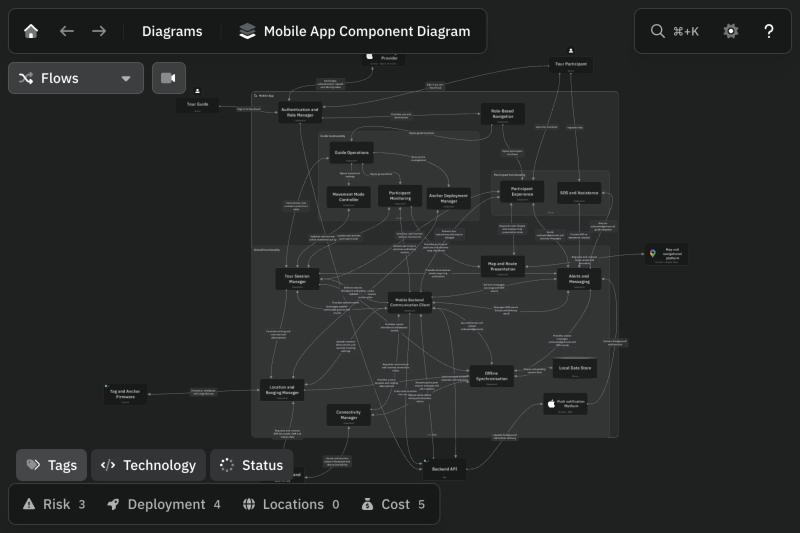
- Mobile app components (C3)
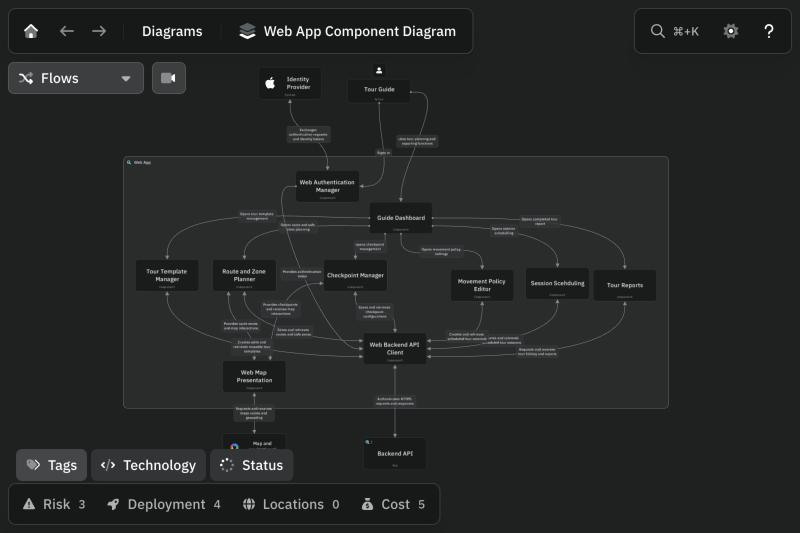
- Web and backend components (C3)
- User flow · initial
- Mobile and web flows, as drawn
- Initial theme and UI direction
- The MVP web planner, as built
- The MVP, as built · guide
- The MVP, as built · participant
- What the MVP revealed · what changed next
- Stage 2 · Redesign and integration
- Research and worked scenarios
- Learning from existing systems · what we took from each
- Redesigned architecture and tour model
- Decisions and integration findings
- Goals by role · five journeys
- User flow · mobile
- User flow · web
- One tour across four lanes
- Shared visual system and refinements
- Routine quiet, exceptions legible
- Reusable components and Storybook organisation
- Integration refinements
- Core screens of the redesigned system
- The final web planner, as built
- The final app, as built · guide
- The final app, as built · participant
- Outcomes and evidence
- MVP and integrated design compared
- Review outcomes and remaining limits
- Final technical design · evidence and limits
- Technical design
- Design choices, architecture, data and algorithms
- Design record
- Design change register
- Section 4
- Implementation
- Section 5
- Results and Evaluation
- Section 6
- Future Work
- Section 7
- Conclusion
- Back matter
- References
- Appendices
Declaration of Authorship
| Section | Author(s) | Signature |
|---|---|---|
| 1. Introduction | Estelle Kim | |
| 2. Background | Estelle Kim | |
| 3. Specification and Design | Seungbeom Yang (Part A); John Kim (Part B) | |
| 4. Implementation | John Kim (Part A); Dennis (Part B) | |
| 5. Results and Evaluation | Christine Kim | |
| 6. Future Work | Christine Kim | |
| 7. Conclusion | Christine Kim |
Section 1
Introduction
TourTrack is a mobile and web platform that supports guided group tours. It allows a guide to plan a tour, enrol participants, monitor the group while the tour is running, and respond to incidents such as a participant becoming separated from the group. The system was developed by a five-member team for the COMPSCI 399 capstone course at the University of Auckland in Semester 2, 2026.
1.1 Aims and objectives
The aim of the project is to reduce the risk of participants being separated from, or lost within, a guided group by giving the guide a shared, real-time view of the group together with structured procedures for responding to safety incidents.
The objectives of the project are to:
- enable a guide to plan and publish a tour, including multi-day itineraries and parallel groups, and enable participants to join using a six-character tour code or a QR code;
- record readiness and attendance (joining, check-in and start verification), and offer a separate headcount action during or at the end of a tour;
- share guide and participant location and presence during a tour, and evaluate this information against a guide-defined movement policy so that the guide is warned when a participant moves away from the group, stops reporting or cannot be reached;
- provide incident workflows, comprising SOS requests with delivery tracking, automatic retry and escalation, and a missing-person recovery workflow;
- support communication between the guide and participants through announcements, direct messages and push notifications;
- cope with intermittent connectivity, by allowing actions interrupted by a lost connection to be retried safely, and support tours in which participants divide into different activities; and
- verify the system through automated testing and through demonstration on physical devices.
1.2 Target audience
The system has two groups of users and two groups of stakeholders:
- Primary users: tour guides and operators. Guides plan tours in the web portal and use the mobile application during a tour to monitor the group, record attendance, send messages and respond to incidents.
- Secondary users: tour participants. They join a tour, follow its plan and instructions, share their location with the guide during the tour and can raise an SOS request.
- Stakeholder: the project client and operations staff. They prepare tours, review outcomes and define the operational requirements that the system must satisfy.
- Stakeholder: course staff and the project supervisor. They assess the work against the COMPSCI 399 requirements.
1.3 Scope
The project was delivered in two stages: a committed minimum viable product (MVP) and a post-MVP roadmap (referred to as V2) that extended the system after stakeholder meetings. V2 was initially limited to a shared contract and a thin two-day guided tour; the team subsequently agreed to extend delivery beyond that slice.
In scope
- Tour authoring and publication in the web portal, including validation of the plan before it is shared with participants.
- Participant onboarding by tour code or QR code, event-scoped attendance checks and guide-recorded attendance.
- Live tours: start verification, location and presence, policy-based warnings, hold and resume, leave requests, separate headcount requests, direct end of tour and a tour summary.
- Incident handling: SOS requests with acknowledgement, resolution, retry and escalation, and a missing-person recovery workflow.
- Communication: announcements, direct messages with an optional one-time GPS location attachment, and push notifications.
- V2 capabilities: multi-day itineraries, parallel groups and assignment of participants to them, participant choice with atomic capacity reservation, transport manifests, activity-aware operating modes for safety evaluation, equipment tracking with issue and return, indoor (cave) operations with operator-recorded checks, journey search for public-transport legs through a provider proxy, and safe retry of actions interrupted by a lost connection.
- The cloud backend: data model, access rules, server-side validation, scheduled safety jobs and automated tests.
Out of scope
- Online booking and payment processing, including payment for optional activities.
- Chaperone roles and participants who do not carry a smartphone.
- A formal data-retention policy. All records are currently retained.
- Full offline operation and hardware-based positioning, for example Bluetooth tags or ultra-wideband (UWB) devices.
1.4 Approach
The project was carried out using the following approach:
- Requirements gathering. Requirements were drawn from the project proposal, meetings with the client and meetings with practising tour guides (Section 2.4).
- Ticket-based, iterative delivery. Work was tracked as GitHub issues grouped into two epics, the committed MVP and the V2 roadmap. Each ticket stated its acceptance criteria, the edge cases to be tested and its dependencies.
- Contract-first design for V2. A shared contract document and a decision log recorded the data model, operations and open decisions so that the web, mobile and backend contributors worked to the same definitions.
- Division of work by layer. Contributors were assigned to the backend, mobile and web layers and integrated through the shared contract.
- Verification at each step. Automated unit, integration and security-rule tests were used during development. Pull requests were generally peer-reviewed; branch protection and CI were used earlier, then relaxed or disabled late in the project because of integration pressure and CI spending limits. Native walkthroughs and limited physical-device checks were completed, but no comprehensive multi-device field trial was recorded.
- Regular review. The team met weekly, took part in the fortnightly client meetings that the client held with every capstone group, and coordinated day to day through a shared messaging channel.
1.5 Important outcomes
The principal outcomes of the project are summarised below. Their evaluation is presented in the Results and Evaluation section.
- The integrated system includes tour-code joining and an implemented QR-based join route, with end-to-end QR scanning on the final physical-device build not independently established by the recorded acceptance evidence.
- Core workflows implemented: joining by code, check-in and start verification, live location with activity-aware warnings, SOS and missing-person response, guide announcements and direct messages. QR-scanning acceptance and warning accuracy on real tours were not established.
- V2 capabilities for multi-day and parallel-group tours, including assignment of participants to groups, atomic capacity reservation, transport manifests, activity-aware operating modes for safety evaluation, equipment tracking, indoor cave operations and safe retry of interrupted actions.
- Acceptance scenarios for a two-day guided tour, a cave operation and their failure cases, together with cross-client proof tooling that records one proof per V2 delivery.
- A substantial automated test inventory. The latest verified run (28 October) passed 33 backend unit tests and 225 selected mobile tests; the full emulator-backed suite was not re-run for that final summary.
Some planned capabilities were not completed. These are identified in the Future Work section.
Section 2
Background
2.1 Context and problem statement
Tourism is a significant sector of the New Zealand economy. For the year ended March 2025, tourism contributed 4.6 per cent of gross domestic product directly and 7.7 per cent in total when indirect effects are included, and supported 327,888 jobs (provisional figures) [1]. A large share of this activity involves guides leading groups through unfamiliar environments.
Where guided activities fall within the adventure activities regime, operators must pass a safety audit and be registered with WorkSafe New Zealand before they provide the activity [2]. This places a duty on operators to manage the risks that participants face and to be able to demonstrate how they do so.
A recurring operational problem in group tourism is that participants move too far from the group and cannot find their way back to it, while the guide has difficulty locating or contacting them [3]. The problem becomes harder as tours become more complex. Multi-day tours, parallel activities, several lead guides and transport units mean that the guide must track sub-groups as well as individuals. These conditions were raised by the client and are reported in Section 2.4.
2.2 Existing solutions
Four categories of existing solution were reviewed: general-purpose location sharing, booking and operations software, group-tracking tools for guided groups, and research prototypes. The review is based on the publicly available descriptions of each product.
General-purpose location sharing. Life360 allows private circles to share live positions and supports place-based arrival and departure notifications [4]. Google Maps supports time-limited location sharing and place-specific arrival or departure notifications [5]. These products can alert contacts to movements, but the reviewed functionality does not establish a guide-controlled departure, attendance record, activity-specific movement policy or operational incident workflow. Their location notifications should not be confused with TourTrack’s proposed guide-facing attendance and safety evaluation.
Booking and operations software. The Rezdy mobile application gives operators a daily manifest, QR-code guest check-in, walk-in bookings and payment capture [6]. Software of this type records who has booked and who has arrived. In the product material reviewed, attendance is treated as a booking event and not as continuous monitoring, and live location, separation detection and incident workflows are not described.
Group-tracking tools for guided groups. komoot Live Tracking, which its vendor describes as being in beta, lets an organiser share a join link or QR code, view participants' live positions against the planned route on a dashboard, and message the group or send a regroup ping. Its description also includes off-route alerts, pace and last-seen time for spotting stragglers, multi-day hikes, keeping sub-groups together when a group splits, and retaining a participant's last known position when signal is lost. Tracking ends with the tour and live data is removed shortly afterwards [7]. The elysium tgs application combines an audio guide with a guest list showing each guest's distance from the guide, a GPS map, guide-set meeting points, text messaging and picture sharing, with guests added by QR code [8]. These are the closest comparators to the live view in TourTrack, and komoot in particular overlaps with its separation warnings and multi-day support. Their public descriptions focus on route following and audio guiding, and do not describe SOS escalation, missing-person workflows, verified headcounts or guide-authored versioned plans.
Research prototypes. Sudiartha et al. built a group tourist monitoring application on Firebase Realtime Database in which a tour leader sees members' positions on a map and members can send a panic signal. Their testing found that leaders could monitor group movement more easily [3]. The prototype supports the choice of a real-time database for location sharing, but it is limited to location display and one alert, and the devices were lent to tourists.
Table 2.1. Comparison of existing solutions with TourTrack
| Solution | Primary purpose | Relevant capabilities | Gap relative to TourTrack's objectives |
|---|---|---|---|
| Life360 [4] | Family location sharing | Private circles, live location, place arrival/departure alerts and emergency services on supported tiers | Not organised around departures, guide-led attendance or activity-specific tour rules |
| Google Maps location sharing [5] | Personal location sharing | Location sharing and arrival/departure notifications for specified places | No tour-specific attendance, guide-scoped movement rules or integrated incident handling described |
| Rezdy mobile app [6] | Booking and operations | Daily manifest; QR check-in; bookings; payments | Check-in is a booking event; no live location or separation alerts described |
| komoot Live Tracking [7] | Live tracking of cycling and hiking groups (beta) | Join by link or QR; live positions on route; off-route alerts; straggler detection; regroup pings; multi-day and split groups; group messaging | Route-following focus; no SOS escalation, recovery workflow, verified headcount or versioned plans described |
| elysium tgs [8] | Audio guide for tour groups | QR join; guest list with distance; GPS map; meeting points; messaging | Audio-guiding focus; no incident workflows, verified headcount or versioned plans described |
| Sudiartha et al. prototype [3] | Research prototype | Firebase real-time positions; panic signal | Location display and one alert only; no attendance, plans or messaging |
| TourTrack (this project) | Guided-tour safety | Versioned plans; code and QR join; verified attendance; live location with policy-based warnings; SOS and recovery; messaging; parallel groups; safe retry after a lost connection | See Future Work for capabilities not completed |
The reviewed products overlap substantially in live tracking, alerts and group coordination, particularly komoot Live Tracking [7]. The distinctive TourTrack proposal is a guided-tour workflow connecting named attendance, versioned activity plans and incident handling with recorded delivery states. This conclusion is limited to the public documentation reviewed and is not a comparative hands-on validation of all competitors.
2.3 Value of the work
The value of the work differs for each group of users:
- Guides obtain a single view of the group and are warned when a participant moves away, stops reporting or fails to check in, which allows earlier intervention than a periodic verbal headcount.
- Participants join with a short code or QR code, receive the plan and instructions for the tour, and have a direct means of raising an SOS request or sharing their position.
- Operators and the client obtain append-only records of attendance, SOS actions and plan versions with delivery receipts. These records can support safety management and post-tour review of the kind expected of registered operators [2].
- The development team applied cloud, mobile and security techniques from earlier courses to a concrete safety problem, which addresses the learning outcomes of the capstone course.
2.4 Stakeholder input: client and tour guide meetings
Client meetings. The client met every capstone group fortnightly throughout the project, and these meetings were used to review progress and priorities. Early in the project the team also arranged a separate meeting with the client. It raised two possible extensions beyond the MVP: operation in fully offline conditions, and multi-day tours in which participants divide into different activities. The team implemented the multi-day request through an itinerary model of days, activities and execution instances that allows parallel groups. Full offline operation was not implemented. It was not a mandatory requirement, it lay outside the core scope of a software capstone, it pointed towards hardware-based positioning such as Bluetooth tags or UWB devices, and its added complexity did not fit the time available. The team instead made the application tolerate poor connectivity: an action interrupted by a lost connection can be retried and is applied only once. Later in the project the working system was demonstrated to the client, who responded positively.
Tour guide meetings. Three practising guides were interviewed in September after contact was attempted with several potential participants. The interviews provided a small qualitative check against real guiding practice. The available project account supports the following themes; raw interview transcripts and full interview protocols were not included with the report:
- Guides count heads with a handheld tally counter, which supported a headcount function in the guide's application.
- Some participants fall behind on every tour, which supported the separation warnings.
- Guides described differing needs and did not consistently prioritise a feature-heavy tracking system. This prompted simpler mobile screens and raised an exploratory idea for broader group planning outside professional operators; consumer demand was not tested and is not a completed pivot.
These findings are indicative rather than representative. The delivered specification and operator workflows remain the basis of the project evaluation.
2.5 Methods and tools
The solution is based on the methods and tools listed in Table 2.2.
Table 2.2. Methods and tools
| Layer | Technology | Role in TourTrack |
|---|---|---|
| Mobile application | React Native with Expo development builds, TypeScript [9] [12] | Guide and participant application; native modules for location, camera (QR scanning), notifications and maps (MapLibre) |
| Web portal | React and TypeScript; MapLibre GL with OpenStreetMap-based map tiles; Firebase Hosting | Tour authoring, publication review, join access and reporting |
| Identity and data | Firebase Authentication, Cloud Firestore and Realtime Database with security rules [10] | Sign-in; durable records of tours, memberships, incidents, messages and plans; low-latency live location and presence; access control |
| Server logic | AWS Lambda behind Amazon API Gateway [11] | Server-side operations (publishing, joining, SOS, messaging and others) with validation of every request; a provider proxy for journey search (Transitous) [13] |
| Scheduled jobs | Amazon EventBridge Scheduler invoking Lambda | Periodic safety re-evaluation, live-session reconciliation and SOS push retry |
| Supporting services | Amazon S3, AWS Systems Manager Parameter Store, AWS CloudFormation template | File storage, credential storage and infrastructure defined as code |
| Shared code | TypeScript monorepo (npm workspaces) with domain model, Zod validation schemas, data-access converters and a geometry library | One definition of types and validation shared by mobile, web and backend |
| Testing | Vitest with the Firebase Emulator Suite (backend); Jest (mobile); Storybook (user-interface components) [14] | Automated unit, integration and security-rule tests; component review |
| Collaboration | GitHub (issues, pull requests, branch rules, Actions), Discord, Google Docs | Source control, review workflow, continuous integration, communication and report authoring |
Maps are drawn with MapLibre using free OpenFreeMap tiles, which are built from OpenStreetMap data [12], [15]. The team first considered a commercial map service, but a tour map is viewed continuously by the guide and participants, so usage-based pricing would have grown with every tour. A free, open alternative removed that recurring cost.
Four design methods are applied throughout the backend. Every request is validated server-side against shared schemas. Attendance and incident audit trails are stored as append-only records from which current state is derived. Each mutating request carries an operation identifier so that a retried or replayed request is applied once. Operations that must not exceed capacity, such as reserving a place in an activity, run as database transactions.
Section 3
Specification and Design
TourTrack evolved from a guide-focused tracking MVP into a system for coordinating plans, participants and live tour activity.
This section follows two main stages: the initial concept and functional MVP, then redesign and integration. It connects requirements and research to changes in architecture, user flows, visual design and reusable components. Three tasks anchor the comparison: creating a tour, following a participant’s current commitment and monitoring the group.
Research, prototyping and implementation overlapped. Selected intermediate examples explain consequential revisions without repeating the complete interface at each checkpoint. Figures distinguish initial designs, the MVP, coded prototypes and integrated screens. Component previews show design and implementation evidence; review findings and evaluation establish what was verified.
Specification · what the system does
What TourTrack Does
TourTrack connects a published web plan to a live guided tour. One role-based mobile app supports the guide’s operations and each participant’s current commitment.
Plan on the web
Organisers build days, places, routes and travel, then publish one departure.
Operate on the phone
Guides run the departure; participants follow their current commitment.
Product purpose
Make the current commitment clear to participants and help guides identify the situations that require attention.
The design distinguishes location evidence, message delivery and confirmed attendance; their age and source help the guide judge what is known.
How it works · six parts around one published tour
In the build
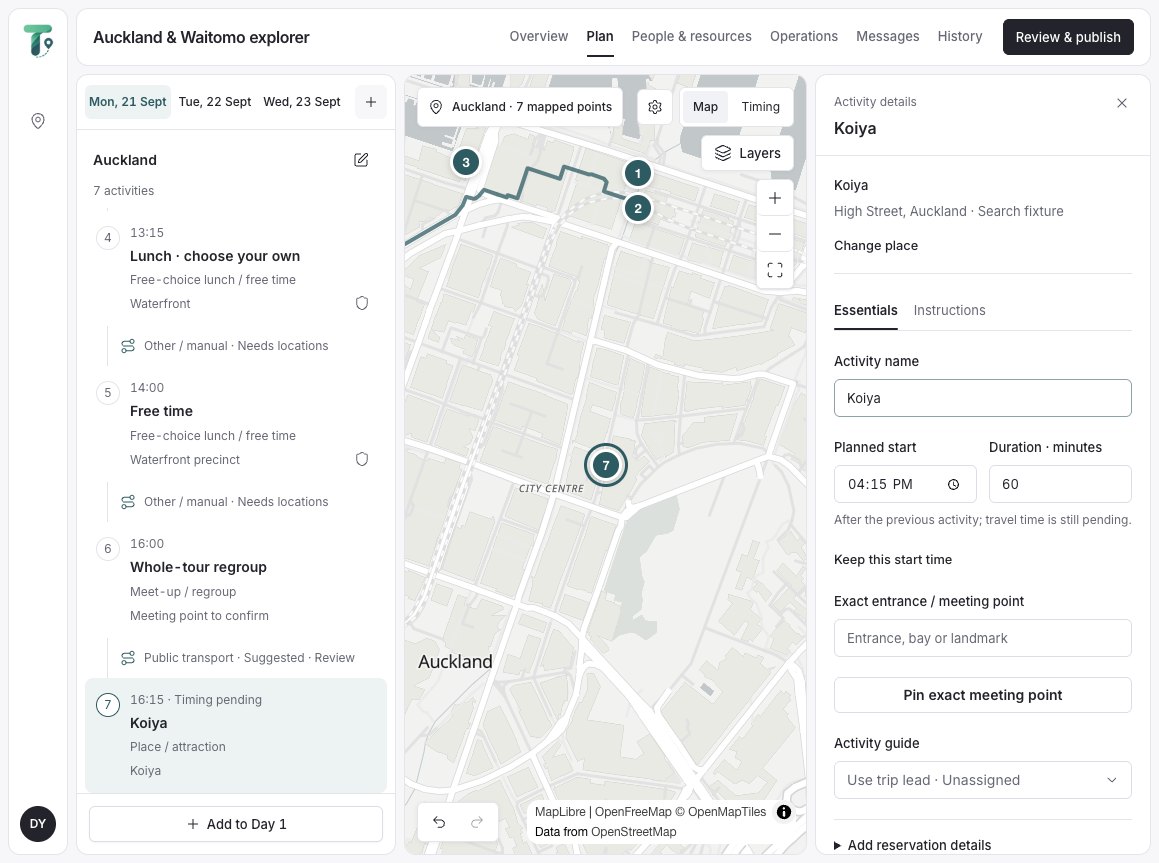
Integrated V2 Web planner
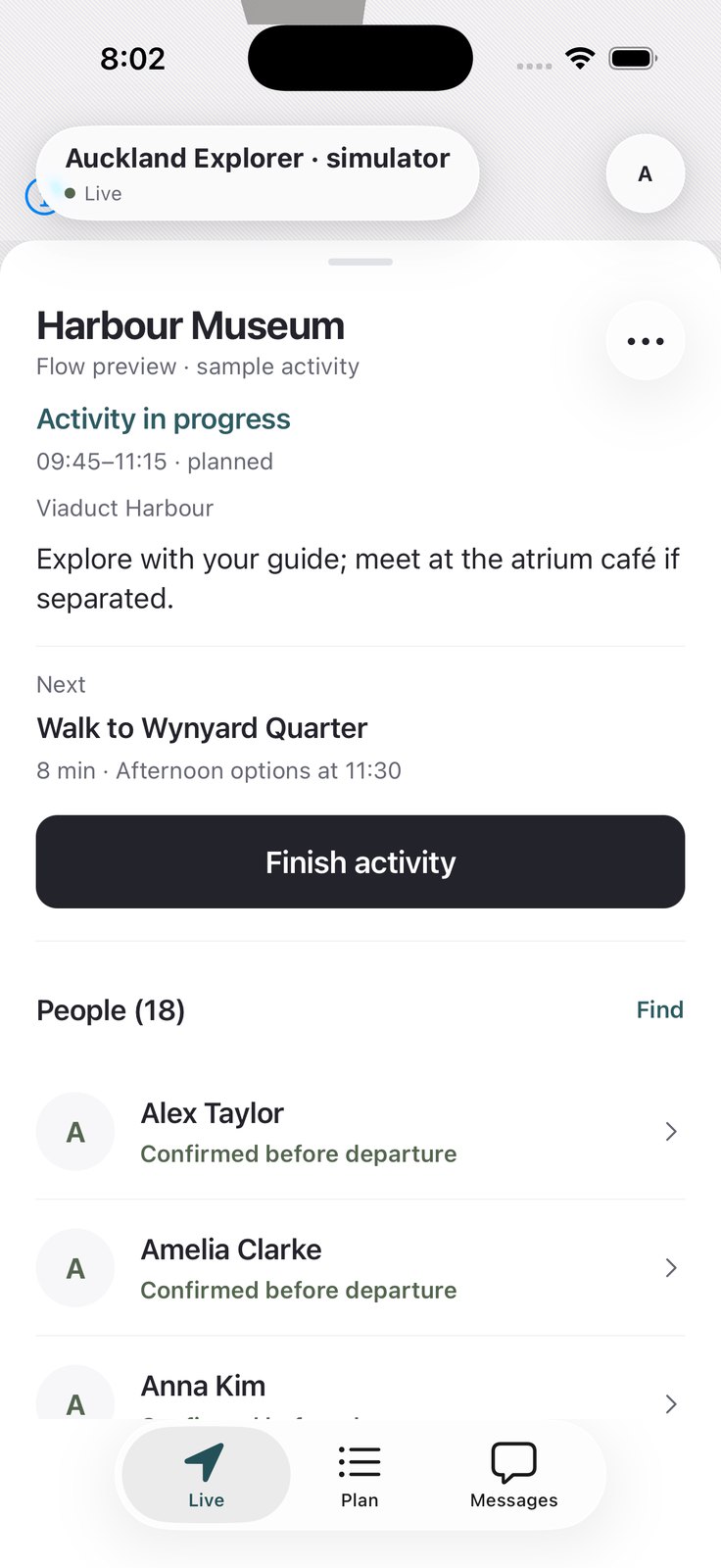
Integrated V2 Guide
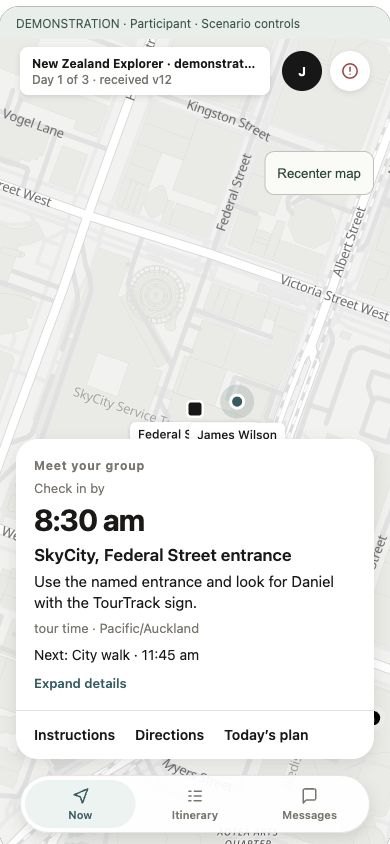
V2 prototype Participant
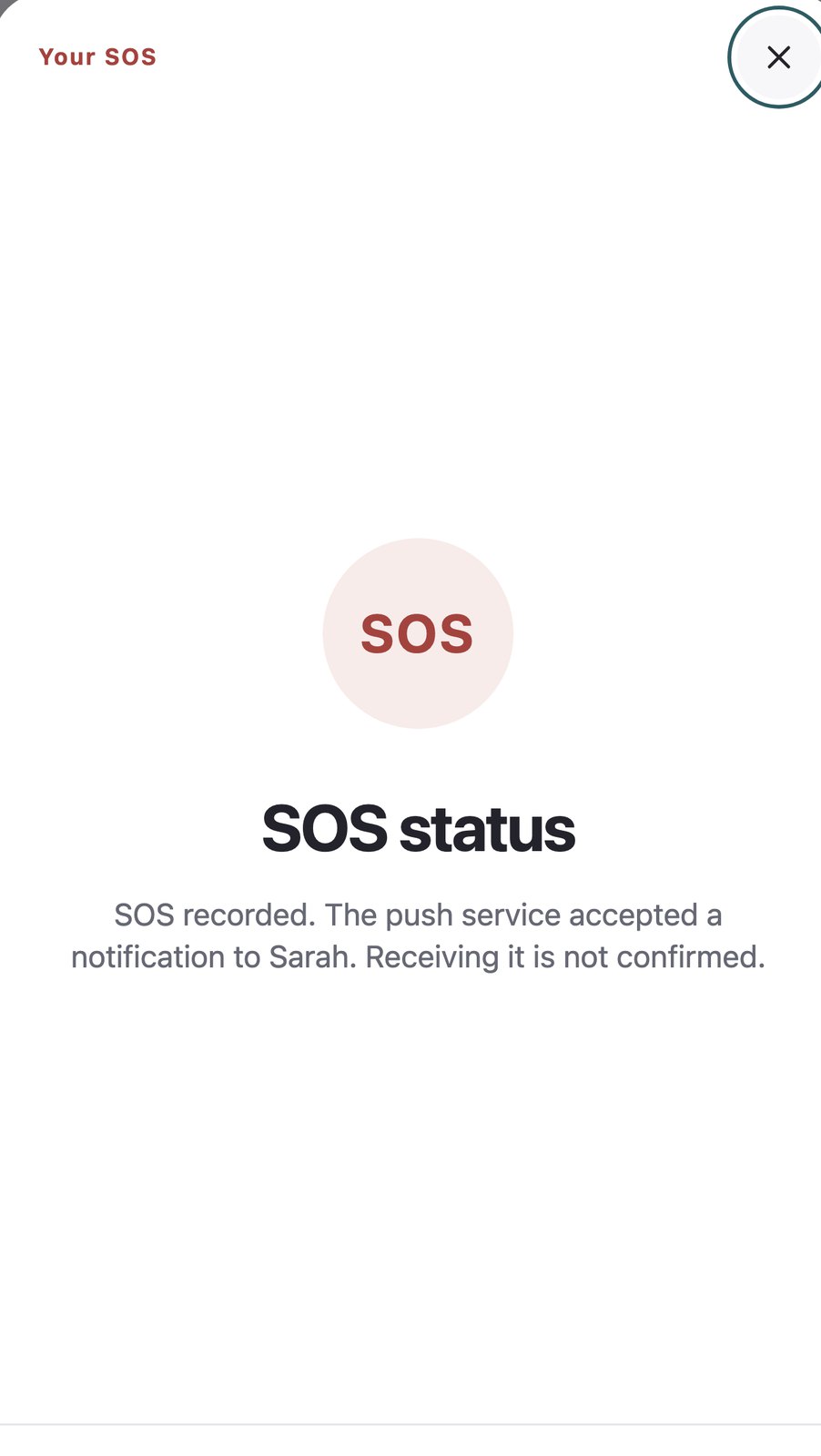
Integrated V2 Help
TourTrack · Specification · 01
TourTrack · Specification · 01
Specification · where it sits and what each part exchanges
Positioning and Service Model
The proposition. Location apps show where people are; itinerary and booking tools show what was planned; group chats carry instructions with no structure. TourTrack joins the published plan to the live tour, so a position is read against the activity it belongs to. Products are placed on two questions: does it coordinate commitments or only track location, and does it work during the live tour or only before it?
A conceptual comparison by user job (research register R10–R15), not a measured ranking
Service model · what each part gives, and what it asks back
| Part | Gives | Asks back |
|---|---|---|
| Web planner | A publishable plan: days, exact meeting places, routes and the travel between them | Places, times, guides and capacity, entered once |
| Guide app | Who needs attention now, and the next action for each person | Attendance decisions, holds and responses, each recorded with who and why |
| Participant app | Current task, time and place, with access to messaging and SOS | Location while the tour runs, check-ins and acknowledgements |
Privacy and reliability. Location sharing is scoped to the running tour and responsible roles. Missing or stale readings must remain distinguishable from confirmed attendance. These constraints shape the architecture and the guide's interpretation of Live.
TourTrack · Specification · 02
TourTrack · Specification · 02
Specification · users, conditions, scope and requirements
Who It Is For
Requirements follow the conditions TourTrack is used in, not screen names. These conditions are why the interface leads with the current commitment and why every state names its evidence.
Initial requirements · the MVP baseline of 2 August
- 1Join a tour with a code and check in
- 2Track everyone against one route and safety area
- 3Alert when someone leaves the area
- 4Announce to the group; raise SOS
- 5Start when everyone has checked in
- 6End the tour with a final headcount
What research and operation added or corrected
| Requirement now | What changed it | Record |
|---|---|---|
| Separation is read per activity; stale is unknown | Free time and parallel groups made one radius wrong | D11 · #213 |
| Plans span days, activities and travel | Two-day and parallel-group scenarios | #303 · #312 |
| Exact meeting entrance, not a venue pin | Operator check-in research (R18) | BE-59 |
| Stored, accepted, received, acknowledged | An SOS marked delivered on push acceptance | D05 · #246 |
| The guide sees why someone reads unknown | Running test tours | #374 |
| End the tour without a closing gate | End refused for unresolved duties | #419 |
Non-functional requirements. Role-scoped location access, safe retries after a lost connection, visible data age and readable controls constrain both stages. These are design requirements; the evaluation distinguishes implemented safeguards from field-validated performance.
TourTrack · Specification · 03
TourTrack · Specification · 03
Design process · initial MVP to redesigned system
Two Stages, One Design Process
The report compares the initial concept and functional MVP with the redesigned, integrated system. Research, prototyping and implementation overlapped. Dated examples preserve that sequence within each stage.
1. Initial concept and functional MVP. The team compared positioning options, modelled the system with the C4 model [16] and connected the first guide and participant journeys. This established the baseline and exposed the limitations of one group following one route.
2. Redesign and integration. Tour scenarios informed a richer model, revised flows and shared UI components. Storybook [14] supported component review; integration exposed the remaining navigation, publishing and evidence-state problems.
Three tasks provide continuity: creating a tour, following a participant’s current commitment and monitoring the group. Selected intermediate comparisons explain the changes between the initial and resulting screens.
TourTrack · Design process · 04
TourTrack · Design process · 04
Stage 1 · research and decisions · feasibility
Tags, Anchors, or Phones
The first architecture asked whether tracking needed its own hardware. The MVP answered with the phones people already carry, one role-based app and managed Firebase services, so the team could build and test a whole tour within the semester.
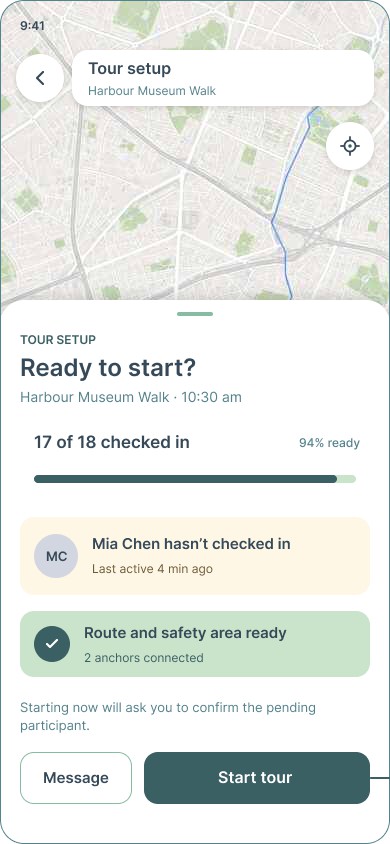
The V1 readiness frame still reads “Route and safety area ready · 2 anchors connected”: the Figma was drawn before the hardware was dropped.
Stage 1 · research and decisions · what was chosen
First Decisions
Each decision names the option weighed against it, from docs/ARCHITECTURE.md (2 August) and the IcePanel model. These set the baseline that the redesign and integration work revise.
| Decision | Weighed against | Chosen | Because |
|---|---|---|---|
| Positioning | GPS, BLE, UWB, Wi-Fi, hybrid | Phone GPS | No infrastructure; testable by the team |
| Backend | Backend API and database (IcePanel) | Firebase: Functions, Firestore, Realtime DB | Five developers, one semester, free tier |
| Mobile structure | Separate guide and participant apps | One app, role-based routes | Shared map, session and offline code |
| Web and mobile | Operate from the web as well | Web plans; the phone operates | Guides operate while moving |
| Live state | One store for everything | Durable records apart from live state | Positions change every few seconds |
Kept through both stages
Phone-first; one role-based app; Firebase identity and data; durable records kept apart from live session state.
Limitation of the baseline. Free time, transport, parallel groups and late arrivals were not adequately represented by one route and one group. These became explicit scenarios in the redesign.
TourTrack · Stage 1 · Initial concept and MVP · 05
TourTrack · Stage 1 · Initial concept and MVP · 05
Stage 1 · research and decisions · feasibility
Tags, Anchors, or Phones
The first architecture asked whether tracking needed its own hardware. The MVP answered with the phones people already carry, one role-based app and managed Firebase services, so the team could build and test a whole tour within the semester.
The V1 readiness frame still reads “Route and safety area ready · 2 anchors connected”: the Figma was drawn before the hardware was dropped.
Stage 1 · research and decisions · what was chosen
First Decisions
Each decision names the option weighed against it, from docs/ARCHITECTURE.md (2 August) and the IcePanel model. These set the baseline that the redesign and integration work revise.
| Decision | Weighed against | Chosen | Because |
|---|---|---|---|
| Positioning | GPS, BLE, UWB, Wi-Fi, hybrid | Phone GPS | No infrastructure; testable by the team |
| Backend | Backend API and database (IcePanel) | Firebase: Functions, Firestore, Realtime DB | Five developers, one semester, free tier |
| Mobile structure | Separate guide and participant apps | One app, role-based routes | Shared map, session and offline code |
| Web and mobile | Operate from the web as well | Web plans; the phone operates | Guides operate while moving |
| Live state | One store for everything | Durable records apart from live state | Positions change every few seconds |
Kept through both stages
Phone-first; one role-based app; Firebase identity and data; durable records kept apart from live session state.
Limitation of the baseline. Free time, transport, parallel groups and late arrivals were not adequately represented by one route and one group. These became explicit scenarios in the redesign.
TourTrack · Stage 1 · Initial concept and MVP · 05
TourTrack · Stage 1 · Initial concept and MVP · 05
Stage 1 · architecture · the first C4 model
The First C4 Model
Before any code, the system was modelled in IcePanel at three C4 levels: one context, two containers and three component diagrams. The context already shows the open question: the mobile app uses GPS, Bluetooth and UWB, and talks to tag and anchor firmware that “discovers, configures and ranges devices using BLE and UWB”.
Context · C1, redrawn
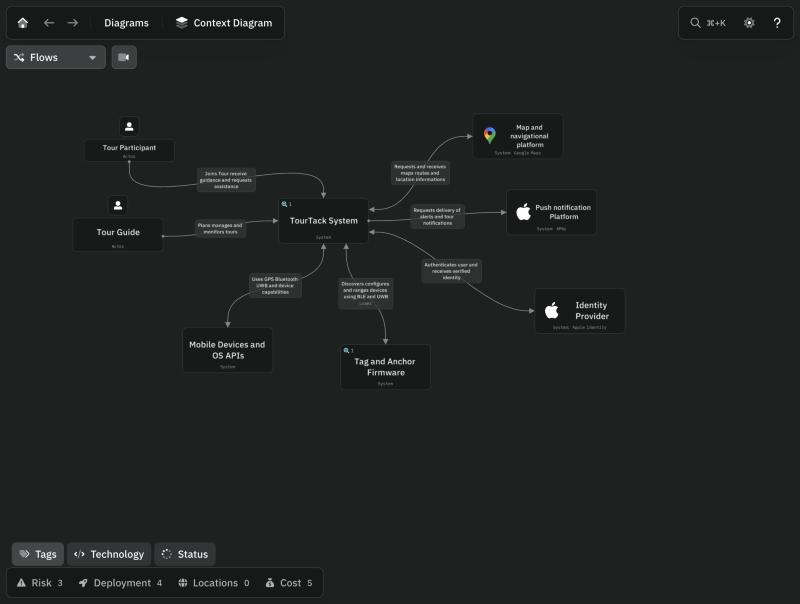
Initial design C1 · Context
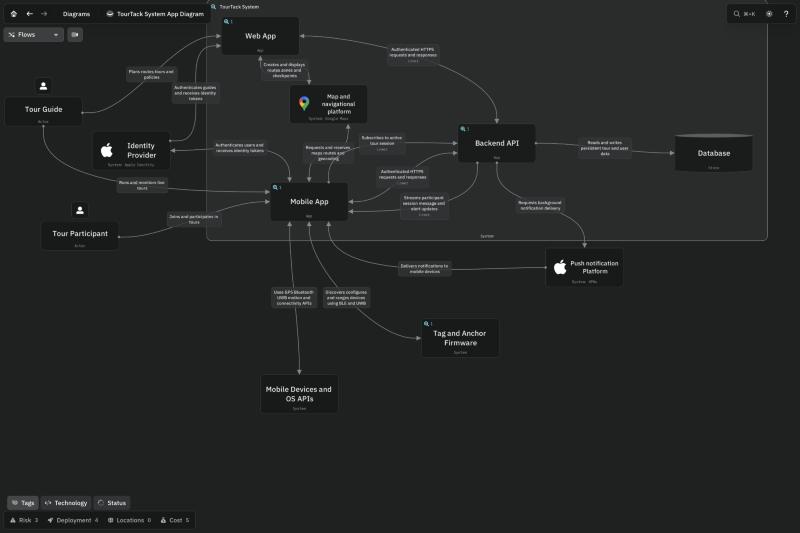
Initial design C2 · Containers
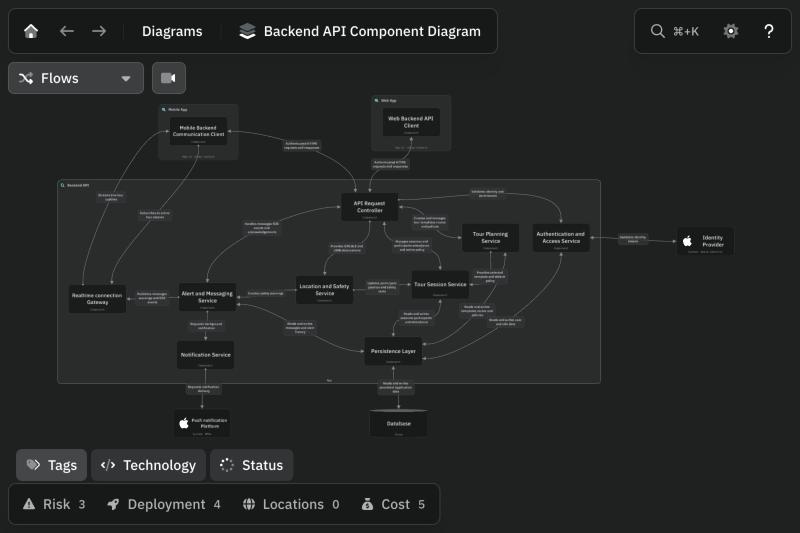
Initial design C3 · Backend API
Containers in the original C2: a web app and a mobile app over one backend API and database, with Google Maps, APNs and Apple identity outside. The tag and anchor firmware was a second container of its own.
Stage 1 · architecture · components then and now
Components, Then and Now
This overview compares component responsibilities across the project. Hardware-era components give way to the MVP’s settings, safety and platform adapter. The V2 modules are shown here as a later comparison; their plan, change and group responsibilities are explained in the redesign.
IcePanel C3
exploration
Authentication and role
Role-based navigation
Guide operations
Movement mode controller
Participant monitoring
Anchor deployment manager
Participant experience
SOS and assistance
Tour session manager
Map and route
Alerts and messaging
Location and ranging
Offline sync, local store
Connectivity, backend client
MVP baseline
ARCHITECTURE.md §6
Authentication and role
Role-based navigation
Guide operations
Active tour settings
Participant monitoring
Participant experience
SOS and assistance
Tour session manager
Location and safety
Map and route
Alerts and messaging
Platform services adapter
Offline sync, local store
Connectivity, backend client
V2 feature modules
apps/mobile/src/features
auth, navigation
guide-active-tour
participant-pre-tour
plan-delivery
plan-change
communication
conversations
connectivity
offline-package
instance-lifecycle
handoffs
group-choice
equipment, venue-operation
notifications
Initial design C3 · Mobile app
Initial design C3 · Web app
IcePanel landscape (shared viewer), docs/ARCHITECTURE.md §6 (2 Aug), apps/mobile/src/features (24 Oct)
TourTrack · Stage 1 · Architecture · 06
TourTrack · Stage 1 · Architecture · 06
Stage 1 · architecture · the first C4 model
The First C4 Model
Before any code, the system was modelled in IcePanel at three C4 levels: one context, two containers and three component diagrams. The context already shows the open question: the mobile app uses GPS, Bluetooth and UWB, and talks to tag and anchor firmware that “discovers, configures and ranges devices using BLE and UWB”.
Context · C1, redrawn
Initial design C1 · Context
Initial design C2 · Containers
Initial design C3 · Backend API
Containers in the original C2: a web app and a mobile app over one backend API and database, with Google Maps, APNs and Apple identity outside. The tag and anchor firmware was a second container of its own.
Stage 1 · architecture · components then and now
Components, Then and Now
This overview compares component responsibilities across the project. Hardware-era components give way to the MVP’s settings, safety and platform adapter. The V2 modules are shown here as a later comparison; their plan, change and group responsibilities are explained in the redesign.
IcePanel C3
exploration
Authentication and role
Role-based navigation
Guide operations
Movement mode controller
Participant monitoring
Anchor deployment manager
Participant experience
SOS and assistance
Tour session manager
Map and route
Alerts and messaging
Location and ranging
Offline sync, local store
Connectivity, backend client
MVP baseline
ARCHITECTURE.md §6
Authentication and role
Role-based navigation
Guide operations
Active tour settings
Participant monitoring
Participant experience
SOS and assistance
Tour session manager
Location and safety
Map and route
Alerts and messaging
Platform services adapter
Offline sync, local store
Connectivity, backend client
V2 feature modules
apps/mobile/src/features
auth, navigation
guide-active-tour
participant-pre-tour
plan-delivery
plan-change
communication
conversations
connectivity
offline-package
instance-lifecycle
handoffs
group-choice
equipment, venue-operation
notifications
Initial design C3 · Mobile app
Initial design C3 · Web app
IcePanel landscape (shared viewer), docs/ARCHITECTURE.md §6 (2 Aug), apps/mobile/src/features (24 Oct)
TourTrack · Stage 1 · Architecture · 06
TourTrack · Stage 1 · Architecture · 06
Stage 1 · architecture · containers (C2), as first modelled
Containers, as First Modelled
Redrawn from the IcePanel “TourTack System App Diagram”: one web app and one mobile app over a backend API and database. The mobile app reads GPS, Bluetooth and UWB and talks to tag and anchor firmware, the dashed container the MVP removed.
IcePanel landscape · System App Diagram (C2)
Stage 1 · architecture · containers (C2), MVP
Containers, MVP
The MVP replaced the generic backend proposal with Firebase services: Cloud Functions for trusted commands, Firestore for durable records and Realtime Database for live session state. This establishes the container baseline used in the later comparisons.
docs/ARCHITECTURE.md §5 (2 August) · MapLibre from WUI-03 (12 August)
TourTrack · Stage 1 · Architecture · 07
TourTrack · Stage 1 · Architecture · 07
Stage 1 · architecture · containers (C2), as first modelled
Containers, as First Modelled
Redrawn from the IcePanel “TourTack System App Diagram”: one web app and one mobile app over a backend API and database. The mobile app reads GPS, Bluetooth and UWB and talks to tag and anchor firmware, the dashed container the MVP removed.
IcePanel landscape · System App Diagram (C2)
Stage 1 · architecture · containers (C2), MVP
Containers, MVP
The MVP replaced the generic backend proposal with Firebase services: Cloud Functions for trusted commands, Firestore for durable records and Realtime Database for live session state. This establishes the container baseline used in the later comparisons.
docs/ARCHITECTURE.md §5 (2 August) · MapLibre from WUI-03 (12 August)
TourTrack · Stage 1 · Architecture · 07
TourTrack · Stage 1 · Architecture · 07
Stage 1 · architecture · mobile components (C3)
Mobile App Components
The MVP mobile component view, drawn from the Mermaid source in docs/ARCHITECTURE.md §6.3 (2 August), overlaid with the IcePanel model it replaced. Three red components existed only in IcePanel and were removed with the hardware; three teal ones were added in their place.
IcePanel “Mobile App Component Diagram” · docs/ARCHITECTURE.md §6.3
TourTrack · Stage 1 · Architecture · 08
TourTrack · Stage 1 · Architecture · 08
Stage 1 · architecture · web components (C3)
Web App Components
The guide dashboard opens one feature component per planning task; all of them reach the backend through one client. Participant and Join Access was added after the IcePanel model. The planner was later rebuilt as one trip workspace (the redesign).
IcePanel “Web App Component Diagram” · docs/ARCHITECTURE.md §7.3
Stage 1 · architecture · backend components (C3)
Backend Components
Clients either read directly under security rules or send trusted commands to request handlers, which dispatch to five services over one repository layer. IcePanel's realtime gateway disappeared: the Realtime Database carries live state. On AWS the same services run behind API Gateway and Lambda (the redesign).
IcePanel “Backend API Component Diagram” · docs/ARCHITECTURE.md §8
TourTrack · Stage 1 · Architecture · 09
TourTrack · Stage 1 · Architecture · 09
Stage 1 · architecture · web components (C3)
Web App Components
The guide dashboard opens one feature component per planning task; all of them reach the backend through one client. Participant and Join Access was added after the IcePanel model. The planner was later rebuilt as one trip workspace (the redesign).
IcePanel “Web App Component Diagram” · docs/ARCHITECTURE.md §7.3
Stage 1 · architecture · backend components (C3)
Backend Components
Clients either read directly under security rules or send trusted commands to request handlers, which dispatch to five services over one repository layer. IcePanel's realtime gateway disappeared: the Realtime Database carries live state. On AWS the same services run behind API Gateway and Lambda (the redesign).
IcePanel “Backend API Component Diagram” · docs/ARCHITECTURE.md §8
TourTrack · Stage 1 · Architecture · 09
TourTrack · Stage 1 · Architecture · 09

↳ Needs
One app; the role is chosen at entry.
↳ Needs
Readiness is one step, done once before the tour.
↳ Needs
Every exception returns to “Back to live view”.
↳ Needs
Joining is a one-time sequence.
↳ Needs
Status and distance, not the next commitment.
↳ Needs
One tour, one day, one ending.
User Flow · Initial, Guide
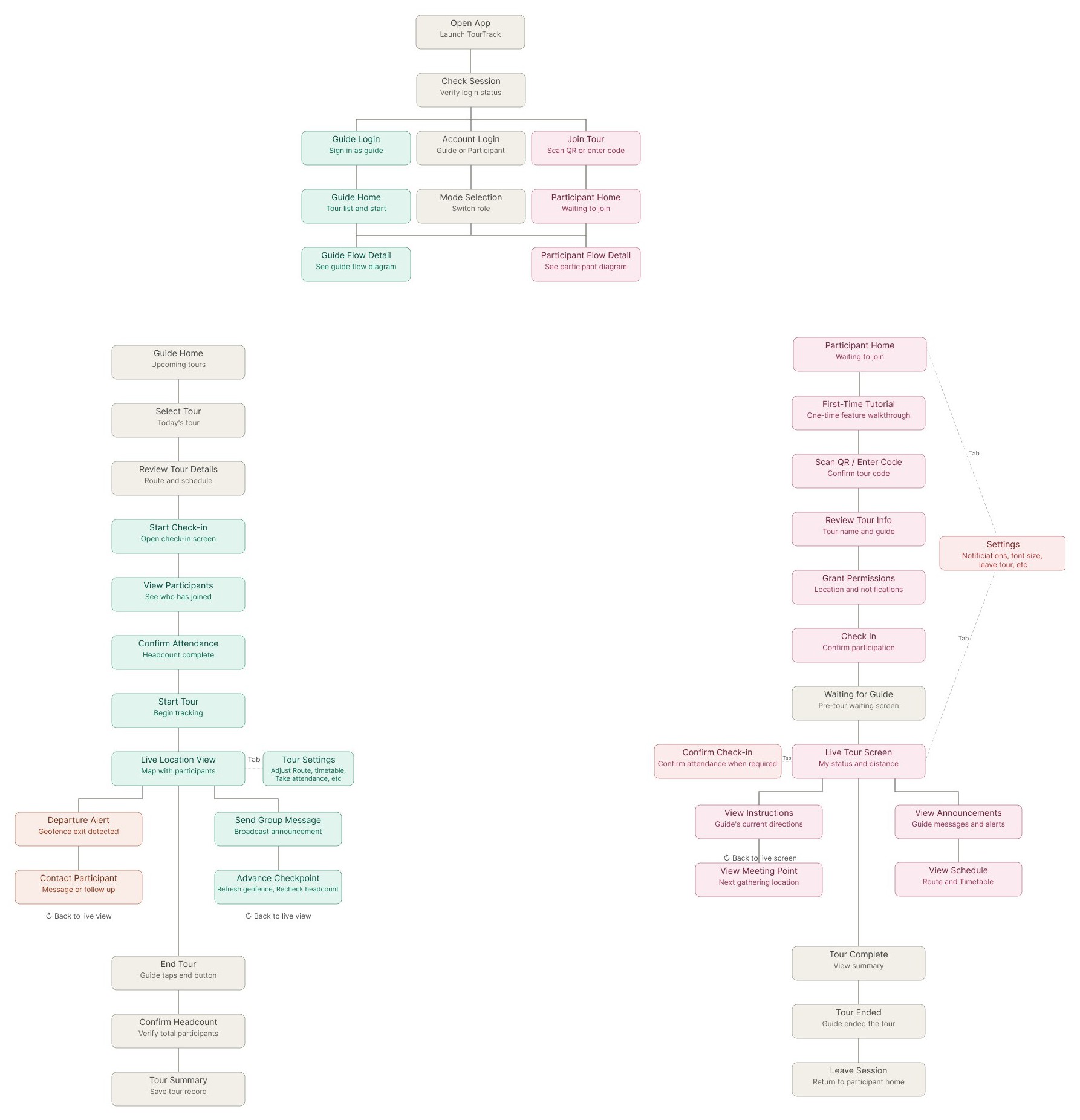
The first flows from the Figma Userflow page, redrawn with their exact step names. One shared entry splits into a guide path and a participant path, each a single line from before the tour to its end.
User Flow · Initial, Participant
Highlighted pills trace the assumed happy path. Check in, confirm attendance, start, watch the live map, end with a headcount. The notes under each branch record what this version assumed; the redesign shows how those assumptions changed.
Redrawn from Figma, Compsci399 · Userflow page (initial design); the original follows
Assumptions noted by the report, from the flow's own structure
TourTrack · Stage 1 · User flow · 10
TourTrack · Stage 1 · User flow · 10
↳ Needs
One app; the role is chosen at entry.
↳ Needs
Readiness is one step, done once before the tour.
↳ Needs
Every exception returns to “Back to live view”.
↳ Needs
Joining is a one-time sequence.
↳ Needs
Status and distance, not the next commitment.
↳ Needs
One tour, one day, one ending.
User Flow · Initial, Guide
The first flows from the Figma Userflow page, redrawn with their exact step names. One shared entry splits into a guide path and a participant path, each a single line from before the tour to its end.
User Flow · Initial, Participant
Highlighted pills trace the assumed happy path. Check in, confirm attendance, start, watch the live map, end with a headcount. The notes under each branch record what this version assumed; the redesign shows how those assumptions changed.
Redrawn from Figma, Compsci399 · Userflow page (initial design); the original follows
Assumptions noted by the report, from the flow's own structure
TourTrack · Stage 1 · User flow · 10
TourTrack · Stage 1 · User flow · 10
Stage 1 · user flow · original Figma, mobile
Mobile Flows, as Drawn
Stage 1 · user flow · original Figma, web
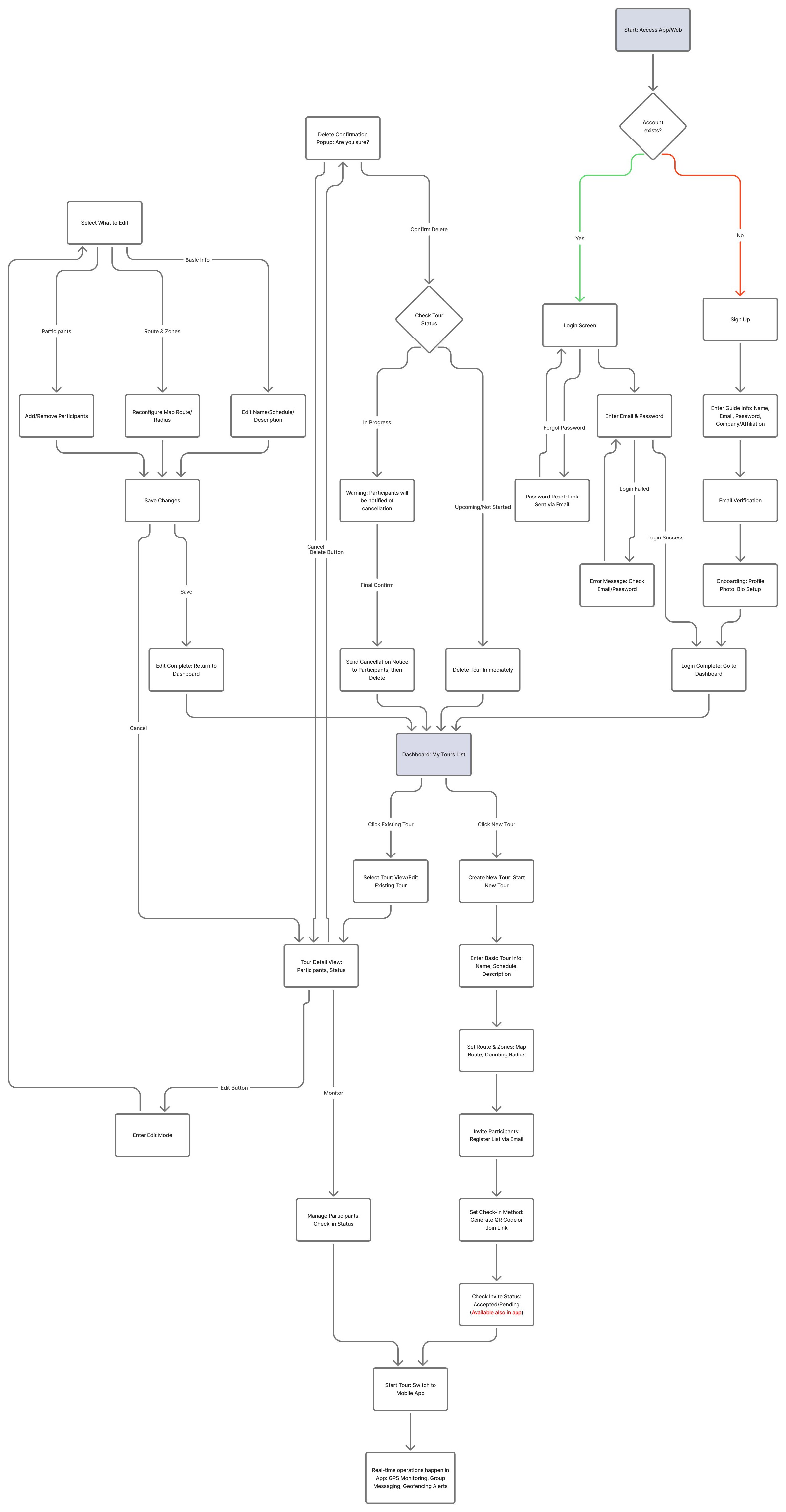
Web Flow, as Drawn
TourTrack · Stage 1 · User flow · 11
TourTrack · Stage 1 · User flow · 11
Stage 1 · user flow · original Figma, mobile
Mobile Flows, as Drawn
Stage 1 · user flow · original Figma, web
Web Flow, as Drawn
TourTrack · Stage 1 · User flow · 11
TourTrack · Stage 1 · User flow · 11
STAGE 1 · THEME
V1 Figma and MVP tokens
packages/design-tokens · primitives.ts, semantic.ts (5–14 August)
Ink
#364958
Pine · action
#3B6064
Teal
#55828B
Mint
#87BBA2
Mint light
#C9E4CA
Red
#C23030
App mark, August (MUI-04)
Type · Inter, hierarchy by size and weight
Harbour Museum Walk
Meet at the east doors
Body text for instructions and detail.
Label · status · section
Next commitment
8:30 am
SkyCity, Federal Street entrance
Boarding · Coach to Viaduct Harbour
Status
SafeNearbyOutsideUnknown · 3 minSOSPeople
Bottom sheet
LIVE TOUR
Tour in progress
12:34 elapsed · next checkpoint
Tab bar
Dark appearance · not in the MVP
Stage 1 · theme and UI direction
Initial Visual Direction
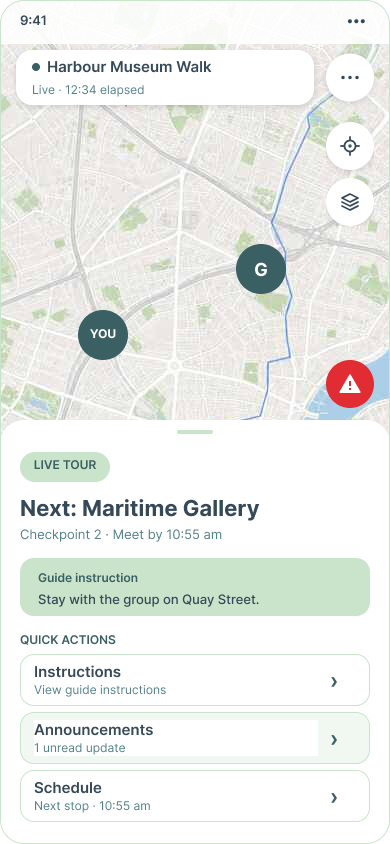
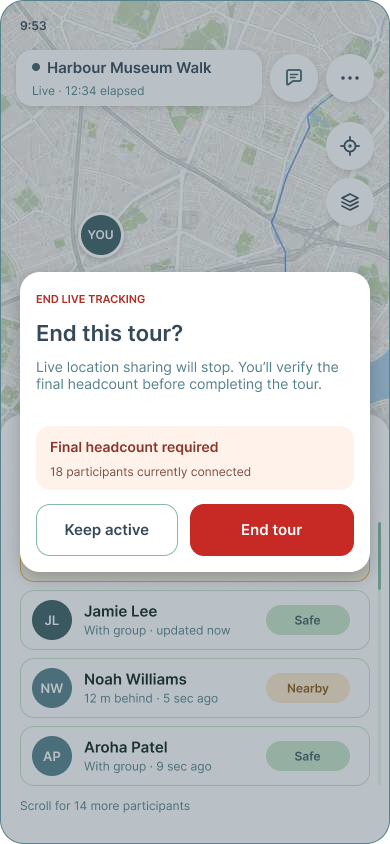
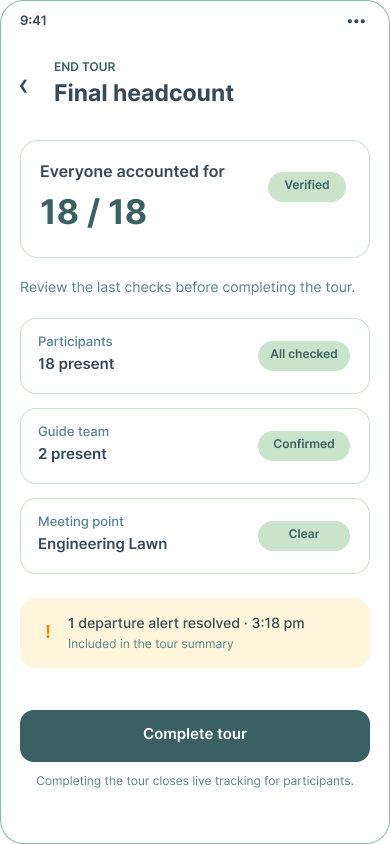
The V1 Figma set the first direction: a full-screen map with one card, tinted participant rows and mid-tone teal and mint everywhere. The MVP tokens were taken straight from those frames, normalising near-duplicates.
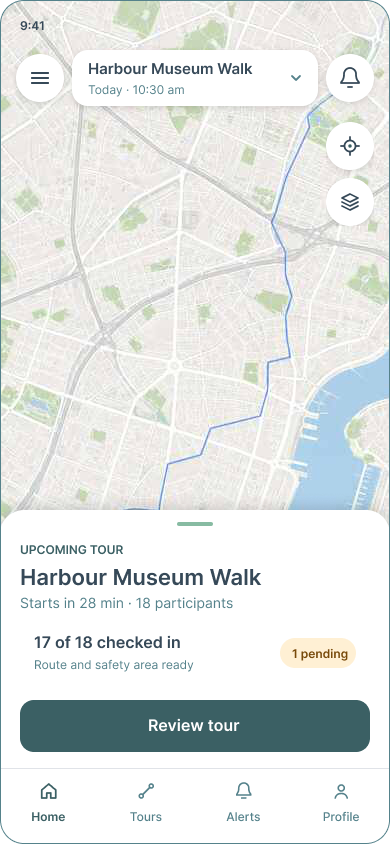
Guide home
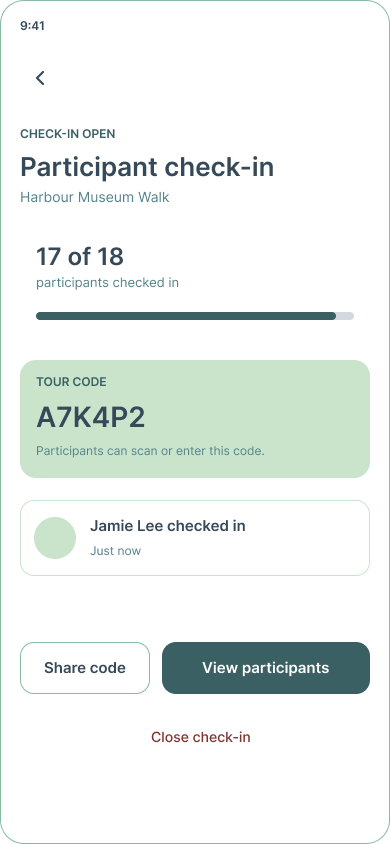
Check-in
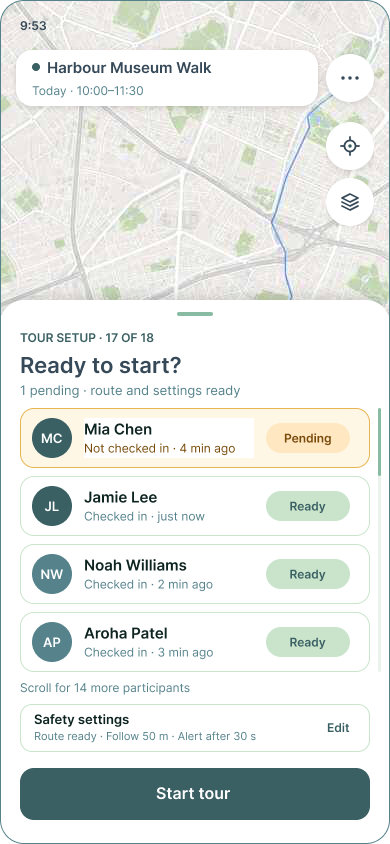
Ready to start?
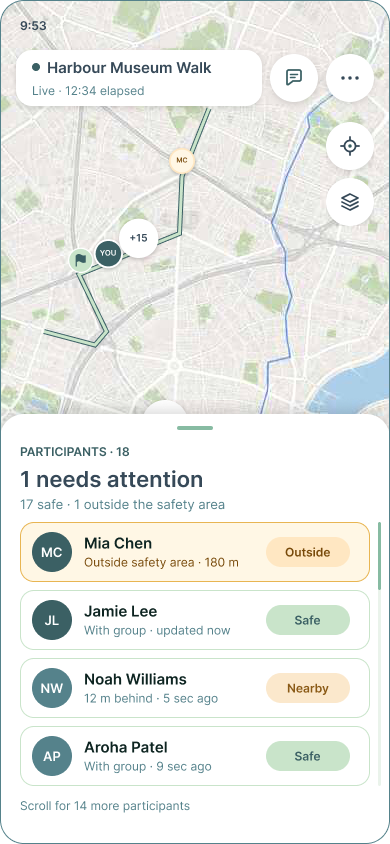
Live
Participant live
End this tour?
Headcount
Launch
W18 Basics
W19 Route and zones
W22 Review
| Element | Status | Why |
|---|---|---|
| Map with one card | New | Location was the product's centre |
| Mint and teal for every surface | New | Taken from the V1 frames |
TourTrack · Stage 1 · Visual direction · 12
TourTrack · Stage 1 · Visual direction · 12
STAGE 1 · THEME
V1 Figma and MVP tokens
packages/design-tokens · primitives.ts, semantic.ts (5–14 August)
Ink
#364958
Pine · action
#3B6064
Teal
#55828B
Mint
#87BBA2
Mint light
#C9E4CA
Red
#C23030
App mark, August (MUI-04)
Type · Inter, hierarchy by size and weight
Harbour Museum Walk
Meet at the east doors
Body text for instructions and detail.
Label · status · section
Next commitment
8:30 am
SkyCity, Federal Street entrance
Boarding · Coach to Viaduct Harbour
Status
SafeNearbyOutsideUnknown · 3 minSOSPeople
Bottom sheet
LIVE TOUR
Tour in progress
12:34 elapsed · next checkpoint
Tab bar
Dark appearance · not in the MVP
Stage 1 · theme and UI direction
Initial Visual Direction
The V1 Figma set the first direction: a full-screen map with one card, tinted participant rows and mid-tone teal and mint everywhere. The MVP tokens were taken straight from those frames, normalising near-duplicates.
Guide home
Check-in
Ready to start?
Live
Participant live
End this tour?
Headcount
Launch
W18 Basics
W19 Route and zones
W22 Review
| Element | Status | Why |
|---|---|---|
| Map with one card | New | Location was the product's centre |
| Mint and teal for every surface | New | Taken from the V1 frames |
TourTrack · Stage 1 · Visual direction · 12
TourTrack · Stage 1 · Visual direction · 12
Stage 1 · core screens · the web planner, as built
The MVP Web Planner, as Built
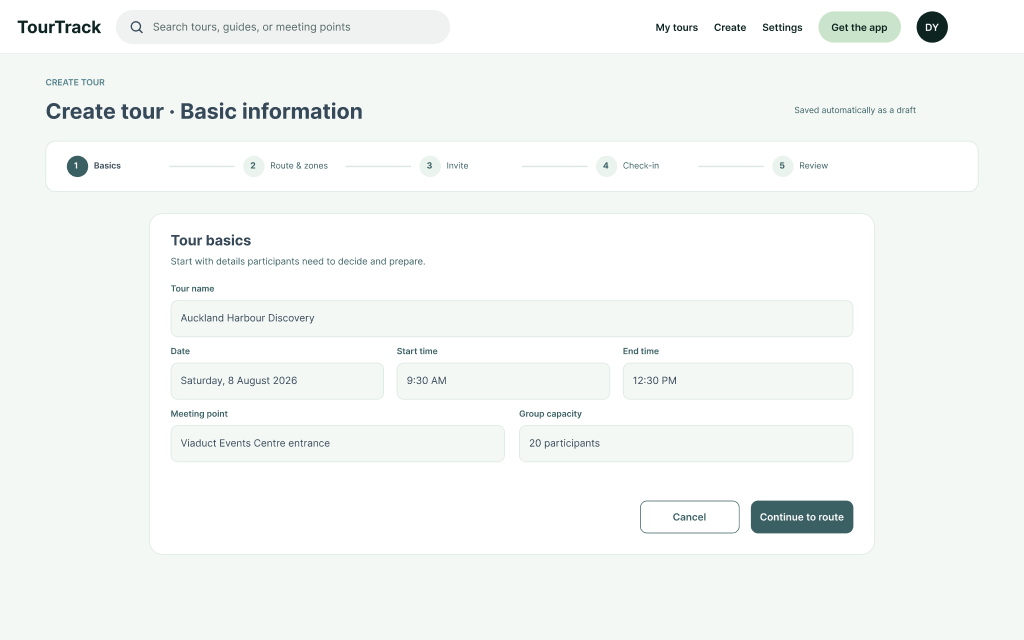
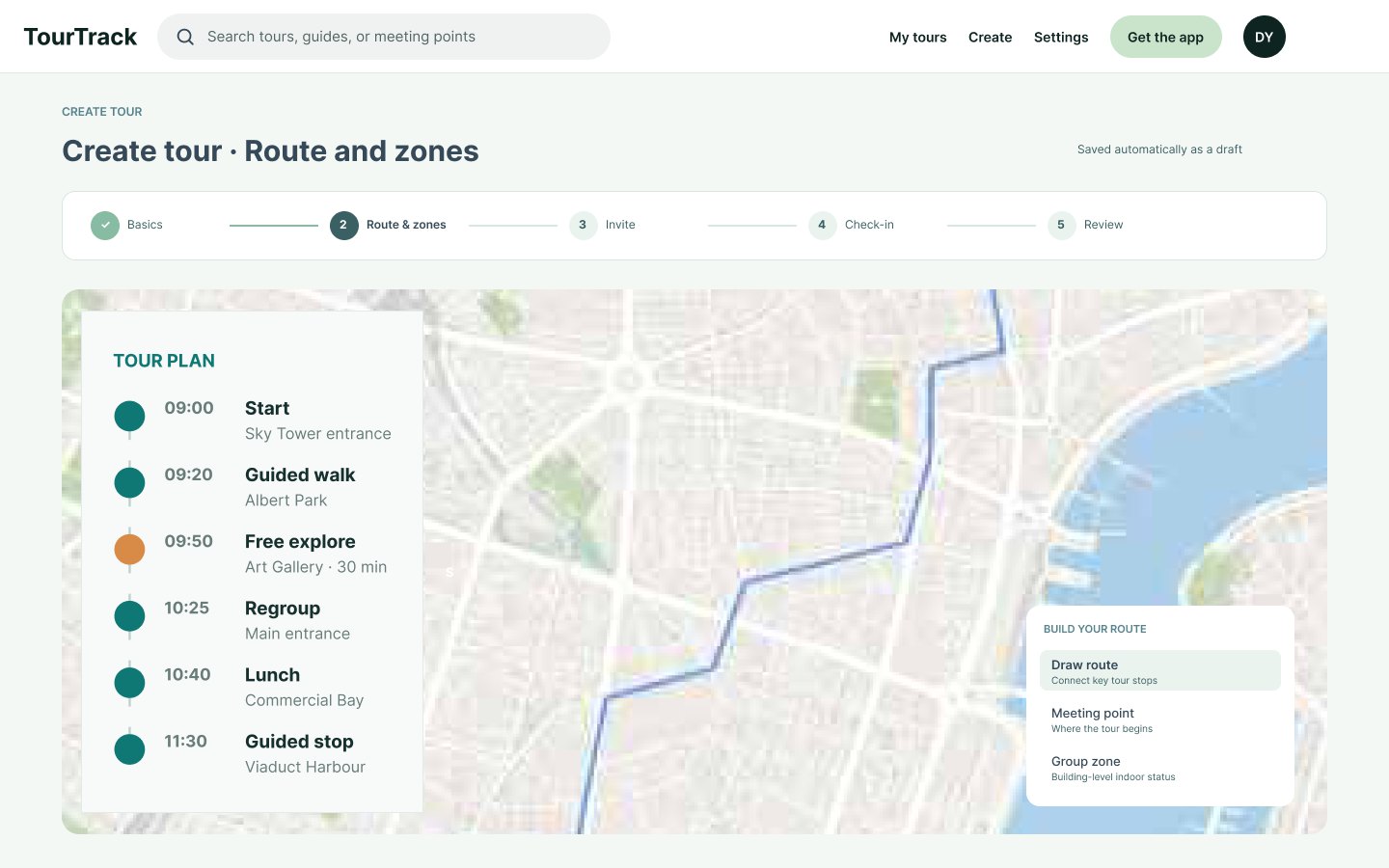
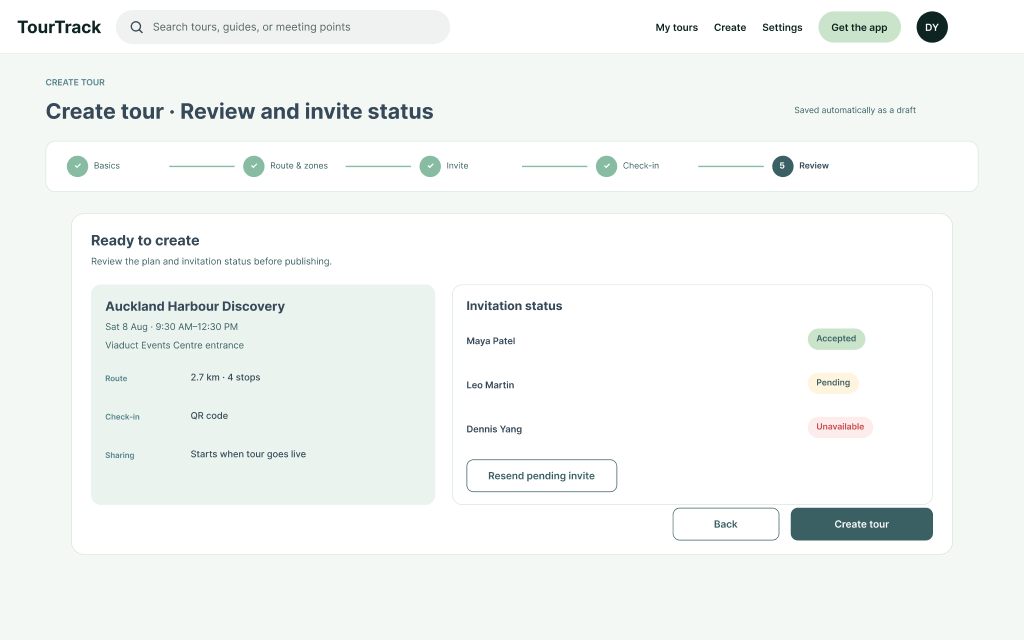
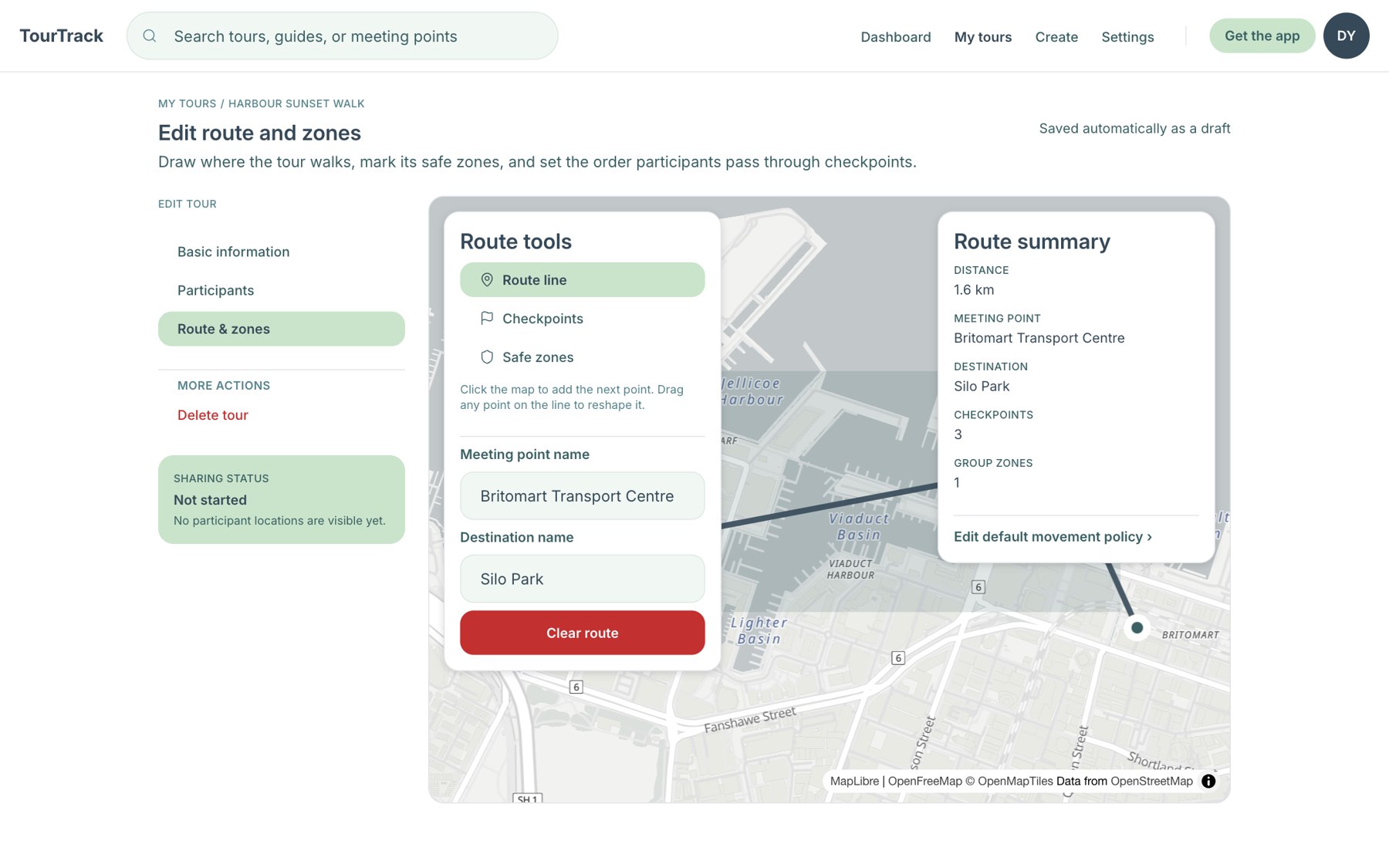
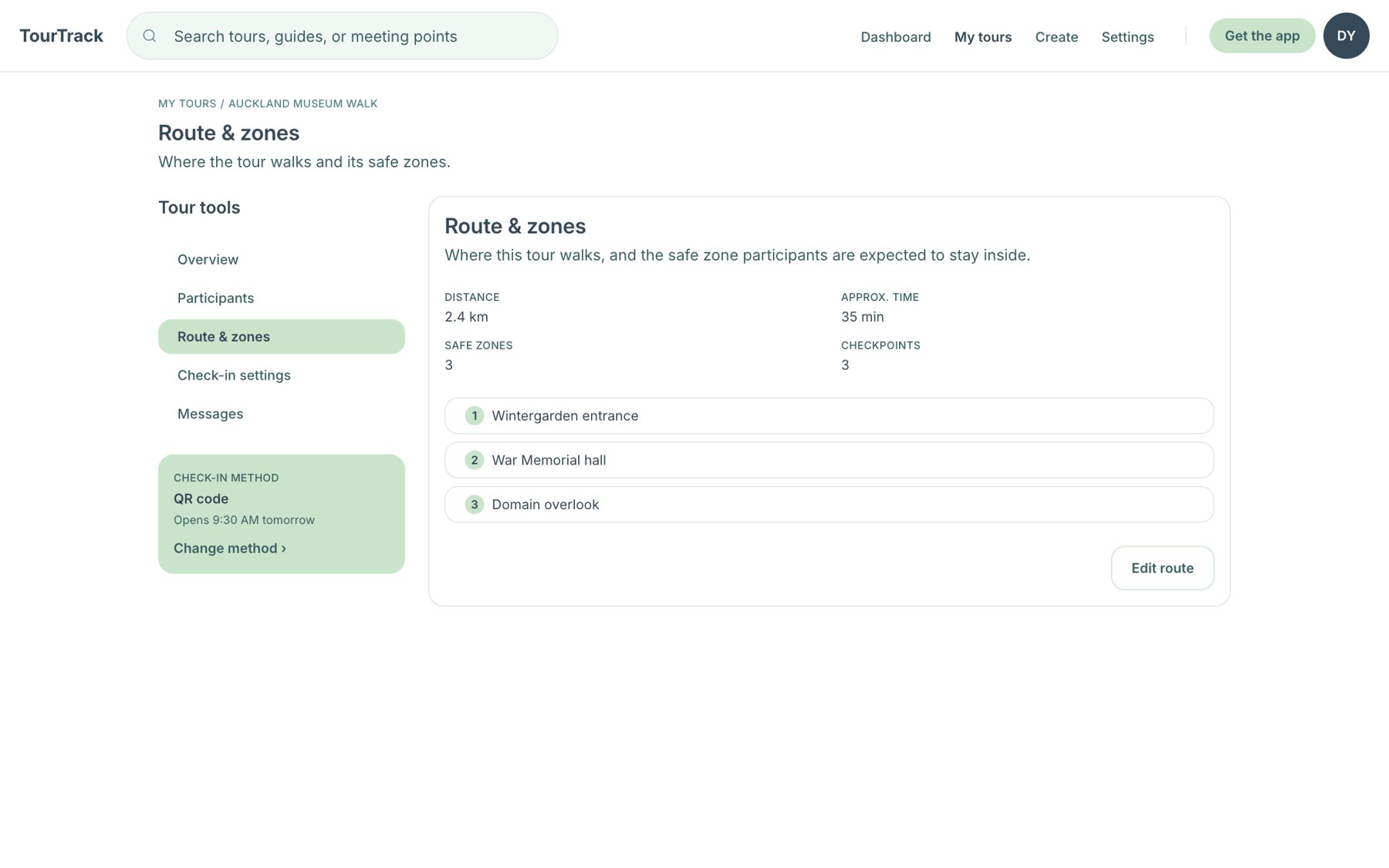
The guide portal on 31 August: a map dashboard of tours and a five-step create wizard. A tour is one route with checkpoints, safety zones and a movement policy, then invitations and a check-in method, then review.
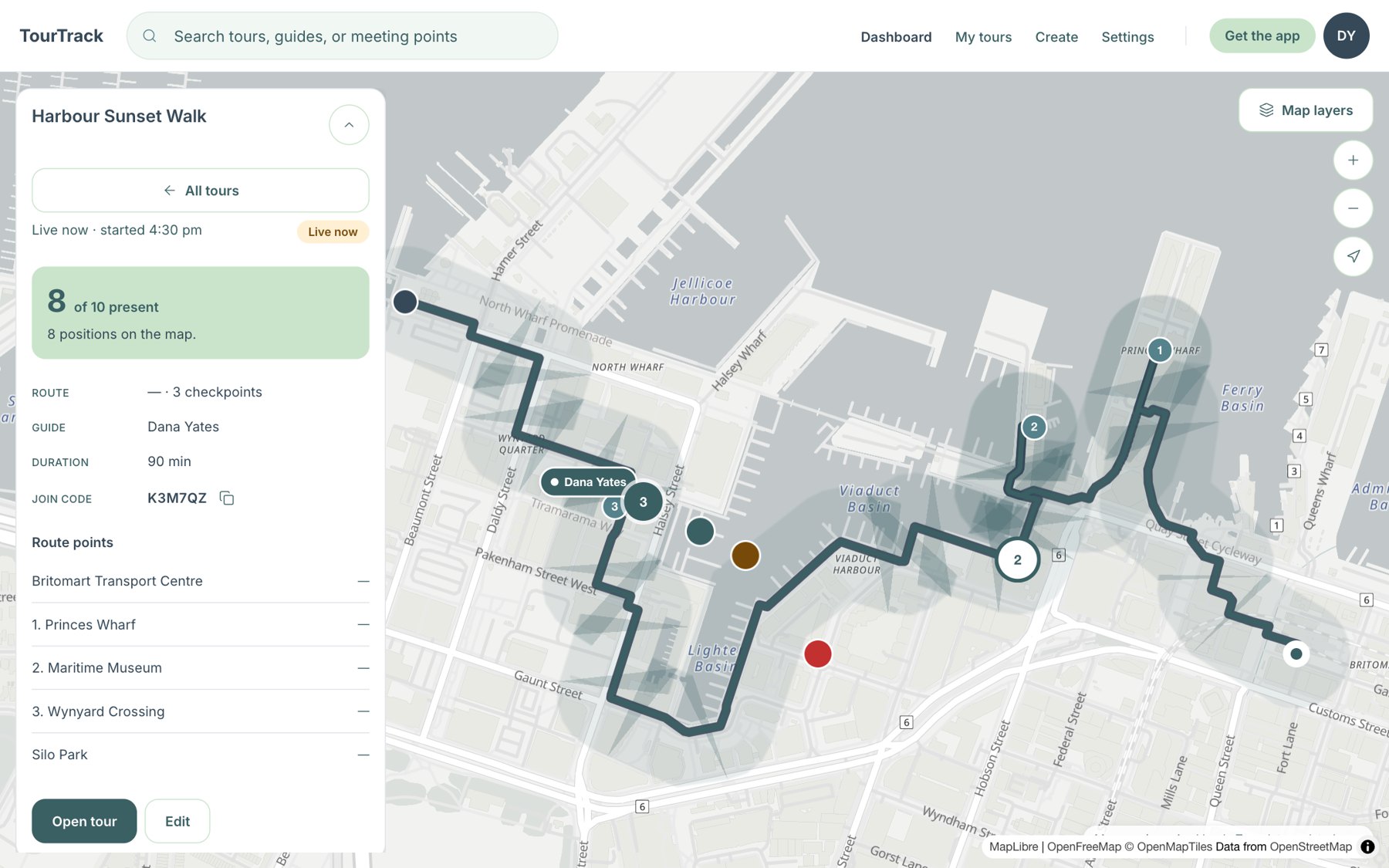
Functional MVP Map dashboard with a live tour selected: 8 of 10 present, route, checkpoints and zones.
Functional MVP Route and zone editor
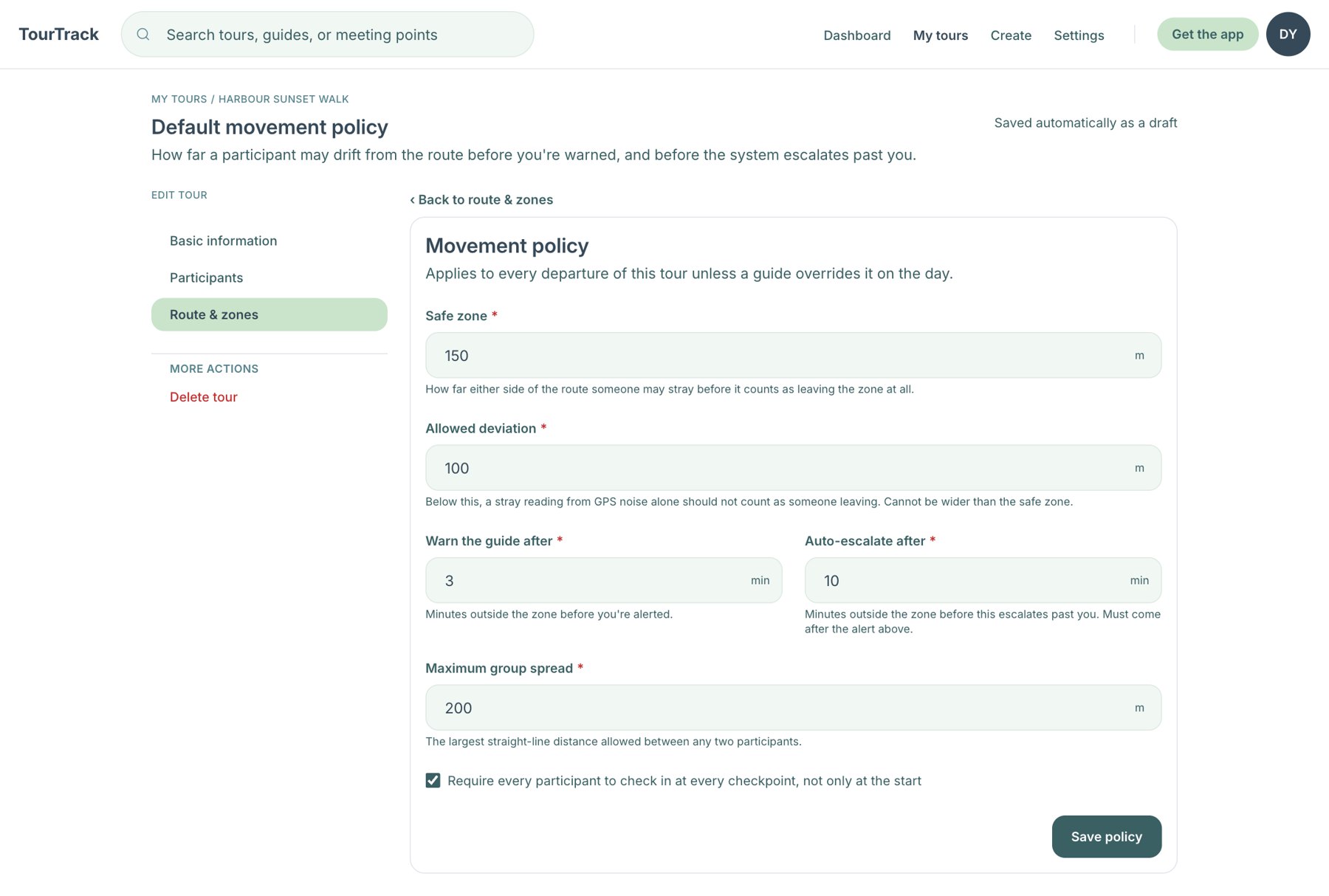
Functional MVP Movement policy
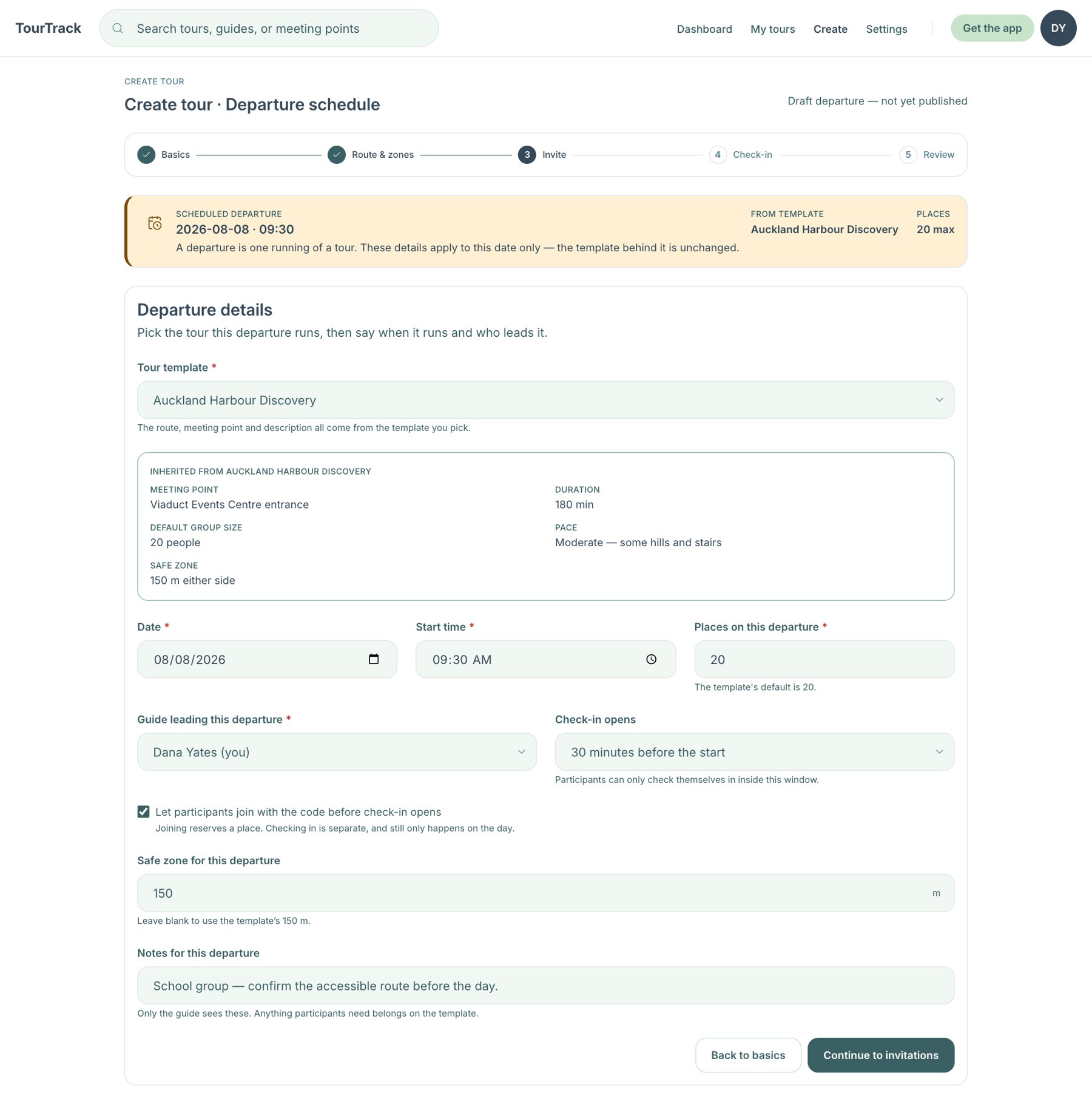
Functional MVP Departure scheduling
What the wizard built. One template, one route, a counting radius and a movement policy, in the same order for every tour; it matched the first web flow almost step for step. The movement policy is the MVP's safety model made visible, and a review later found some of its fields were never read by the safety evaluation (#221).
The research scenarios needed days, kinds of activity and travel instead, which led to the trip workspace and place-first planning (cases W01–W04).
The create wizard, step by step
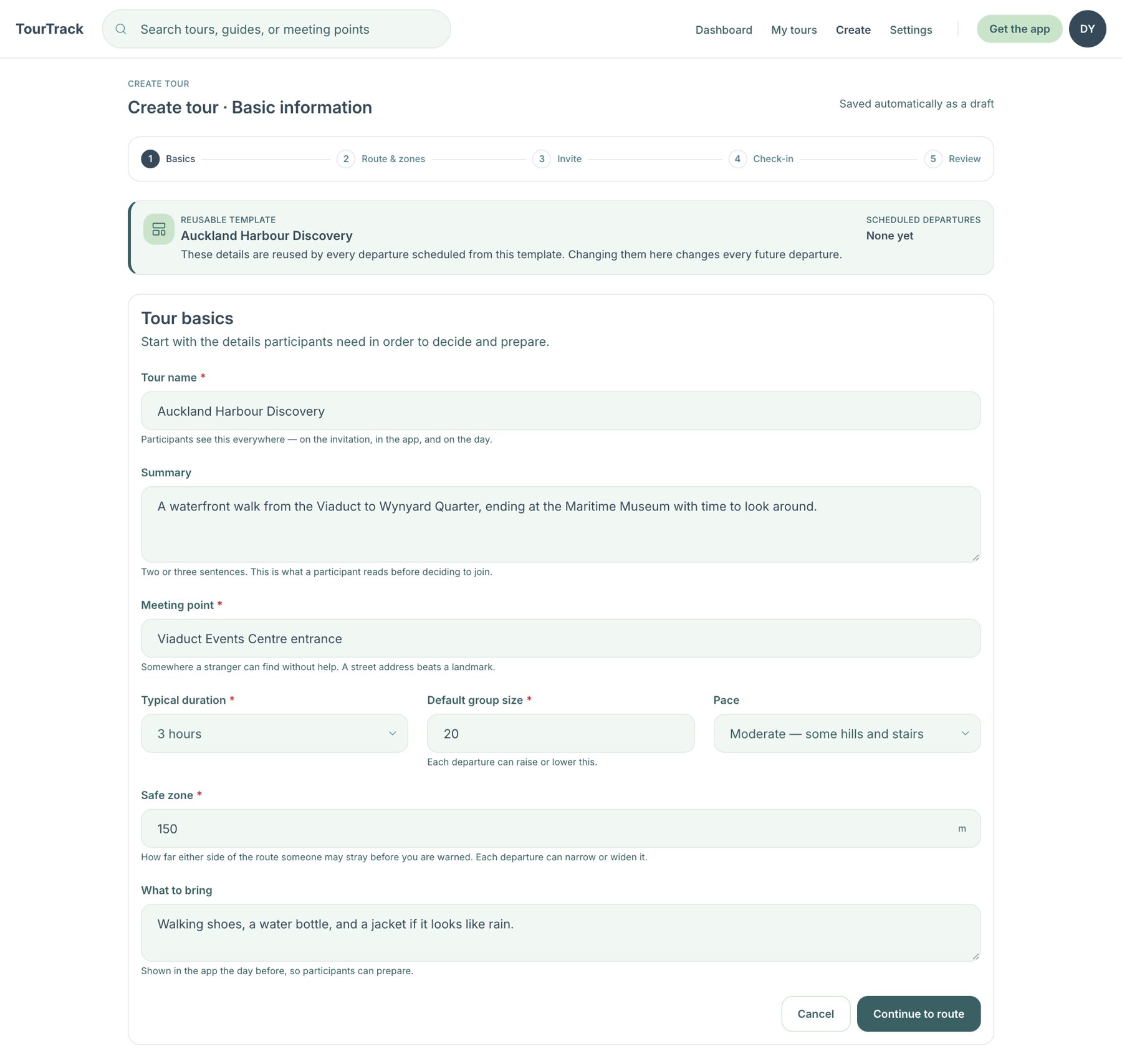
1 · Basics: template, name, meeting point
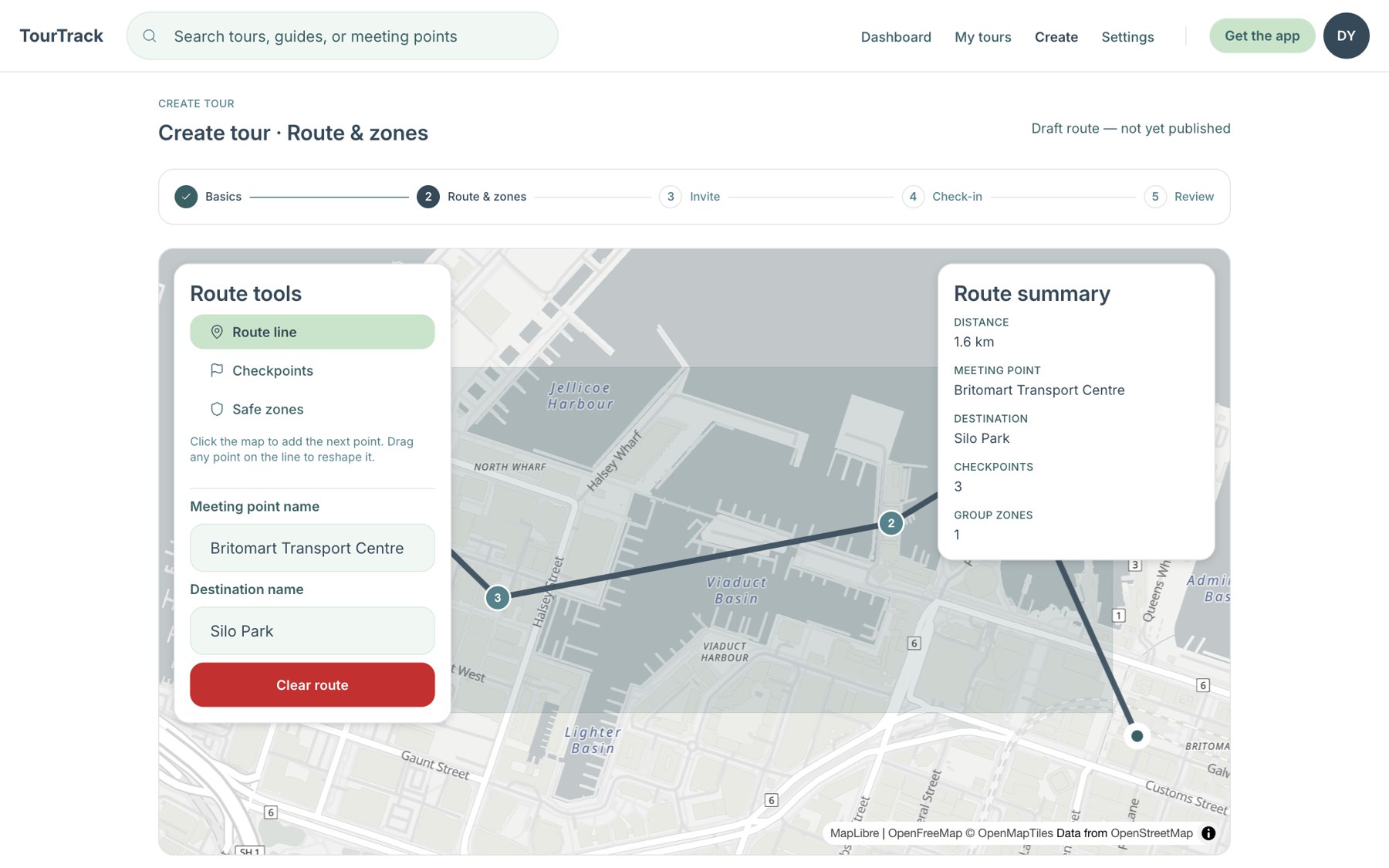
2 · Route and zones on the map
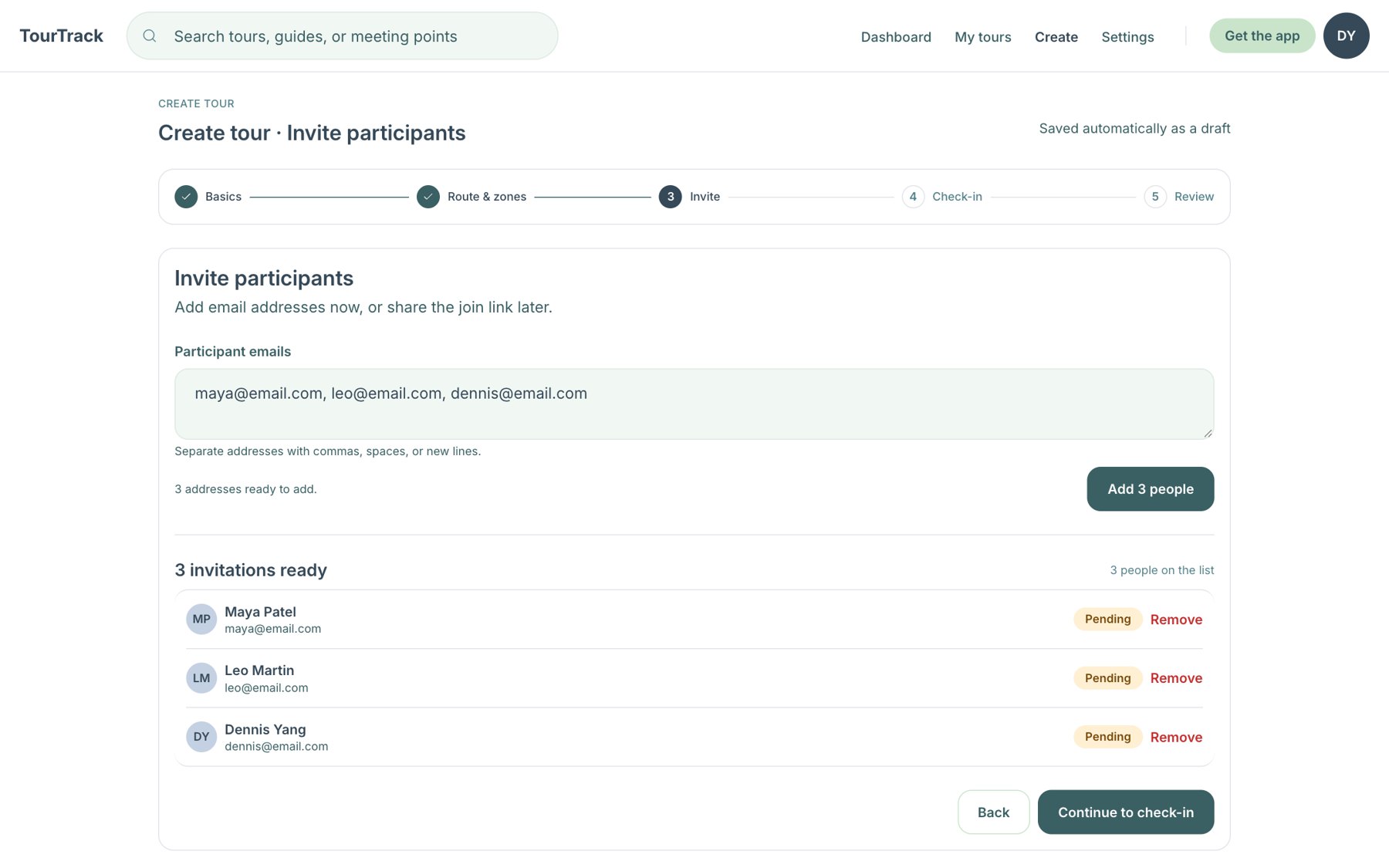
3 · Invite participants by email
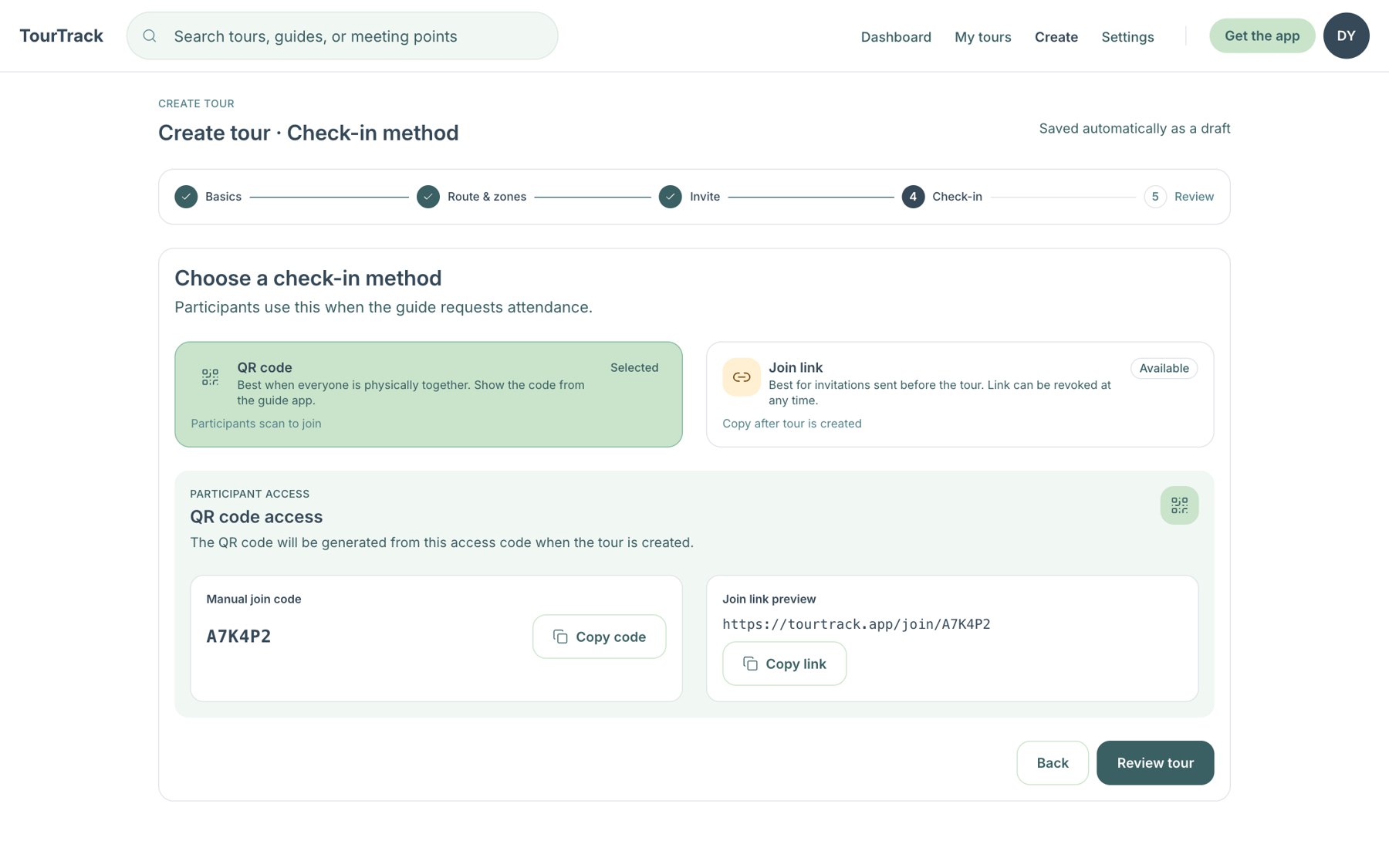
4 · Check-in method: QR code or join link
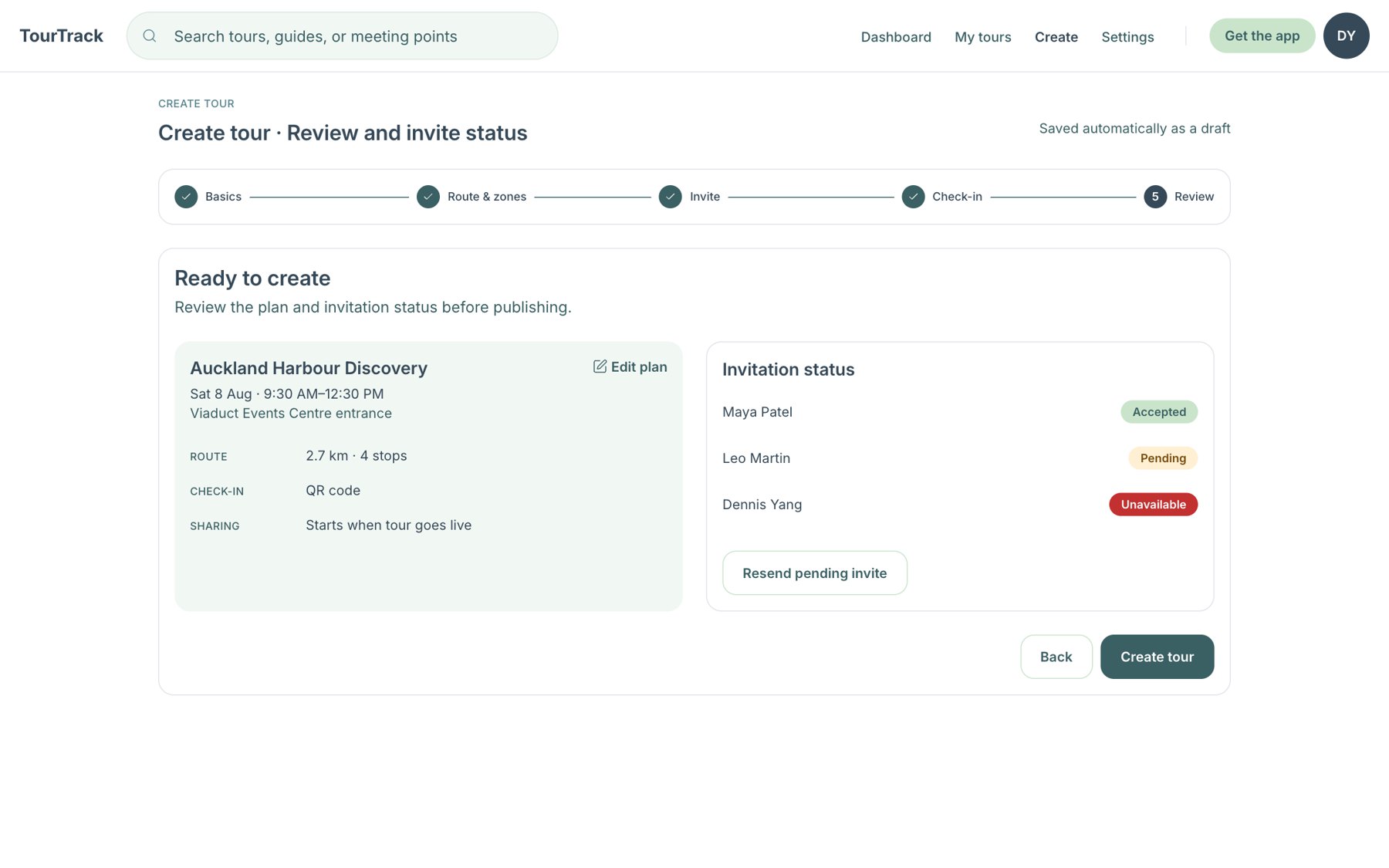
5 · Review the plan and invite status
Functional MVP After creation · tour detail, route and zones
Every tour went through the same five steps before anything existed on a map for a participant. The trip workspace that replaced it starts from a day and a place instead (the redesign).
TourTrack · Stage 1 · MVP screens · 13
TourTrack · Stage 1 · MVP screens · 13
Stage 1 · core screens · the web planner, as built
The MVP Web Planner, as Built
The guide portal on 31 August: a map dashboard of tours and a five-step create wizard. A tour is one route with checkpoints, safety zones and a movement policy, then invitations and a check-in method, then review.
Functional MVP Map dashboard with a live tour selected: 8 of 10 present, route, checkpoints and zones.
Functional MVP Route and zone editor
Functional MVP Movement policy
Functional MVP Departure scheduling
What the wizard built. One template, one route, a counting radius and a movement policy, in the same order for every tour; it matched the first web flow almost step for step. The movement policy is the MVP's safety model made visible, and a review later found some of its fields were never read by the safety evaluation (#221).
The research scenarios needed days, kinds of activity and travel instead, which led to the trip workspace and place-first planning (cases W01–W04).
The create wizard, step by step
1 · Basics: template, name, meeting point
2 · Route and zones on the map
3 · Invite participants by email
4 · Check-in method: QR code or join link
5 · Review the plan and invite status
Functional MVP After creation · tour detail, route and zones
Every tour went through the same five steps before anything existed on a map for a participant. The trip workspace that replaced it starts from a day and a place instead (the redesign).
TourTrack · Stage 1 · MVP screens · 13
TourTrack · Stage 1 · MVP screens · 13
The MVP, as Built · Guide
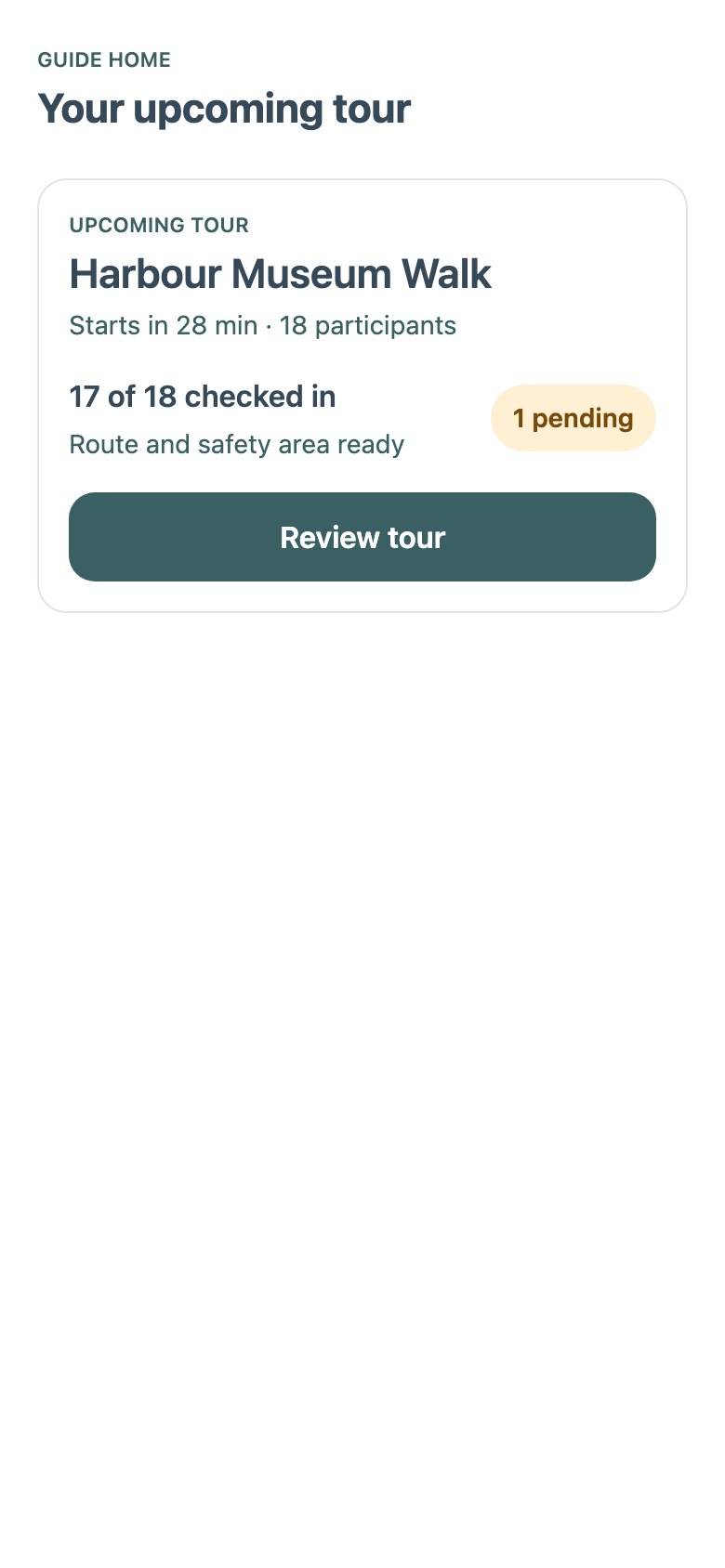
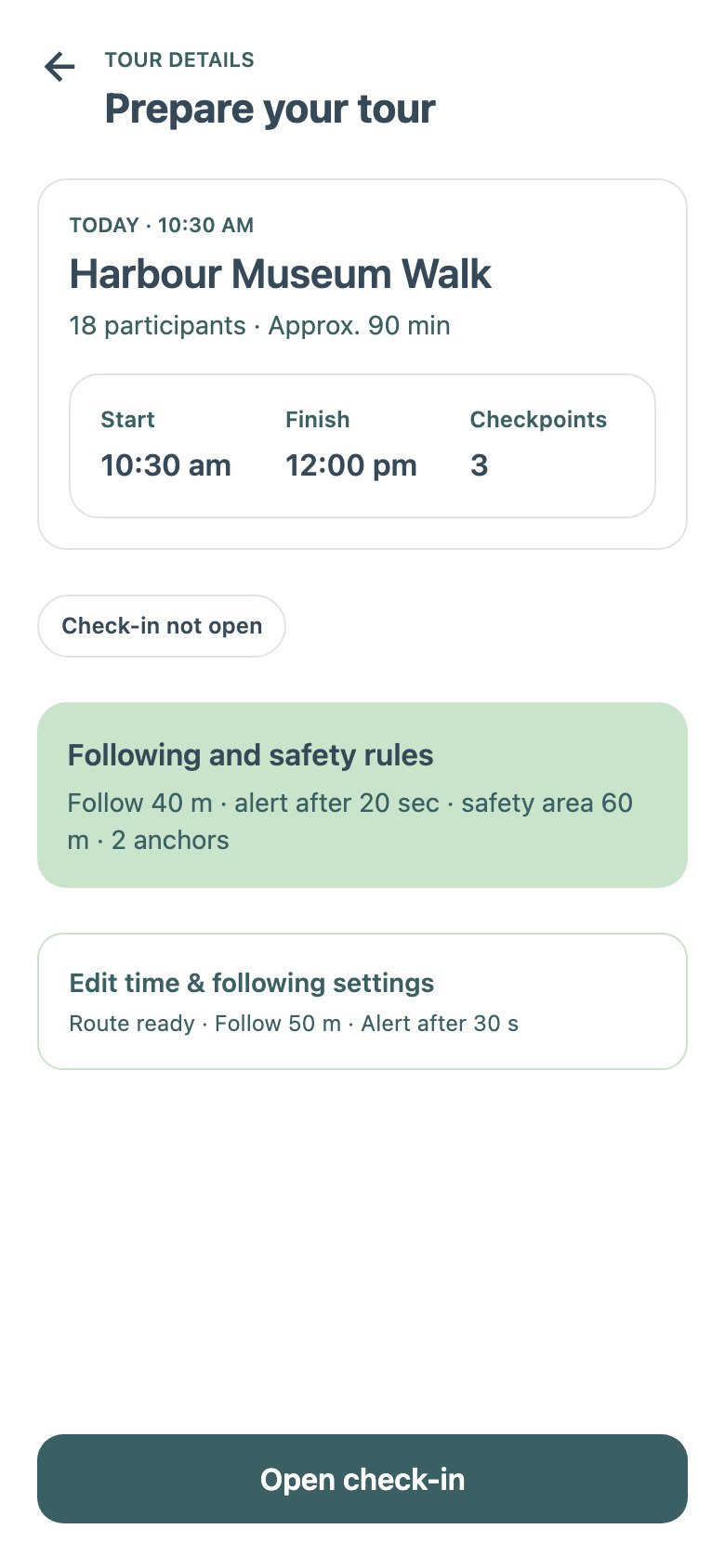
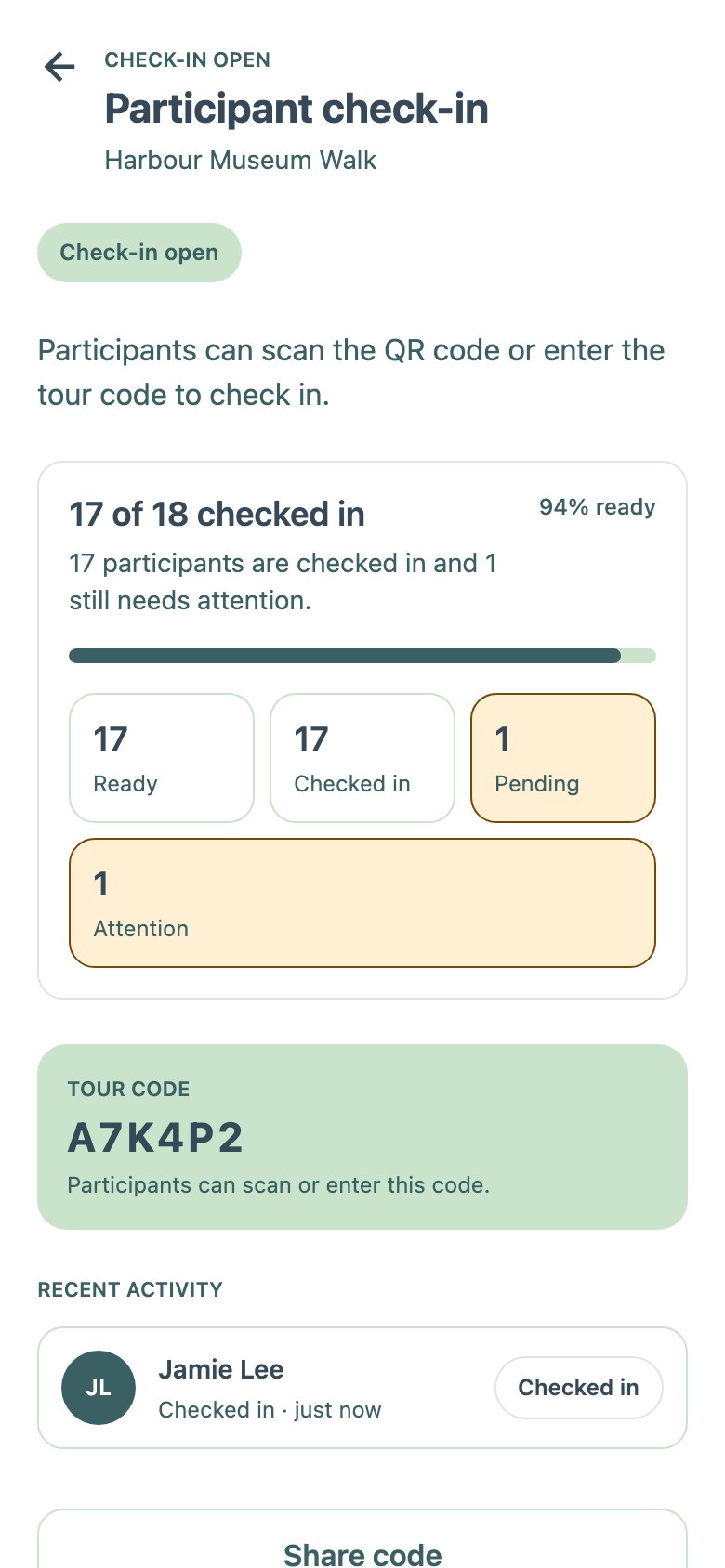
The functional MVP's guide app on 31 August, rendered from the team's own Storybook. It follows the first user flow closely: prepare, open check-in, confirm readiness, then run one live map.
Guide home
17 of 18 checked in
Tour details
“Prepare your tour”
Check-in
Status tiles and the code
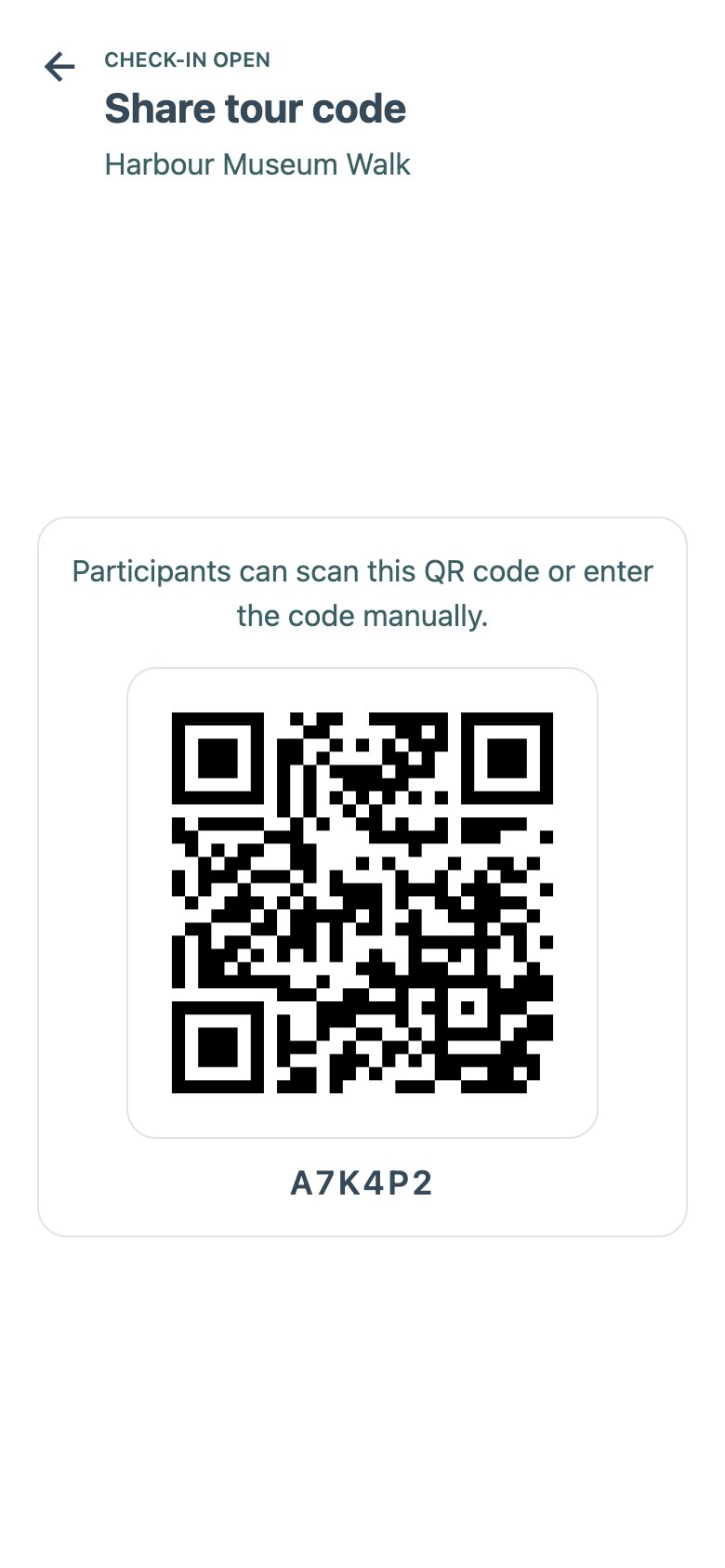
Share code
A large QR code
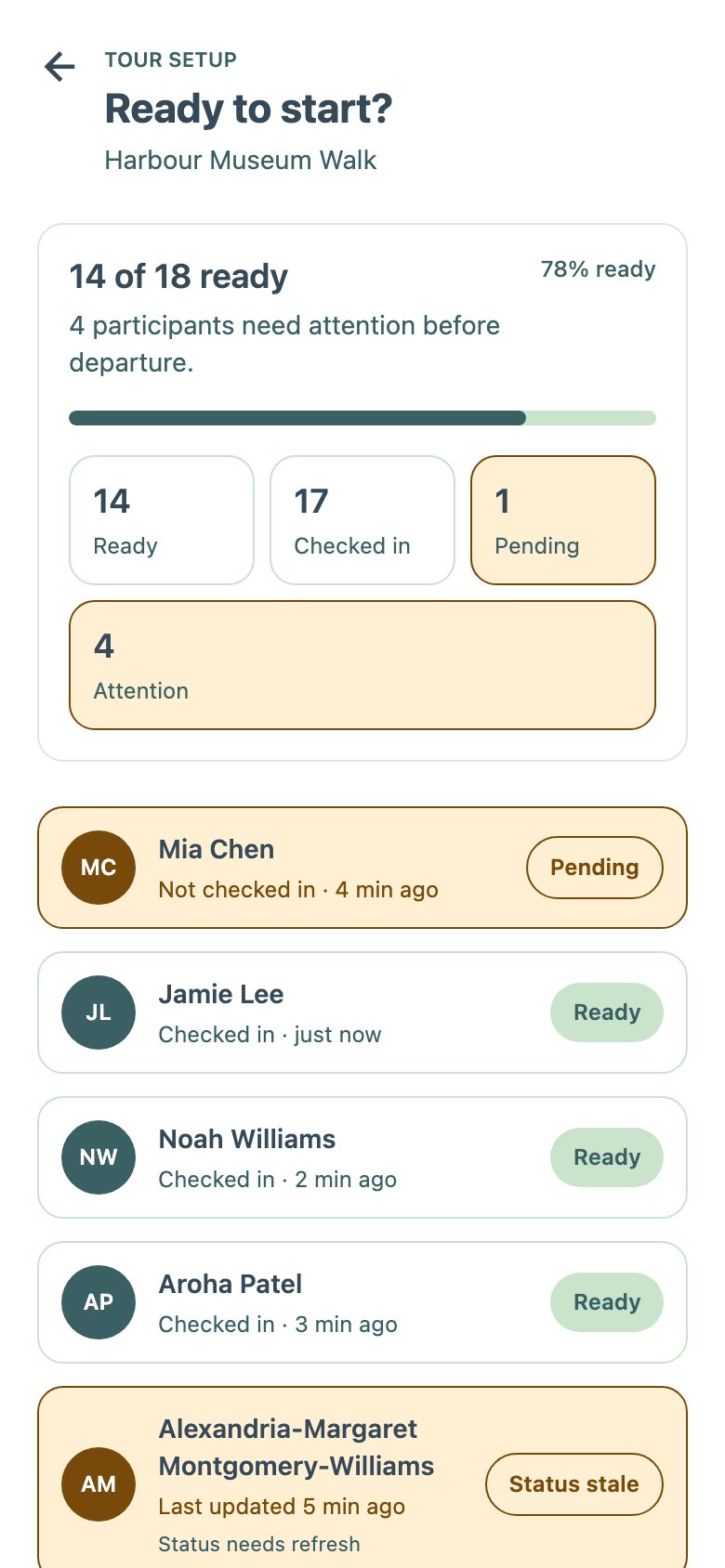
Readiness
14 of 18 ready
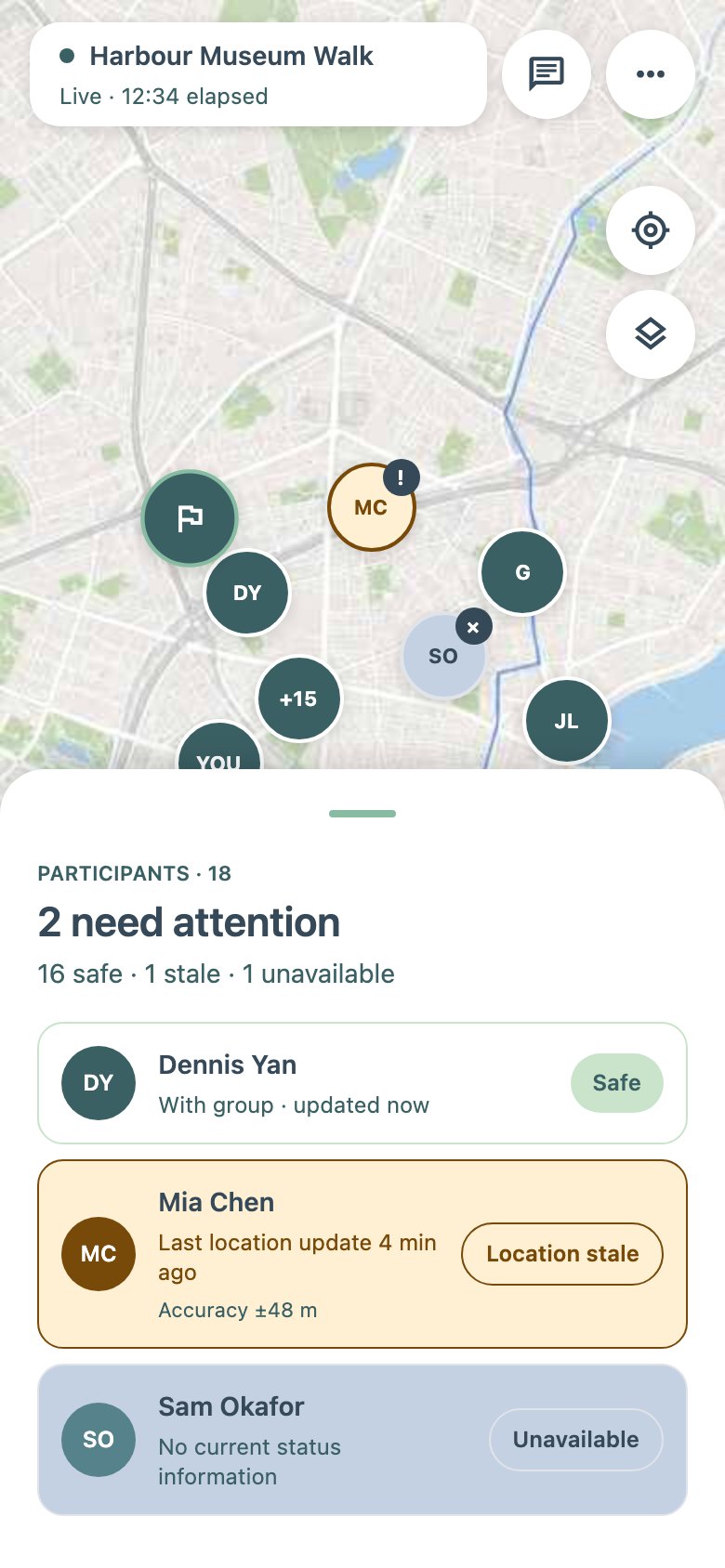
Live map
“2 need attention”
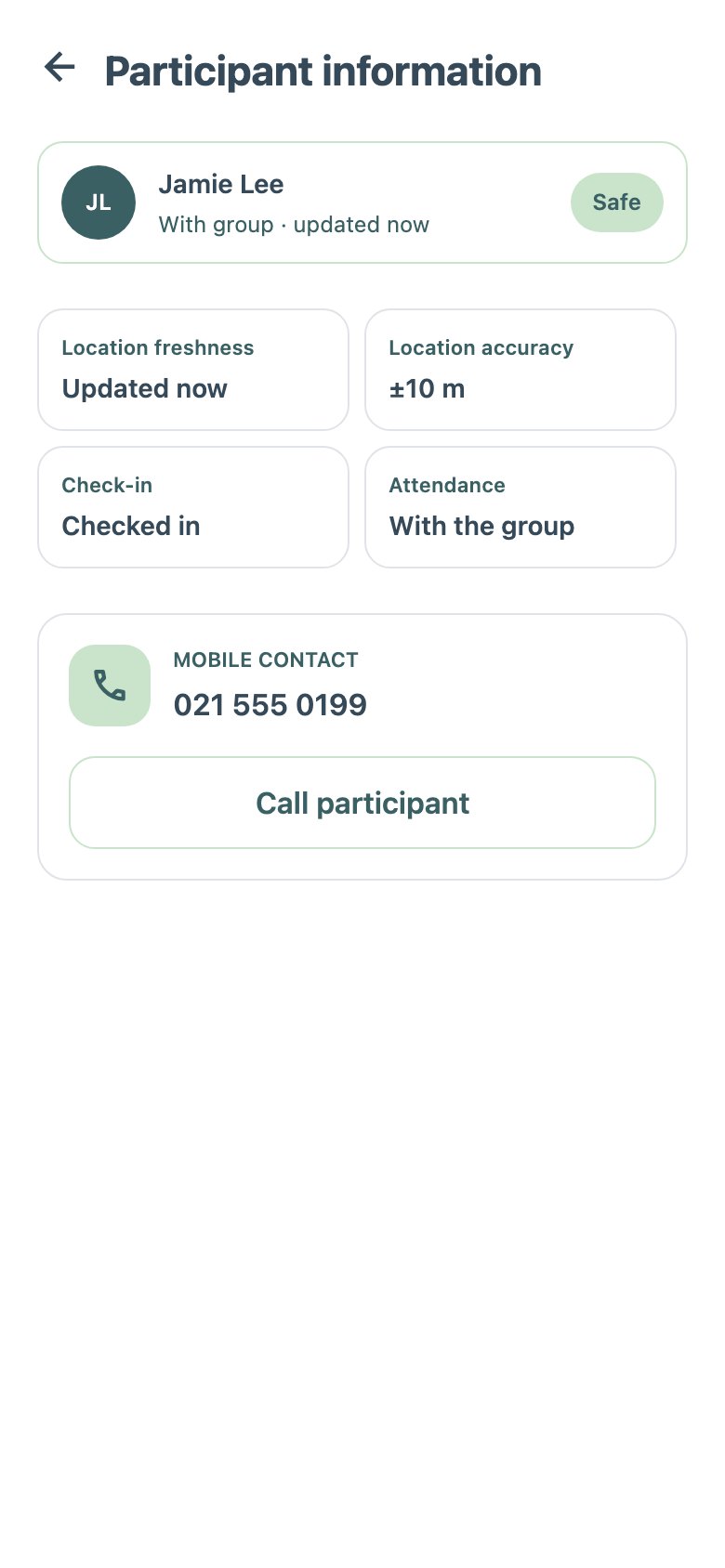
Participant
One person, safe
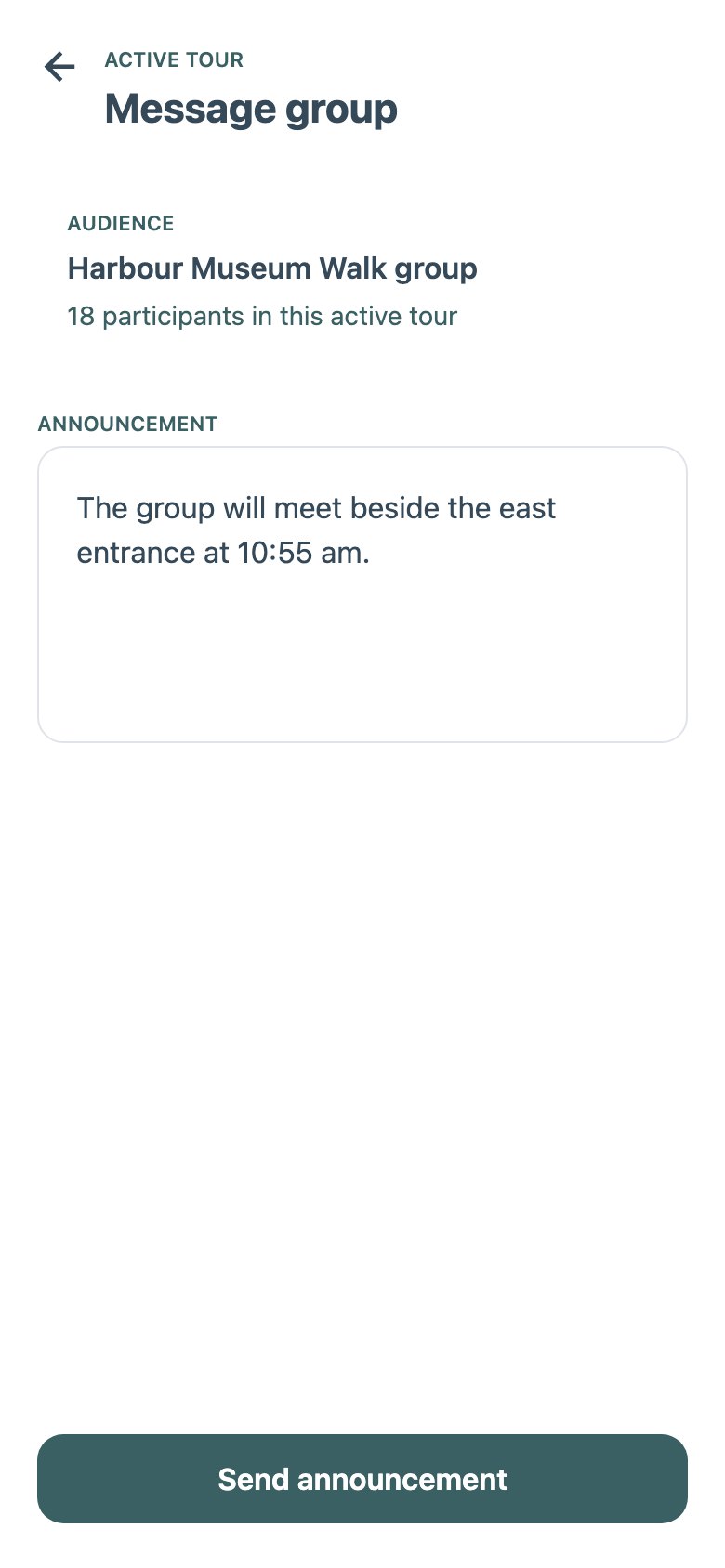
Group message
Announcement draft
Guide · Live Tools and Closing
Everything the live map opens, then the closing sequence. Compare the V2 guide flow, where Live changes with the activity instead of opening separate screens, and integration's direct End tour.
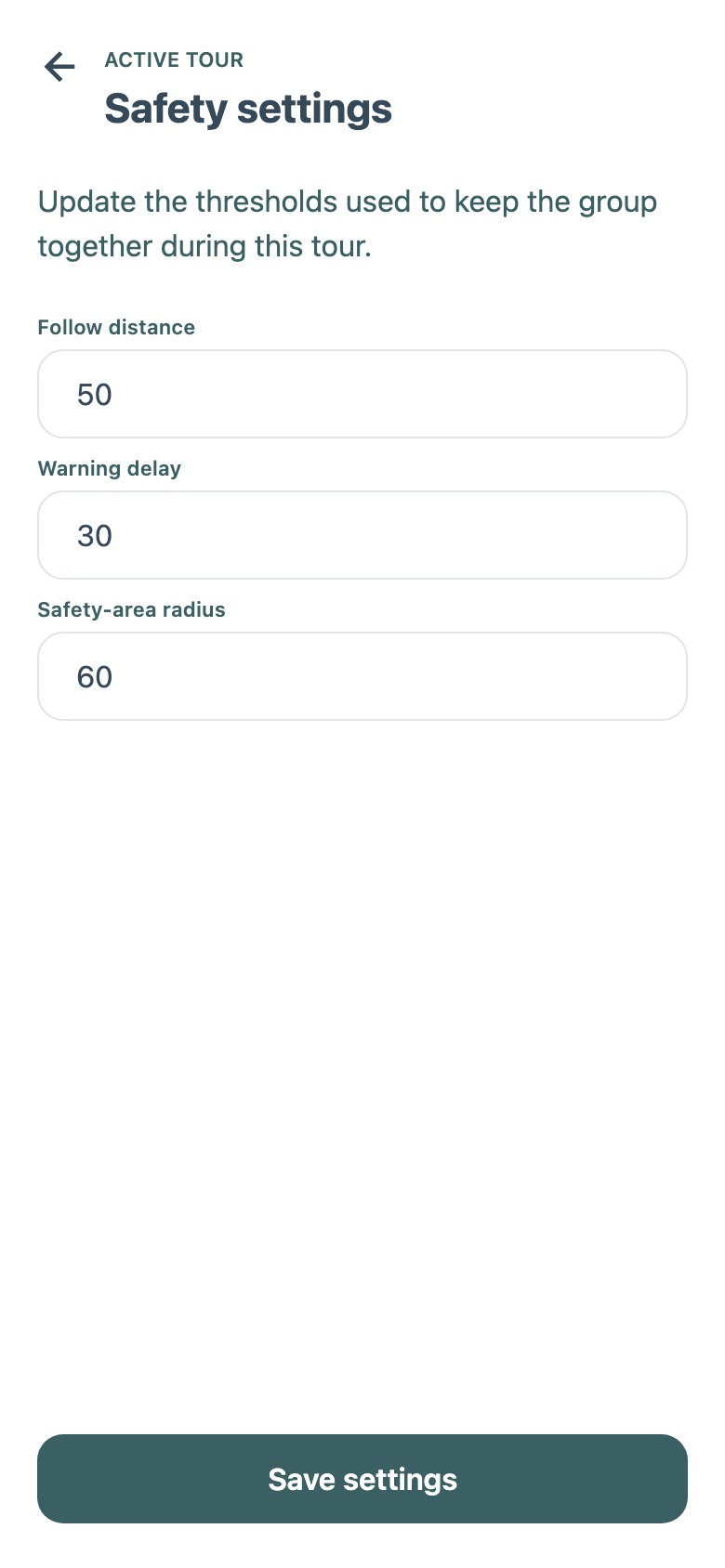
Safety settings
Follow distance, delay, radius
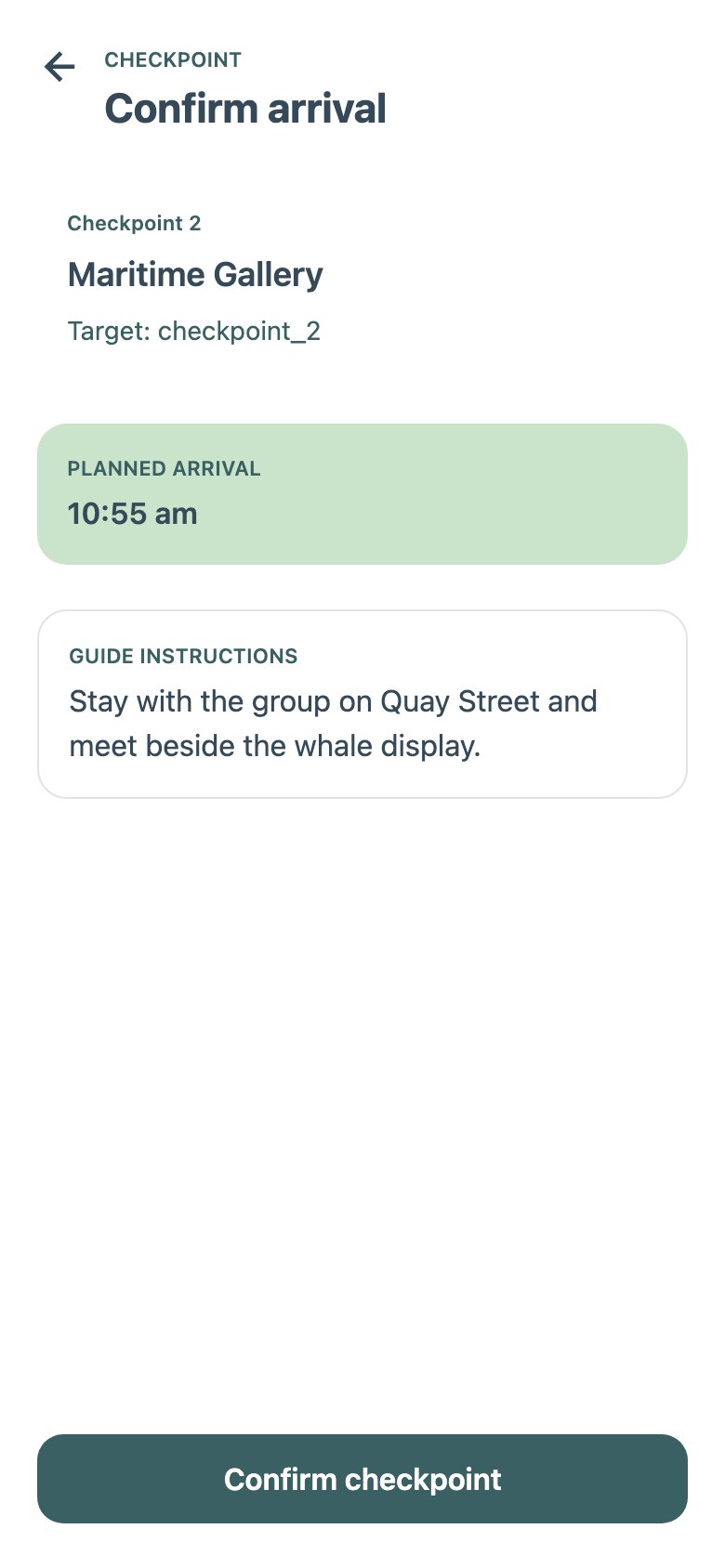
Checkpoint
Confirm arrival
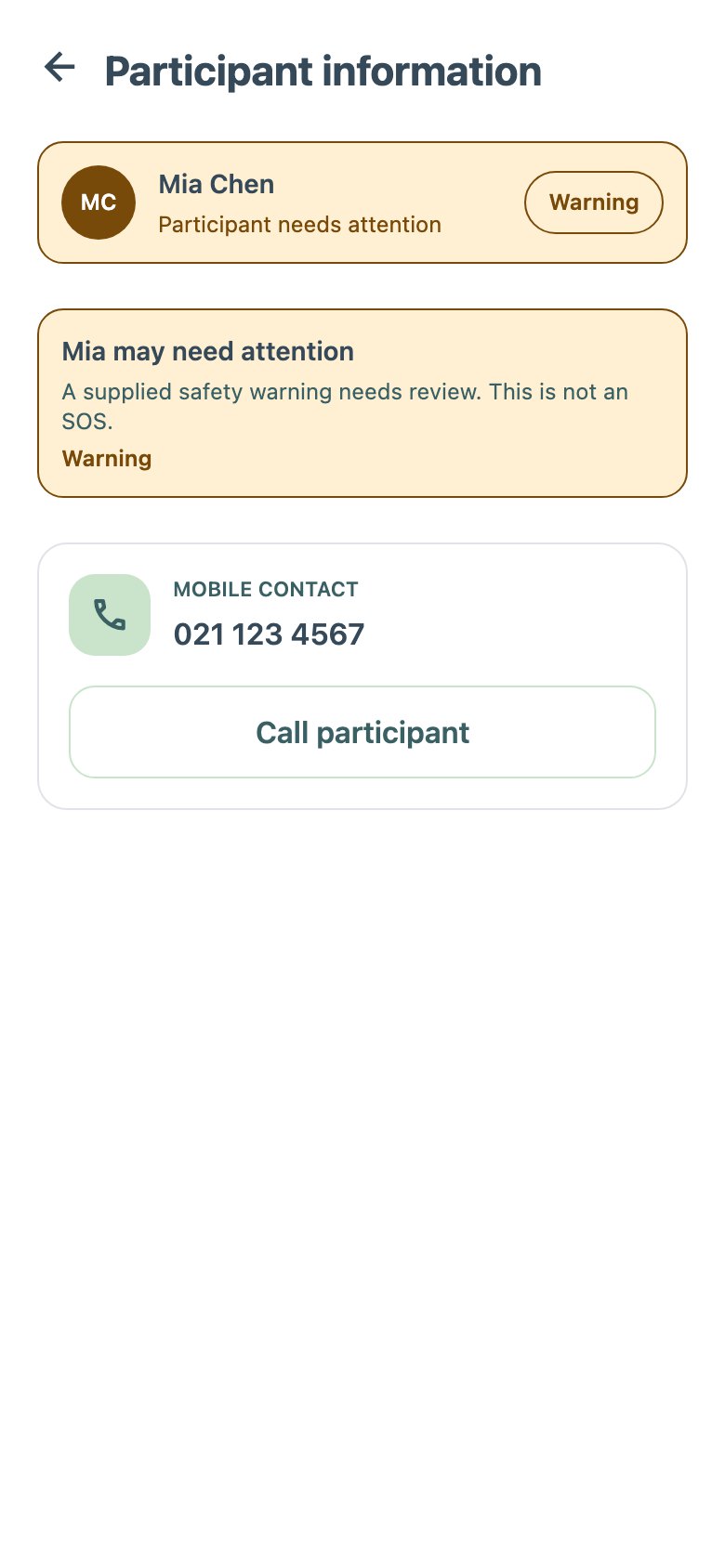
Urgent warning
Someone needs attention
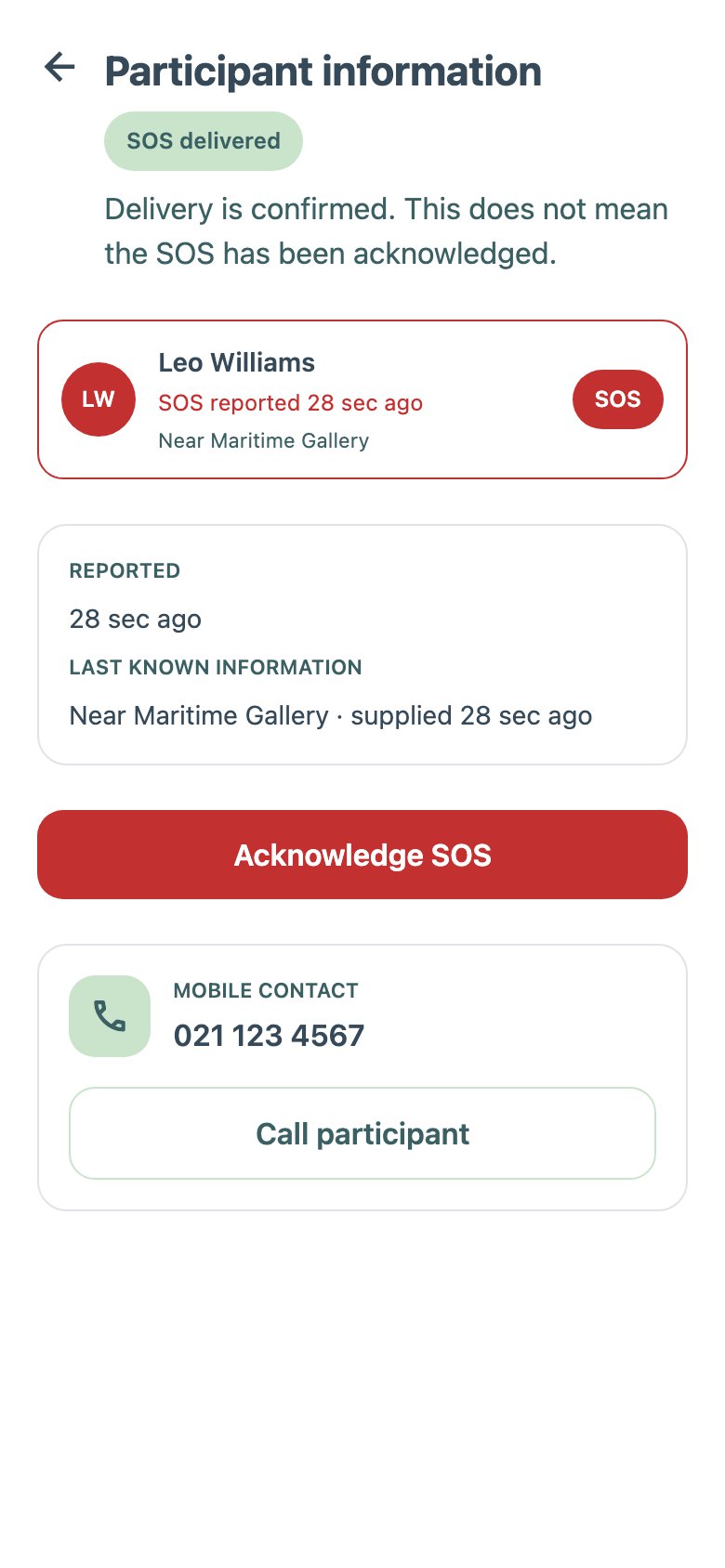
SOS detail
Acknowledge SOS
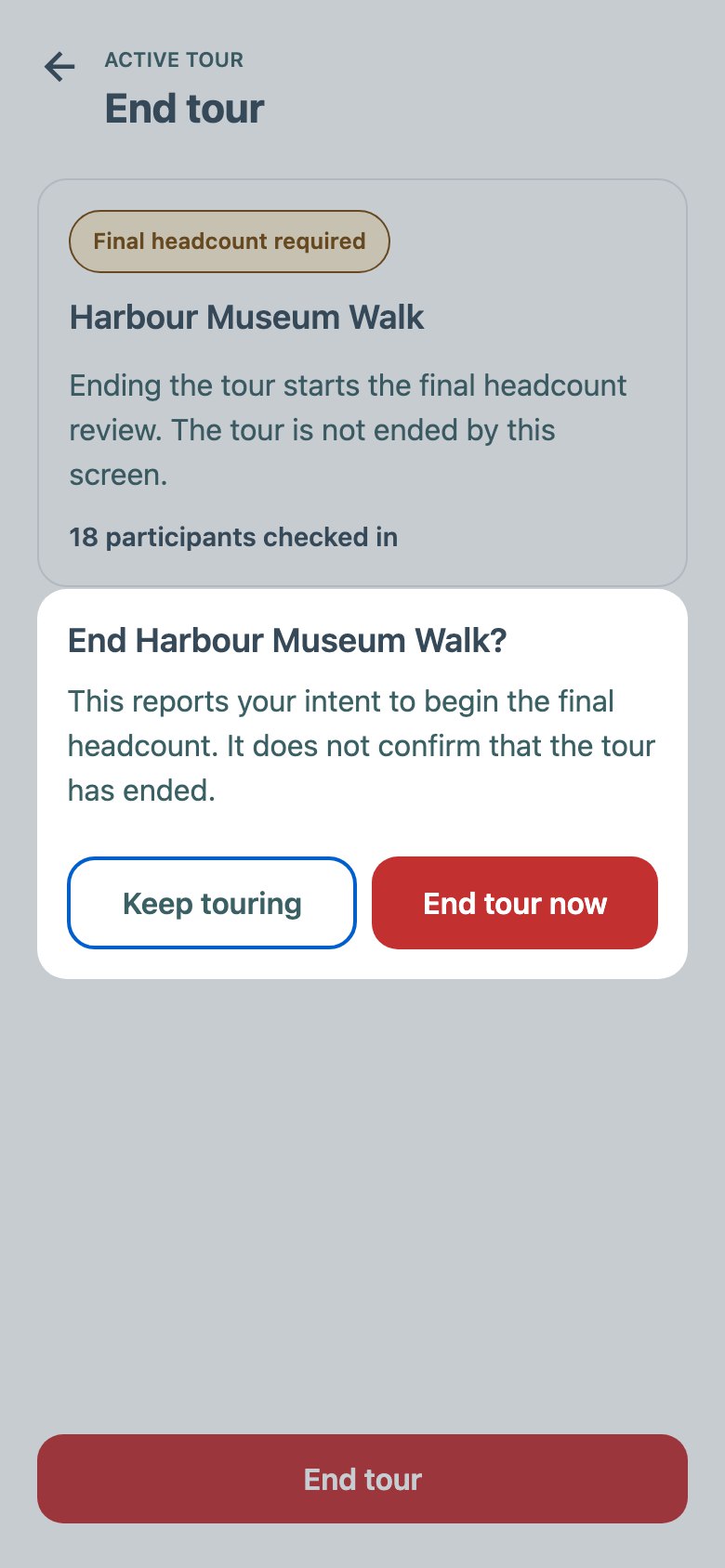
End tour
“Final headcount required”
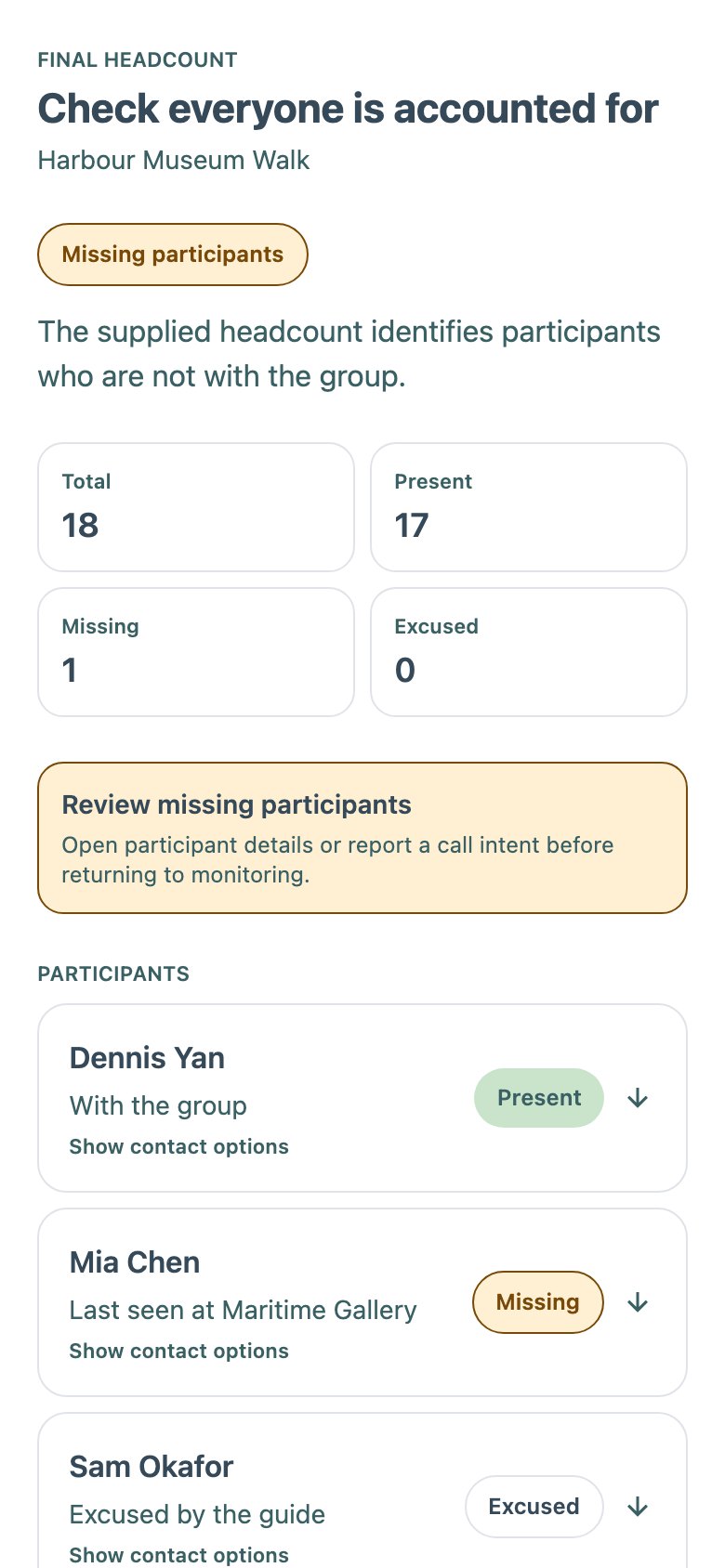
Final headcount
One missing
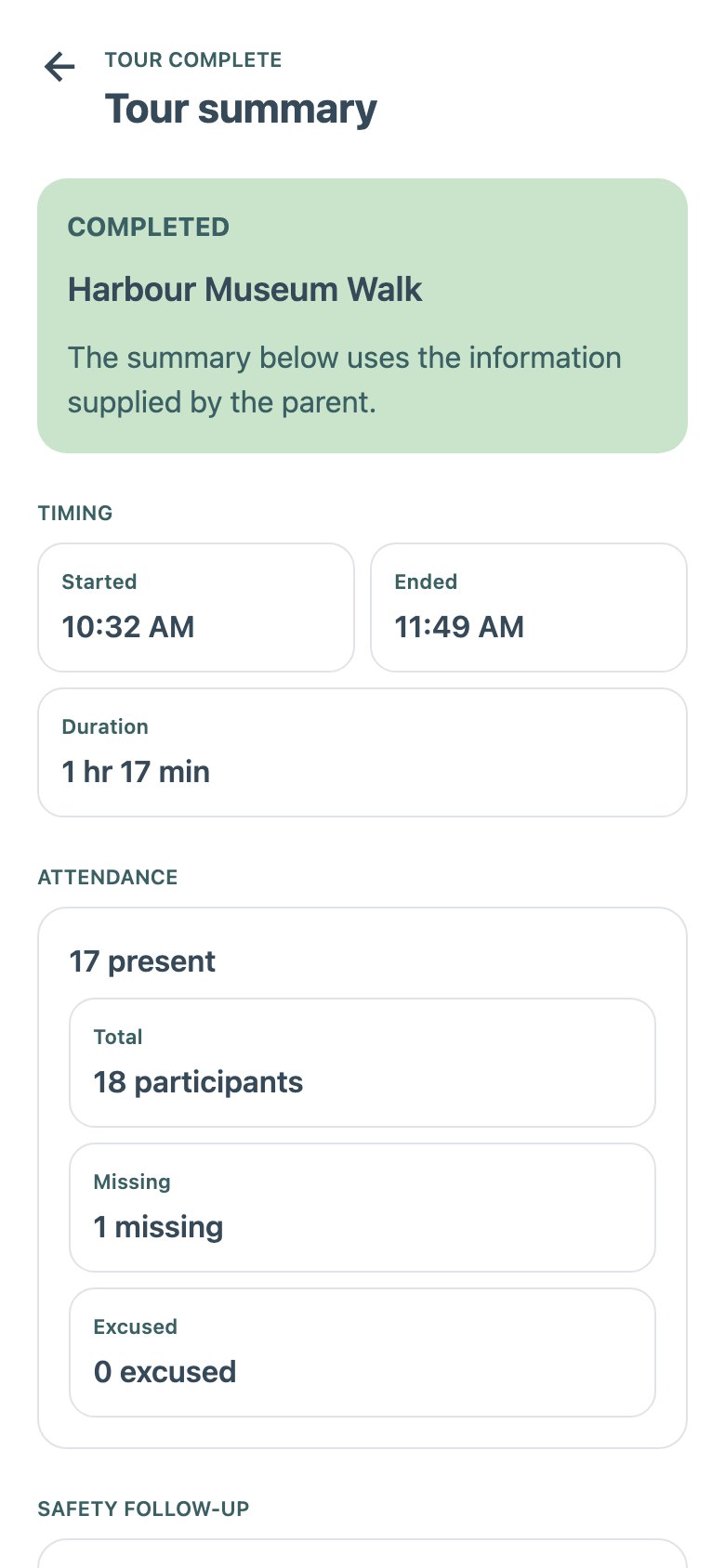
Summary
Timing and attendance
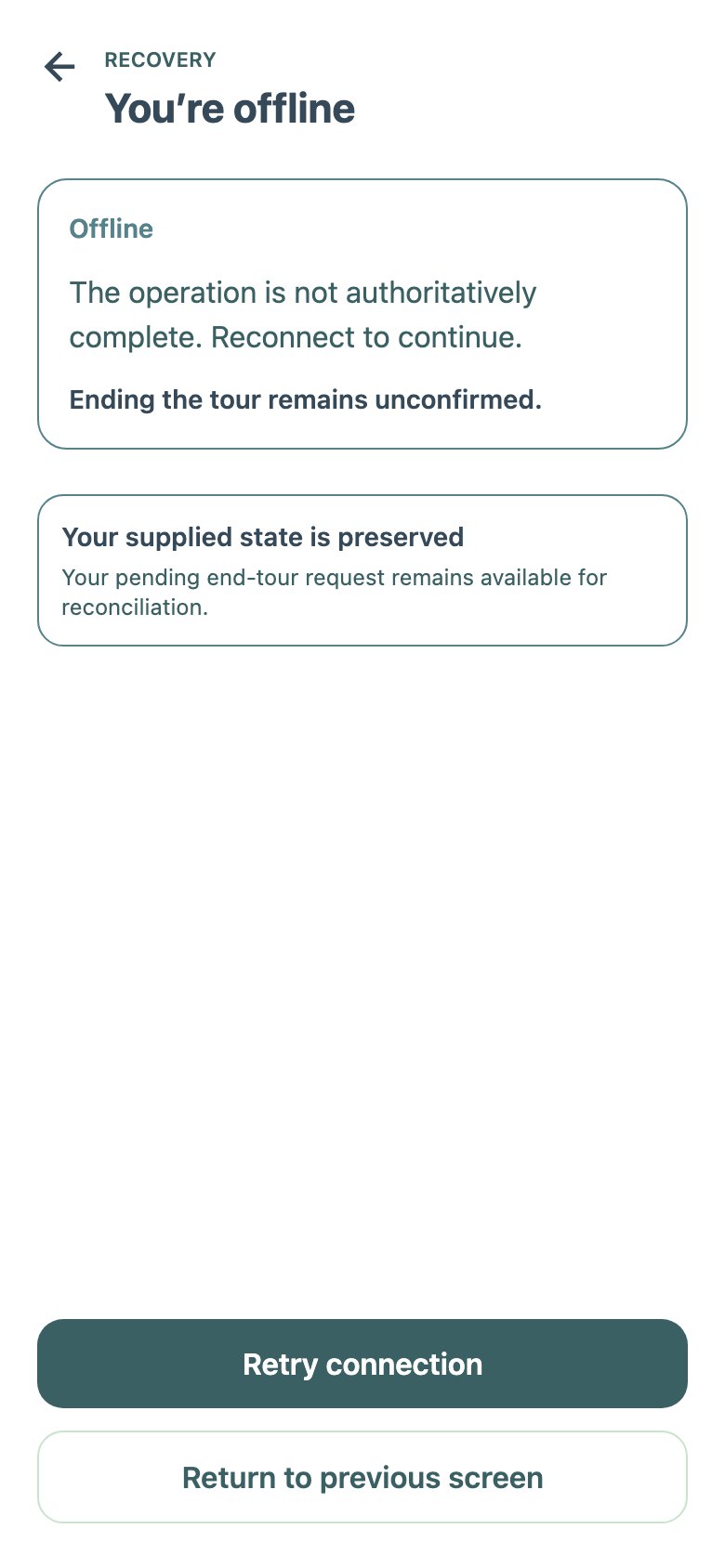
Offline
“You're offline”, state kept
TourTrack · Stage 1 · MVP screens · 14
TourTrack · Stage 1 · MVP screens · 14
The MVP, as Built · Guide
The functional MVP's guide app on 31 August, rendered from the team's own Storybook. It follows the first user flow closely: prepare, open check-in, confirm readiness, then run one live map.
Guide home
17 of 18 checked in
Tour details
“Prepare your tour”
Check-in
Status tiles and the code
Share code
A large QR code
Readiness
14 of 18 ready
Live map
“2 need attention”
Participant
One person, safe
Group message
Announcement draft
Guide · Live Tools and Closing
Everything the live map opens, then the closing sequence. Compare the V2 guide flow, where Live changes with the activity instead of opening separate screens, and integration's direct End tour.
Safety settings
Follow distance, delay, radius
Checkpoint
Confirm arrival
Urgent warning
Someone needs attention
SOS detail
Acknowledge SOS
End tour
“Final headcount required”
Final headcount
One missing
Summary
Timing and attendance
Offline
“You're offline”, state kept
TourTrack · Stage 1 · MVP screens · 14
TourTrack · Stage 1 · MVP screens · 14
The MVP, as Built · Participant
The participant side of the same MVP. Joining is a one-time sequence ending in a waiting screen; the live screen leads with the next checkpoint and puts instructions, announcements and the schedule behind taps.
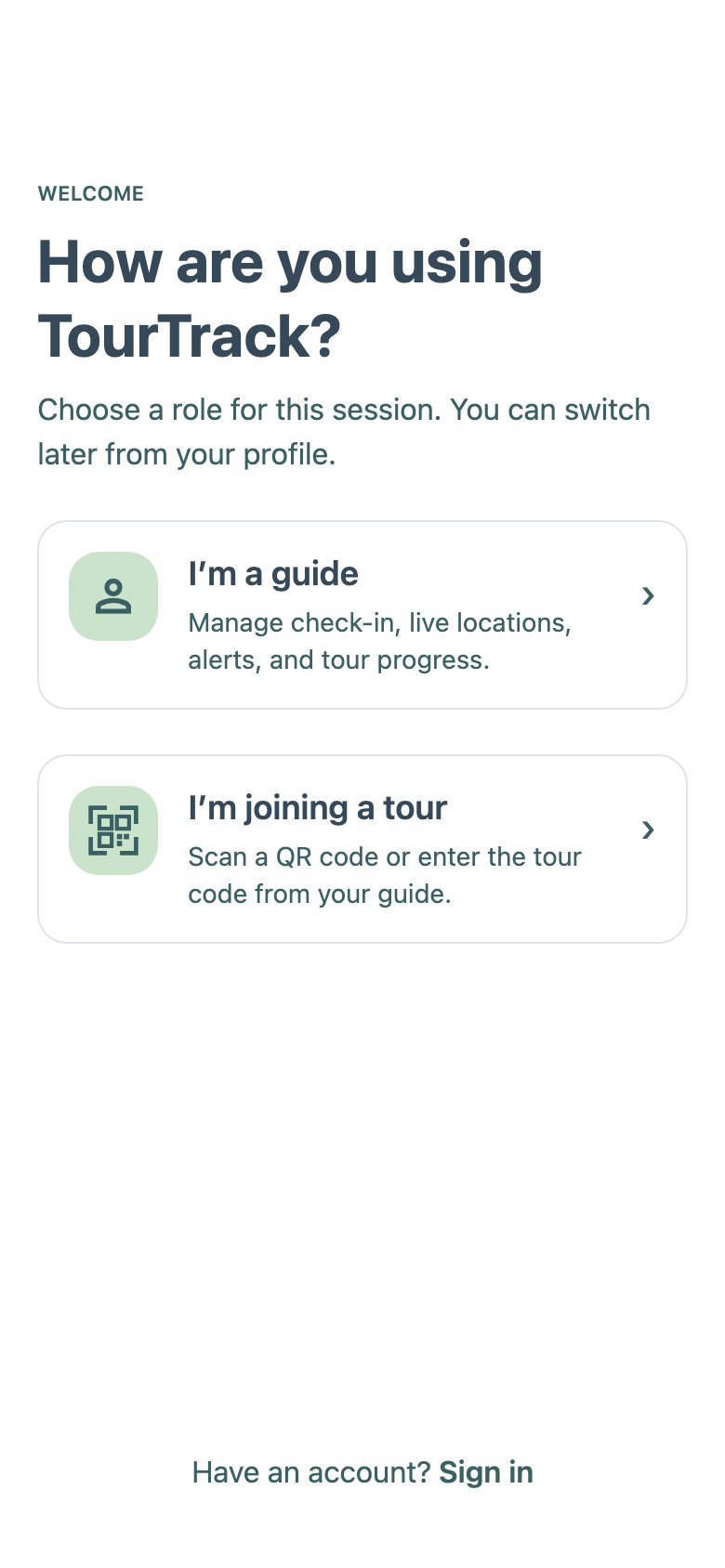
Role choice
Guide or participant
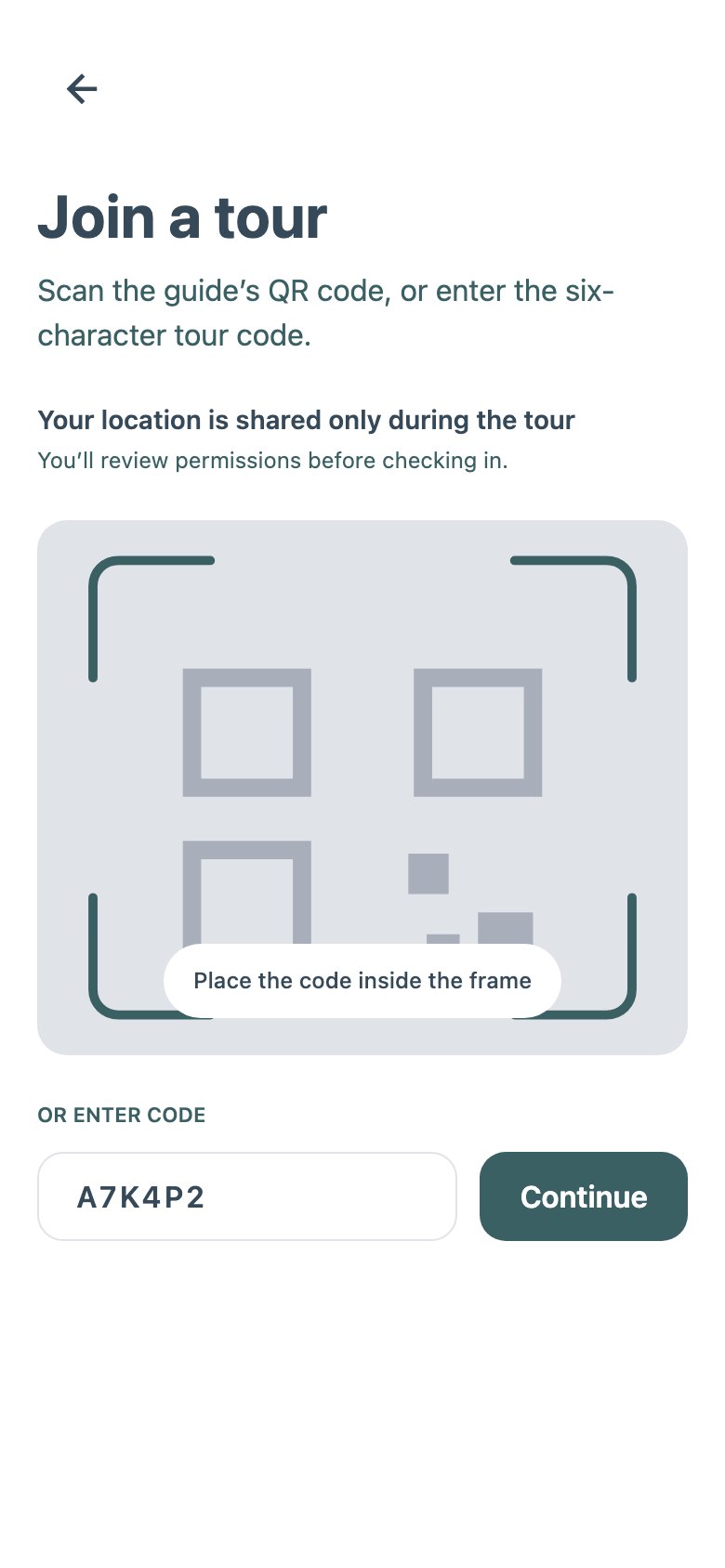
Join tour
QR frame or manual code
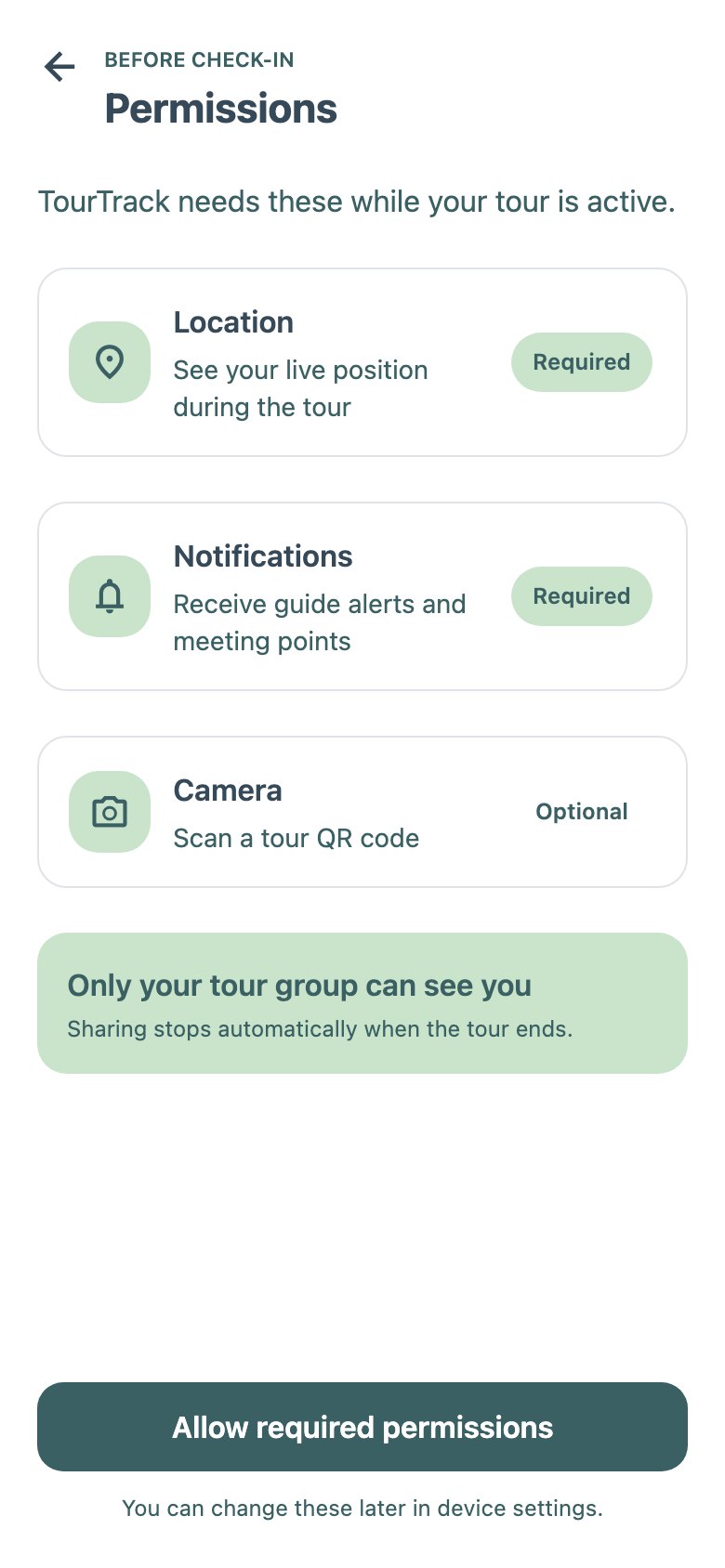
Permissions
Location, notifications
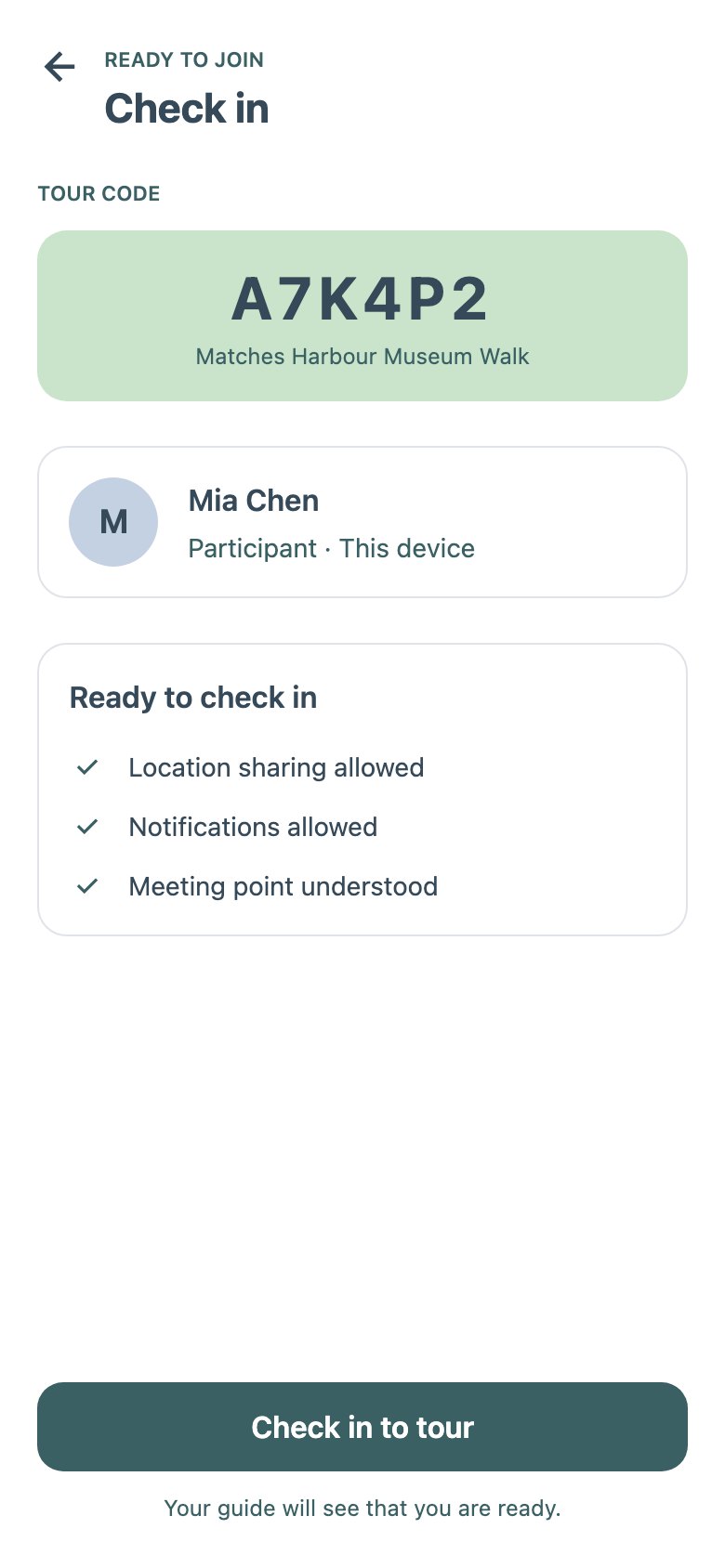
Check in
Ready to check in
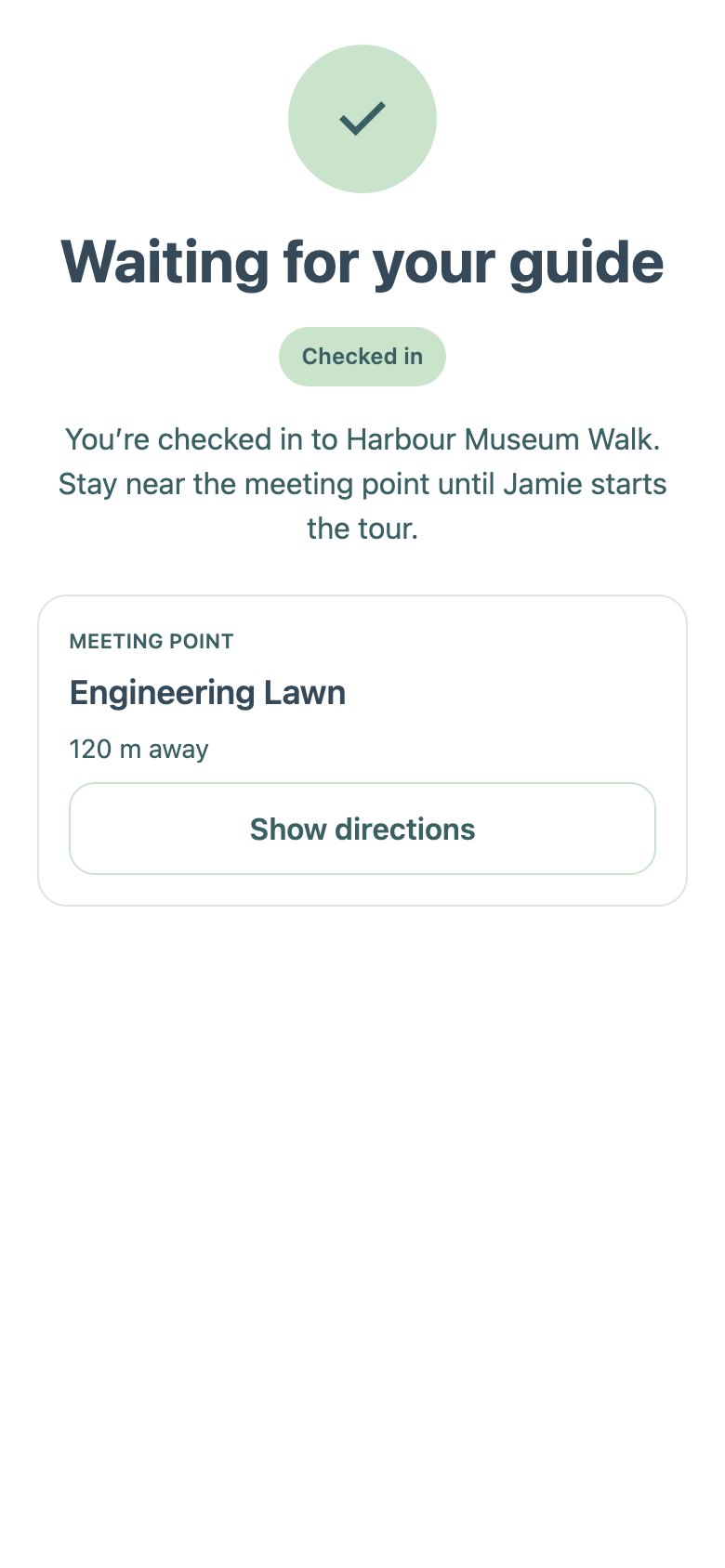
Waiting
Checked in; meeting point
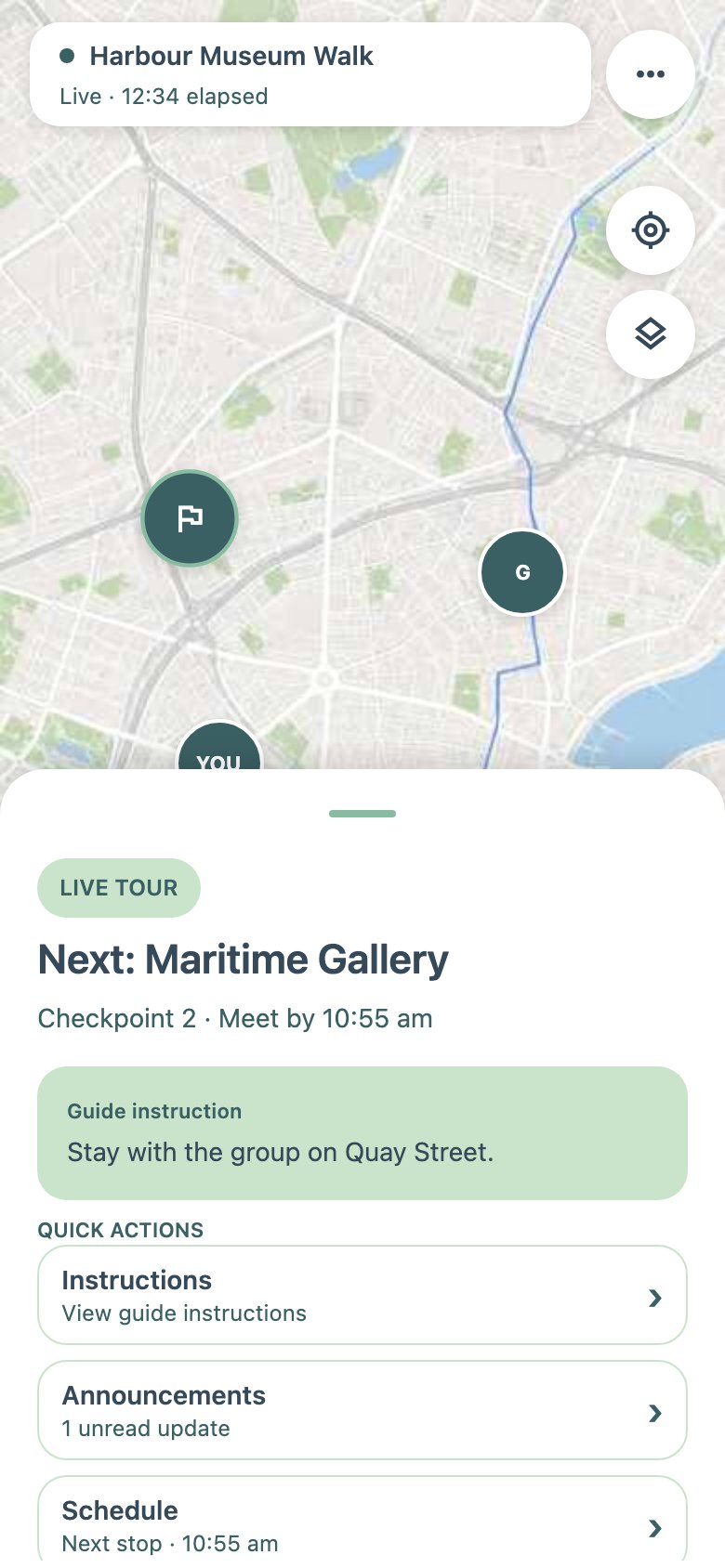
Live tour
“Next: Maritime Gallery”
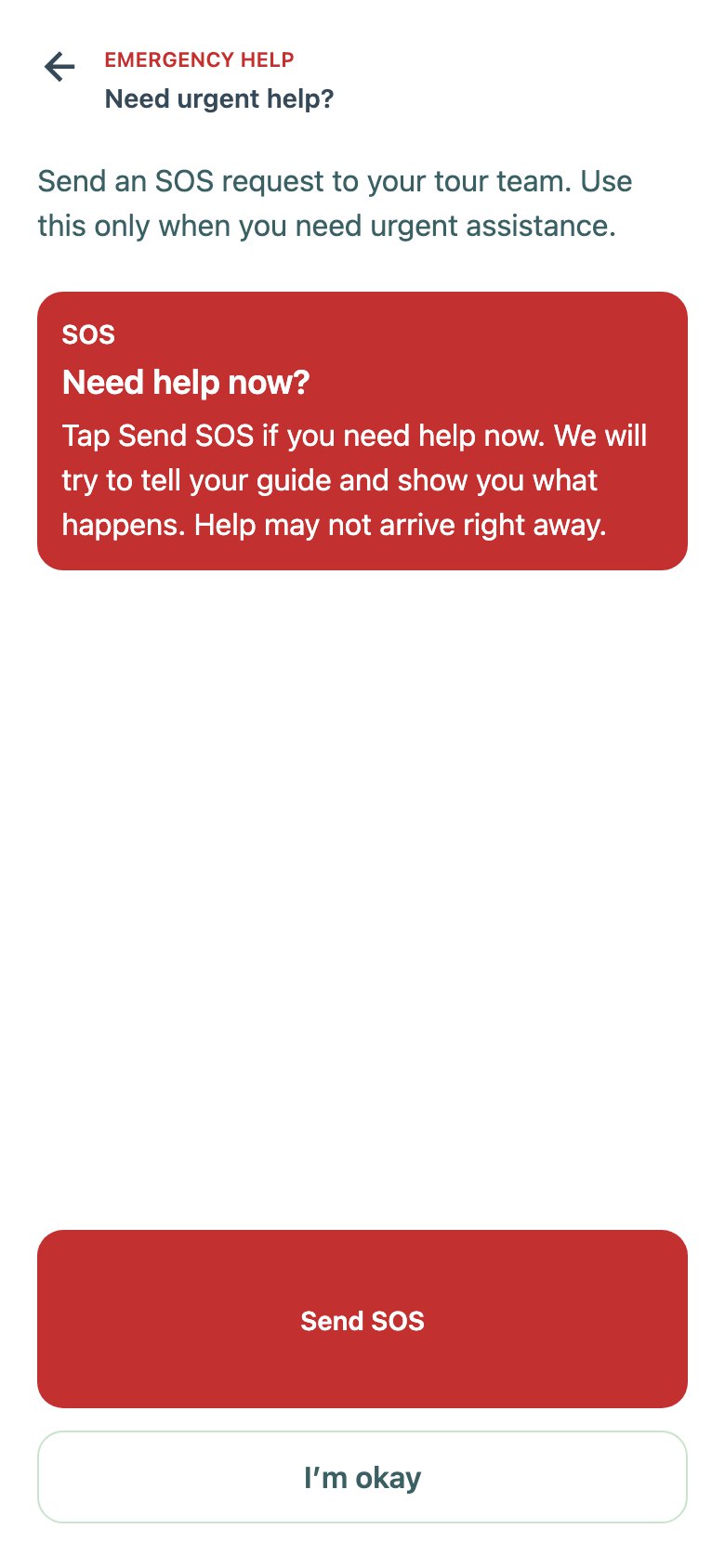
SOS
Send SOS
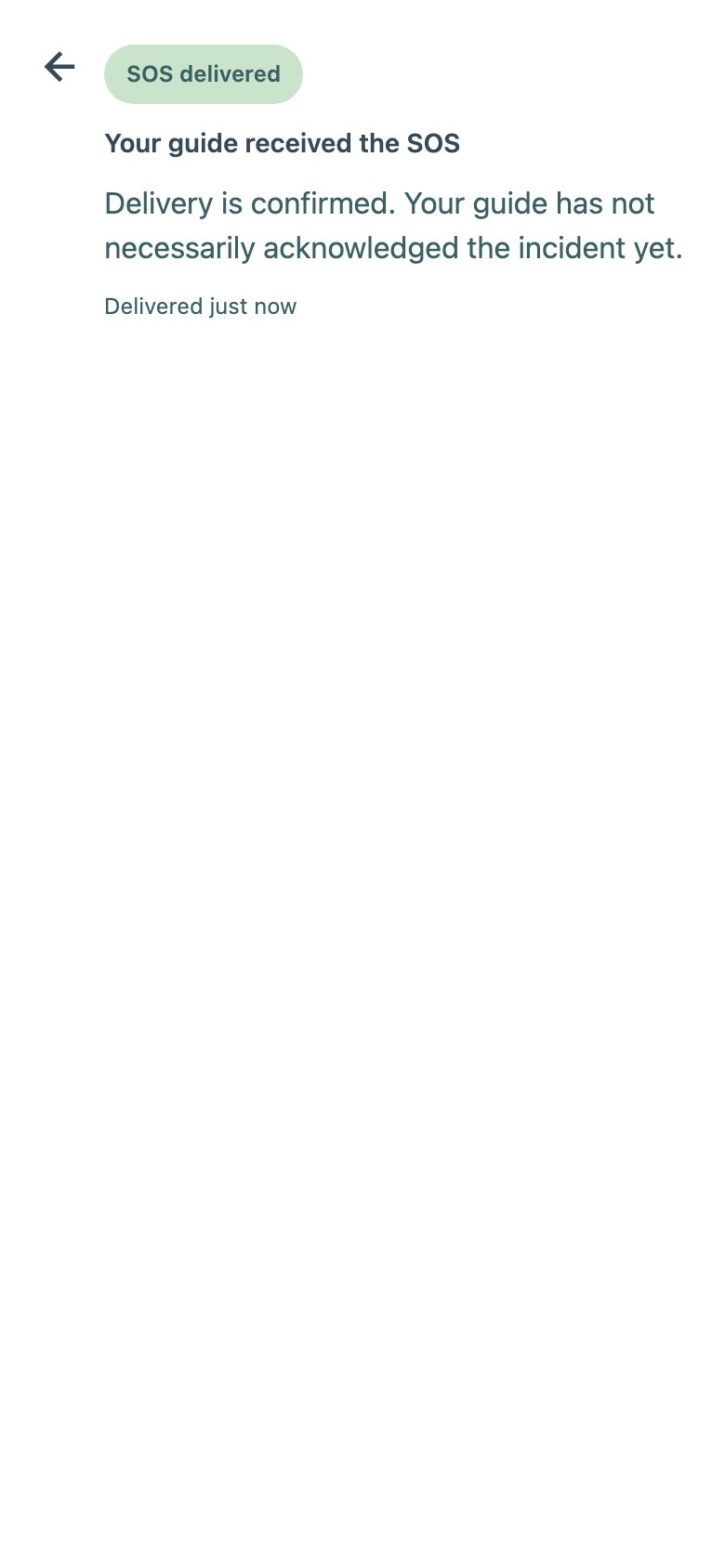
SOS status
“Delivered”
Participant · Edges and Ending
The other role's entry, a failed join and the end of the tour. The sparse SOS status, “delivered”, is the screen that later split into stored, accepted, received and acknowledged (D05).
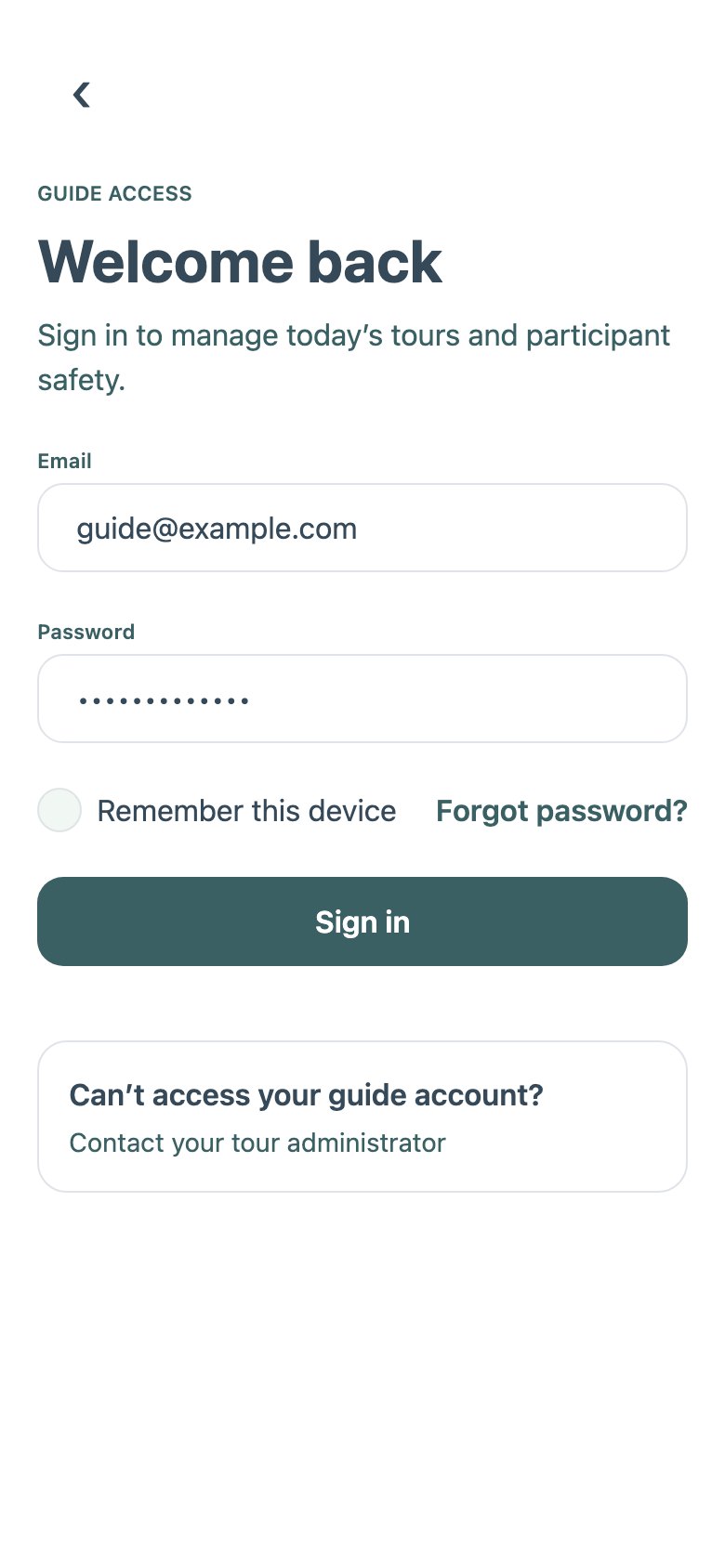
Guide sign-in
The other role's entry
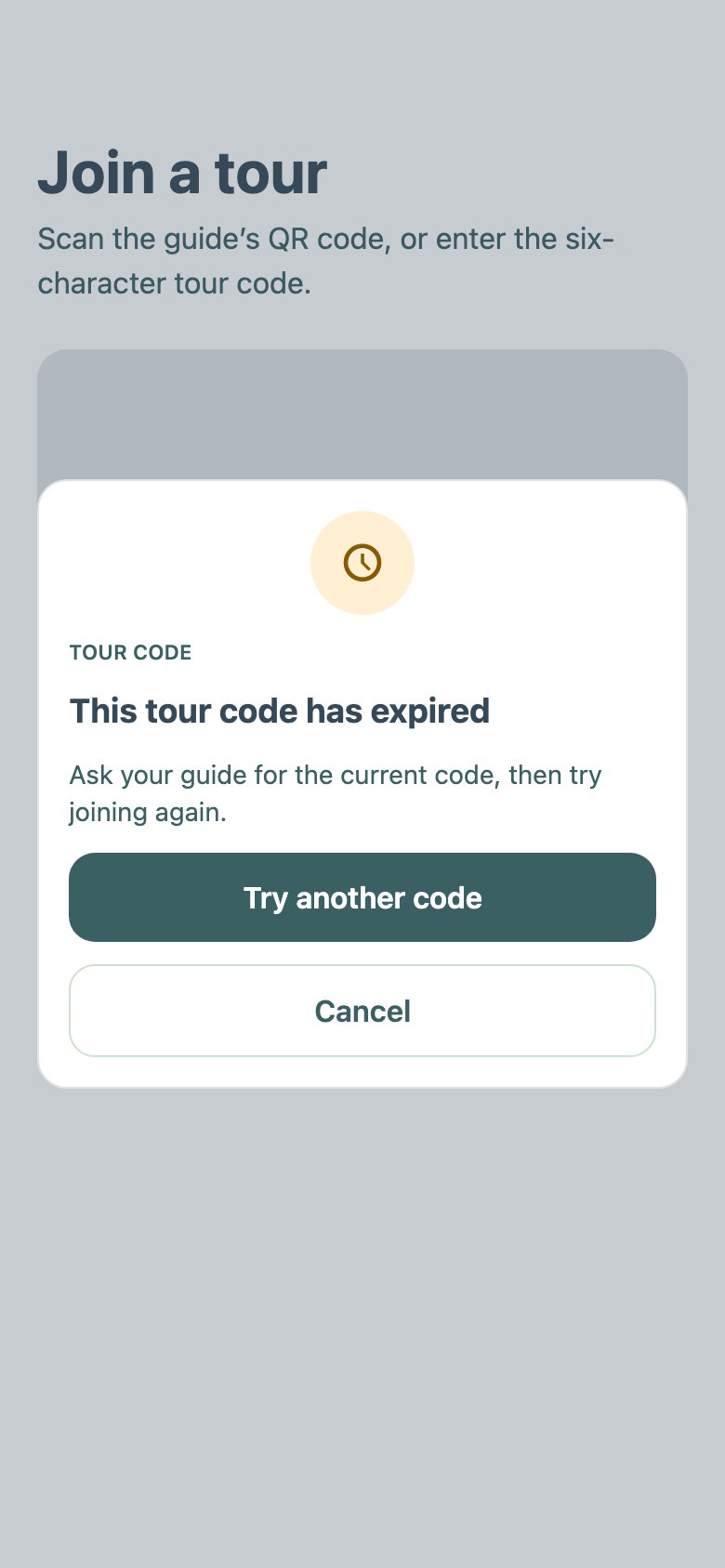
Join failure
Expired code
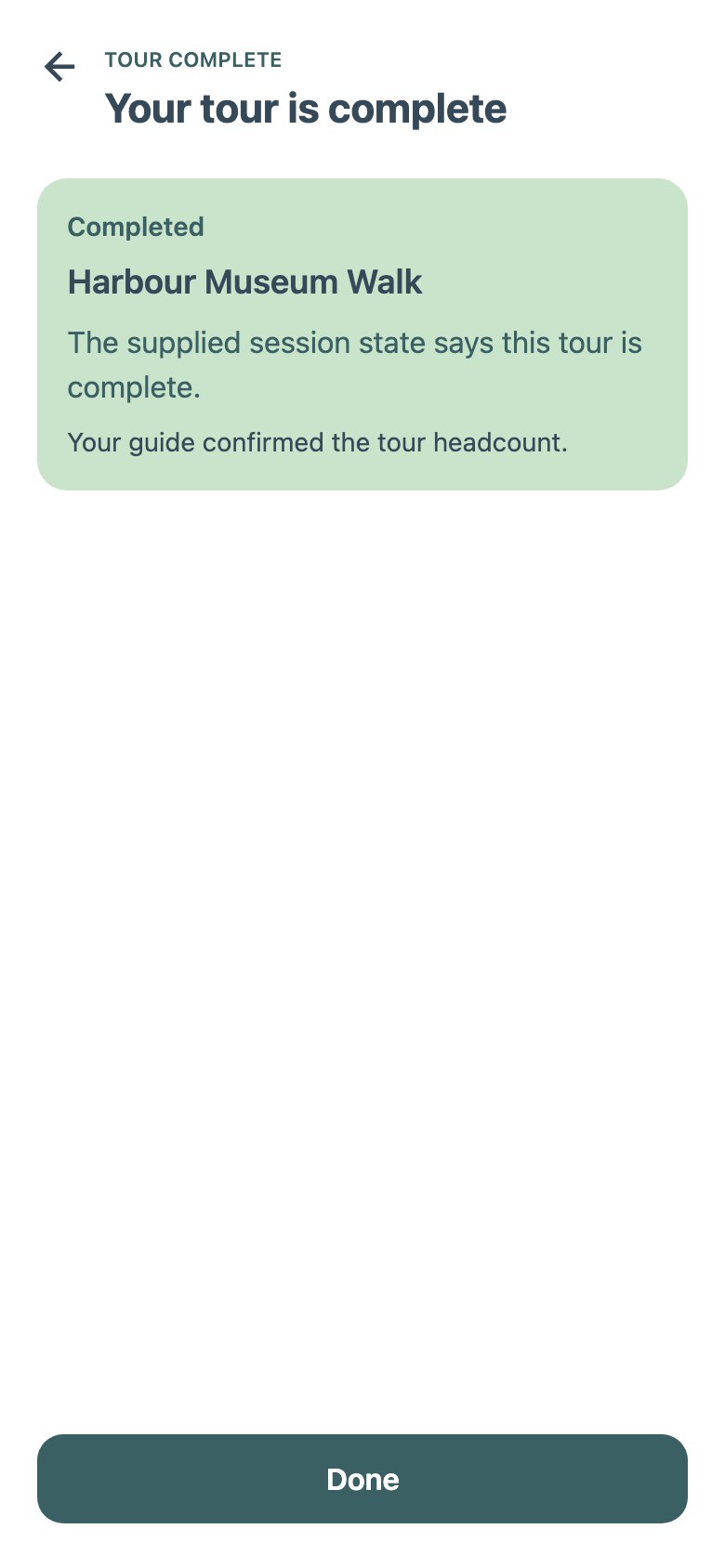
Tour result
“Your tour is complete”
The MVP's model in one line. One tour, one route and one group behind one guide; a participant is checked in once, watched against one safety area, and the live screen reports the next checkpoint. Every exception goes through the guide.
Kept into V2: the join code and QR, permission recovery, the checkpoint and SOS concepts, the offline recovery screen. Replaced: the separate readiness step, the single safety radius, and status-first live screens.
TourTrack · Stage 1 · MVP screens · 15
TourTrack · Stage 1 · MVP screens · 15
The MVP, as Built · Participant
The participant side of the same MVP. Joining is a one-time sequence ending in a waiting screen; the live screen leads with the next checkpoint and puts instructions, announcements and the schedule behind taps.
Role choice
Guide or participant
Join tour
QR frame or manual code
Permissions
Location, notifications
Check in
Ready to check in
Waiting
Checked in; meeting point
Live tour
“Next: Maritime Gallery”
SOS
Send SOS
SOS status
“Delivered”
Participant · Edges and Ending
The other role's entry, a failed join and the end of the tour. The sparse SOS status, “delivered”, is the screen that later split into stored, accepted, received and acknowledged (D05).
Guide sign-in
The other role's entry
Join failure
Expired code
Tour result
“Your tour is complete”
The MVP's model in one line. One tour, one route and one group behind one guide; a participant is checked in once, watched against one safety area, and the live screen reports the next checkpoint. Every exception goes through the guide.
Kept into V2: the join code and QR, permission recovery, the checkpoint and SOS concepts, the offline recovery screen. Replaced: the separate readiness step, the single safety radius, and status-first live screens.
TourTrack · Stage 1 · MVP screens · 15
TourTrack · Stage 1 · MVP screens · 15
Stage 1 · review and next change
What the MVP Revealed
The MVP made the first journeys concrete. Research then exposed these limits and shaped the redesign.
This design
Problem discovered
Revised approach and reason
Revised
ACreate a tour
Functional MVP MVP wizard, route step
The wizard assumed one route and one safety area per tour, with setup completed in a fixed sequence before handing operation to the phone.
Scenarios required days, activities, travel and parallel groups (BE-79). The later workspace also needed durable publishing for both phone roles (#200).
Plan in one workspace of days, places and travel, with the map visible while editing, because organisers plan days of places. Publishing writes the records both phones read.
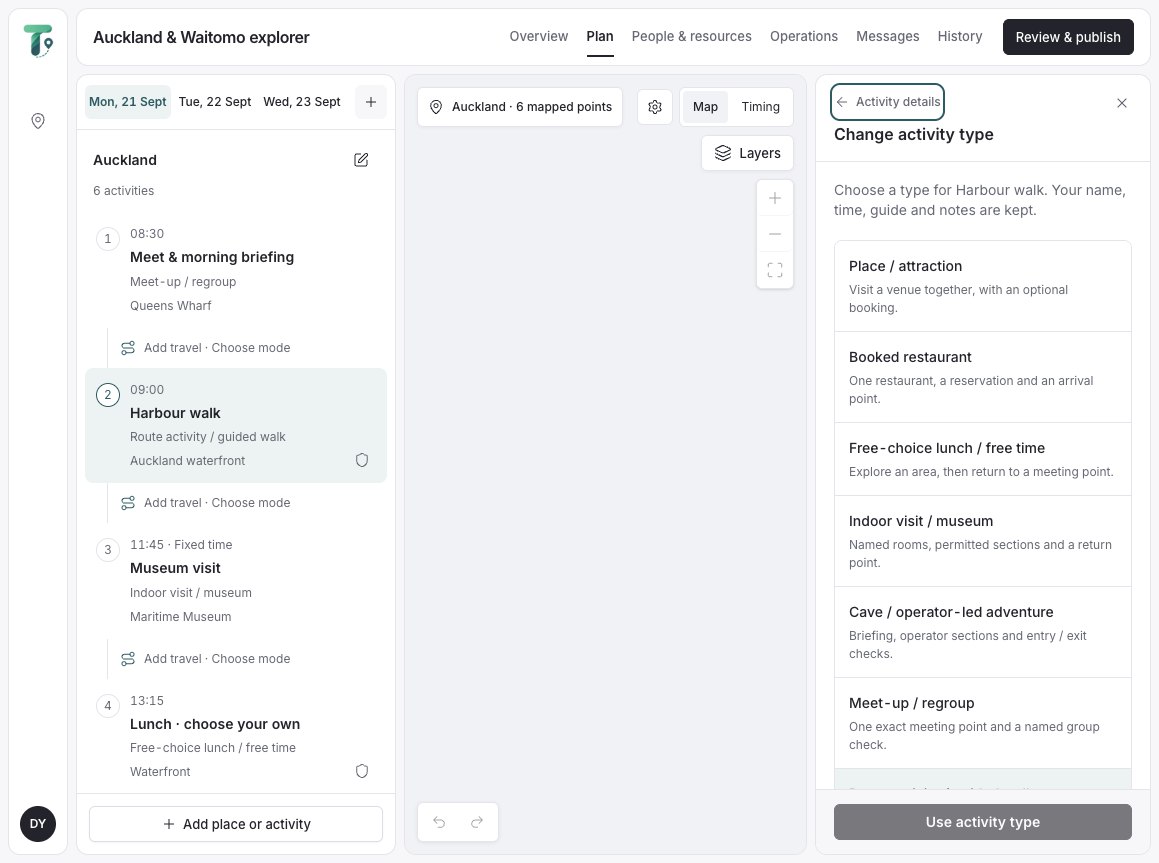
Integrated V2 10 Sep workspace
BParticipant's current task
Functional MVP MVP live tour
Live reported tour status and the next checkpoint. During free time everyone leaves the area by design, and what matters is when and where to return.
Research §5: participants spread out by design; free time creates a future obligation; a map with a small card hides the schedule.
Lead with the immediate commitment, time, exact place, instruction, next, and let one Now adapt to free time, regrouping and changes.
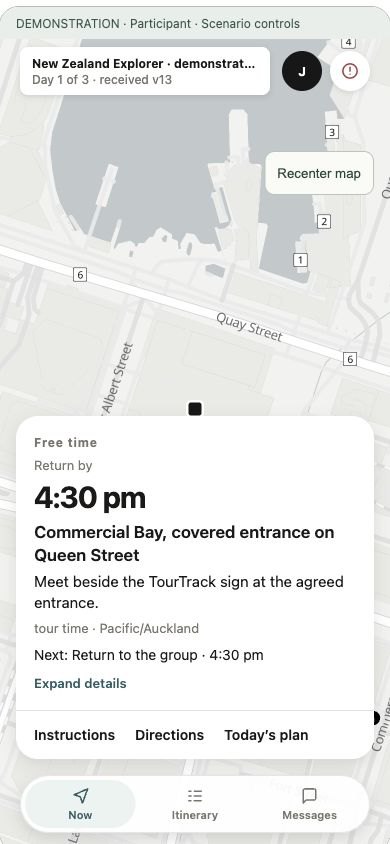
V2 prototype V2 Now · free time
CMonitor the group
Functional MVP MVP live map
One route and safety area could not explain intentional separation during free time. The guide needed to distinguish a late return from missing location evidence.
Scenario: free time in Arrowtown until 12:00 (research). The guide needs who is late and by how much, and whether missing means lost or only unknown.
Live counts who is accounted for and shows exceptions first, with rules per activity; stale evidence reads unknown, never safe.
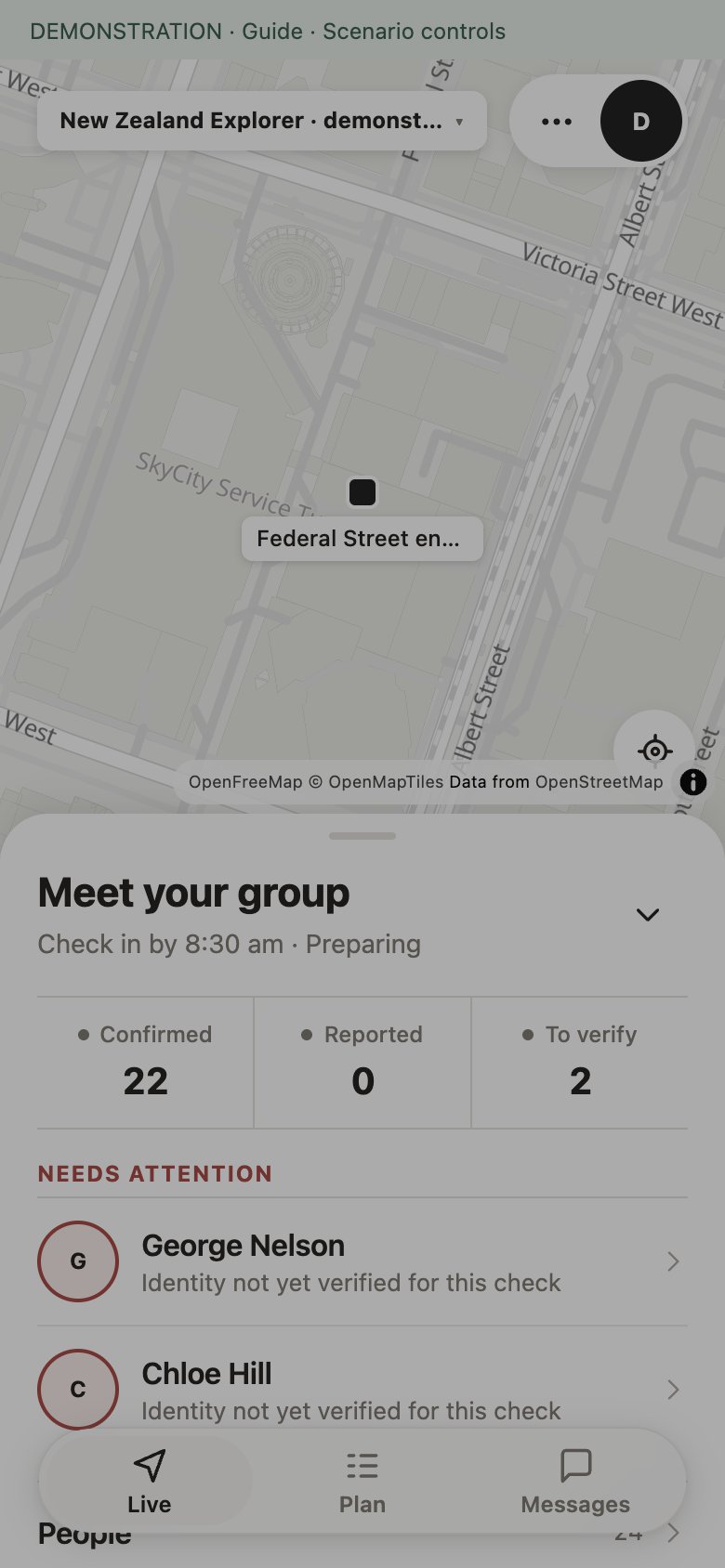
V2 prototype V2 Live
Next · redesign and integration →
TourTrack · Stage 1 · Review · 16
TourTrack · Stage 1 · Review · 16
Stage 2 · research · scenarios and design consequences
What Research Changed
Four worked scenarios tested the MVP beyond one group following one route. Free time, multi-day trips, indoor visits and parallel activities informed changes to the data model and interface.
Free time. In Arrowtown, participants intentionally leave the guide’s area. The task is to communicate where and when to return and distinguish late arrivals from unavailable location.
Parallel activities. The study split 24 participants into hiking (10), city exploration (8) and rest/café (6), with separate guides and rules before a shared return.
| Finding | Design response |
|---|---|
| Intentional separation | Judge location against the current activity and return commitment. |
| Concurrent groups | Scope guide responsibilities and attendance to each group. |
| Location is not attendance | Keep phone readings distinct from named verification. |
| Independent failures | Show location freshness, message delivery and help status separately. |
| Changing plans and indoor visits | Separate plans from execution; use named indoor sections where GPS is unavailable. |
Result. The redesign introduced days, activities, execution instances and scoped responsibilities. The participant’s next commitment and the guide’s attention list became the focus of the interface.
Research basis: 44 references, four scenarios (BE-79) and 125 mapped flows (BE-81). These are design studies, not field validation.
TourTrack · Stage 2 · Redesign and integration · 17
TourTrack · Stage 2 · Redesign and integration · 17
Stage 2 · research and decisions · what already exists
Learning from Existing Systems
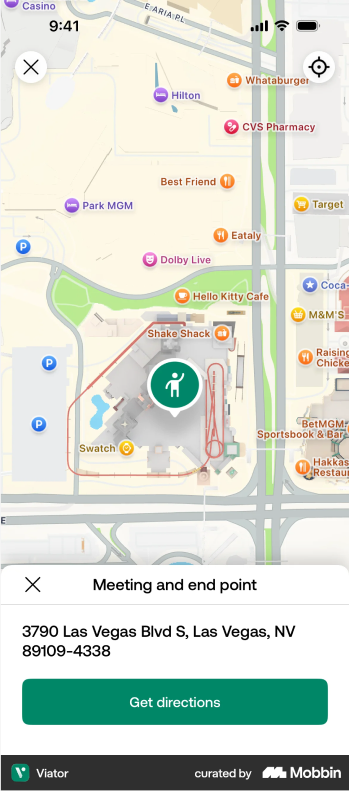
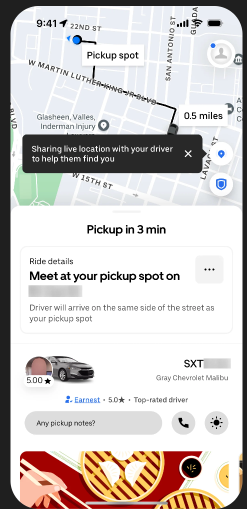
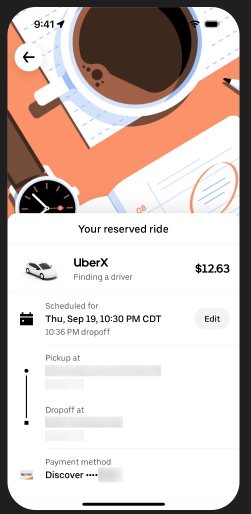
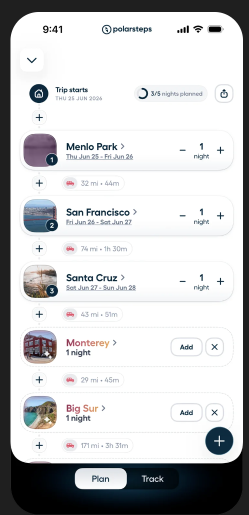
Before the redesign we looked at how products tell someone where to be and when, comparing them by the job they do rather than by brand. Booking apps explain a meeting point but stop there; ride apps make one next commitment unmissable; itinerary planners build trips from places.
Viator [18]
A meeting point with an annotated map and directions.
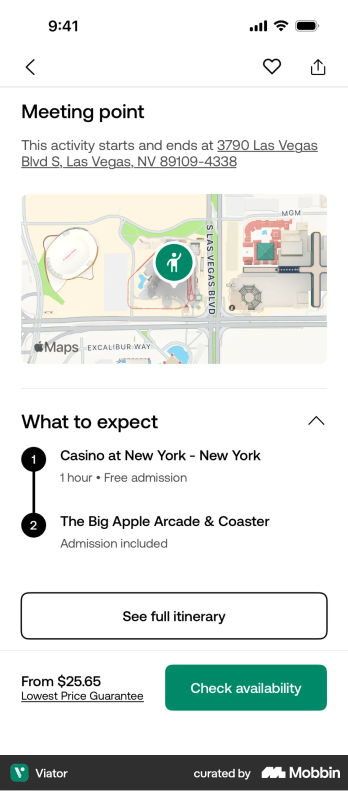
Uber [19]
One place, one time, and the person to look for.
Itinerary planner
Days of places with travel between them.
TourTrack · the response
The change named first; an exact entrance.
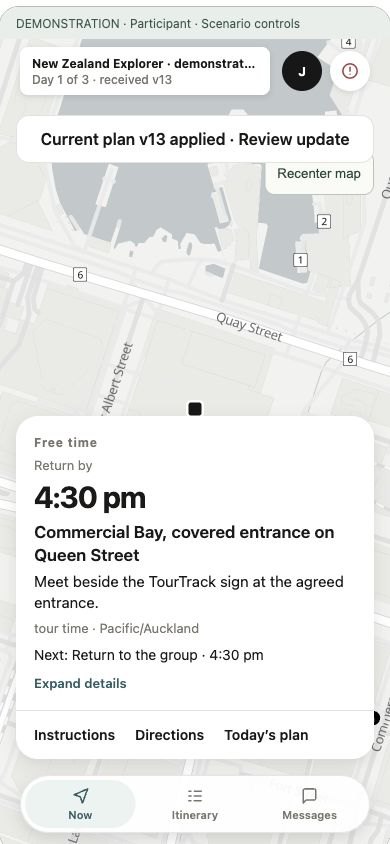
Taken forward. Exact meeting instructions, a pickup-style next commitment, and places as the unit of planning. Left behind. Booking flows, payments and live driver tracking.
What we took from each · references by job
| Reference | Observed | Applied to TourTrack | Basis |
|---|---|---|---|
| Flighty [21] | Countdown, endpoints and change status together | The current and next commitment unit | Inspected |
| Find My [22] | Selecting a person reveals detail; missing location is explicit | Persistent map with contextual detail; honest last-known | Inspected |
| Uber [19] | Task-sized sheets with obvious back and close | Contextual workflows that return where they began | Inspected |
| AllTrails [23] | Inspecting a route differs from navigating it | Planned route, trace, directions and checkpoints kept apart | Inspected |
| Backroads [24] | Daily instructions and route choices on the trip | Today's briefing and route-option assignment | Inspected |
| Rezdy [6] | Sessions lead to check-in and manifests | Fast attendance actions by group | Inspected |
| Toss [25] | Labels that predict outcomes; visible alternatives to gestures | “Confirm Ben is aboard”, a visible Directions control | Docs |
The research register separates what was visually inspected from what was read in documentation; none was a tested competitor.
In-app reference screens via Mobbin [20], collected in the team Figma
TourTrack · Stage 2 · Design references · 18
TourTrack · Stage 2 · Design references · 18
Stage 2 · architecture · containers (C2), delivered
Redesigned Architecture
The redesign moved trusted operations to AWS while retaining Firebase identity and data. Separate map providers support search, routing and transit. Integration refined presence, evidence freshness and location accuracy within these boundaries.
Source and PRs to 24 October · docs/DECISIONS.md §2
Stage 2 · architecture · the richer tour model
Richer Tour Model
A route and a roster could not hold a multi-day tour, free time, transit or two groups at once. The V2 contract separated what was planned, what is actually running and who may see it.
| Entity | Holds | Record |
|---|---|---|
| Plan → Day → Activity | What was planned: places, routes, rules and published versions | BE-57 · #308 |
| Execution instance | What is actually running, and who currently leads it | BE-60 · #329 |
| Grant on a person | Who may see or do what, scoped to a departure | BE-58 · #315 |
| Plan version and receipt | A change, its delivery and its acknowledgement | BE-41 · #249 |
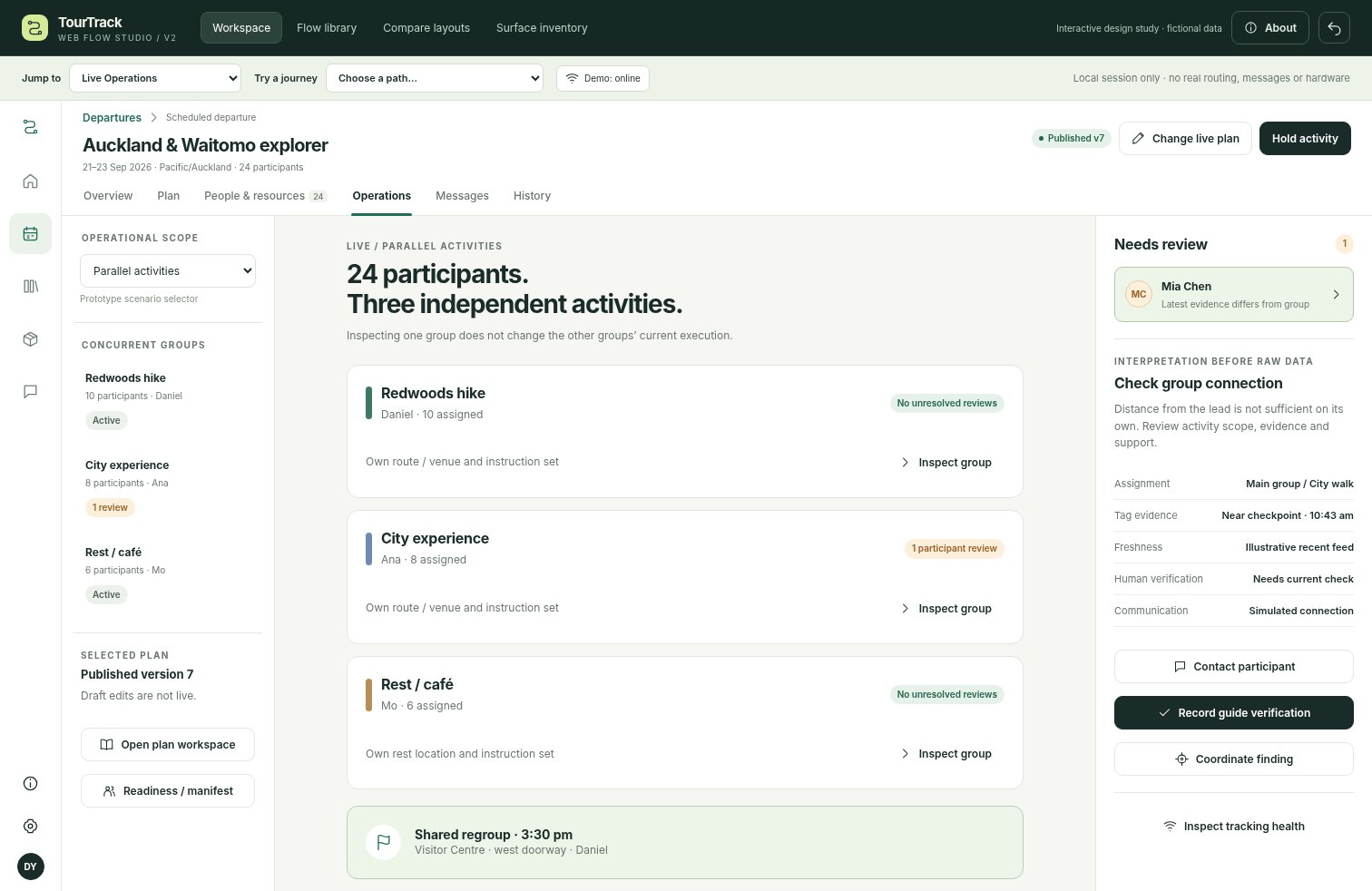
Design study “24 participants. Three independent activities.” The parallel-groups scenario the one-departure model could not hold.
TourTrack · Stage 2 · Architecture · 19
TourTrack · Stage 2 · Architecture · 19
Stage 2 · architecture · containers (C2), delivered
Redesigned Architecture
The redesign moved trusted operations to AWS while retaining Firebase identity and data. Separate map providers support search, routing and transit. Integration refined presence, evidence freshness and location accuracy within these boundaries.
Source and PRs to 24 October · docs/DECISIONS.md §2
Stage 2 · architecture · the richer tour model
Richer Tour Model
A route and a roster could not hold a multi-day tour, free time, transit or two groups at once. The V2 contract separated what was planned, what is actually running and who may see it.
| Entity | Holds | Record |
|---|---|---|
| Plan → Day → Activity | What was planned: places, routes, rules and published versions | BE-57 · #308 |
| Execution instance | What is actually running, and who currently leads it | BE-60 · #329 |
| Grant on a person | Who may see or do what, scoped to a departure | BE-58 · #315 |
| Plan version and receipt | A change, its delivery and its acknowledgement | BE-41 · #249 |
Design study “24 participants. Three independent activities.” The parallel-groups scenario the one-departure model could not hold.
TourTrack · Stage 2 · Architecture · 19
TourTrack · Stage 2 · Architecture · 19
Stage 2 · architecture · decisions and integration evidence
Decisions and Integration Findings
The redesign retained one role-based app and Firebase identity and data. The following decisions extended that baseline; integration incidents then tested the assumptions behind them.
| Decision | Choice and reason | Trade-off |
|---|---|---|
| Tour model | Days, activities and scoped responsibilities support different commitments within one departure. | More relationships and permission states to maintain. |
| Hosting | AWS Lambda and SQS run trusted operations; Firebase retains identity and data (#200). | Deployment and recovery span two platforms. |
| Mapping | Separate rendering, place search, routing and transit providers. | Provider results and failure states need a common interface. |
| Evidence | Distinguish stored, accepted, received and acknowledged; age missing location into unknown. | Additional UI states must remain understandable. |
| Integration finding | Response | Record |
|---|---|---|
| Presence could be written before its live mirror existed | Retry with back-off; consider recent location evidence. | #356 |
| Repeated safety sweeps exhausted the read quota | Reuse shared reads; revisit no-data unknowns less often. | #371 |
| A stationary guide’s location became stale | Keep stationary location evidence fresh. | #367 |
| 37 of 43 meetup check-ins were refused | Combine both phones’ reported accuracy before judging distance. | #440 |
UI consequences are shown in the flow and refinement pages; test outcomes are in Section 5.
TourTrack · Stage 2 · Architecture decisions · 20
TourTrack · Stage 2 · Architecture decisions · 20
Stage 2 · user flow · use cases
Goals by Role
The revised model changes what each role must accomplish. This use-case view establishes those goals; the following participant and guide flows show their sequence, and the service blueprint connects the roles across a tour.
Organiser
Prepares and publishes on the web; may also be the lead guide.
Guide
Operates the live tour from the phone and answers help.
Participant
Follows the current commitment and asks for help.
Scheduler
The system timer: ages evidence and retries SOS push at 1, 2, 4 and 8 minutes (D13).
Reading the diagram. Actors are roles, not people, and stand outside the TourTrack boundary beside their own goals. The one cross-role relationship is the SOS: a participant raises it and a guide answers it. Order and failure are not shown here; the flows and the service blueprint that follow carry them.
Five Journeys and Their Failure Paths
| Journey | Main sequence | Alternative path |
|---|---|---|
| Create and publish | Web planning → review → publish → phones | Unresolved place blocks publishing; leaving an editor restores the day and map |
| Join and prepare | Code, link or QR → permissions → check in | Full or closed tour; location denied is shown as evidence, not a block |
| Operate and regroup | Current activity → commitment → attendance | Late return; another group elsewhere; stale becomes unknown |
| Ask for help | Person or group → message or SOS → response | Pending stays pending; closing the SOS view never resolves it |
| Change and finish | Review change → publish → receive → end | Outdated plan; retry with the same operation ID; navigation never confirms |
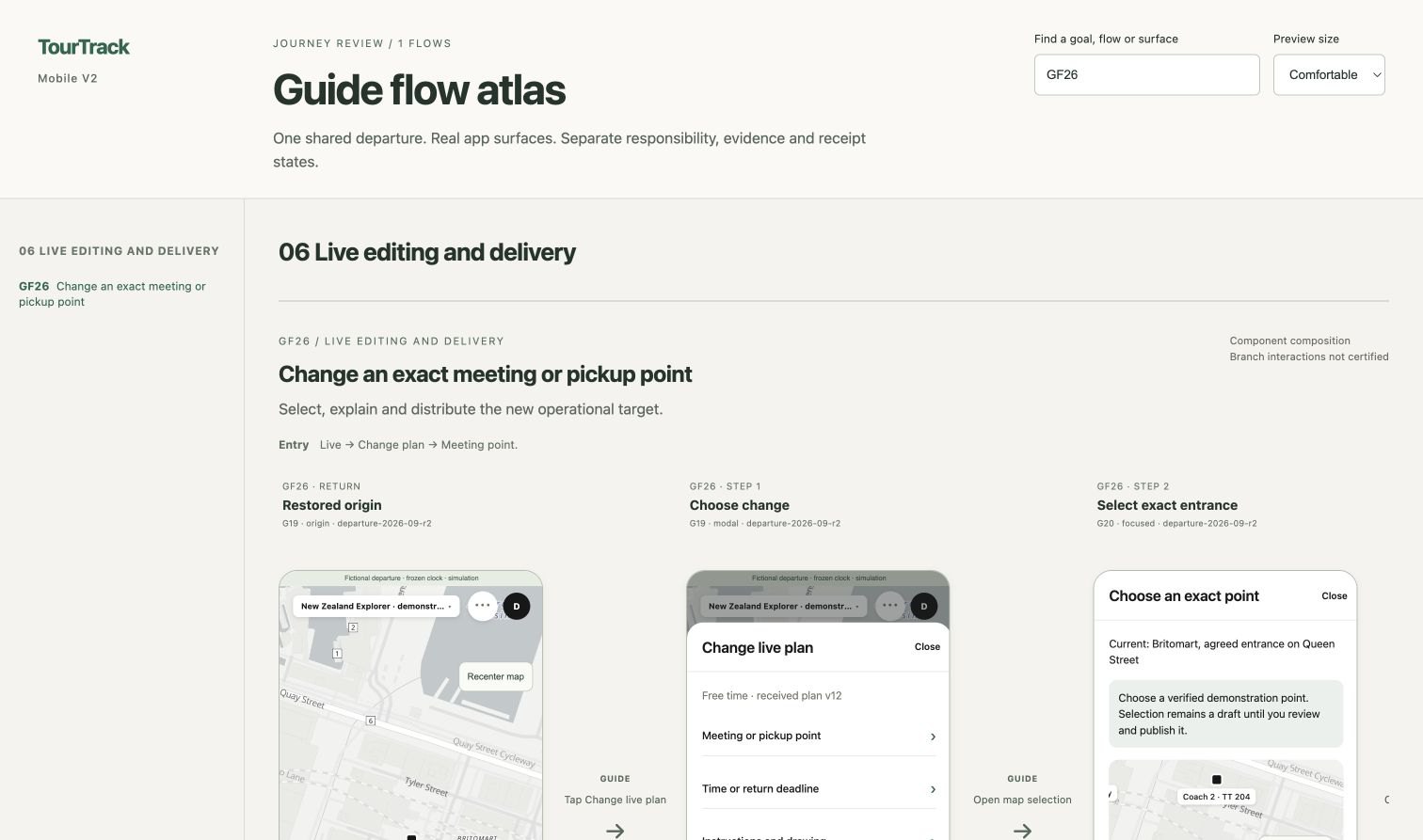
V2 prototype Guide flow atlas: each journey with its triggers, failures and return states (V2 review, 9 September).
TourTrack · Stage 2 · User goals · 21
TourTrack · Stage 2 · User goals · 21
Stage 2 · user flow · use cases
Goals by Role
The revised model changes what each role must accomplish. This use-case view establishes those goals; the following participant and guide flows show their sequence, and the service blueprint connects the roles across a tour.
Organiser
Prepares and publishes on the web; may also be the lead guide.
Guide
Operates the live tour from the phone and answers help.
Participant
Follows the current commitment and asks for help.
Scheduler
The system timer: ages evidence and retries SOS push at 1, 2, 4 and 8 minutes (D13).
Reading the diagram. Actors are roles, not people, and stand outside the TourTrack boundary beside their own goals. The one cross-role relationship is the SOS: a participant raises it and a guide answers it. Order and failure are not shown here; the flows and the service blueprint that follow carry them.
Five Journeys and Their Failure Paths
| Journey | Main sequence | Alternative path |
|---|---|---|
| Create and publish | Web planning → review → publish → phones | Unresolved place blocks publishing; leaving an editor restores the day and map |
| Join and prepare | Code, link or QR → permissions → check in | Full or closed tour; location denied is shown as evidence, not a block |
| Operate and regroup | Current activity → commitment → attendance | Late return; another group elsewhere; stale becomes unknown |
| Ask for help | Person or group → message or SOS → response | Pending stays pending; closing the SOS view never resolves it |
| Change and finish | Review change → publish → receive → end | Outdated plan; retry with the same operation ID; navigation never confirms |
V2 prototype Guide flow atlas: each journey with its triggers, failures and return states (V2 review, 9 September).
TourTrack · Stage 2 · User goals · 21
TourTrack · Stage 2 · User goals · 21

↳ Needs
Joining asked for my number and permissions twice. (#355)
↳ Needs
Show where to be and by when, not how the tour is going. (research §5)
↳ Needs
Tell me why someone reads unknown. (#374)
↳ Needs
A change has to reach people already following the old plan. (research §5)
↳ Needs
Ending must not wait on every duty. (#419)
User Flow · Mobile, Participant
Both roles mapped from the Expo Router routes of the final build: the participant's join and tour tabs on the left, the guide's on the right. Each branch carries a need from research or a PR.
User Flow · Mobile, Guide
Highlighted pills trace the core loop. A participant joins and checks in, follows Now, and asks for help; the guide works from Needs attention, opens a person in the sheet, answers an SOS and ends the tour.
Needs from PR descriptions and the research register
Mapped from apps/mobile/src/app: (participant), (guide), (shared) and (tour-tabs) groups
TourTrack · Stage 2 · Mobile flow · 22
TourTrack · Stage 2 · Mobile flow · 22
↳ Needs
Joining asked for my number and permissions twice. (#355)
↳ Needs
Show where to be and by when, not how the tour is going. (research §5)
↳ Needs
Tell me why someone reads unknown. (#374)
↳ Needs
A change has to reach people already following the old plan. (research §5)
↳ Needs
Ending must not wait on every duty. (#419)
User Flow · Mobile, Participant
Both roles mapped from the Expo Router routes of the final build: the participant's join and tour tabs on the left, the guide's on the right. Each branch carries a need from research or a PR.
User Flow · Mobile, Guide
Highlighted pills trace the core loop. A participant joins and checks in, follows Now, and asks for help; the guide works from Needs attention, opens a person in the sheet, answers an SOS and ends the tour.
Needs from PR descriptions and the research register
Mapped from apps/mobile/src/app: (participant), (guide), (shared) and (tour-tabs) groups
TourTrack · Stage 2 · Mobile flow · 22
TourTrack · Stage 2 · Mobile flow · 22
↳ Needs
Creating a tour was unintuitive, and its review button never enabled. (#422)
↳ Needs
I start from a place, not an activity type. (W04)
↳ Needs
The web reads live state; the guide's phone operates it. (D10)
↳ Needs
Publishing must reach the phones, not a preview. (#200)
User Flow · Web, Plan
The web planner mapped from its routes and workspace tabs: My tours and trip setup, then one workspace whose Plan tab holds most of the work. A published trip reaches both phones through the same departure records.
User Flow · Web, Operate and Publish
Highlighted pills trace the authoring loop. Create a trip, add places to each day, set their essentials, review the problems and publish. Reopening a published trip edits it in the same workspace (#203).
Needs from PR descriptions, decisions and the change register
Mapped from apps/web/src/routes and the workspace tabs in the 24 October build
TourTrack · Stage 2 · Web flow · 23
TourTrack · Stage 2 · Web flow · 23
↳ Needs
Creating a tour was unintuitive, and its review button never enabled. (#422)
↳ Needs
I start from a place, not an activity type. (W04)
↳ Needs
The web reads live state; the guide's phone operates it. (D10)
↳ Needs
Publishing must reach the phones, not a preview. (#200)
User Flow · Web, Plan
The web planner mapped from its routes and workspace tabs: My tours and trip setup, then one workspace whose Plan tab holds most of the work. A published trip reaches both phones through the same departure records.
User Flow · Web, Operate and Publish
Highlighted pills trace the authoring loop. Create a trip, add places to each day, set their essentials, review the problems and publish. Reopening a published trip edits it in the same workspace (#203).
Needs from PR descriptions, decisions and the change register
Mapped from apps/web/src/routes and the workspace tabs in the 24 October build
TourTrack · Stage 2 · Web flow · 23
TourTrack · Stage 2 · Web flow · 23
Stage 2 · user flow · cross-role service blueprint
One Tour Across Four Lanes
The web prepares and publishes, the participant joins, the guide operates, instructions reach people, and changes and incidents are handled. Every phase names the failure path the interface must show.
01
Prepare and publish
02
Join and prepare
03
Operate
Build days, places, routes and travel; review; publish
Read roster readiness
Store the plan version; issue the join code
Validate the code; create the membership and grant
Judge each activity's rules; age evidence with no new report
Departure appears in My tours
Check attendance as people arrive
Live: exceptions first; attendance; hold
Code or link; location and notifications; check in
Now: time, exact place, instruction, next
Unresolved place or invalid boundary blocks publishing. Leaving an editor restores day, selection and map.
Full or closed tour. Denied location is shown to the guide as missing evidence.
Late return; another group elsewhere; stale location turns unknown, not safe.
Continued
01
Instruct
02
Change and incident
03
Finish
Tour report
Stored → push accepted → receipt by callable
New plan version; SOS push retried, then escalated
Record completion; clear live data; repair clean-up
Announcement or direct message
Publish a change; acknowledge → responding → resolve
End tour; Headcount stays separate
Receive; acknowledge when required
New version applies at once; raise SOS
Tour ends; tracking stops
Accepted but never received stays pending. The interface never says delivered.
An SOS created offline shows as not yet sent. Closing the view never resolves it.
An uncertain response retries with the same operation ID.
The decisions the lanes rest on
| Decision | What it fixes | Seen in |
|---|---|---|
| D05 · delivery | Stored, push accepted, received and acknowledged are four states; the interface never says delivered | Instruct lane · #246 |
| D11 · activity rules | Separation is judged per activity; a hold suspends the spread rule | Operate lane |
| D13 · SOS retry | Push retried at 1, 2, 4 and 8 minutes, then escalated; closing the view never resolves | Incident lane |
| Direct End tour | One lead-guide action; Headcount stays separate; records stay as recorded | Finish lane · #419 |
docs/v2/flow-traceability.md; decisions D05, D11–D13; docs/v2/direct-end-tour.md
TourTrack · Stage 2 · Cross-role flow · 24
TourTrack · Stage 2 · Cross-role flow · 24
Stage 2 · user flow · cross-role service blueprint
One Tour Across Four Lanes
The web prepares and publishes, the participant joins, the guide operates, instructions reach people, and changes and incidents are handled. Every phase names the failure path the interface must show.
01
Prepare and publish
02
Join and prepare
03
Operate
Build days, places, routes and travel; review; publish
Read roster readiness
Store the plan version; issue the join code
Validate the code; create the membership and grant
Judge each activity's rules; age evidence with no new report
Departure appears in My tours
Check attendance as people arrive
Live: exceptions first; attendance; hold
Code or link; location and notifications; check in
Now: time, exact place, instruction, next
Unresolved place or invalid boundary blocks publishing. Leaving an editor restores day, selection and map.
Full or closed tour. Denied location is shown to the guide as missing evidence.
Late return; another group elsewhere; stale location turns unknown, not safe.
Continued
01
Instruct
02
Change and incident
03
Finish
Tour report
Stored → push accepted → receipt by callable
New plan version; SOS push retried, then escalated
Record completion; clear live data; repair clean-up
Announcement or direct message
Publish a change; acknowledge → responding → resolve
End tour; Headcount stays separate
Receive; acknowledge when required
New version applies at once; raise SOS
Tour ends; tracking stops
Accepted but never received stays pending. The interface never says delivered.
An SOS created offline shows as not yet sent. Closing the view never resolves it.
An uncertain response retries with the same operation ID.
The decisions the lanes rest on
| Decision | What it fixes | Seen in |
|---|---|---|
| D05 · delivery | Stored, push accepted, received and acknowledged are four states; the interface never says delivered | Instruct lane · #246 |
| D11 · activity rules | Separation is judged per activity; a hold suspends the spread rule | Operate lane |
| D13 · SOS retry | Push retried at 1, 2, 4 and 8 minutes, then escalated; closing the view never resolves | Incident lane |
| Direct End tour | One lead-guide action; Headcount stays separate; records stay as recorded | Finish lane · #419 |
docs/v2/flow-traceability.md; decisions D05, D11–D13; docs/v2/direct-end-tour.md
TourTrack · Stage 2 · Cross-role flow · 24
TourTrack · Stage 2 · Cross-role flow · 24
STAGE 2 · THEME
Shared semantic palette
packages/design-tokens · appearance.ts, light and dark (#384, 12 October)
Primary · action
#23242B
Brand
#2E5B62
Selected
#EDF3F2
Page
#F7F7F9
Safe
#556650
Danger
#A3433E

App icon, 24 October (#444)
Type · Inter, hierarchy by size and weight
Harbour Museum Walk
Meet at the east doors
Body text for instructions and detail.
Label · status · section
Next commitment
8:30 am
SkyCity, Federal Street entrance
Boarding · Coach to Viaduct Harbour
Status
SafeNearbyOutsideUnknown · 3 minSOSPeople
Bottom sheet
NOW
Return by 12:00
Coach Parking Area · next: lunch
Tab bar
DARK · SAME ROLES
8:30 am · Federal Street
Stage 2 · theme and UI direction
Refining the Visual System
Integration simplified the V2 screens: guide and participant screens repeated information, and routine copy shouted (#384, 11 October review). The shared palette moved primary actions to ink so teal marks brand and selection only, added a dark palette with the same roles, and let native tabs use Liquid Glass on iOS 26.
Live · V2 → integrated
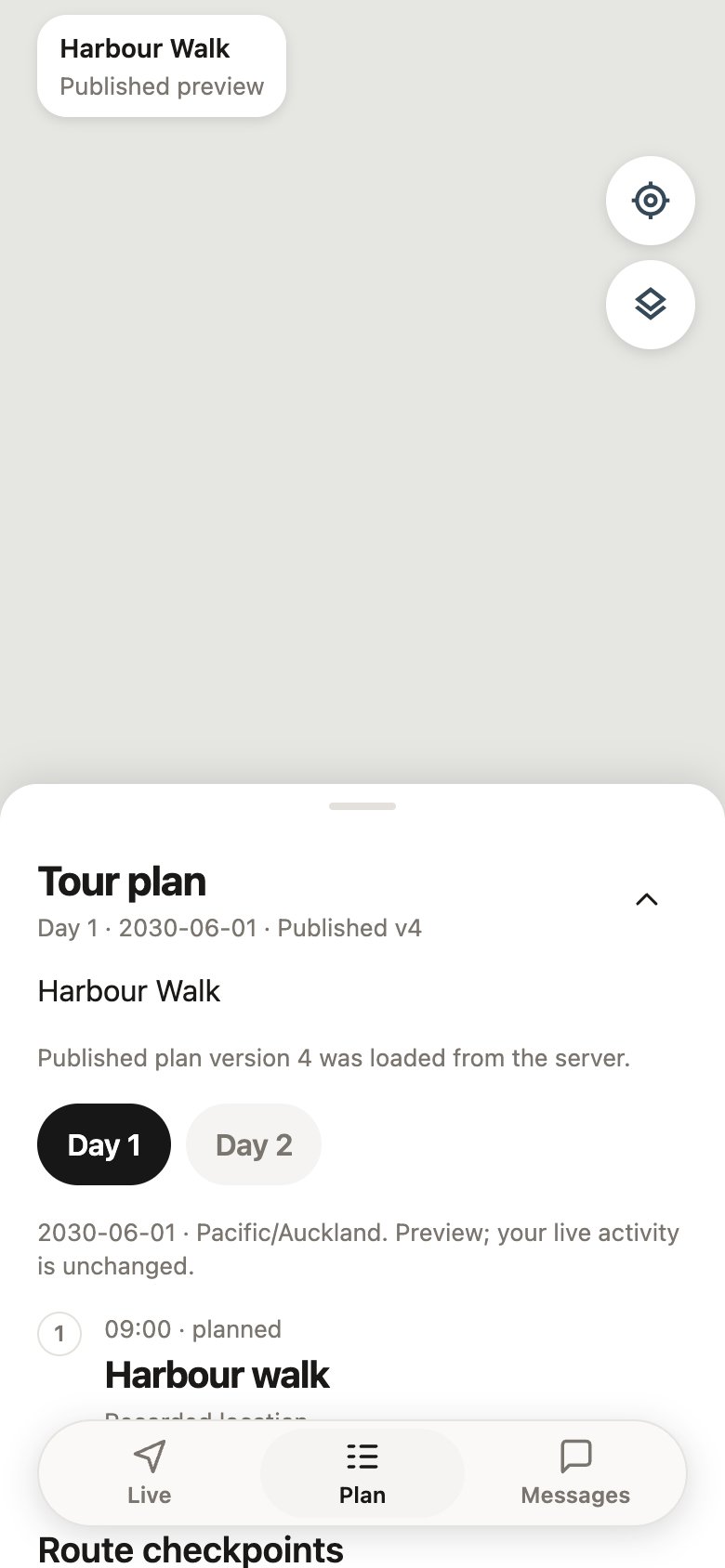
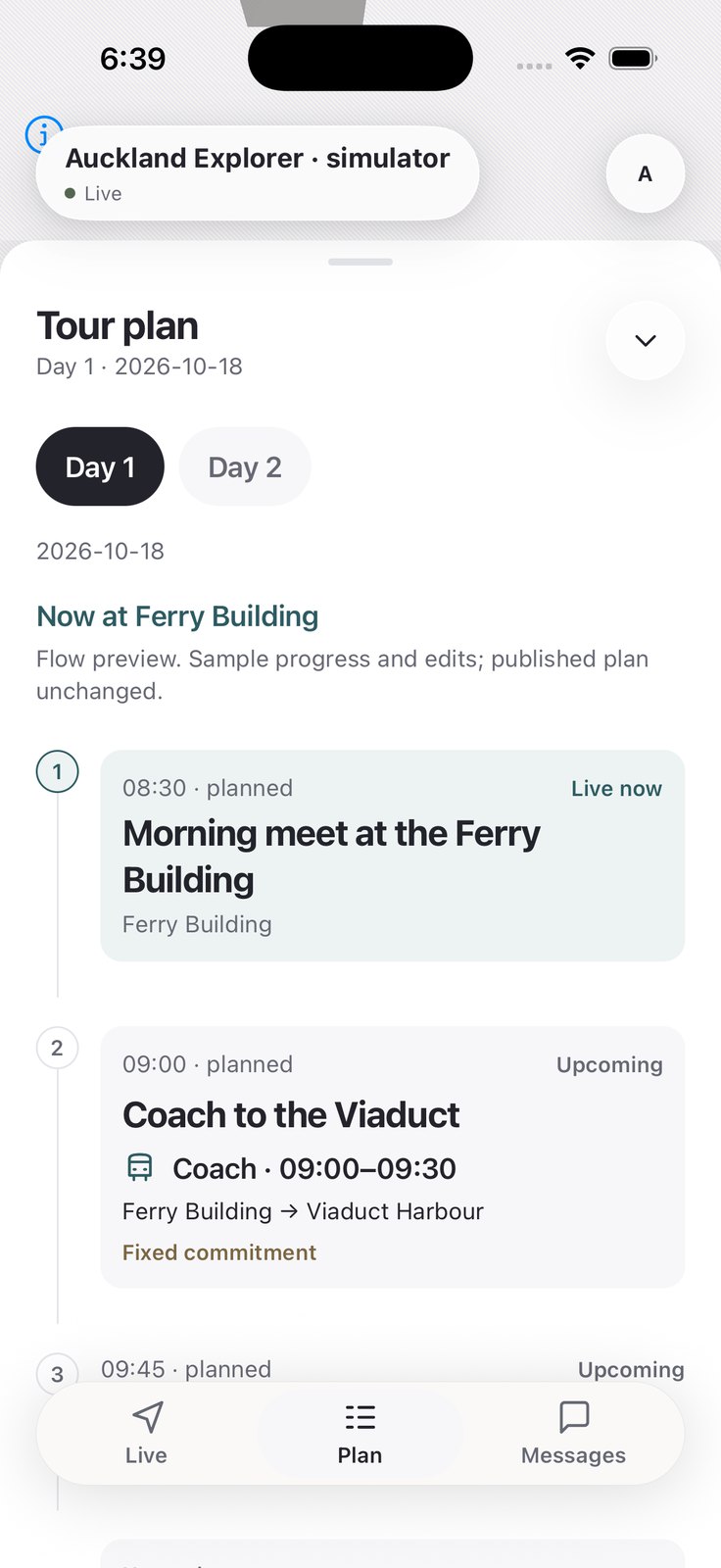
Plan · V2 → integrated
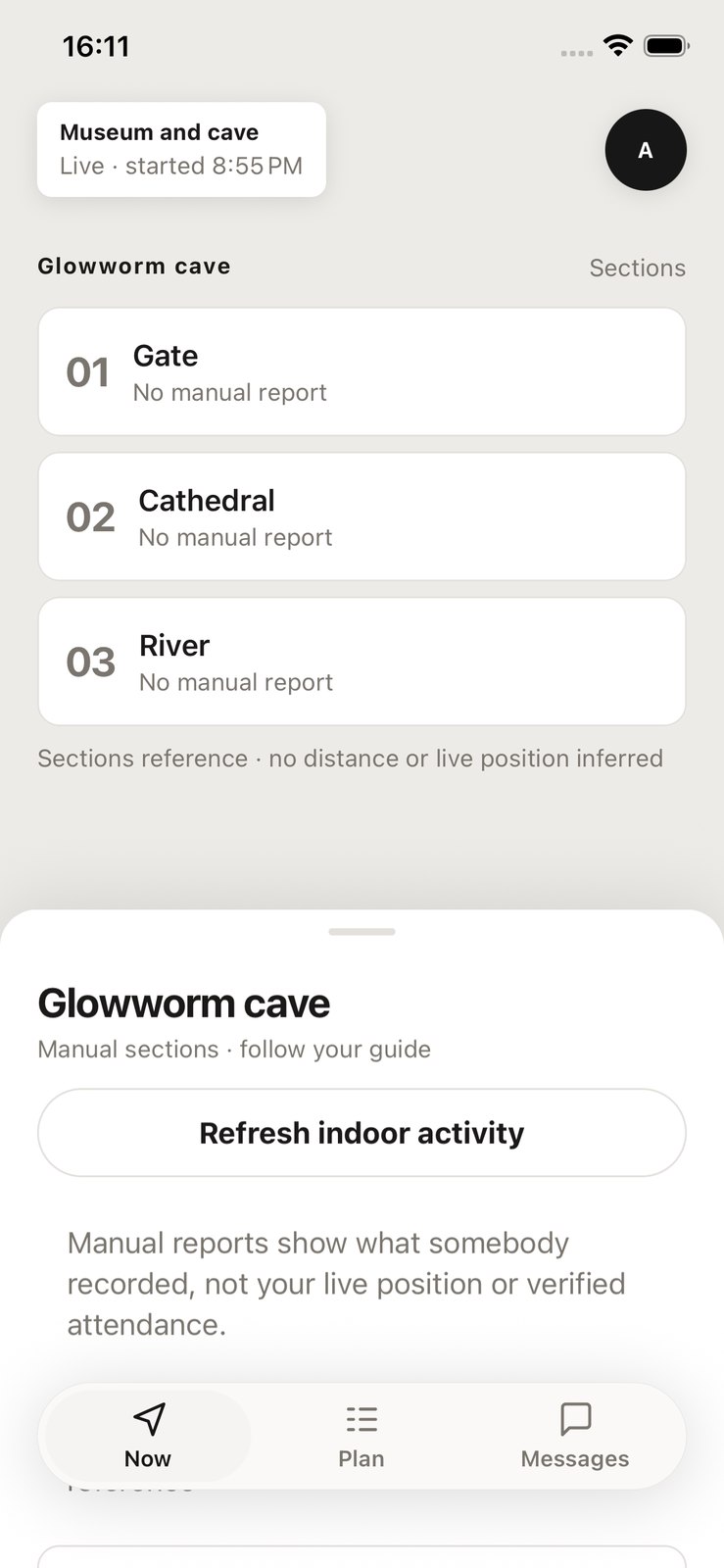
Now · V2 → integrated
| Element | Status | Why |
|---|---|---|
| Restrained teal, three semantic states | Kept | Retained from the coded prototype |
| Teal primary action | Revised | Ink actions; teal for brand and selection |
| Warm ground | Revised | Cool neutrals shared by web and native |
| Dark appearance | New | System appearance; map overlays follow |
| Separate trip sheet on Now | Removed | Place shown once (#384) |
| App mark | Revised | October icon, the T cut by one curve (#444) |
TourTrack · Stage 2 · Visual system · 25
TourTrack · Stage 2 · Visual system · 25
STAGE 2 · THEME
Shared semantic palette
packages/design-tokens · appearance.ts, light and dark (#384, 12 October)
Primary · action
#23242B
Brand
#2E5B62
Selected
#EDF3F2
Page
#F7F7F9
Safe
#556650
Danger
#A3433E
App icon, 24 October (#444)
Type · Inter, hierarchy by size and weight
Harbour Museum Walk
Meet at the east doors
Body text for instructions and detail.
Label · status · section
Next commitment
8:30 am
SkyCity, Federal Street entrance
Boarding · Coach to Viaduct Harbour
Status
SafeNearbyOutsideUnknown · 3 minSOSPeople
Bottom sheet
NOW
Return by 12:00
Coach Parking Area · next: lunch
Tab bar
DARK · SAME ROLES
8:30 am · Federal Street
Stage 2 · theme and UI direction
Refining the Visual System
Integration simplified the V2 screens: guide and participant screens repeated information, and routine copy shouted (#384, 11 October review). The shared palette moved primary actions to ink so teal marks brand and selection only, added a dark palette with the same roles, and let native tabs use Liquid Glass on iOS 26.
Live · V2 → integrated
Plan · V2 → integrated
Now · V2 → integrated
| Element | Status | Why |
|---|---|---|
| Restrained teal, three semantic states | Kept | Retained from the coded prototype |
| Teal primary action | Revised | Ink actions; teal for brand and selection |
| Warm ground | Revised | Cool neutrals shared by web and native |
| Dark appearance | New | System appearance; map overlays follow |
| Separate trip sheet on Now | Removed | Place shown once (#384) |
| App mark | Revised | October icon, the T cut by one curve (#444) |
TourTrack · Stage 2 · Visual system · 25
TourTrack · Stage 2 · Visual system · 25
Stage 2 · theme · principles
Routine Quiet, Exceptions Legible
TourTrack is read outdoors, in transit and indoors, often while walking. Routine operation stays quiet so the few genuine exceptions read at a glance (PRODUCT.md).
Illustrative rows in the production tokens; names are sample data.
- 1Show the current truth before actions
- 2Keep the map while detail appears
- 3Quiet routine, legible exceptions
- 4Evidence stated with its age
- 5One shell for every tour stage
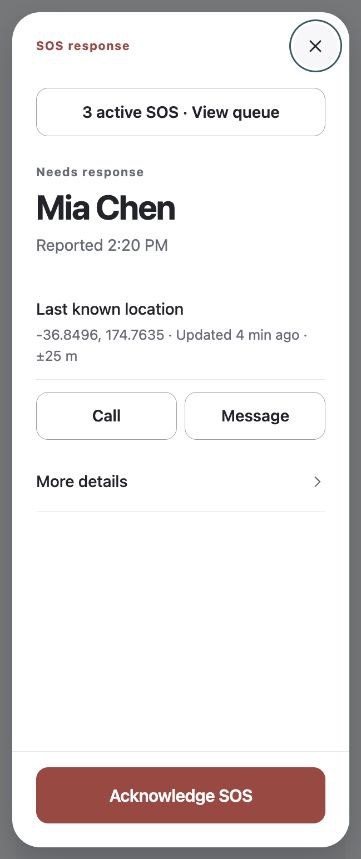
Integrated V2 SOS, guide
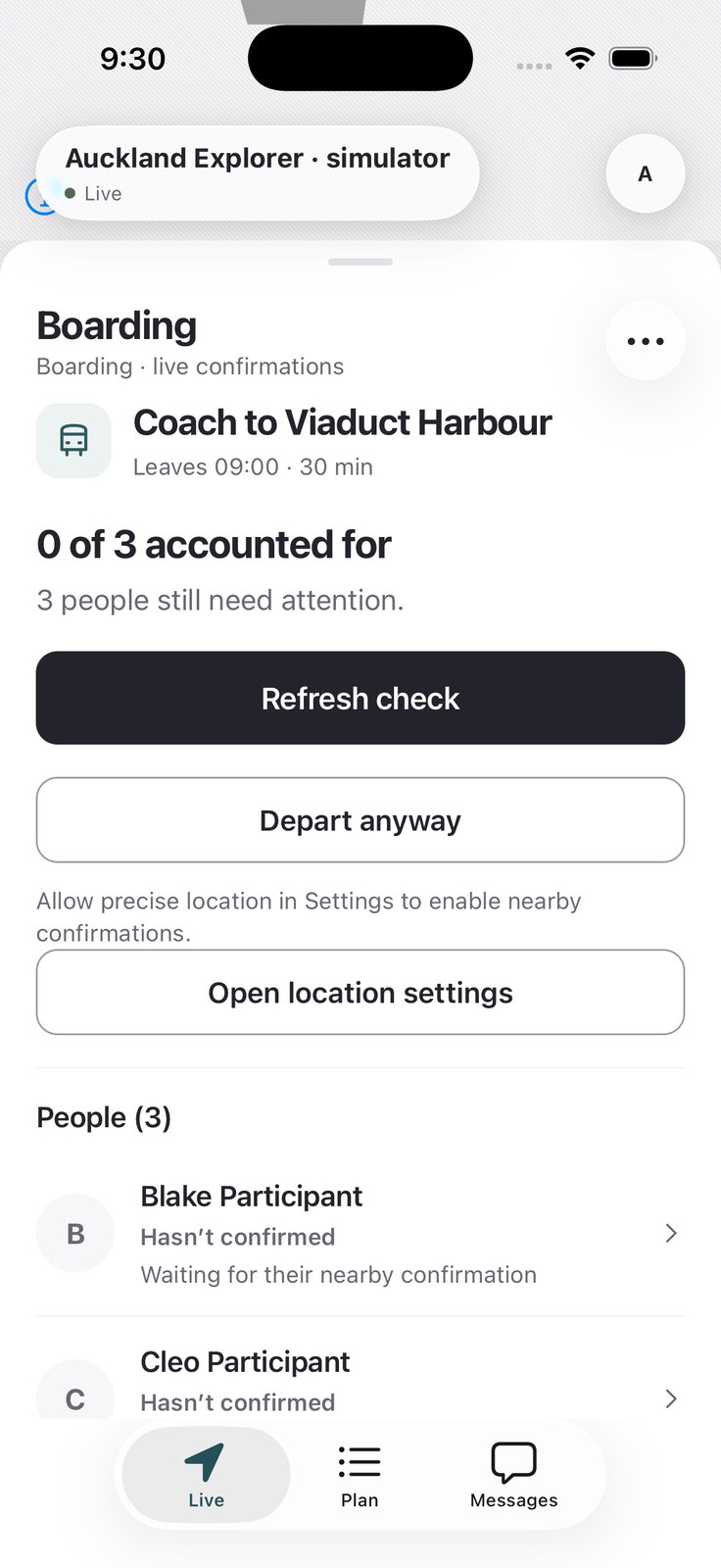
Integrated V2 Location off
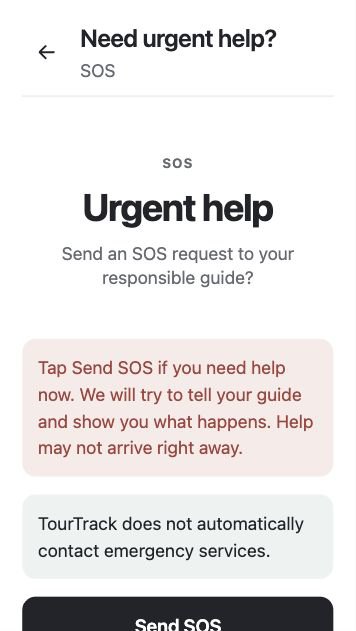
Integrated V2 Urgent help
Exceptions in the build. Each is named in words, carries its age or reason, and offers one next action.
| Rule | Seen in | Record |
|---|---|---|
| Words match behaviour | “Safe zones” became areas; a guide would assume the app alerts on leaving a drawn zone | #250 |
| Status is never colour alone | Shape, label and colour on every participant state | PRODUCT.md |
| Ages in words | “Unknown · 3 min ago”, never a bare grey dot | #374 |
| One dominant action only when one exists | Start tour, Check again, Resolve | Research §5 |
Stage 2 · theme · appearance and accessibility
Support, and What Is Accepted
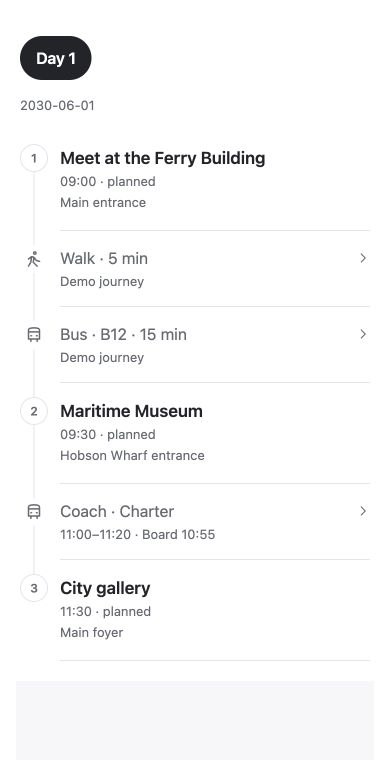
Later refinement Light
Later refinement Dark
- 1Native tabs with Liquid Glass on iOS 26
- 2Standard appearance on older iOS
- 3Map overlays follow the appearance
- 4Reduced-motion paths on web and mobile
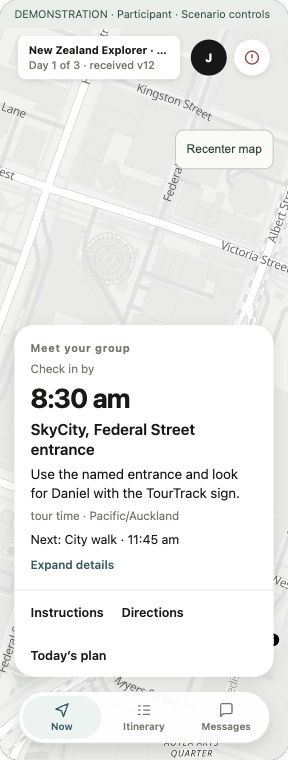
V2 prototype
The 320-pt check. Now at the smallest supported width: the check-in time, the exact entrance and the three tabs stay readable without scrolling. A component-level check, not an accessibility audit.
| Concern | Support | Accepted? |
|---|---|---|
| Text size | System size respected; text wraps | 320-pt check |
| Colour | Shape, label and colour together | Contract |
| Screen readers | Error and loading states exposed | Component level |
| Motion | Shared motion; reduced-motion paths | Pending on device |
| Material | Liquid Glass on iOS 26, fallbacks | iPhone, 7 Oct |
TourTrack · Stage 2 · Hierarchy and accessibility · 26
TourTrack · Stage 2 · Hierarchy and accessibility · 26
Stage 2 · theme · principles
Routine Quiet, Exceptions Legible
TourTrack is read outdoors, in transit and indoors, often while walking. Routine operation stays quiet so the few genuine exceptions read at a glance (PRODUCT.md).
Illustrative rows in the production tokens; names are sample data.
- 1Show the current truth before actions
- 2Keep the map while detail appears
- 3Quiet routine, legible exceptions
- 4Evidence stated with its age
- 5One shell for every tour stage
Integrated V2 SOS, guide
Integrated V2 Location off
Integrated V2 Urgent help
Exceptions in the build. Each is named in words, carries its age or reason, and offers one next action.
| Rule | Seen in | Record |
|---|---|---|
| Words match behaviour | “Safe zones” became areas; a guide would assume the app alerts on leaving a drawn zone | #250 |
| Status is never colour alone | Shape, label and colour on every participant state | PRODUCT.md |
| Ages in words | “Unknown · 3 min ago”, never a bare grey dot | #374 |
| One dominant action only when one exists | Start tour, Check again, Resolve | Research §5 |
Stage 2 · theme · appearance and accessibility
Support, and What Is Accepted
Later refinement Light
Later refinement Dark
- 1Native tabs with Liquid Glass on iOS 26
- 2Standard appearance on older iOS
- 3Map overlays follow the appearance
- 4Reduced-motion paths on web and mobile
V2 prototype
The 320-pt check. Now at the smallest supported width: the check-in time, the exact entrance and the three tabs stay readable without scrolling. A component-level check, not an accessibility audit.
| Concern | Support | Accepted? |
|---|---|---|
| Text size | System size respected; text wraps | 320-pt check |
| Colour | Shape, label and colour together | Contract |
| Screen readers | Error and loading states exposed | Component level |
| Motion | Shared motion; reduced-motion paths | Pending on device |
| Material | Liquid Glass on iOS 26, fallbacks | iPhone, 7 Oct |
TourTrack · Stage 2 · Hierarchy and accessibility · 26
TourTrack · Stage 2 · Hierarchy and accessibility · 26
Stage 2 · reusable UI · Storybook organisation and review
From Screens to Shared Components
The UI library was reorganised around foundations, controls, feedback, app shells and current screen previews. Historical layouts were separated as design references. This made the catalogue a clearer route from shared styling to the screens that use it.
Componentisation also changed the source: workflow actions reuse the shared buttons, and fields, control states and sheet behaviour have common implementations. A correction propagates to their consumers and Storybook examples.
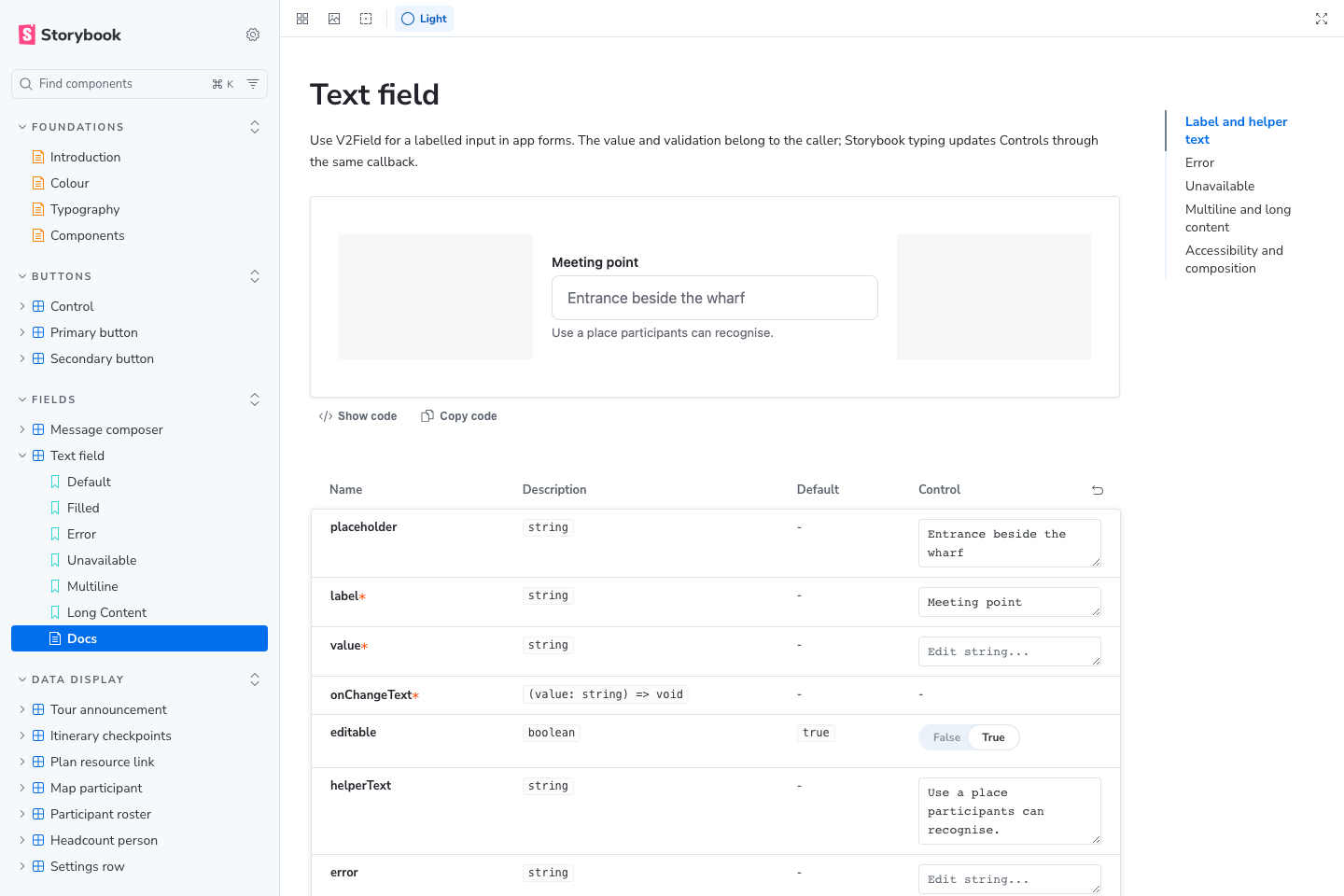
Organised catalogue and Text field documentation. Local static build, captured 30 October.
| Cleanup | Review benefit |
|---|---|
| Production imports and named states | Review the same component used by the app, including its supported error, disabled and long-content states. |
| Shared preview sizes and appearance | Compare narrow layouts, light/dark themes and spatial components consistently. |
| Controls, prop tables and usage guidance | Inspect behaviour and intended use without recreating a whole tour. |
Storybook checks components in isolation. Full navigation, real session data and device behaviour still require app review. Source: STORYBOOK_GUIDE.md and COMPONENT_CONTRACT.md.
TourTrack · Stage 2 · Components and Storybook · 27
TourTrack · Stage 2 · Components and Storybook · 27
Stage 2 · integration refinements
Refining the Integrated Experience
Selected comparisons show what changed during integration. The full interface is presented once in the following core-screen pages.
This design
Problem discovered
Revised approach and reason
Revised
ACreate a tour
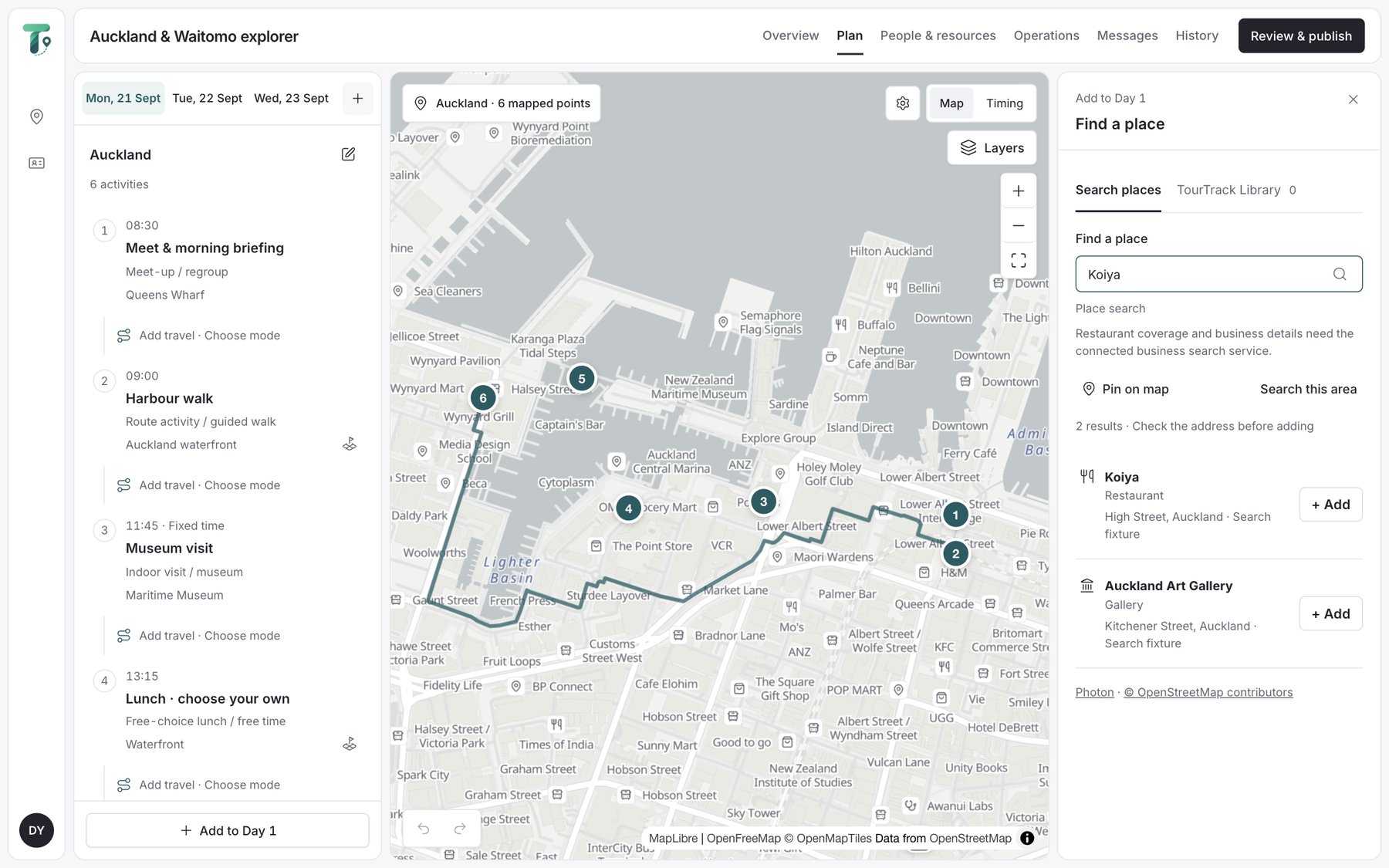
Integrated V2 Workspace, 7 Oct
Setup asked for “nine field groups … before a single activity existed”, and the Create button stayed disabled. A published tour opened read-only.
#422 creation-flow audit; #426 “the one place a guide could not change the plan”.
Ask only what creating a trip needs, compute travel between neighbours, and reopen a published trip in the planner it came from.
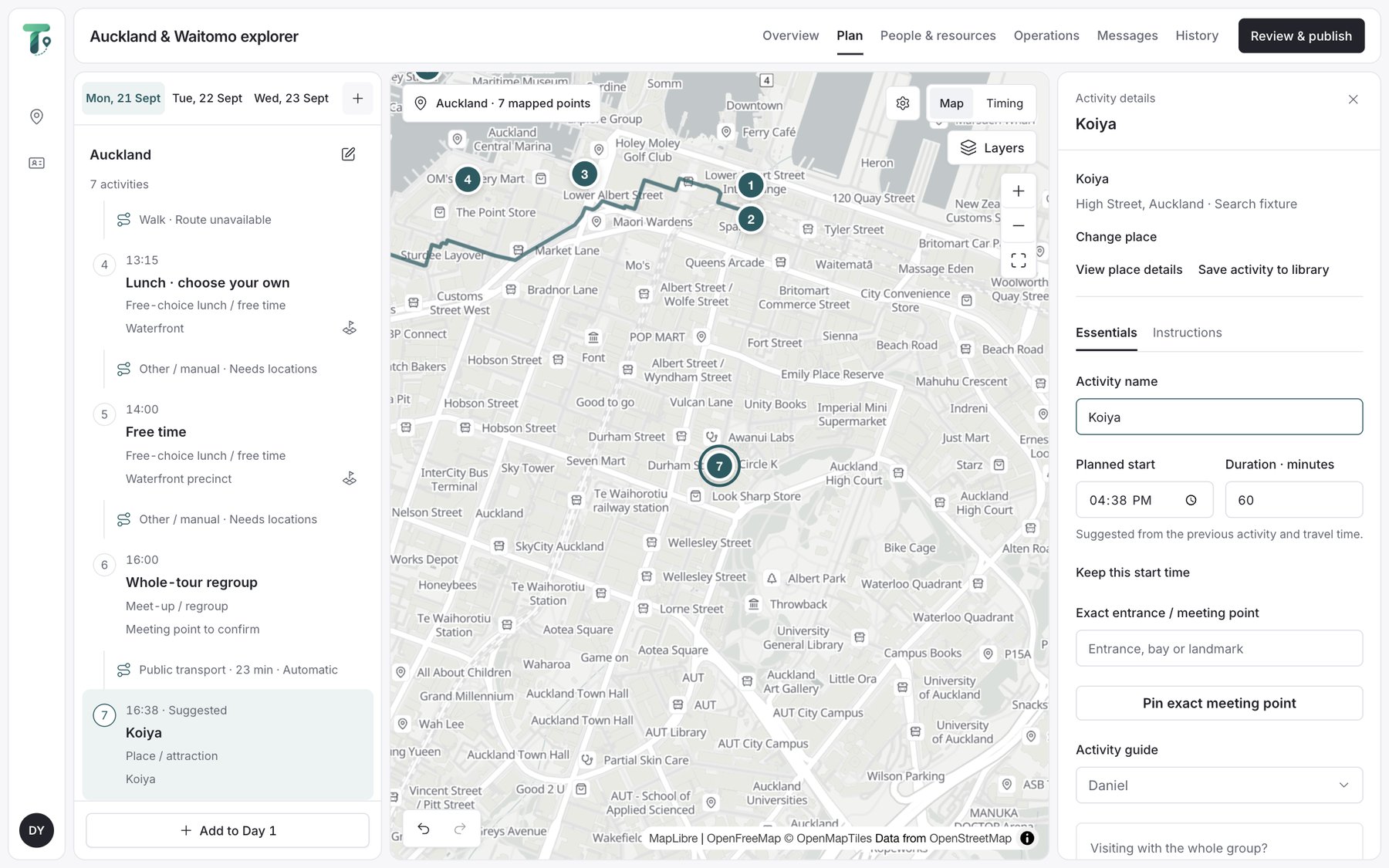
Integrated V2 Place added, 25 Oct
BParticipant's current task
V2 prototype V2 Now
Guide and participant screens repeated information, and the separate trip sheet showed the place twice. Joining asked for the number and permissions twice.
#384 (12 Oct) after integration review; #355.
Show the place once and combine the schedule; retain Now, Itinerary and Messages with native tabs; ask permissions once.
Integrated V2 Now, built
CMonitor the group
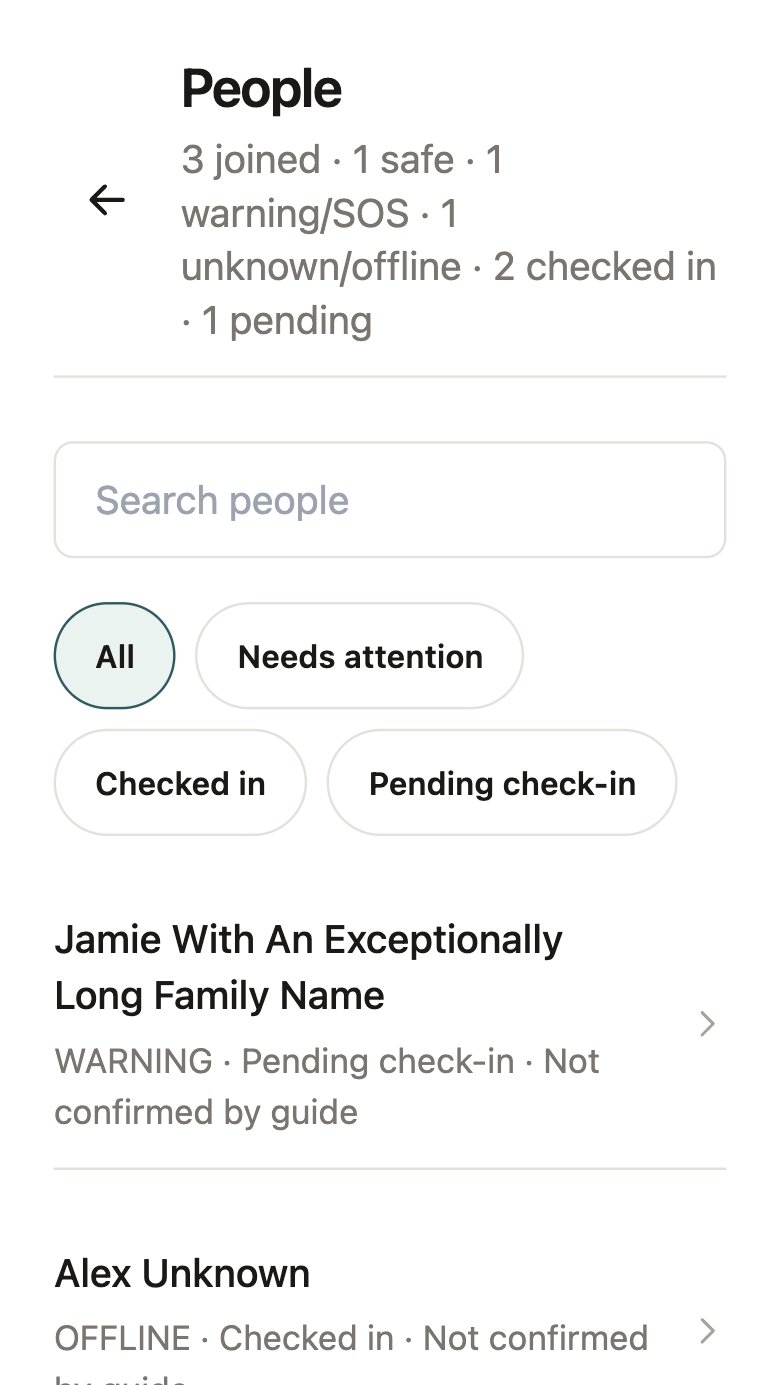
Integrated V2 People, 7 Oct
People opened as a separate list away from the map, while Live already showed who needed attention. End tour refused completion for unresolved duties and caught guides in loops.
Compare the 7 October screens with later device captures; #390, #409; attendance kept changing after the start (#384).
Live, Plan and Messages with people opened in the sheet; attendance as a recurring boarding stage; End tour as one direct lead-guide action.
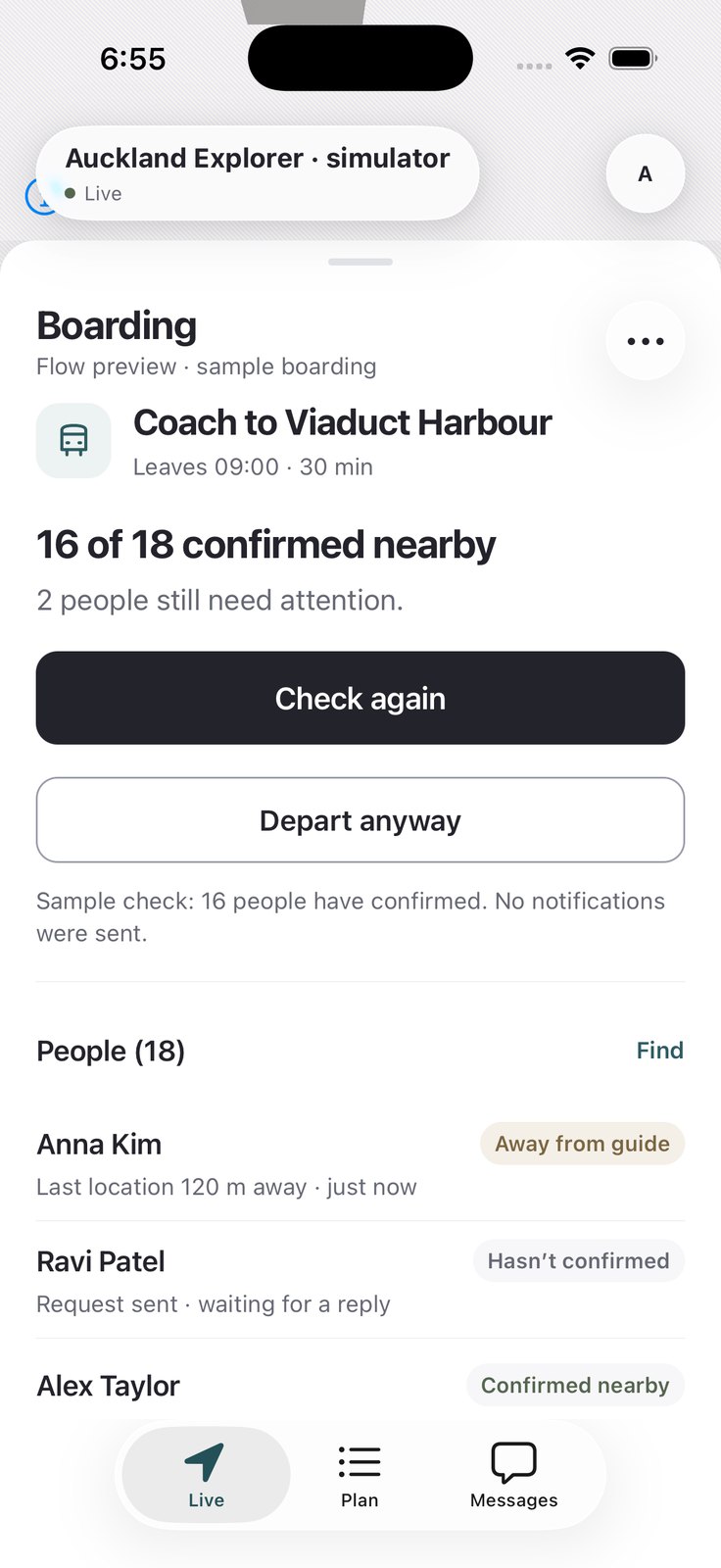
Integrated V2 Boarding in Live
Next · core screens →
TourTrack · Stage 2 · Integration refinements · 28
TourTrack · Stage 2 · Integration refinements · 28
Stage 2 · core screens · web, participant and guide
Core Screens of the Redesign
Mobile images come from the integrated UI review and native capture sets. Web screens were rendered from Storybook at 8aa640ba (25 October). The annotations distinguish implemented changes from recorded findings; a capture alone does not verify a fix.
ACreate a tour web · organiser
Integrated V2 25 Oct · place added; essentials in the inspector
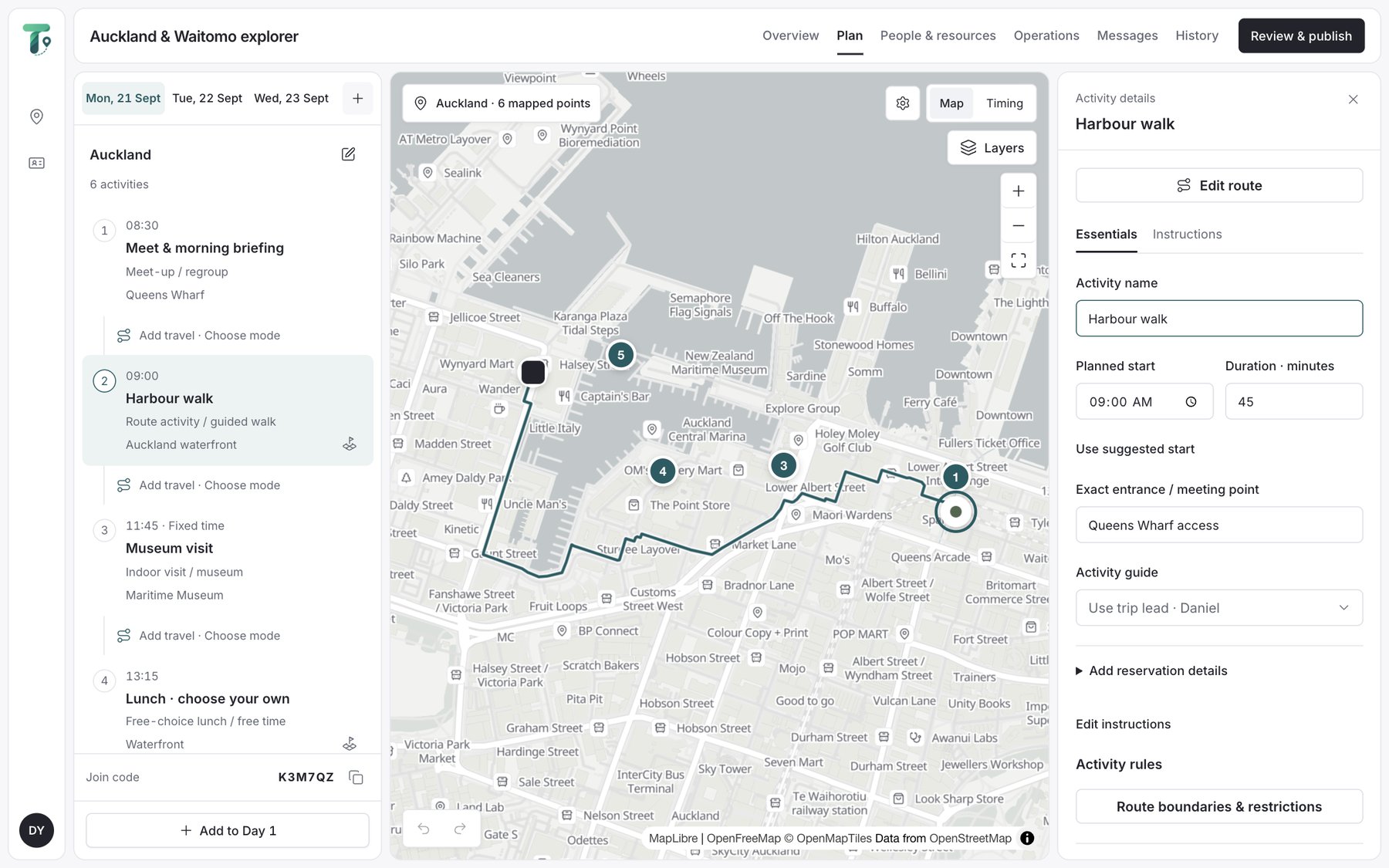
Integrated V2 25 Oct · a published tour, reopened in the planner
BThe participant's current task mobile · participant
Integrated V2 Now, built
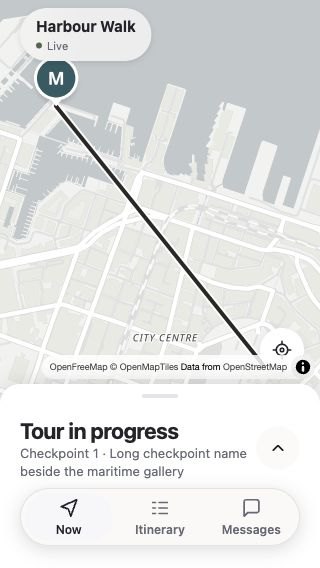
Integrated V2 Tour on hold
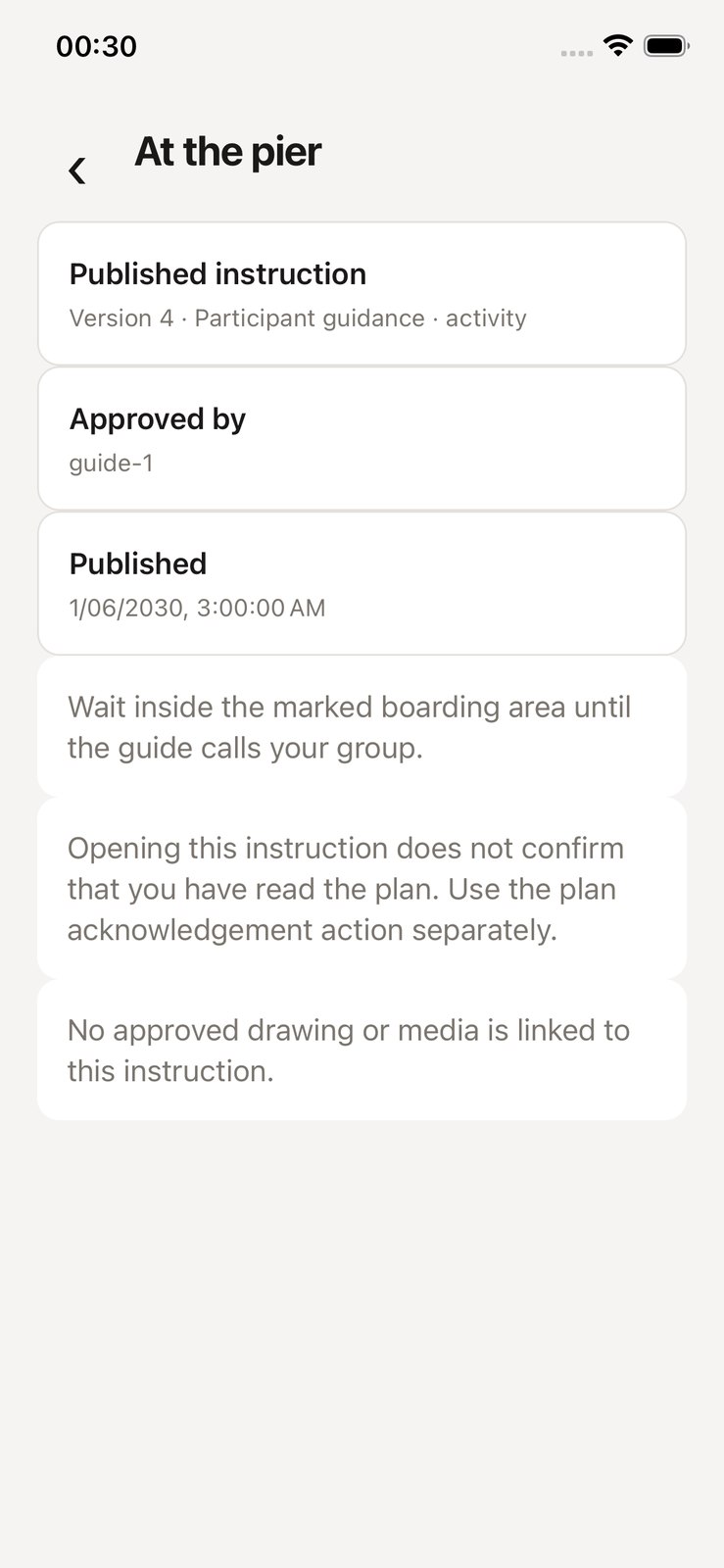
Integrated V2 Published instruction
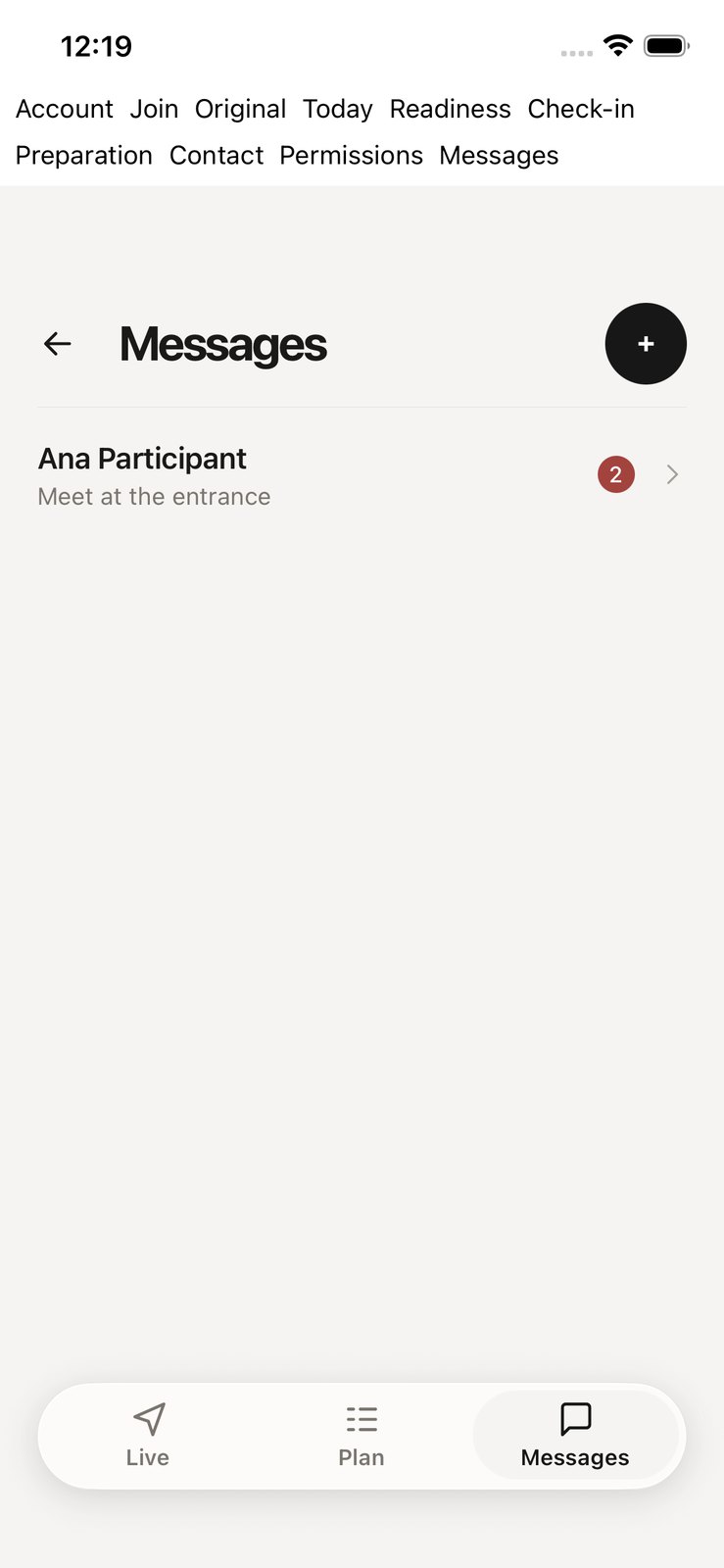
Integrated V2 Messages
Reused from the redesign. The commitment-first Now, exceptions-first Live, the person sheet, the trip workspace and the V2 contract. Screens are from the 11 October review set and later device captures; they show the design, not fresh acceptance results.
CMonitor the group mobile · guide
Integrated V2 Live · attention first
Integrated V2 Boarding in Live
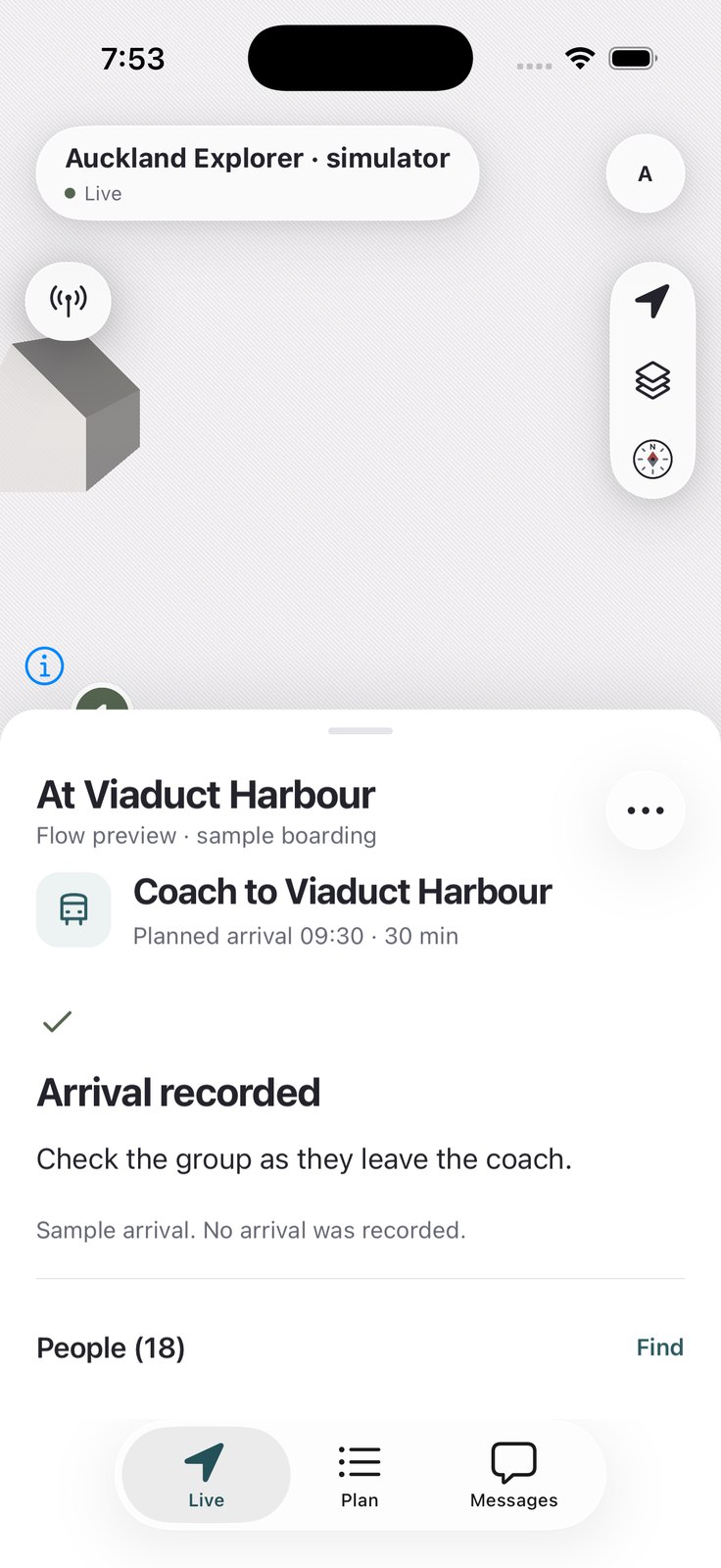
Integrated V2 People in Live
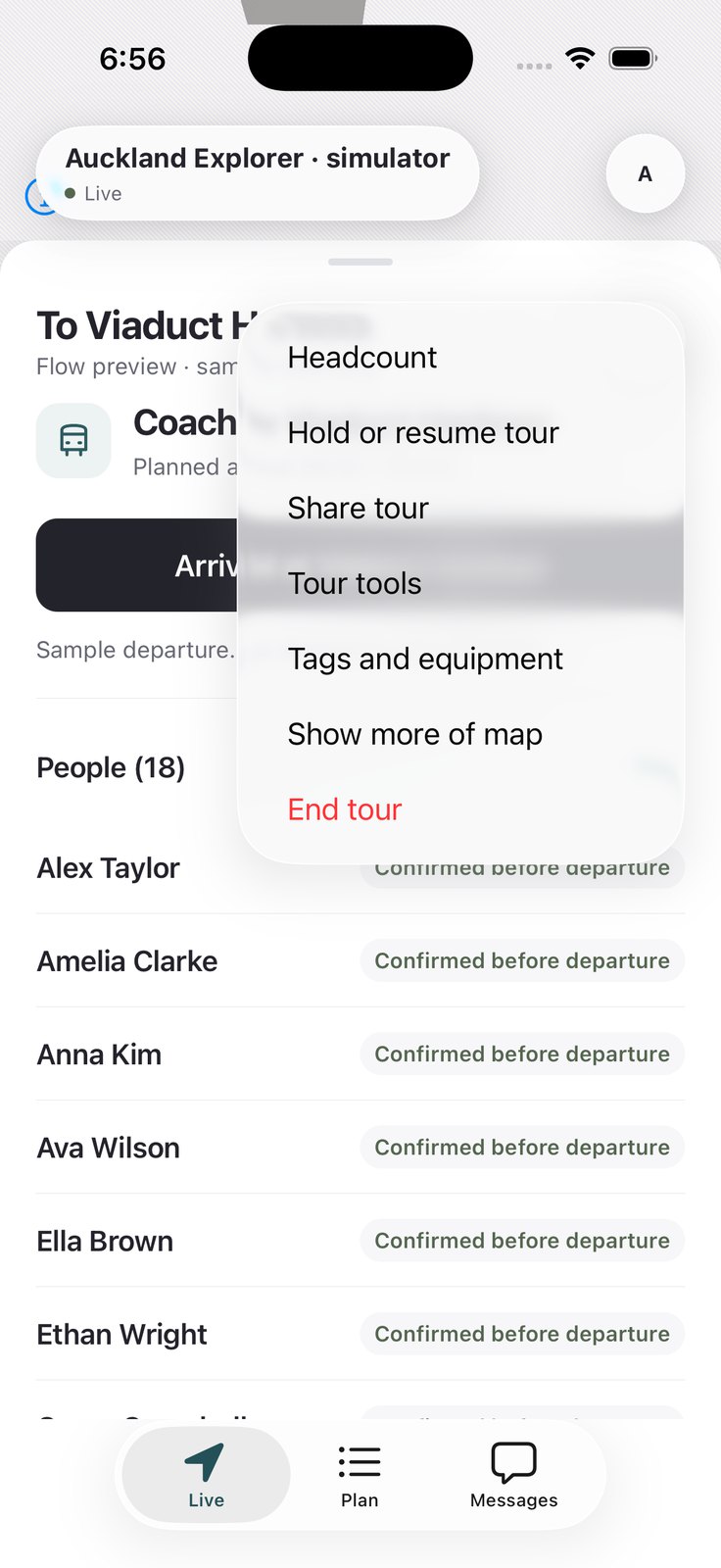
Integrated V2 Direct End tour
Changes visible in the integrated screens
| Pin | What changed | Why · evidence | Result |
|---|---|---|---|
| A1 | Create a trip asks only what it needs; place essentials editable | “Nine field groups … before a single activity existed” (#422) | Creation fixed; travel computed (#430) |
| A2 | A published tour reopens in the planner it was authored in | Read-only map was the one place a guide could not edit (#426) | Reopen and edit |
| B1 | Keep a tour hold visible in compact Now | A collapsed Now concealed a hold (11 Oct review) | Recorded, not confirmed fixed |
| B2 | Instruction shows version and approver; opening is not acknowledging | Delivery vocabulary (D05) | One vocabulary on both clients |
| B3 | Native Messages tab retained; duplicate trip sheet removed | Screens repeated information (#384) | Now · Itinerary · Messages |
| C1 | People listed inside Live; a person opens in the sheet | A separate People screen took the guide away from the map | Native Live · Plan · Messages tabs (#370) |
| C2 | Attendance happens at boarding, inside Live | Attendance kept changing after the start (#384) | Recurring boarding stage |
| C3 | End tour is one lead-guide action; Headcount separate | End refused for unresolved duties; loops (#390, #409) | Direct End tour (#419) |
TourTrack · Stage 2 · Core screens · 29
TourTrack · Stage 2 · Core screens · 29
Stage 2 · core screens · web, participant and guide
Core Screens of the Redesign
Mobile images come from the integrated UI review and native capture sets. Web screens were rendered from Storybook at 8aa640ba (25 October). The annotations distinguish implemented changes from recorded findings; a capture alone does not verify a fix.
ACreate a tour web · organiser
Integrated V2 25 Oct · place added; essentials in the inspector
Integrated V2 25 Oct · a published tour, reopened in the planner
BThe participant's current task mobile · participant
Integrated V2 Now, built
Integrated V2 Tour on hold
Integrated V2 Published instruction
Integrated V2 Messages
Reused from the redesign. The commitment-first Now, exceptions-first Live, the person sheet, the trip workspace and the V2 contract. Screens are from the 11 October review set and later device captures; they show the design, not fresh acceptance results.
CMonitor the group mobile · guide
Integrated V2 Live · attention first
Integrated V2 Boarding in Live
Integrated V2 People in Live
Integrated V2 Direct End tour
Changes visible in the integrated screens
| Pin | What changed | Why · evidence | Result |
|---|---|---|---|
| A1 | Create a trip asks only what it needs; place essentials editable | “Nine field groups … before a single activity existed” (#422) | Creation fixed; travel computed (#430) |
| A2 | A published tour reopens in the planner it was authored in | Read-only map was the one place a guide could not edit (#426) | Reopen and edit |
| B1 | Keep a tour hold visible in compact Now | A collapsed Now concealed a hold (11 Oct review) | Recorded, not confirmed fixed |
| B2 | Instruction shows version and approver; opening is not acknowledging | Delivery vocabulary (D05) | One vocabulary on both clients |
| B3 | Native Messages tab retained; duplicate trip sheet removed | Screens repeated information (#384) | Now · Itinerary · Messages |
| C1 | People listed inside Live; a person opens in the sheet | A separate People screen took the guide away from the map | Native Live · Plan · Messages tabs (#370) |
| C2 | Attendance happens at boarding, inside Live | Attendance kept changing after the start (#384) | Recurring boarding stage |
| C3 | End tour is one lead-guide action; Headcount separate | End refused for unresolved duties; loops (#390, #409) | Direct End tour (#419) |
TourTrack · Stage 2 · Core screens · 29
TourTrack · Stage 2 · Core screens · 29
Stage 2 · final screens · the web planner, as built
The Final Web Planner, as Built
Frames from screen recordings of the deployed planner on 26 October. A trip starts from a name, a destination and dates; the day then begins empty and is built by searching for places, not by choosing an activity type.
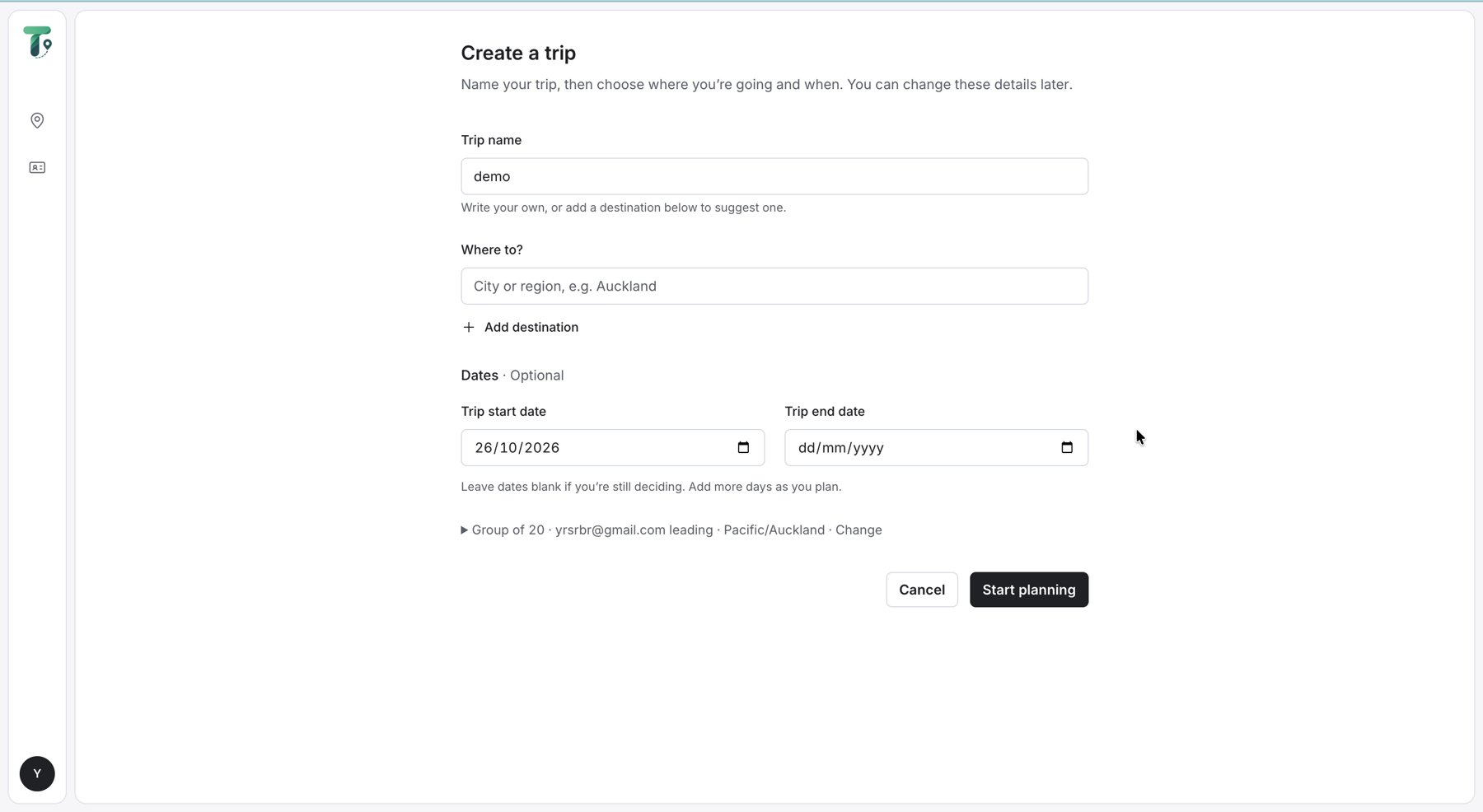
Integrated V2 1 · Create a trip: name, destination and dates.
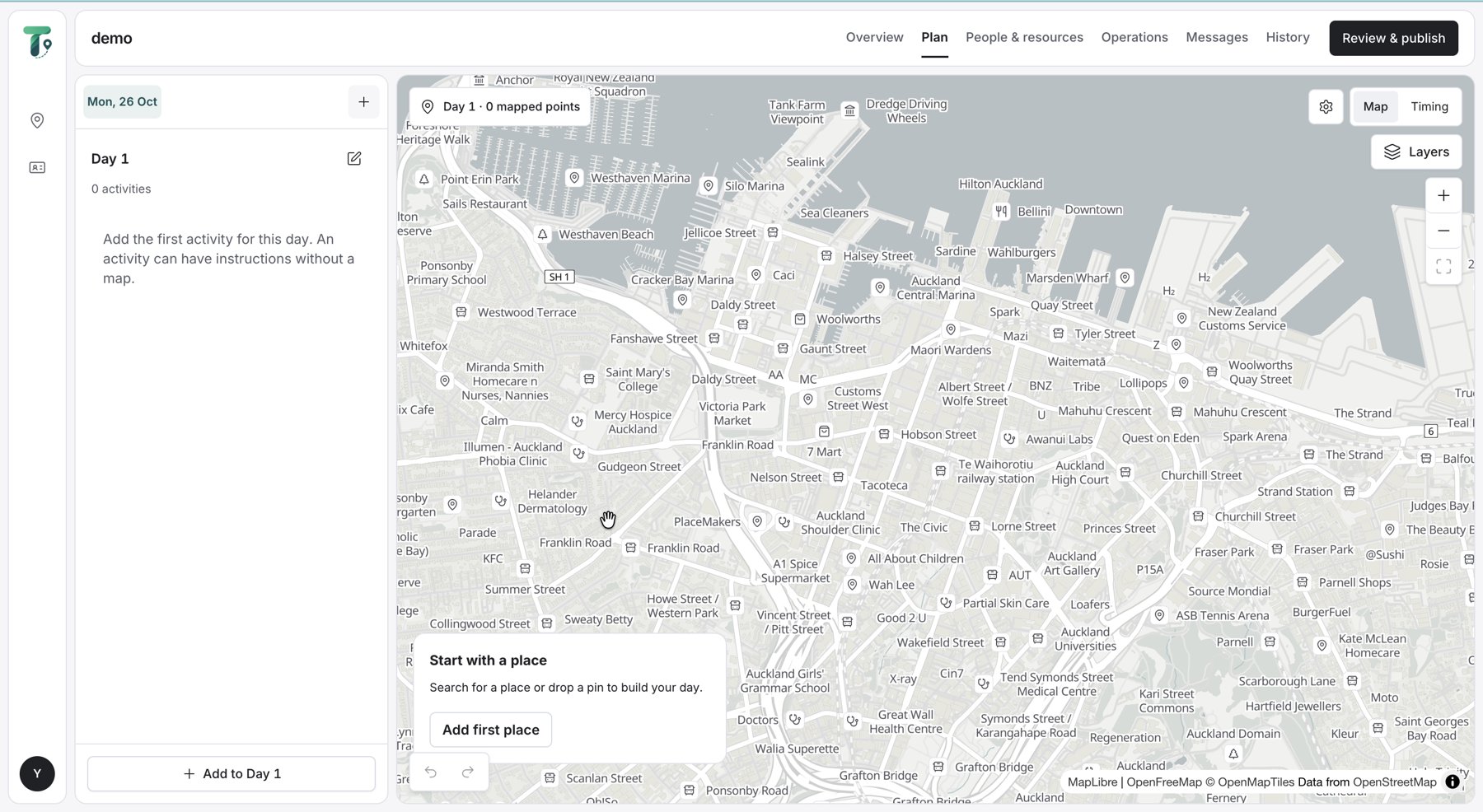
Integrated V2 2 · An empty day: start with a place.
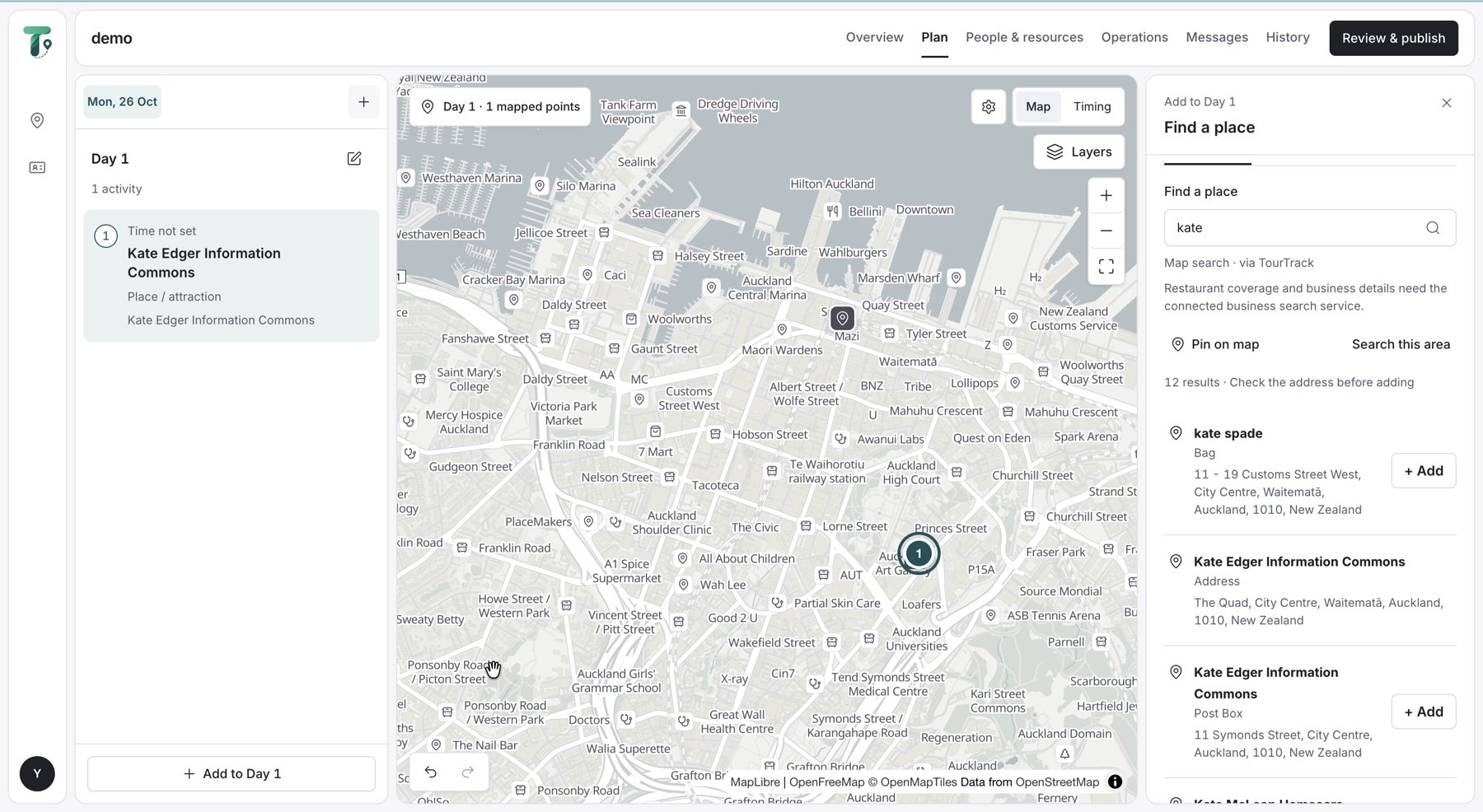
Integrated V2 3 · Find a place by name or on the map.
Compared with the MVP. The MVP's five-step wizard set a route, zones, invitations and a check-in method before anything existed on a map. Here the plan grows place by place, and review comes last.
Building the day, then review and publish
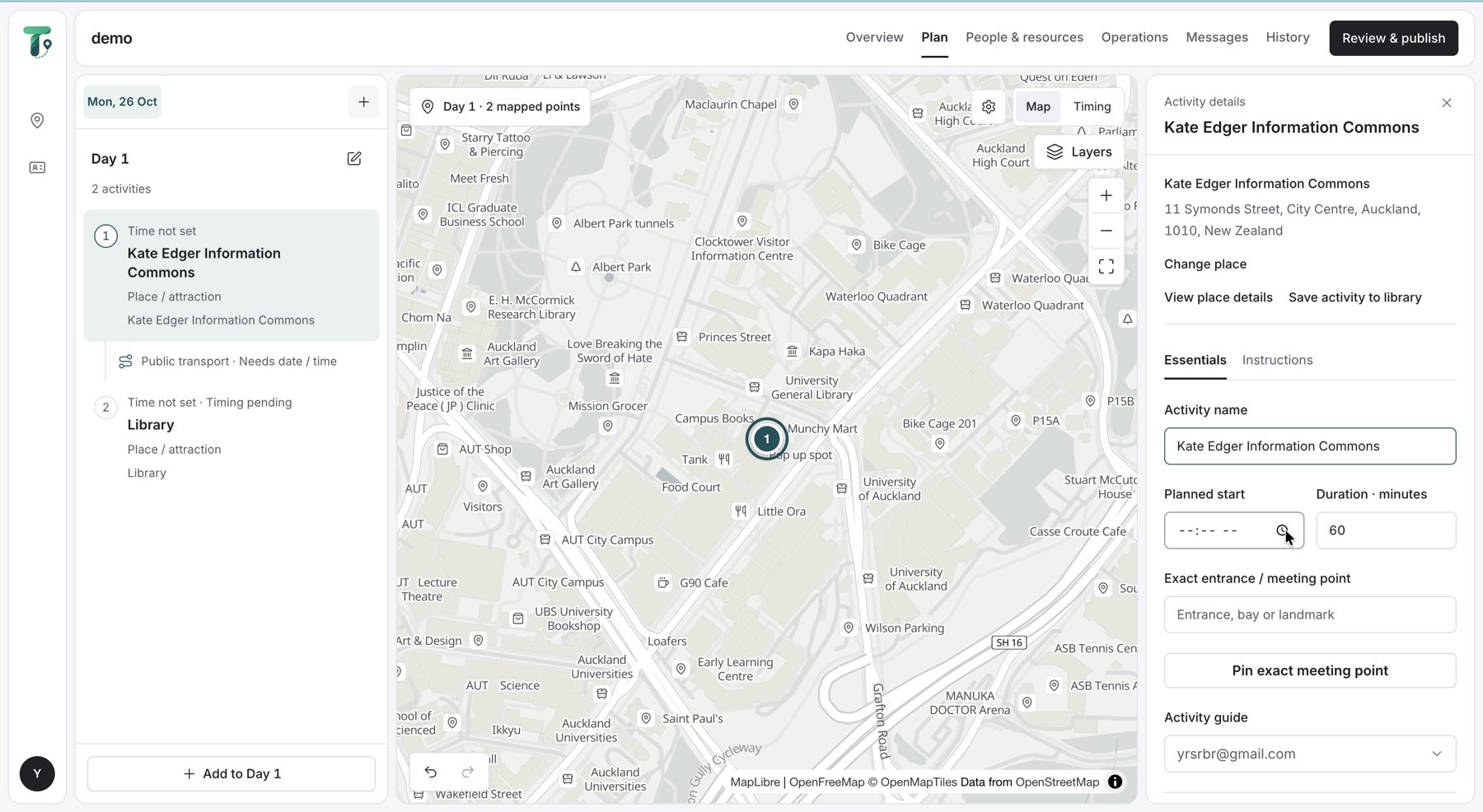
Integrated V2 4 · Place details and essentials
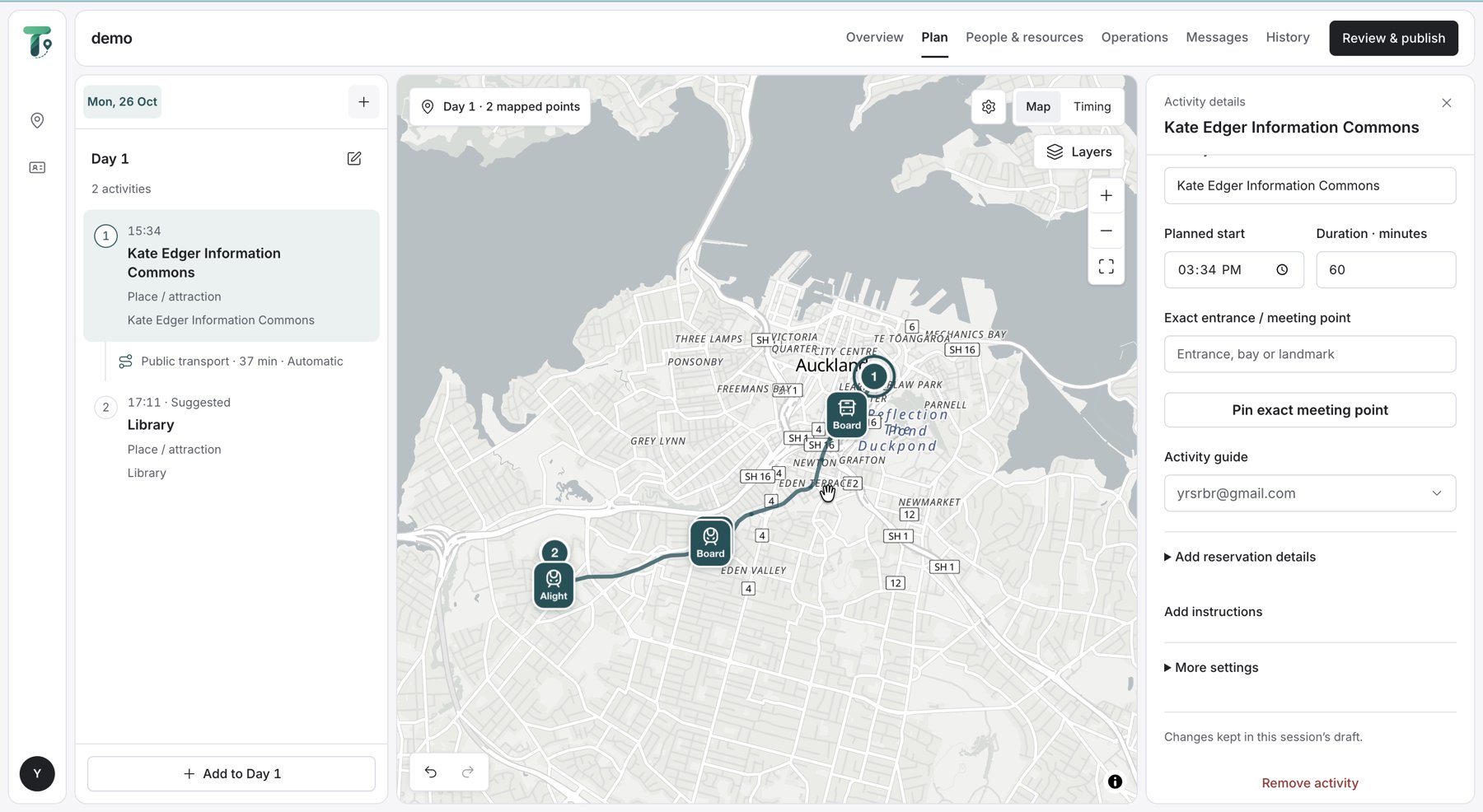
Integrated V2 5 · The activity, with travel to the next
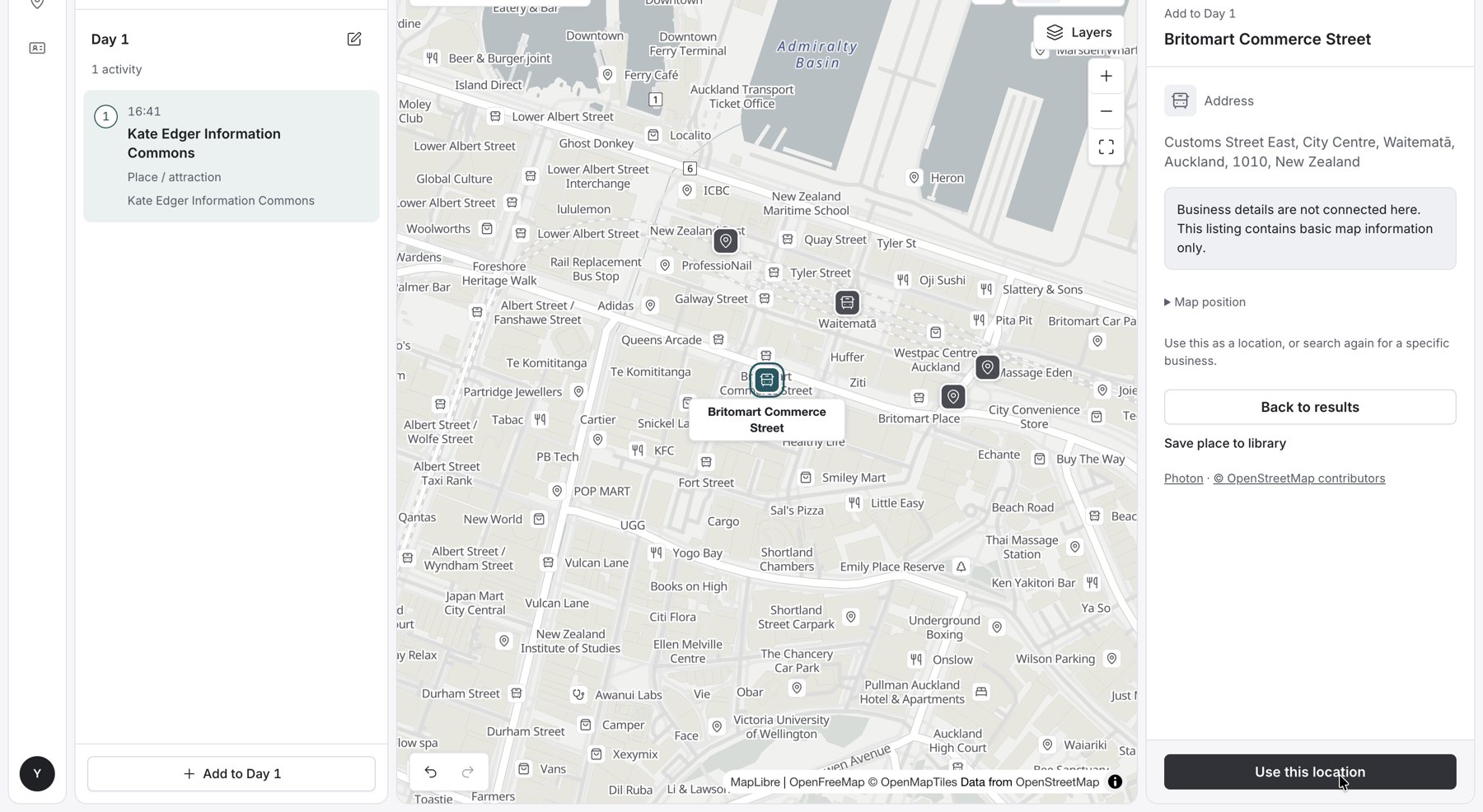
Integrated V2 6 · Add the next place
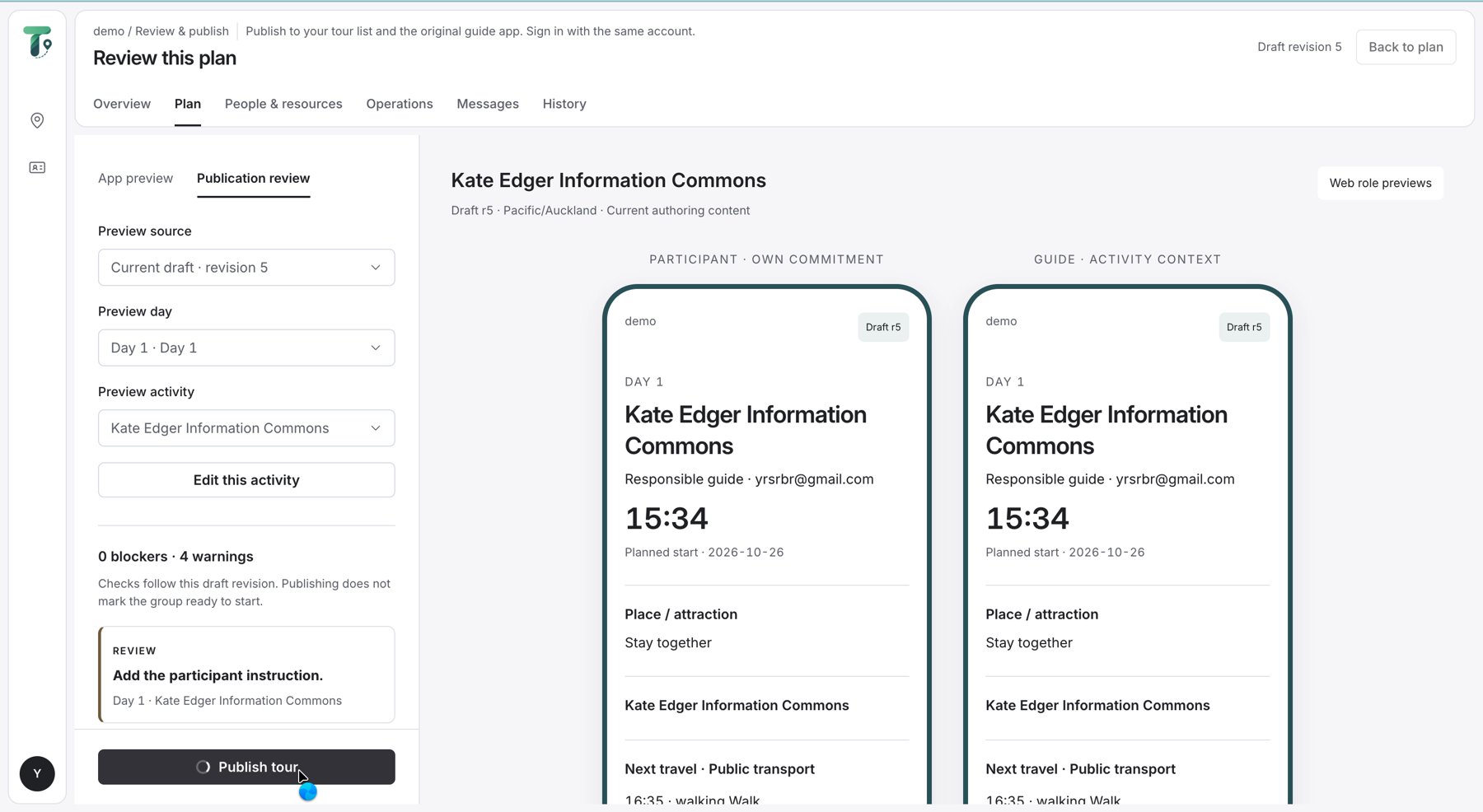
Integrated V2 7 · Review this plan, then publish
Each place carries its essentials: planned start, duration, the exact entrance or meeting point and the activity guide. Travel to the next place is added between activities, and the review page previews what the participant and the guide will each see before Publish.
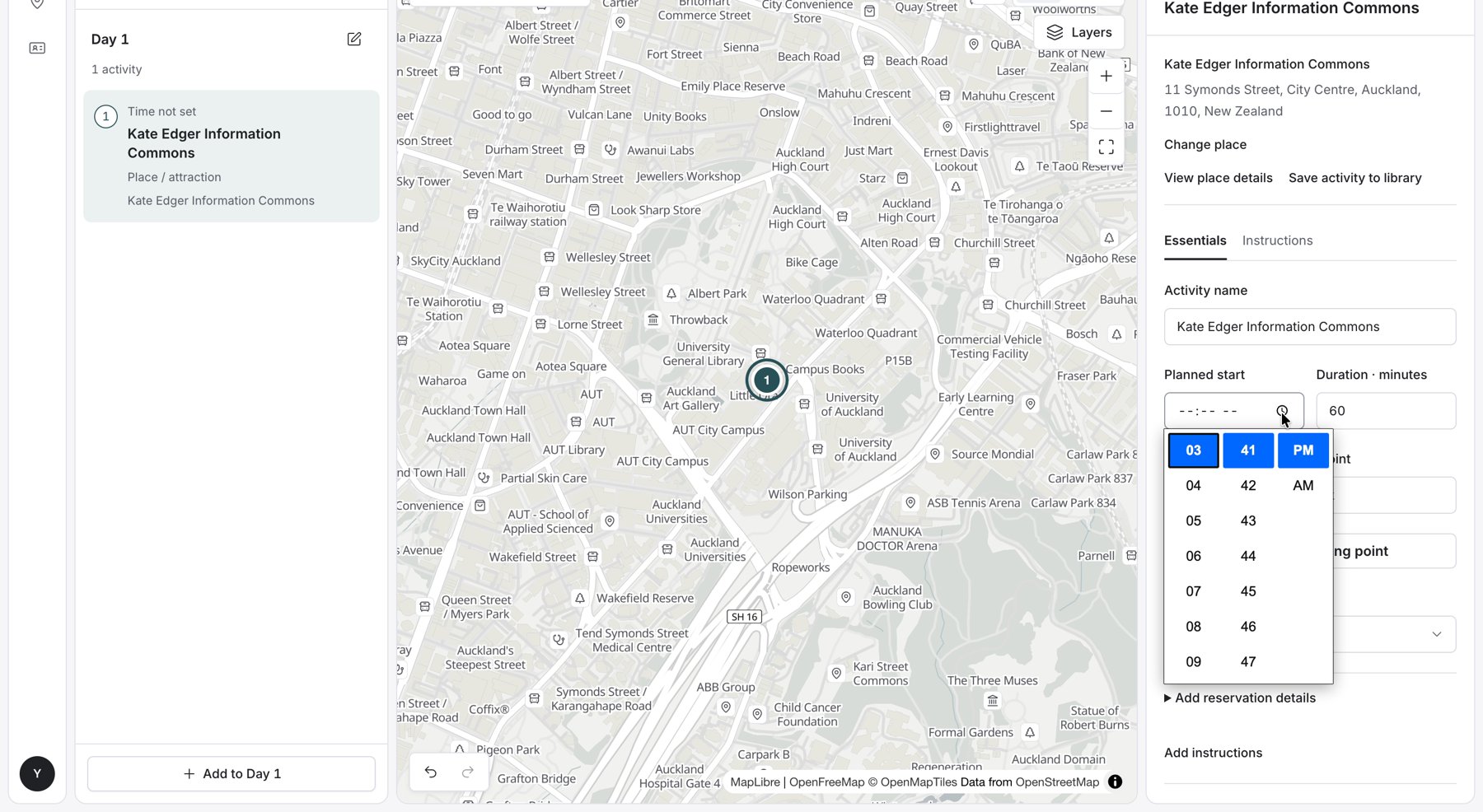
Integrated V2 Setting a planned start in the activity essentials.
TourTrack · Stage 2 · Final screens · 30
TourTrack · Stage 2 · Final screens · 30
Stage 2 · final screens · the web planner, as built
The Final Web Planner, as Built
Frames from screen recordings of the deployed planner on 26 October. A trip starts from a name, a destination and dates; the day then begins empty and is built by searching for places, not by choosing an activity type.
Integrated V2 1 · Create a trip: name, destination and dates.
Integrated V2 2 · An empty day: start with a place.
Integrated V2 3 · Find a place by name or on the map.
Compared with the MVP. The MVP's five-step wizard set a route, zones, invitations and a check-in method before anything existed on a map. Here the plan grows place by place, and review comes last.
Building the day, then review and publish
Integrated V2 4 · Place details and essentials
Integrated V2 5 · The activity, with travel to the next
Integrated V2 6 · Add the next place
Integrated V2 7 · Review this plan, then publish
Each place carries its essentials: planned start, duration, the exact entrance or meeting point and the activity guide. Travel to the next place is added between activities, and the review page previews what the participant and the guide will each see before Publish.
Integrated V2 Setting a planned start in the activity essentials.
TourTrack · Stage 2 · Final screens · 30
TourTrack · Stage 2 · Final screens · 30
The Final App, as Built · Guide
Frames from an iPhone screen recording of a test tour on 23 October. Check-in and attendance happen on the first stop's sheet, the guide starts from there, and headcounts, help and changes are handled from Live without leaving the map.
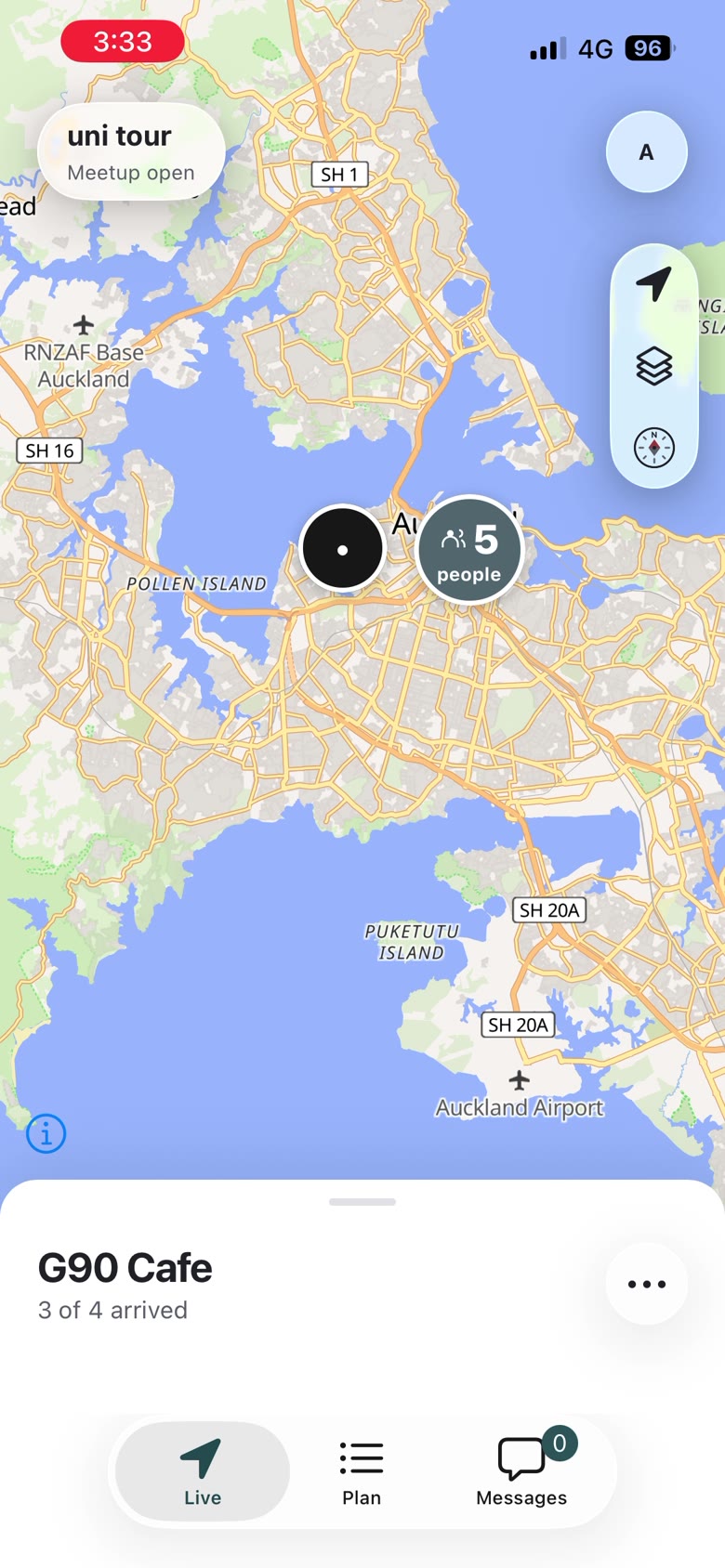
Meetup open
People arriving at the first stop
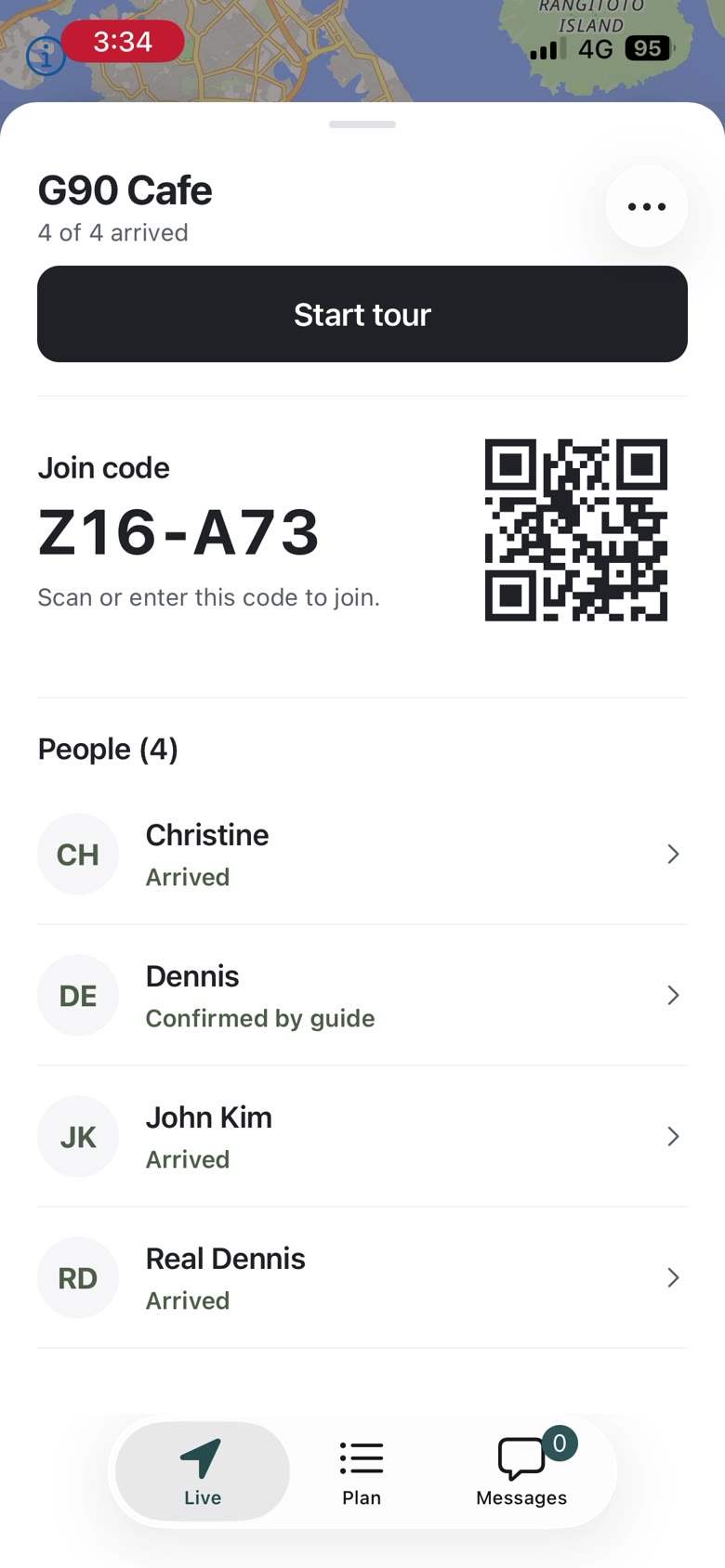
Check-in
Join code, 4 of 4 arrived
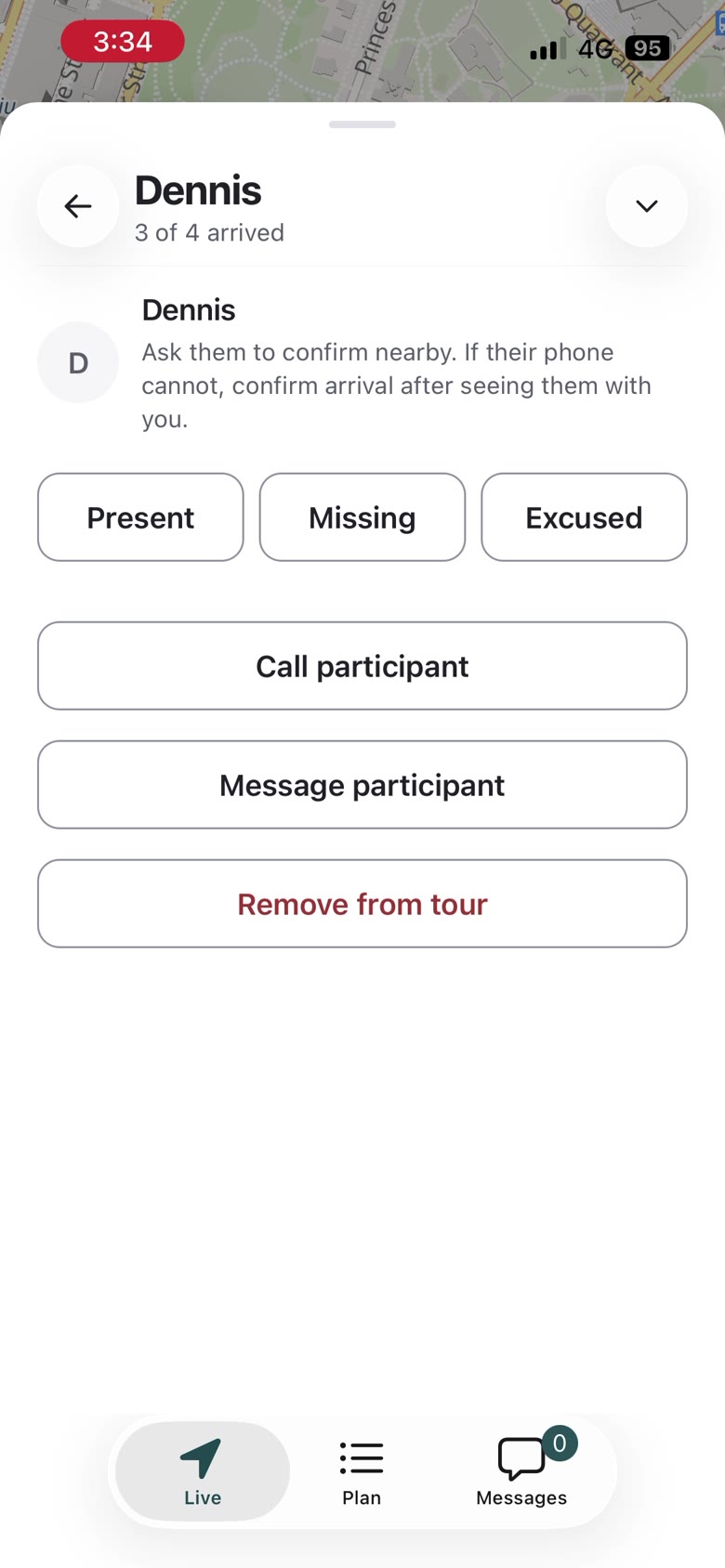
Mark a person
Present, missing or excused
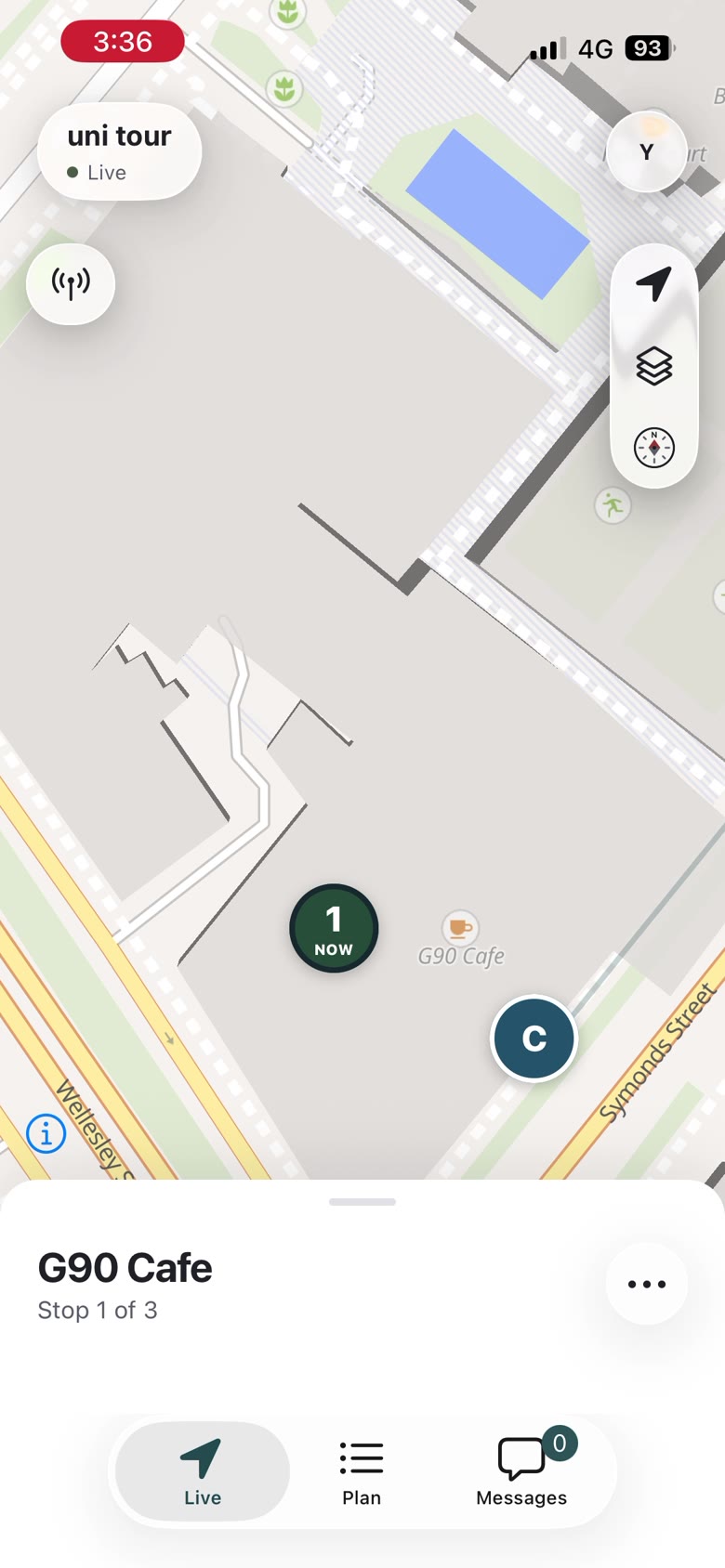
Tour started
Stop 1 of 3
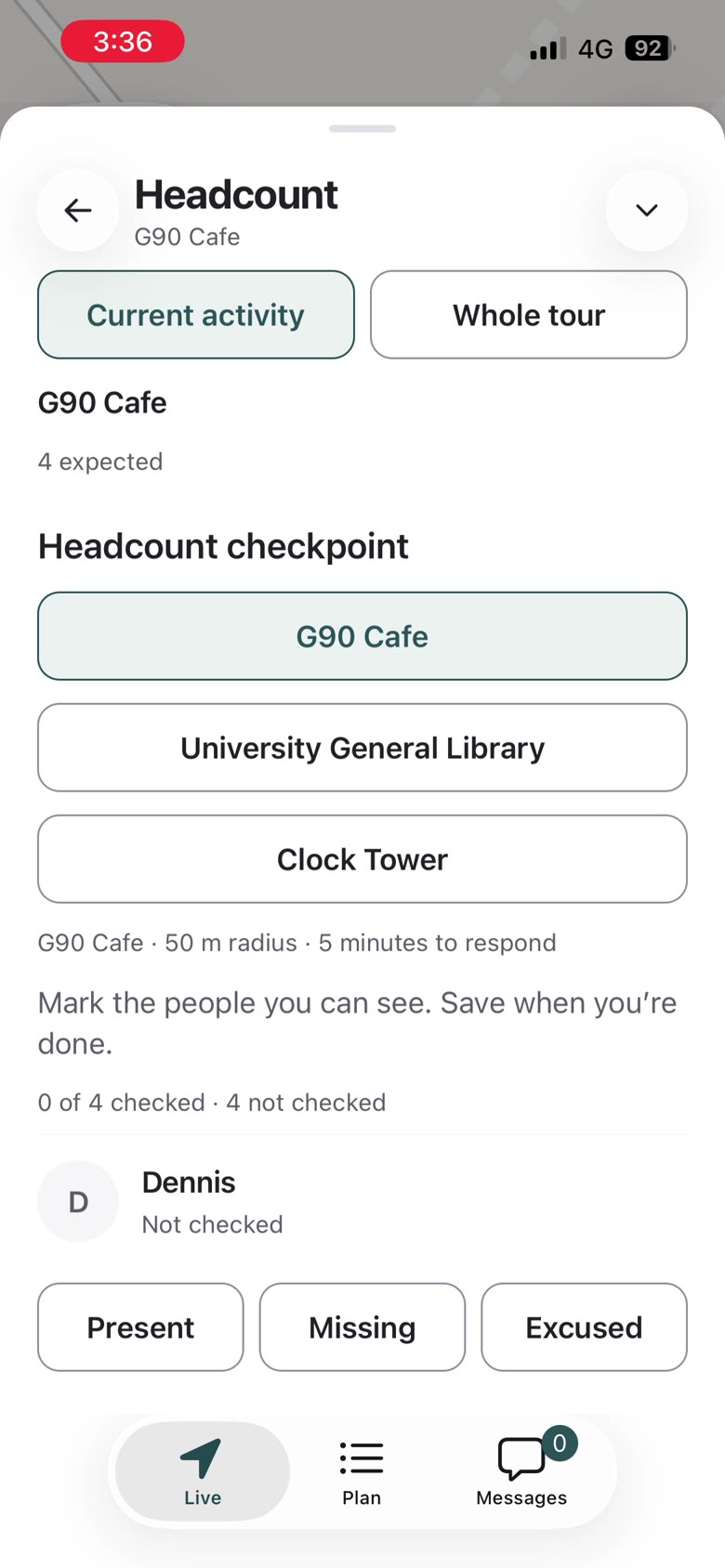
Headcount
Choose the check point
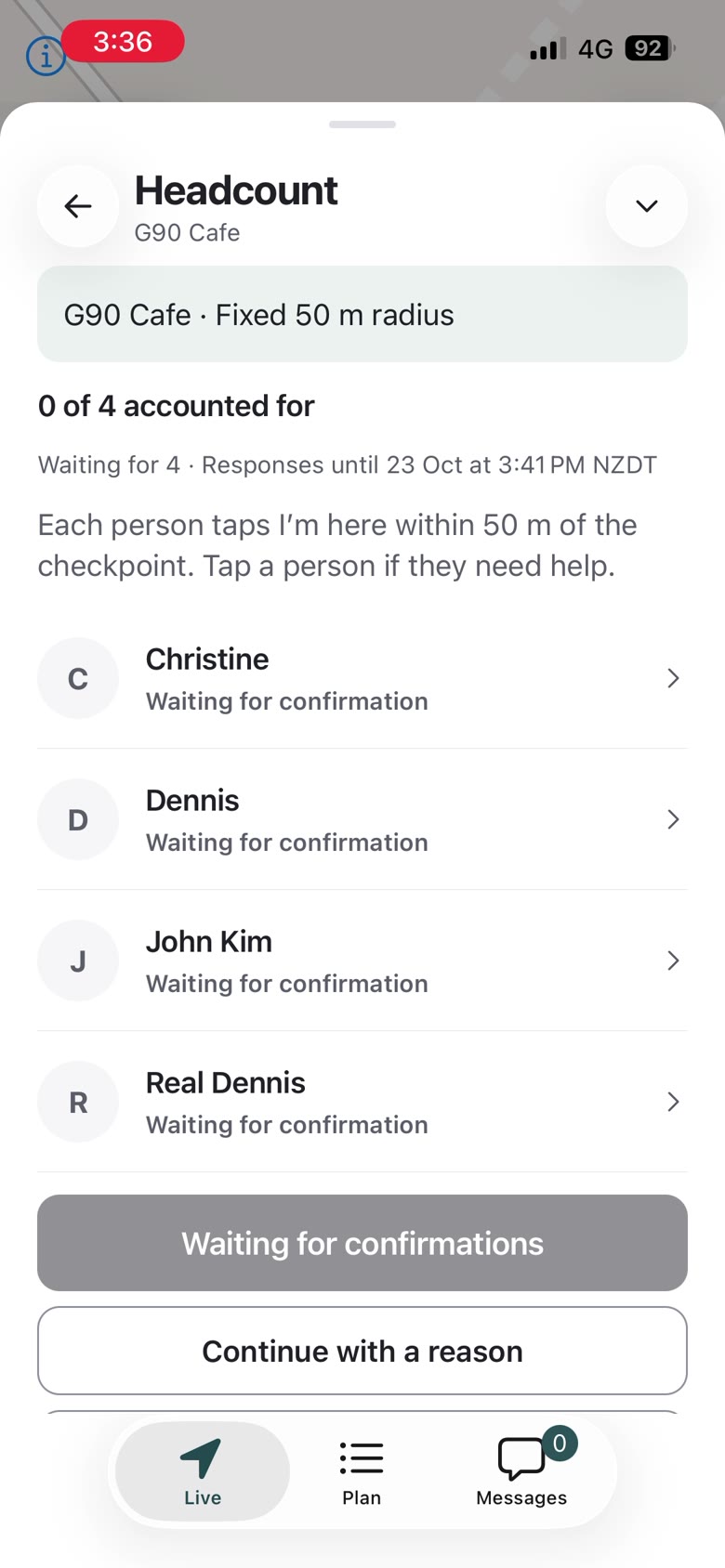
Confirmations
Each person taps I’m here
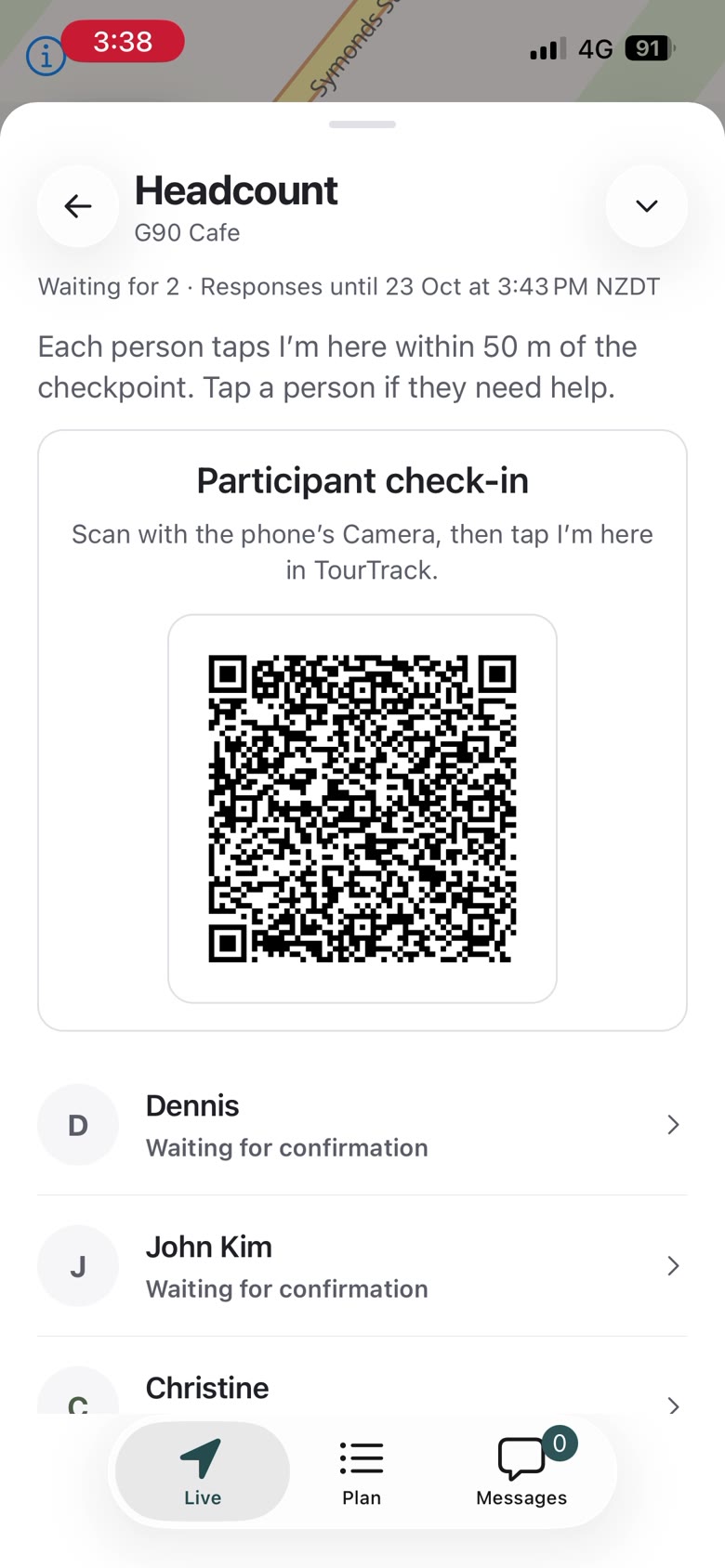
Check-in QR
For anyone without the app open
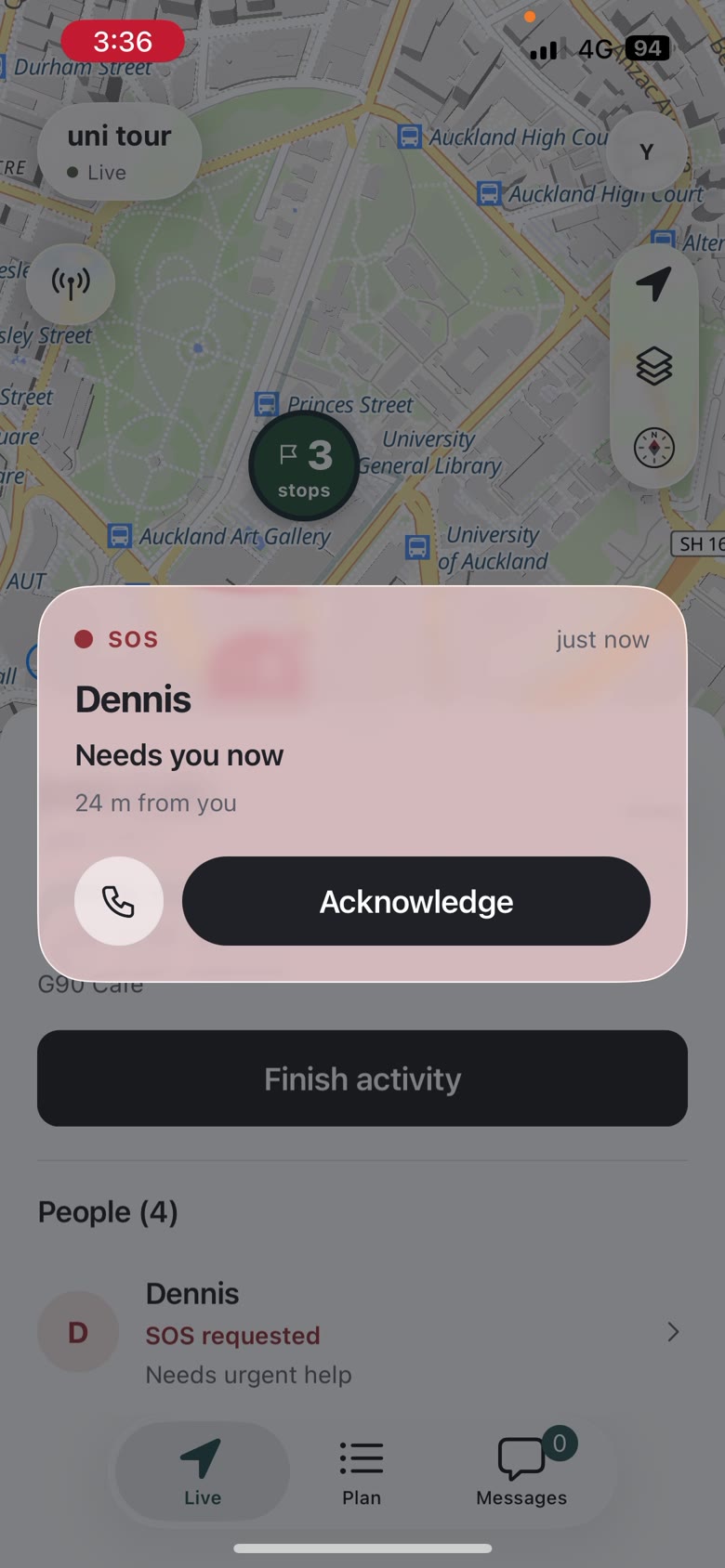
SOS
Dennis needs you now
Guide · Stops, Changes and Ending
One menu holds headcount, hold, share, tour tools and End tour. Finishing a stop with items still open asks how they will be followed up instead of blocking, and the next walk starts from the arrival button.
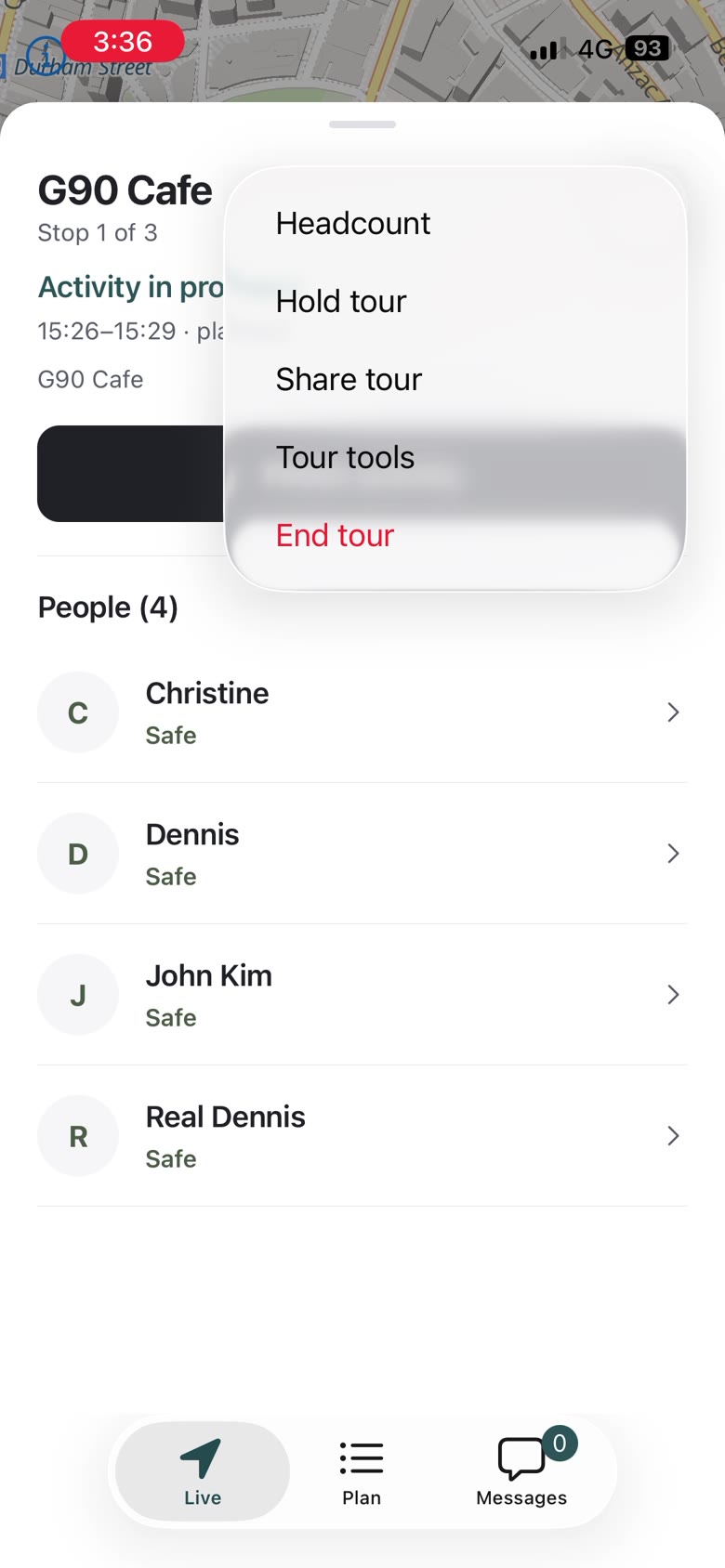
Tour menu
Hold, share, tools, End tour
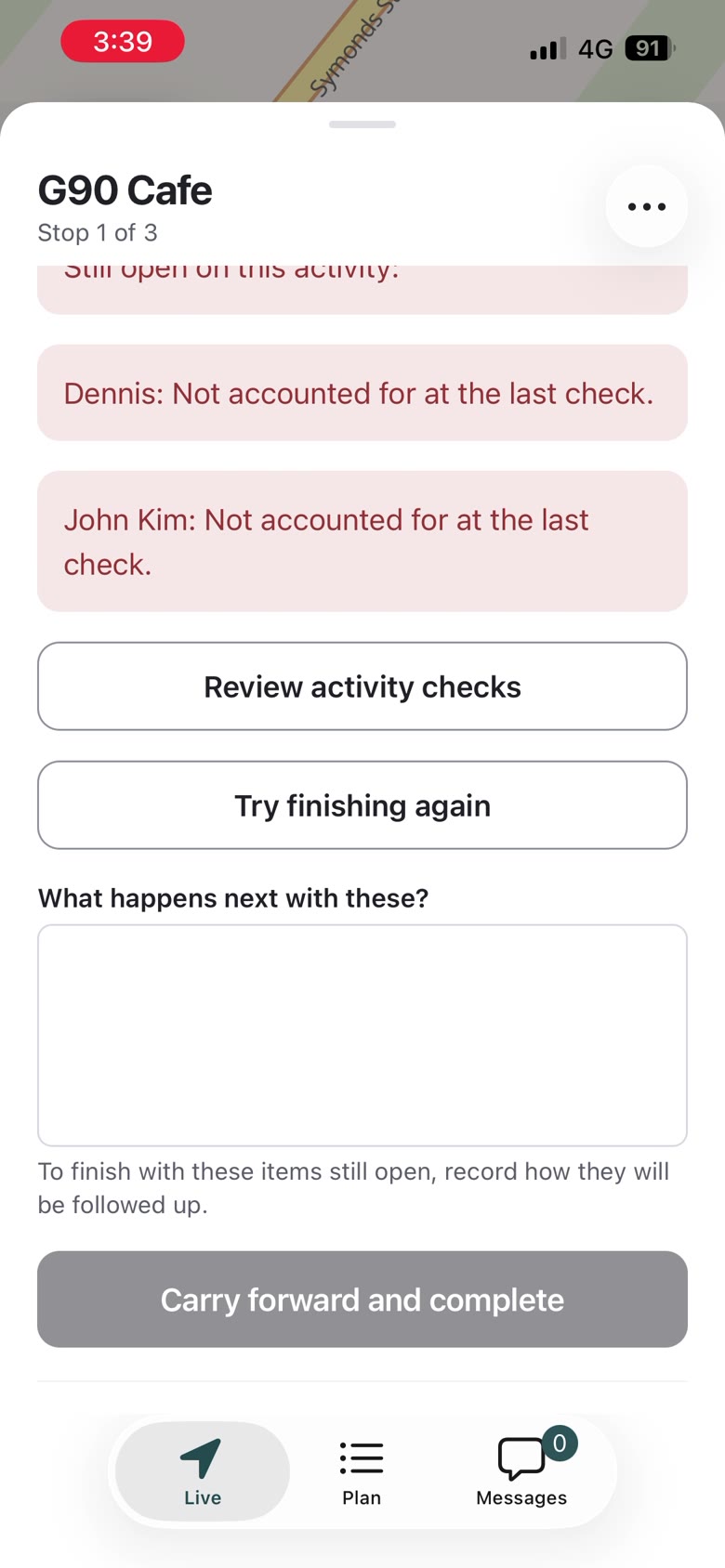
Finish activity
Still open: who is unaccounted
Carry forward
Record the follow-up
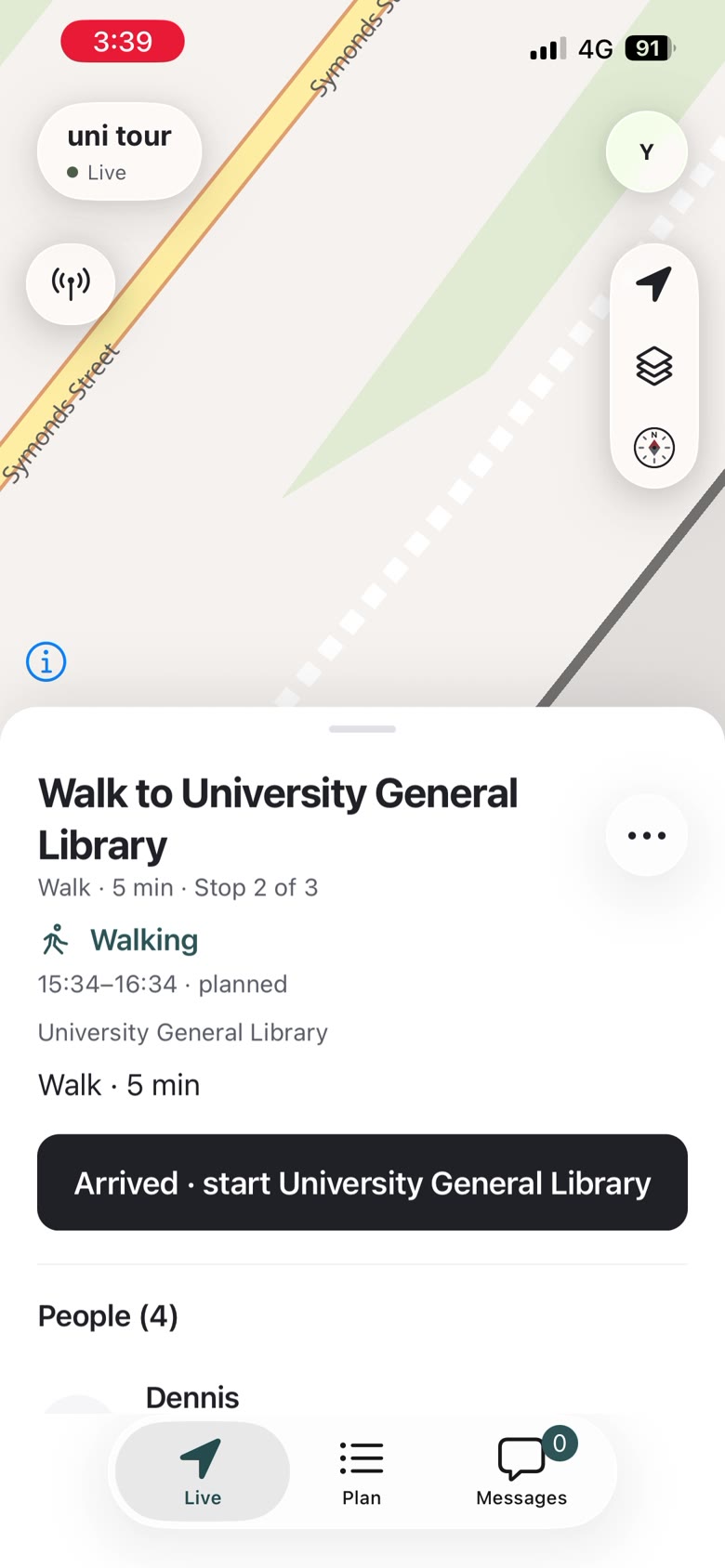
Walk to the next stop
Arrived · start the next
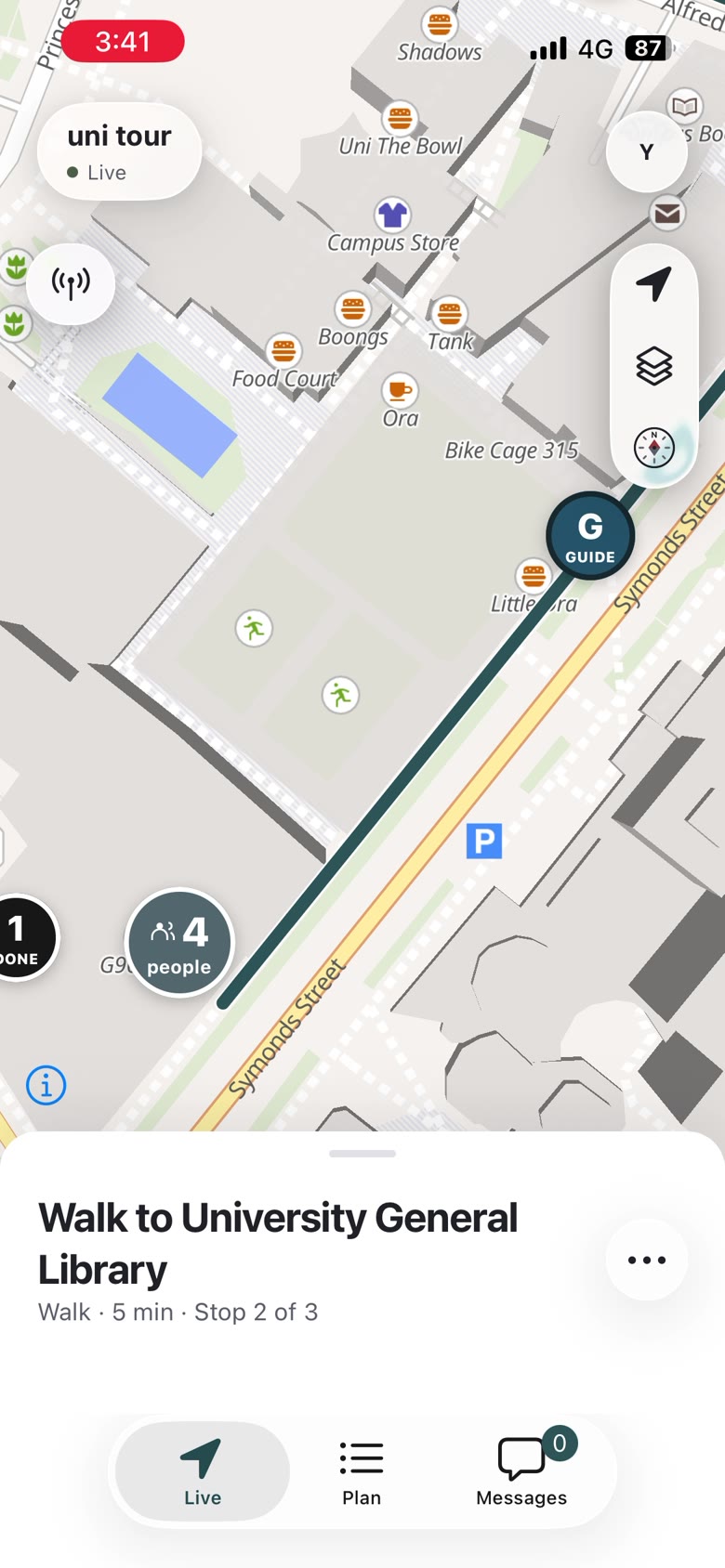
Live on the move
Route and people
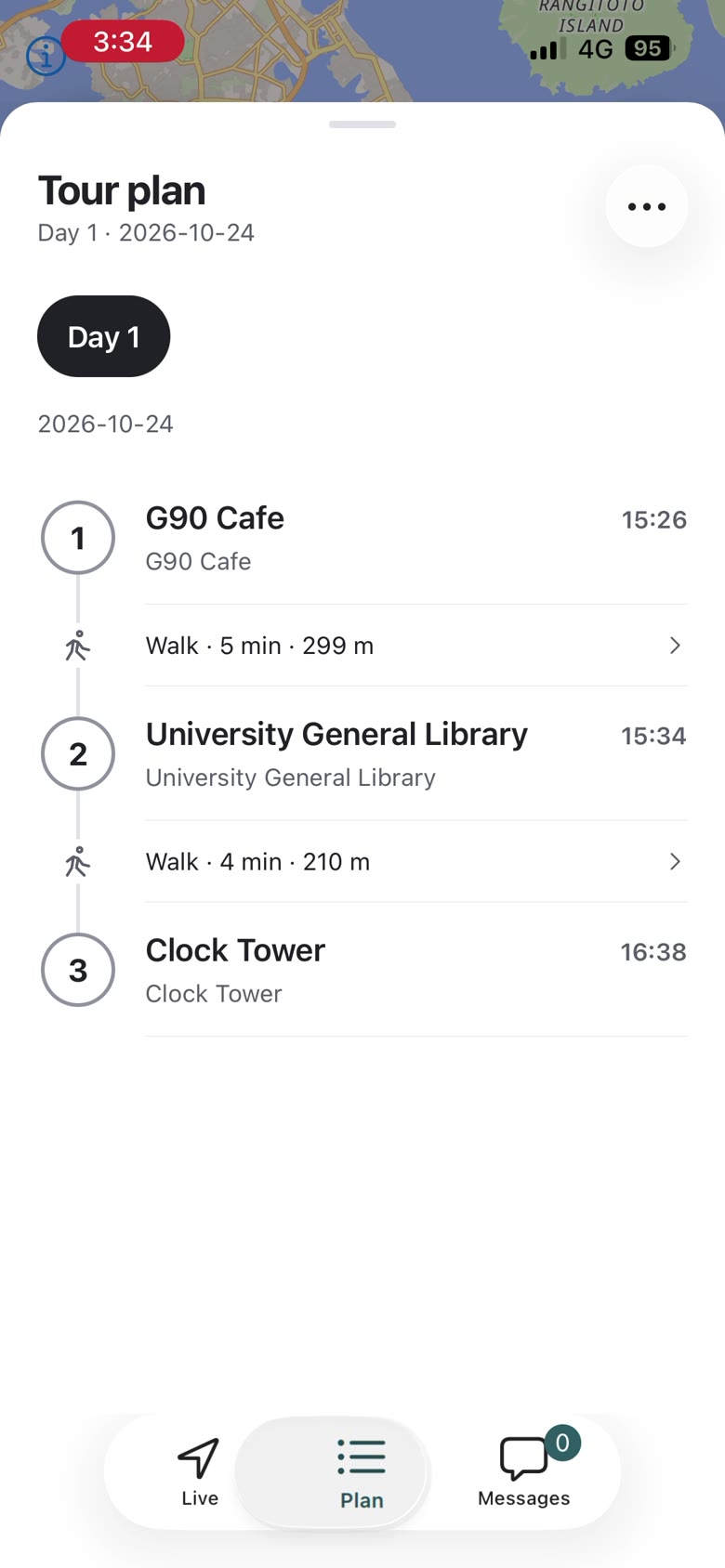
Plan
Three stops with walks
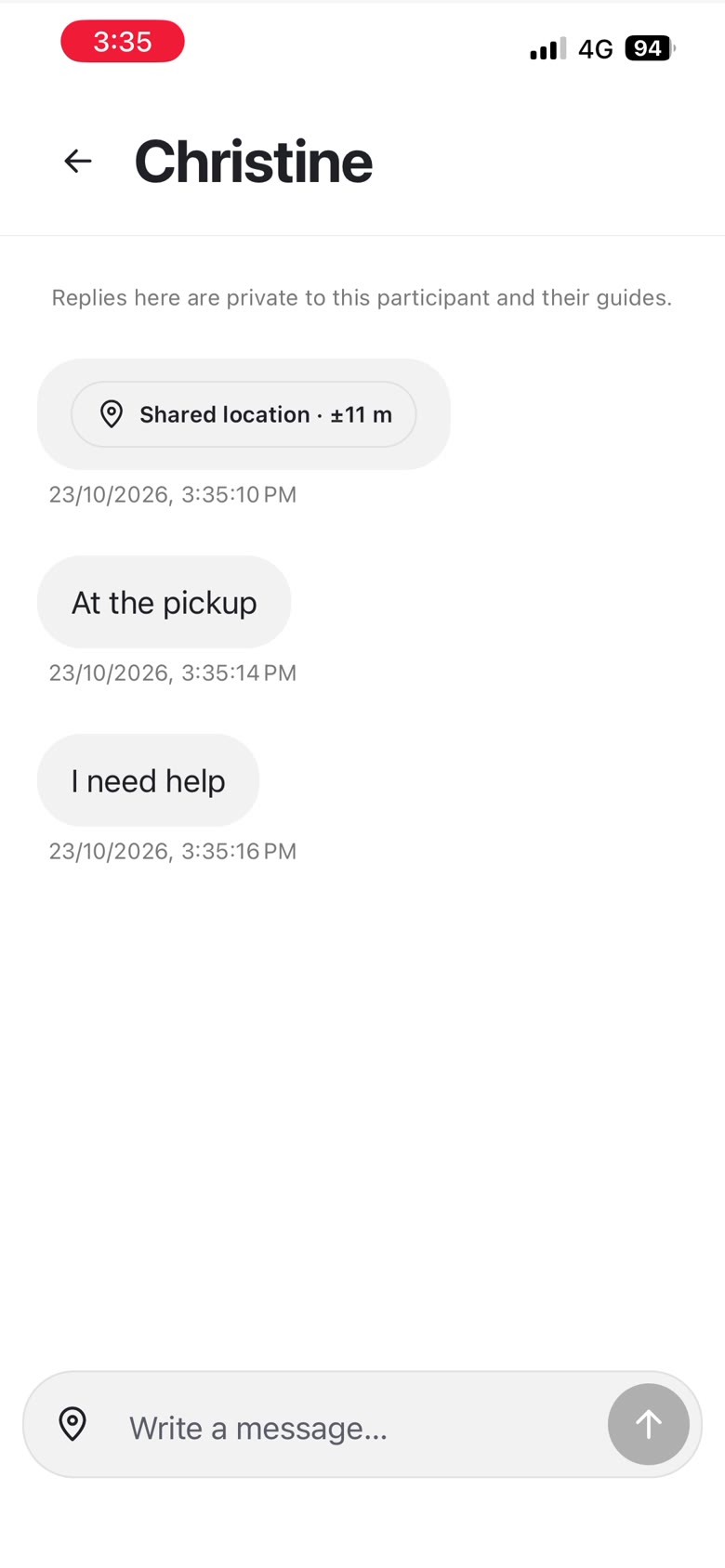
Messages
A participant thread
Account
Tours and settings
TourTrack · Stage 2 · Final screens · 31
TourTrack · Stage 2 · Final screens · 31
The Final App, as Built · Guide
Frames from an iPhone screen recording of a test tour on 23 October. Check-in and attendance happen on the first stop's sheet, the guide starts from there, and headcounts, help and changes are handled from Live without leaving the map.
Meetup open
People arriving at the first stop
Check-in
Join code, 4 of 4 arrived
Mark a person
Present, missing or excused
Tour started
Stop 1 of 3
Headcount
Choose the check point
Confirmations
Each person taps I’m here
Check-in QR
For anyone without the app open
SOS
Dennis needs you now
Guide · Stops, Changes and Ending
One menu holds headcount, hold, share, tour tools and End tour. Finishing a stop with items still open asks how they will be followed up instead of blocking, and the next walk starts from the arrival button.
Tour menu
Hold, share, tools, End tour
Finish activity
Still open: who is unaccounted
Carry forward
Record the follow-up
Walk to the next stop
Arrived · start the next
Live on the move
Route and people
Plan
Three stops with walks
Messages
A participant thread
Account
Tours and settings
TourTrack · Stage 2 · Final screens · 31
TourTrack · Stage 2 · Final screens · 31
The Final App, as Built · Participant
The delivered participant app. Joining prepares the person once, then three tabs carry the tour: Now for the current commitment, Itinerary for the plan and Messages, with help and headcount responses one step away.
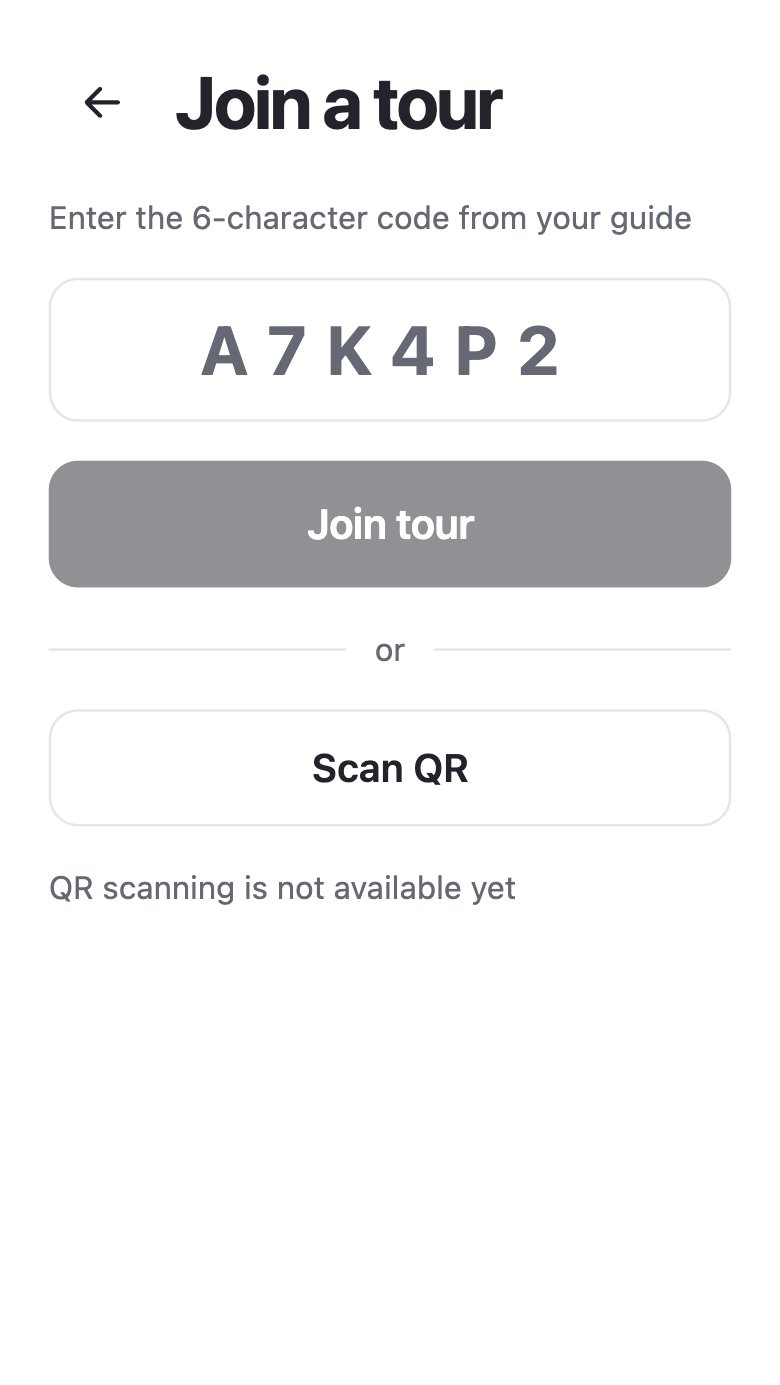
Join a tour
Six-character code or QR
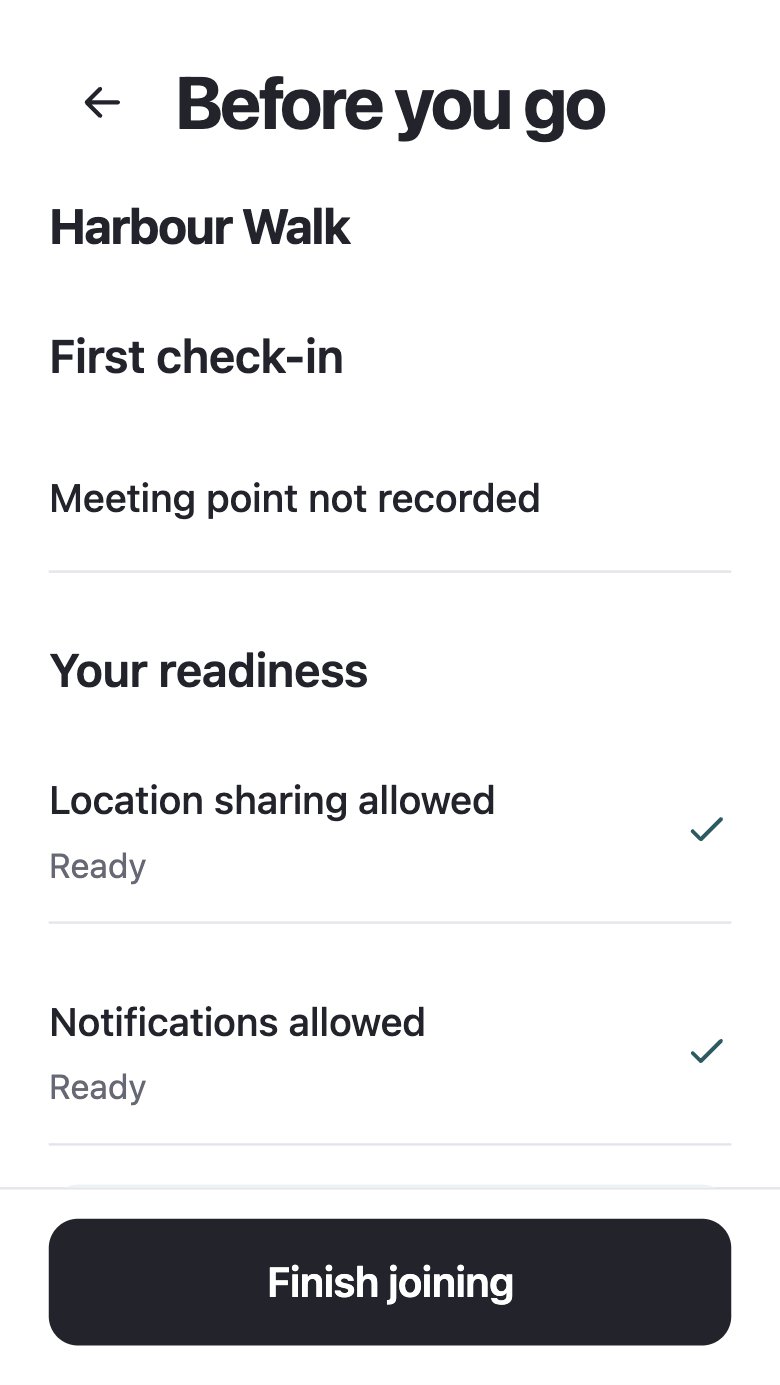
Before you go
Readiness, once
Now
The current activity
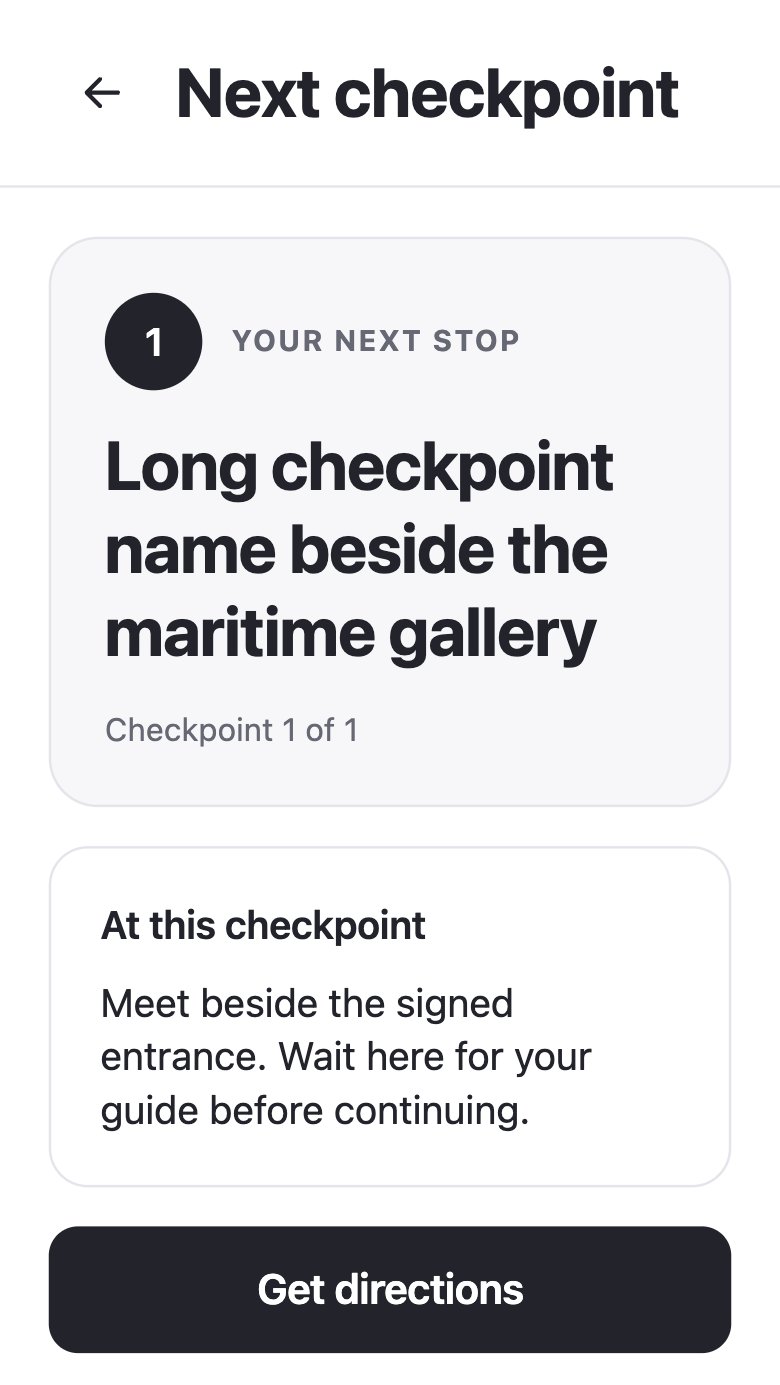
Next checkpoint
With its instruction
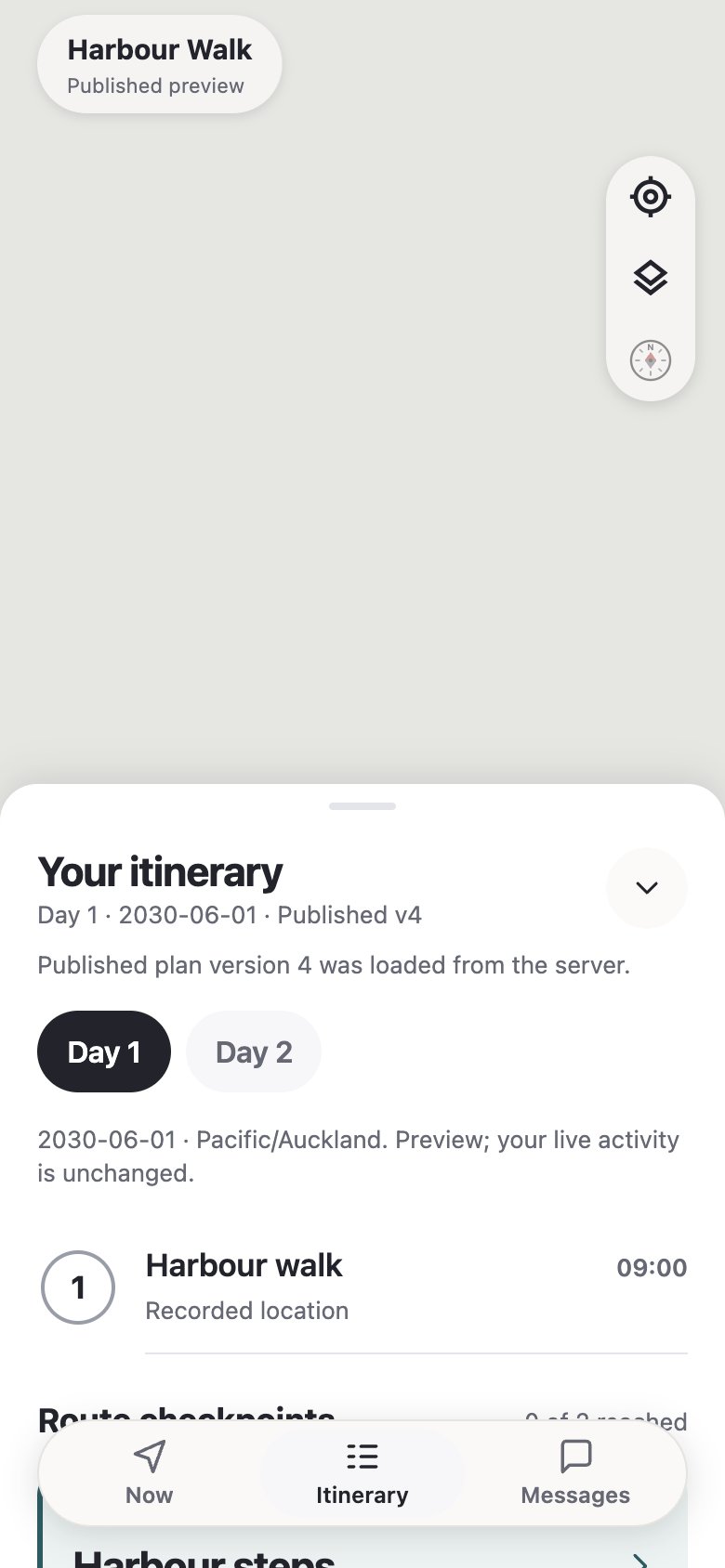
Itinerary
Days and plan version
Messages
Announcements
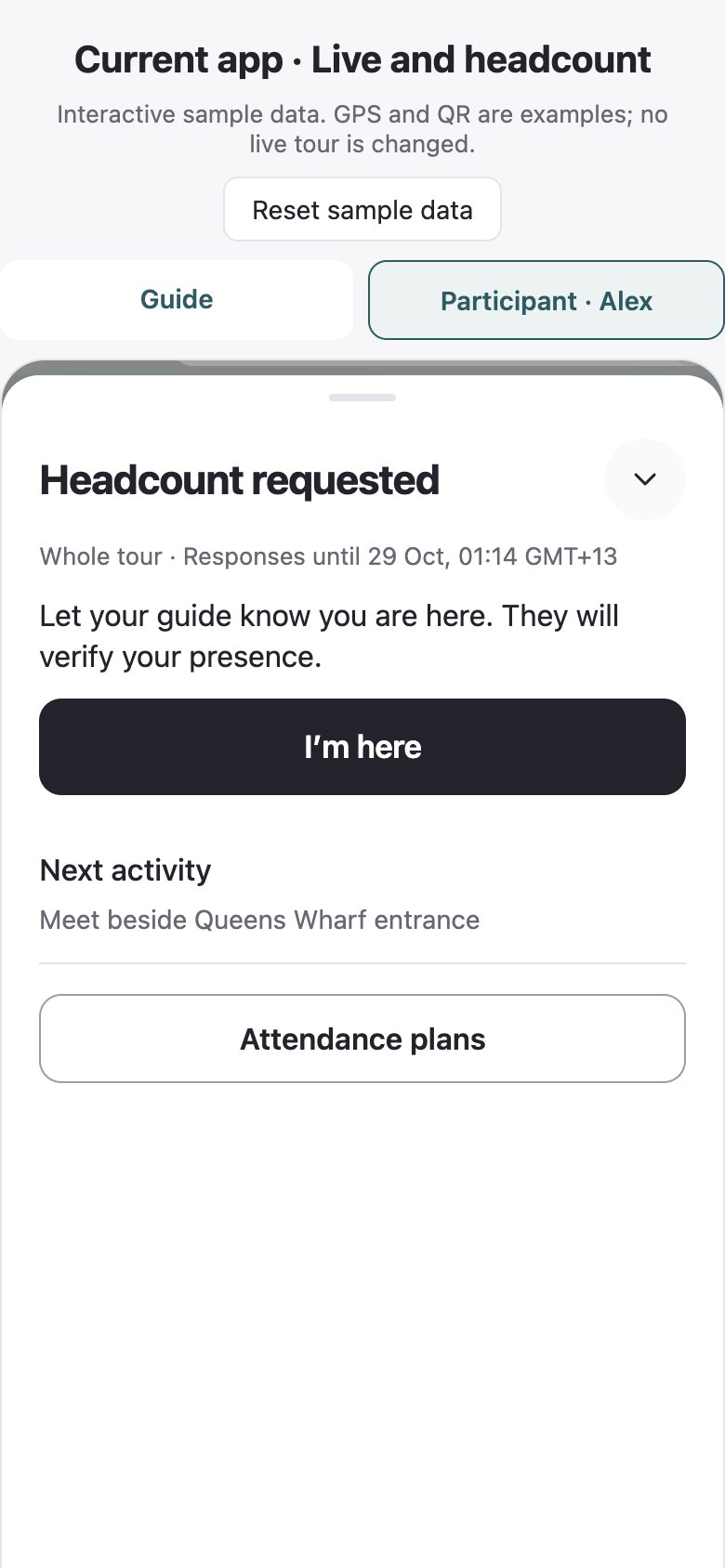
Headcount request
“I’m here” (#445)
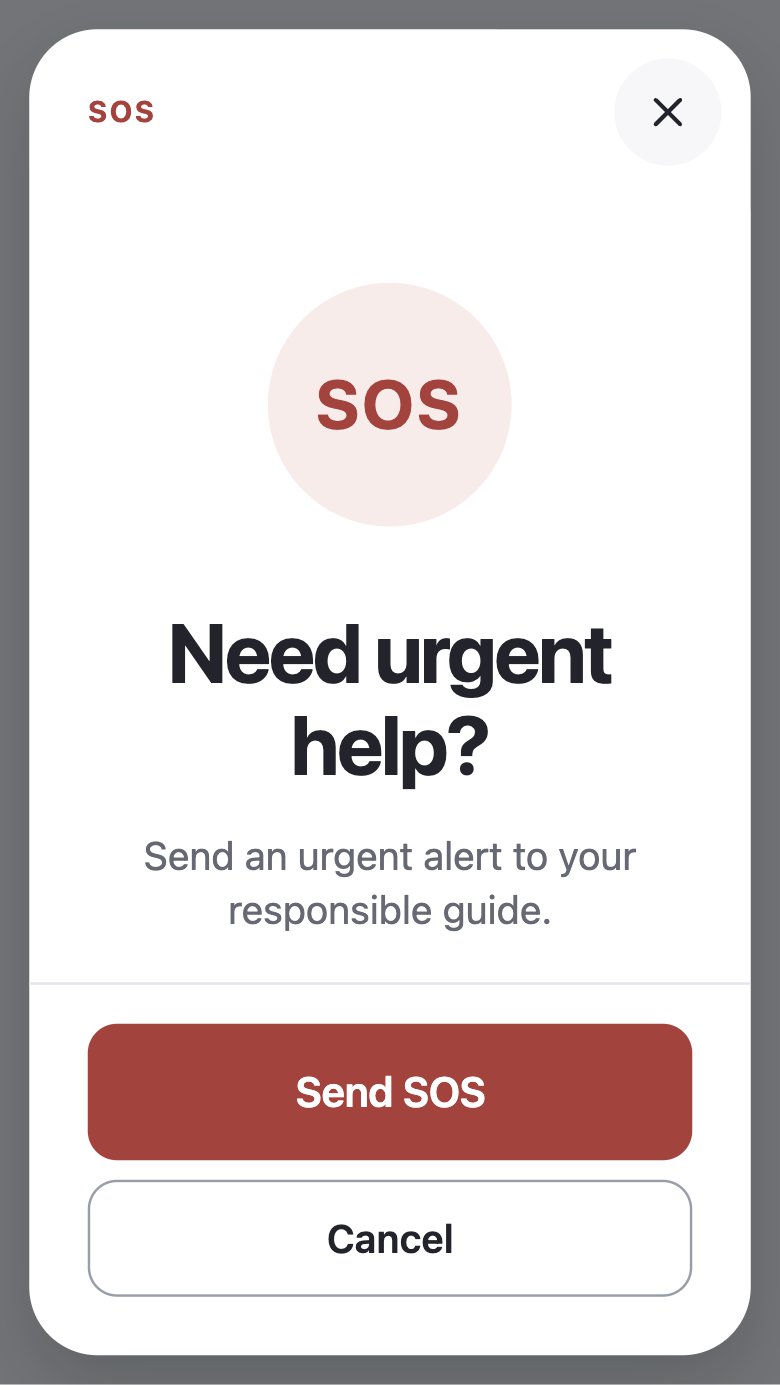
Urgent help
Confirm before sending
Participant · Help, Changes and Holds
What a participant sees when something changes: the SOS state as it is actually known, a published instruction with its version, and a tour on hold.
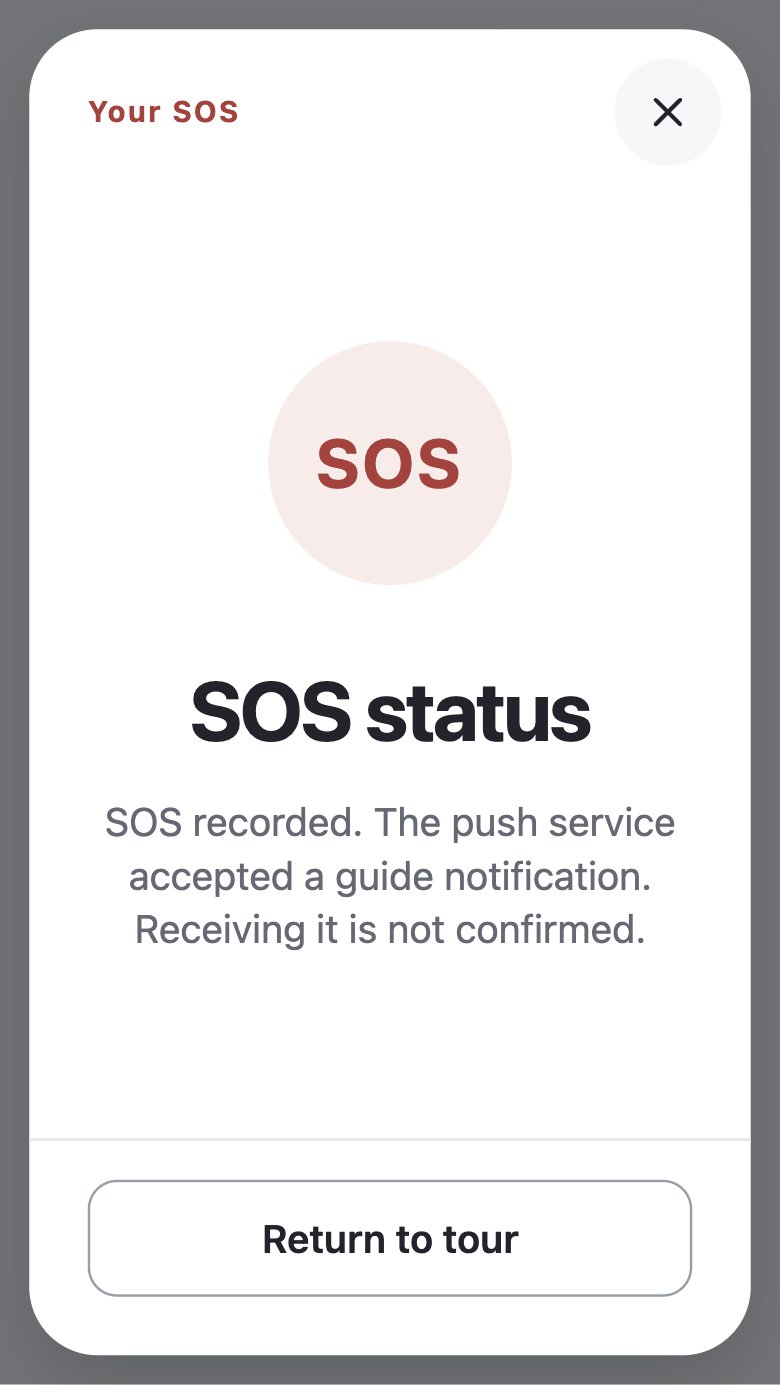
SOS status
Recorded, not yet received
Instruction
Version and approver
Tour on hold
Held, with a reason
Compared with the MVP. The live screen led with the next checkpoint and put instructions and the schedule behind taps; SOS status read “delivered” when the push was accepted. Now leads with the commitment, and every delivery state says only what is known (D05).
Kept from the MVP: the join code and QR, permission recovery, checkpoints and SOS. Replaced: the separate readiness gate, status-first live screens and the single safety radius.
TourTrack · Stage 2 · Final screens · 32
TourTrack · Stage 2 · Final screens · 32
The Final App, as Built · Participant
The delivered participant app. Joining prepares the person once, then three tabs carry the tour: Now for the current commitment, Itinerary for the plan and Messages, with help and headcount responses one step away.
Join a tour
Six-character code or QR
Before you go
Readiness, once
Now
The current activity
Next checkpoint
With its instruction
Itinerary
Days and plan version
Messages
Announcements
Headcount request
“I’m here” (#445)
Urgent help
Confirm before sending
Participant · Help, Changes and Holds
What a participant sees when something changes: the SOS state as it is actually known, a published instruction with its version, and a tour on hold.
SOS status
Recorded, not yet received
Instruction
Version and approver
Tour on hold
Held, with a reason
Compared with the MVP. The live screen led with the next checkpoint and put instructions and the schedule behind taps; SOS status read “delivered” when the push was accepted. Now leads with the commitment, and every delivery state says only what is known (D05).
Kept from the MVP: the join code and QR, permission recovery, checkpoints and SOS. Replaced: the separate readiness gate, status-first live screens and the single safety radius.
TourTrack · Stage 2 · Final screens · 32
TourTrack · Stage 2 · Final screens · 32
Design outcome · the same tasks before and after
From MVP to Integrated Design
Create a tour
Functional MVP
Integrated V2
A fixed wizard became a workspace of days, places and computed travel, with published plans reopened for editing.
Follow the current task
Functional MVP
Integrated V2
The live overview became Now: the immediate time, place and instruction, supported by a separate itinerary.
Monitor the group
Functional MVP
Integrated V2
The guide moved from one route and safety area to activity-aware evidence, contextual people and attendance in Live.
TourTrack · Design outcome · 33
TourTrack · Design outcome · 33
Review · outcomes and remaining limits
What Review Established
The redesign supports richer plans and clearer responsibilities, but implementation and acceptance are distinct outcomes. The table below separates review findings from demonstrated fixes.
| Finding | Response or next step | Evidence / status |
|---|---|---|
| Compact Now could hide a hold or SOS | Keep urgent information accessible at small sizes. | 11 Oct UI review; fix not confirmed. |
| Itinerary selection and map could disagree | Clarify retained map context or refocus it. | 11 Oct UI review; recorded finding. |
| Routine and technical copy received too much emphasis | Reduce empty-state emphasis and use participant language. | 11 Oct UI review; recorded finding. |
| End tour was blocked by unresolved duties | Direct lead-guide action; headcount remains separate. | #419; implemented. Guide impact unstudied. |
| Meetup check-ins rejected plausible positions | Combine both phones’ location accuracy. | #440; implemented. |
| Coach access and field behaviour remain uncertain | Organiser trials; physical-device and older-participant checks. | No general field-validation claim. |
Audience reassessment. The project account reports three September guide interviews questioning tracking as a universal priority for smaller groups and emphasising late arrivals, meeting points and communication; this account is qualitative, and source notes are not supplied here. It suggests a possible consumer group-coordination direction without demonstrating consumer demand or changing the delivered operator-focused scope.
Evaluation boundary. Android acceptance, older-participant usability and real-tour warning accuracy remain outstanding. The group report’s Results and Evaluation section gives the test environments, selected results and deployment limitations.
TourTrack · Review and limits · 34
TourTrack · Review and limits · 34
Final technical design · connection to the group report
How the Final System Works
The resulting system centres on a published departure: the web prepares it, the phones operate it and the backend authorises changes. The lifecycle below connects those responsibilities to the final technical design.
AWS hosts trusted operations while Firebase supplies identity and data. Firestore retains plans, memberships and incidents; Realtime Database exposes live state. Queued location updates, operation IDs and reconciliation address delayed reports, repeated actions and differences between the two stores.
The lifecycle separates starting, holding and ending. Starting checks attendance or a recorded override. A hold keeps the tour in progress. In the revised flow, the lead guide can end the tour directly; headcount remains a separate action, and the report preserves attendance as recorded.
Safety is evaluated on accepted location reports and by a one-minute sweep. Members already unknown with no data are re-evaluated at most every five minutes. This selective interval differs from the separate five-minute reconciliation job between Firestore and Realtime Database.
The adjacent table records design coverage and its evidence. Section 5 gives the test outcomes and outstanding physical-device acceptance.
Design coverage · evidence and limits
| Focus | Decision | Evidence | Status |
|---|---|---|---|
| DF01 | Commitment-first Now | UI review; hold/SOS findings open | Review open |
| DF02 | Exceptions first on Live | UI review (#378, #384) | Implemented |
| DF03 | Evidence ages; stale is unknown | Tests (BE-49, #213) | Implemented |
| DF04 | One delivery vocabulary | Emulator tests; proofs | Implemented |
| DF05 | SOS closes only on resolve | Tests; presentation captures | Implemented |
| DF07 | Days, activities, instances | Schema test, four scenarios | Partial |
| DF06 | Start gate with override | Backend tests (BE-40) | Implemented |
| DF08 | Venue ≠ entrance | Review sets 10–11 Sep | Implemented |
| DF09 | Role and departure grants | Rules tests (BE-58) | Implemented |
| DF10 | Retry-safe actions | Recovery tests (IR-01, IR-02) | Implemented |
| DF11 | Accessible defaults | Component level only | Partial |
| DF12 | No hardware in the MVP | Final build | Implemented |
What the evidence permits
| Permitted | Not without new evidence |
|---|---|
| Place-first removes an upfront type step | Planning is faster |
| No SOS shows as answered before it is | Incidents resolve faster |
| Interviews challenged the assumed audience | Consumer demand exists |
| Native tabs were reviewed in the app | It works on Android |
DF labels identify design focuses. Implemented describes build coverage, not field validation. The change register follows. Numbered records refer to the project pull requests and issues; architectural decisions are recorded in the decision log and V2 contract.
TourTrack · Final technical design · 35
TourTrack · Final technical design · 35
Final technical design · connection to the group report
How the Final System Works
The resulting system centres on a published departure: the web prepares it, the phones operate it and the backend authorises changes. The lifecycle below connects those responsibilities to the final technical design.
AWS hosts trusted operations while Firebase supplies identity and data. Firestore retains plans, memberships and incidents; Realtime Database exposes live state. Queued location updates, operation IDs and reconciliation address delayed reports, repeated actions and differences between the two stores.
The lifecycle separates starting, holding and ending. Starting checks attendance or a recorded override. A hold keeps the tour in progress. In the revised flow, the lead guide can end the tour directly; headcount remains a separate action, and the report preserves attendance as recorded.
Safety is evaluated on accepted location reports and by a one-minute sweep. Members already unknown with no data are re-evaluated at most every five minutes. This selective interval differs from the separate five-minute reconciliation job between Firestore and Realtime Database.
The adjacent table records design coverage and its evidence. Section 5 gives the test outcomes and outstanding physical-device acceptance.
Design coverage · evidence and limits
| Focus | Decision | Evidence | Status |
|---|---|---|---|
| DF01 | Commitment-first Now | UI review; hold/SOS findings open | Review open |
| DF02 | Exceptions first on Live | UI review (#378, #384) | Implemented |
| DF03 | Evidence ages; stale is unknown | Tests (BE-49, #213) | Implemented |
| DF04 | One delivery vocabulary | Emulator tests; proofs | Implemented |
| DF05 | SOS closes only on resolve | Tests; presentation captures | Implemented |
| DF07 | Days, activities, instances | Schema test, four scenarios | Partial |
| DF06 | Start gate with override | Backend tests (BE-40) | Implemented |
| DF08 | Venue ≠ entrance | Review sets 10–11 Sep | Implemented |
| DF09 | Role and departure grants | Rules tests (BE-58) | Implemented |
| DF10 | Retry-safe actions | Recovery tests (IR-01, IR-02) | Implemented |
| DF11 | Accessible defaults | Component level only | Partial |
| DF12 | No hardware in the MVP | Final build | Implemented |
What the evidence permits
| Permitted | Not without new evidence |
|---|---|
| Place-first removes an upfront type step | Planning is faster |
| No SOS shows as answered before it is | Incidents resolve faster |
| Interviews challenged the assumed audience | Consumer demand exists |
| Native tabs were reviewed in the app | It works on Android |
DF labels identify design focuses. Implemented describes build coverage, not field validation. The change register follows. Numbered records refer to the project pull requests and issues; architectural decisions are recorded in the decision log and V2 contract.
TourTrack · Final technical design · 35
TourTrack · Final technical design · 35
Section 3 · Technical design
Design choices, architecture, data and algorithms
3.4 Design Choices and Justification
Table 3.1 summarises the main architectural decisions, the alternatives considered, the option chosen and the reason for the choice.
Table 3.1: Design choices and justification
| Decision | Alternatives considered | Choice | Justification |
|---|---|---|---|
| Where backend logic runs | Firebase Cloud Functions; a dedicated server | AWS Lambda | The Firebase project is on the free Spark plan, which cannot deploy Cloud Functions. The backend code was written once as Cloud Functions callables and wrapped by a thin AWS adapter, so the same handlers run on Lambda in production and in the Firebase emulator during development and testing. Clients use the standard Firebase callable protocol pointed at the AWS endpoint, so no client code depends on the hosting choice. |
| Who may write shared state | Clients write to Firestore directly, protected by security rules | Trusted backend only | Tour operations involve multi-record invariants (capacity, the attendance gate before start, one open SOS per participant) that security rules cannot express reliably. Rules deny client writes to shared records; clients only read, through subscriptions limited to what their role may see. |
| Storage for live state | Firestore only; Realtime Database only | Both, split by purpose | Firestore holds durable, queryable records. The Realtime Database (RTDB) holds high-frequency live state, where many small updates and connection presence are cheaper and faster. The cost of two stores is that they can diverge, which the design handles with reconciliation (Section 3.6). |
| Location ingestion | Phones write positions directly to RTDB | Validated API call into a FIFO queue | The API rejects reports that are too old or from the future, then queues them. A FIFO queue keeps each participant's reports in order, absorbs bursts after a reconnect and retries failures, with a dead-letter queue for reports that still fail. |
| Safe retries | Prevent retries in the client; deduplicate by timestamp | Operation IDs with a server-side ledger | A phone on an outdoor network cannot know whether a request that timed out was applied. Each mutating request carries a client-generated operation ID; the backend stores the outcome and returns it on a repeat (Sections 3.6 and 4.2). Timestamps were rejected because two genuine actions can share one, and phone clocks are unreliable. |
| Concurrent edits | Last write wins | Version checks | A departure carries a version number that every accepted change increments. Requests that depend on what the user saw send that version, and the backend refuses the request (OPERATION_CONFLICT) if the record has changed since, instead of overwriting changes the user has not seen. Starting and ending a tour use this check. |
| Shared logic across clients | Each client defines its own types and validation | Shared packages | Domain types and rules, request validation schemas and Firestore paths live in shared packages used by the web app, the mobile app and the backend, so all three agree on the shape and meaning of every request. |
3.5 Architectural Overview
TourTrack consists of two client applications and a shared backend (Figure 3.2). Guides plan tours in a web portal. During a tour, guides and participants use one mobile application that presents a guide view or a participant view depending on the signed-in role. Both clients call the same backend operations, and both read the same tour data.
The backend separates identity and data from application logic. Firebase provides authentication, Cloud Firestore for durable records, and the Realtime Database for state that changes every few seconds. All operations that change shared tour state run in a trusted backend hosted on AWS Lambda in the ap-southeast-2 region. Clients never write authoritative records directly: the Firestore security rules deny client writes to tours, memberships, incidents and the other shared records, so every change passes through backend validation and authorisation. Table 3.2 lists the responsibility of each component.
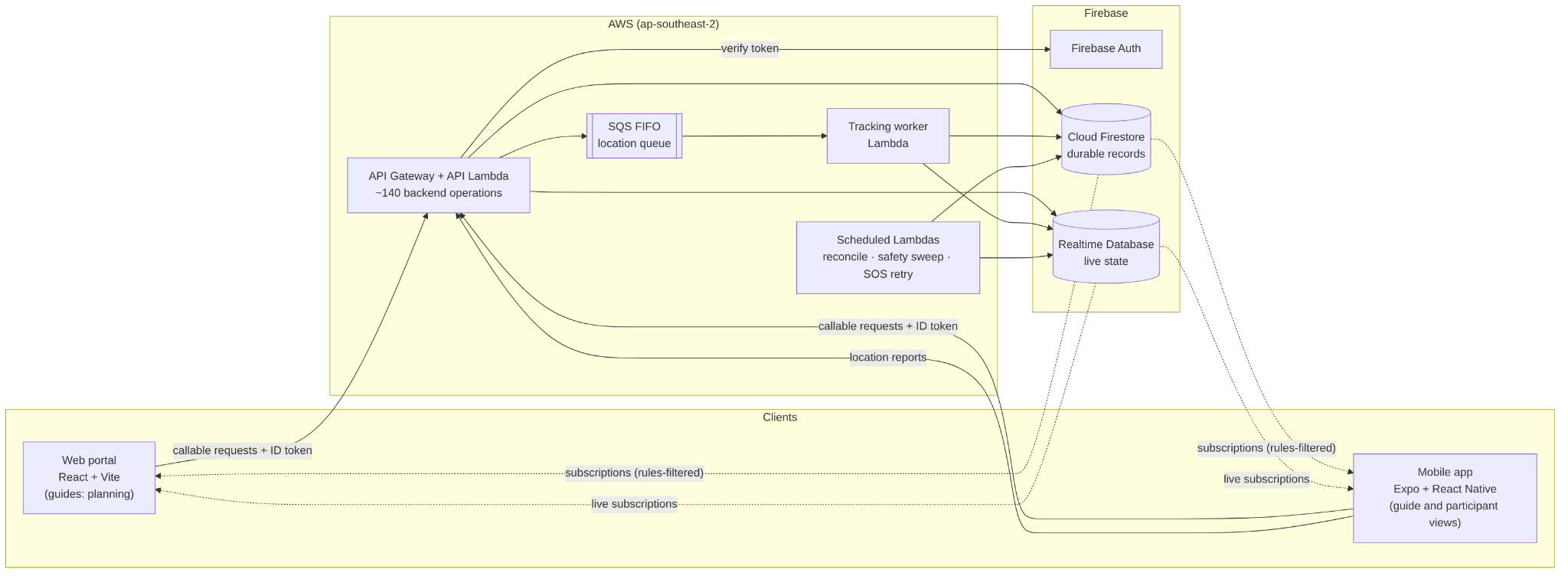
Figure 3.2: System architecture (block diagram). Solid arrows are requests and writes; dotted arrows are read subscriptions filtered by security rules.
Table 3.2: System components and responsibilities
| Component | Responsibility |
|---|---|
| Web portal | Tour templates, route and itinerary editing, scheduling and publishing departures, guide groups, the live tour map and post-tour reports. |
| Mobile app | Joining, check-in, the live tour for participants and guides, messaging, SOS, headcounts and attendance. |
| Firebase Auth | Identifies the caller. A role claim (guide or participant) is set by the backend, never by the client. |
| API Gateway and API Lambda | Exposes about 140 backend operations. Verifies the caller's token, validates each request, checks that the caller may perform it, and applies the change in a transaction. |
| SQS FIFO queue and tracking worker | Accepts location reports quickly, then processes them in order per participant: updating live positions and evaluating safety. |
| Scheduled Lambdas | Repair gaps between Firestore and RTDB, re-evaluate safety when no new reports arrive, and retry failed SOS notifications. |
| Cloud Firestore | Durable records: tours, departures, memberships, plans, incidents, messages and the operation ledger. |
| Realtime Database | Live state for running tours: positions, presence and current safety status. |
3.6 Data Model and Data Flows
3.6.1 Data Model
Cloud Firestore is organised around the departure: one scheduled run of a tour. A tour template holds reusable content; publishing creates a departure with its own plan versions, and everything that happens during that run is stored under the departure. Figure 3.3 shows the principal collections and their relationships.
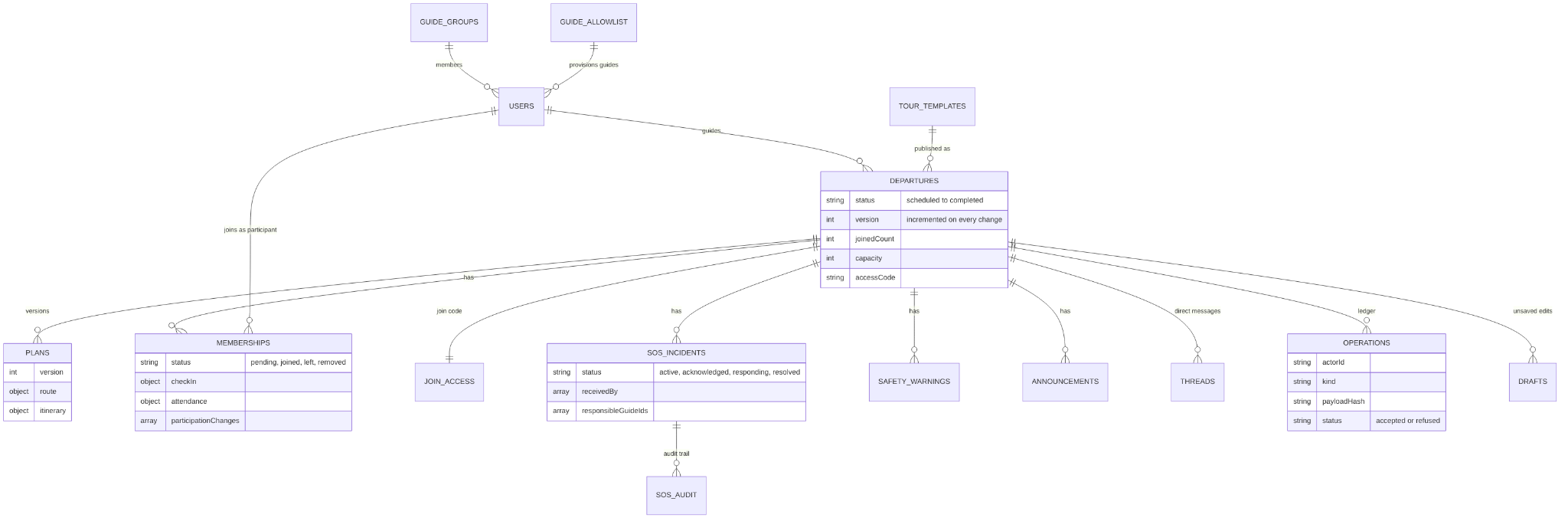
Figure 3.3: Data model. Departure-scoped collections are sub-collections of departures/{departureId}; users, tourTemplates, guideGroups, guideAllowlist and joinAccess are top-level.
Three design points shape the schema:
- Scoping by departure. Security rules grant read access per departure: a participant reads their own membership and incidents; the departure's guides read the whole roster. Keeping a run's data under one document makes these rules simple and keeps queries bounded.
- Immutable plan versions. Each publication or change creates a new plan version rather than editing the old one, so the system can record which version each participant received and acknowledged.
- Records that keep their history. A participant who leaves is marked left rather than deleted; incidents keep an audit trail; requests to leave early or skip activities are kept with their review. This supports the post-tour report and any later review of what happened.
The Realtime Database holds one node per running departure (Figure 3.4). The backend creates it when the tour starts and removes visibility for participants who leave. Its members list mirrors the roster so that RTDB security rules can decide who may read live positions.

Figure 3.4: Realtime Database structure for a running departure.
3.6.2 Data Flows
Live location. Figure 3.5 shows how a participant's position reaches the guide. The participant's phone sends a report to the API, which rejects reports more than five minutes old or from the future and queues the rest. The tracking worker processes each participant's reports in order, writes the live position to RTDB and evaluates the participant's safety. The guide's app is subscribed to the departure's live node and updates the map as soon as RTDB changes, showing each participant's status and the age of their last report.
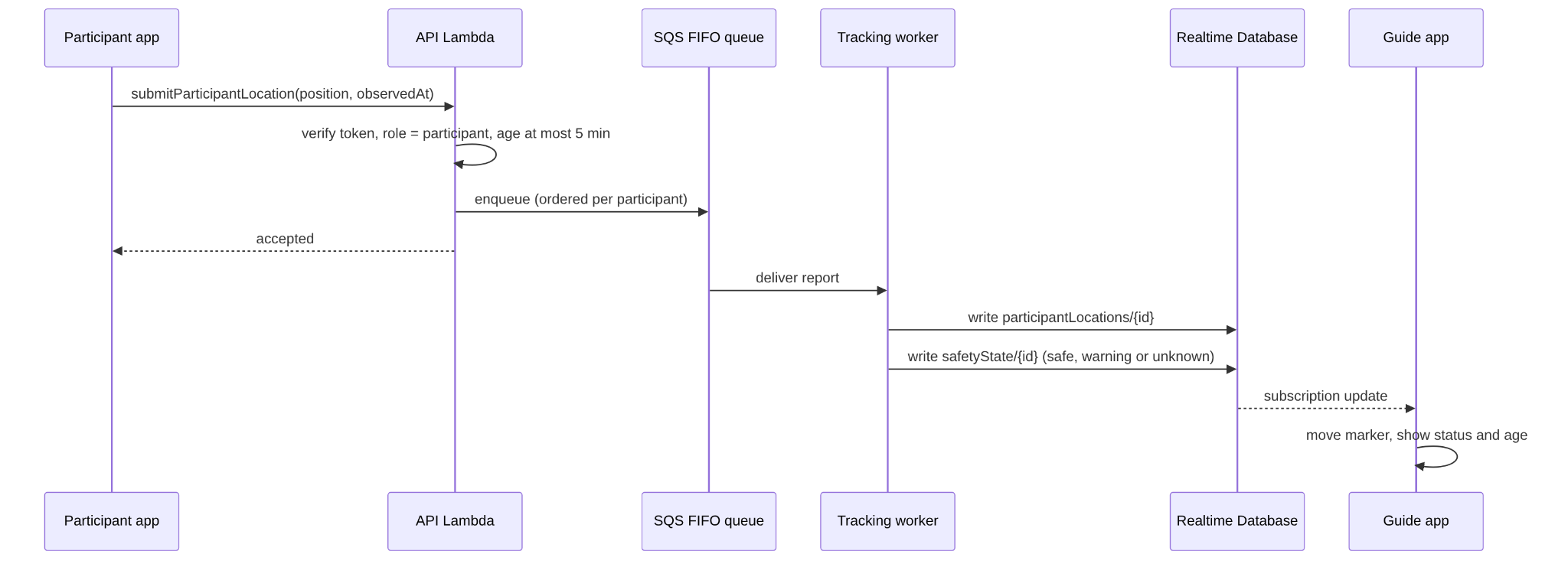
Figure 3.5: Data flow for a location update.
Retrying without duplicating actions. Outdoor connections drop frequently, and a phone cannot tell whether a request that timed out was applied. Figure 3.6 uses raising an SOS as the example. The phone keeps the request in an outbox with its operation ID and resends the same ID when the connection returns. The backend finds the outcome recorded under that ID and returns the existing incident, so the guide receives one SOS rather than two.
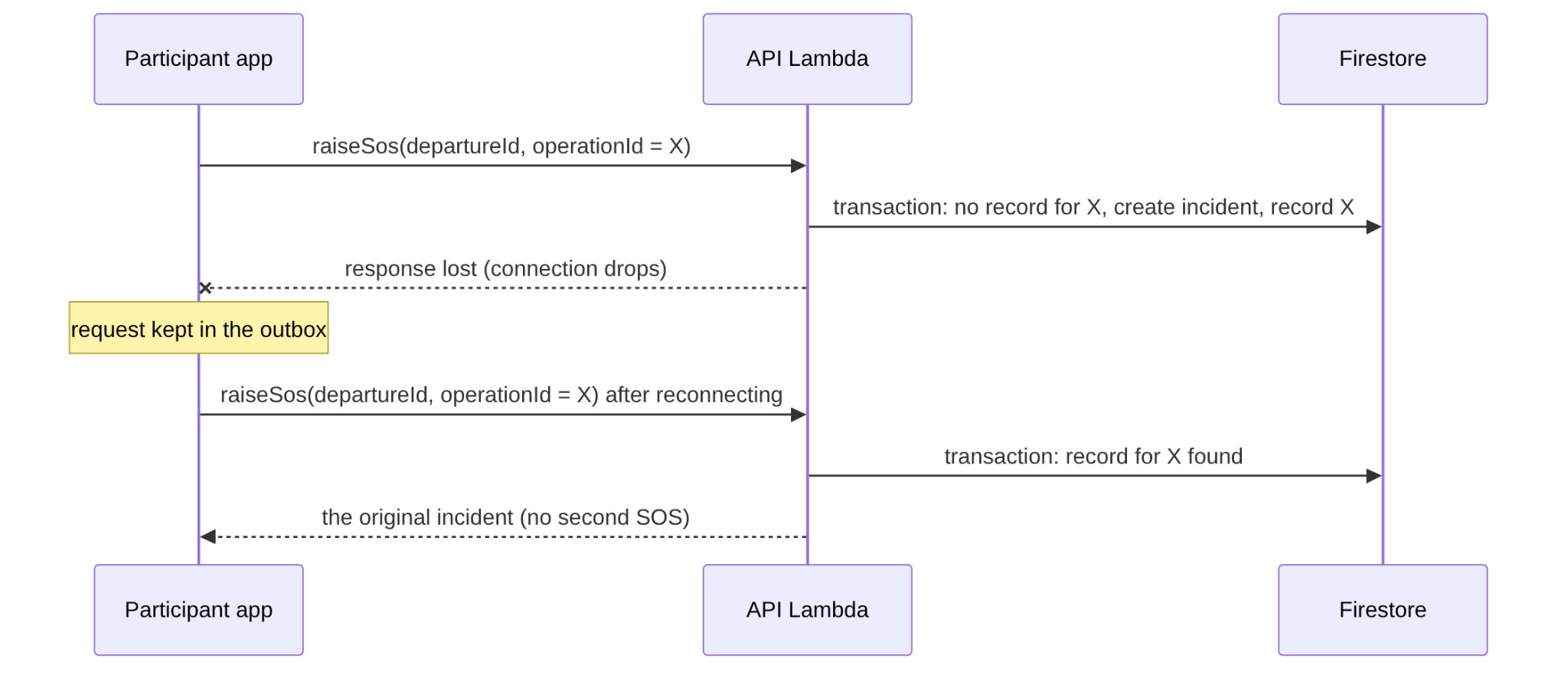
Figure 3.6: Replaying a request with the same operation ID.
Keeping the two stores consistent. Durable records in Firestore and live state in RTDB are written separately, so one write can succeed while the other fails, for example if a function times out between them. The backend treats Firestore as the source of truth. A scheduled job runs every five minutes, compares running departures in Firestore with the live nodes in RTDB, and repairs any difference: it creates a missing live node for a running tour and removes live state for a tour that has ended.
3.8 Important Algorithms and State Models
3.8.1 Tour Lifecycle
A departure moves through six statuses (Figure 3.8). Check-in may be opened and closed before the tour starts. The start gate requires joined participants to be marked present or excused, or a guide to record a reasoned override. From inProgress, an authorised lead guide can end the tour directly; a final headcount is available as a separate action rather than a mandatory gate. Cancellation is limited to pre-start states. completed and cancelled are terminal states. A hold does not change the departure status: tracking and the appropriate safety checks continue while inProgress.

Figure 3.8: Delivered tour lifecycle, including direct end of tour and optional headcount.
3.8.2 Safety Evaluation
Each participant on a running tour has a safety state of safe, warning or unknown, stored in RTDB and shown on the guide's map. The state is computed by a pure function in the shared domain package from the participant's latest location reading, the guide's latest reading, the published plan and the tour's movement policy. The guide sets the movement policy in the web portal; it has four fields: safe zone radius (default 150 m), allowed deviation (default 150 m, at most the safe zone), warn after (default 3 minutes outside) and maximum group spread (default 200 m, at least the safe zone). Each activity in the plan has an operating mode: assemble, stay together, controlled spread, contained roam, free roam or off duty. Stay together is the default.
Evaluation first checks the freshness of the reading (Figure 3.9). A reading older than 120 seconds, or no reading at all, is unavailable; a reading older than 30 seconds, or with a reported accuracy worse than 30 m, is stale. Either case makes the participant unknown. Under stay together, the participant is also unknown when the guide's own reading is not fresh and the tour is not on hold. A fresh reading is then tested against the rules for the current operating mode (Table 3.3). Warning takes priority over unknown, and unknown over safe.
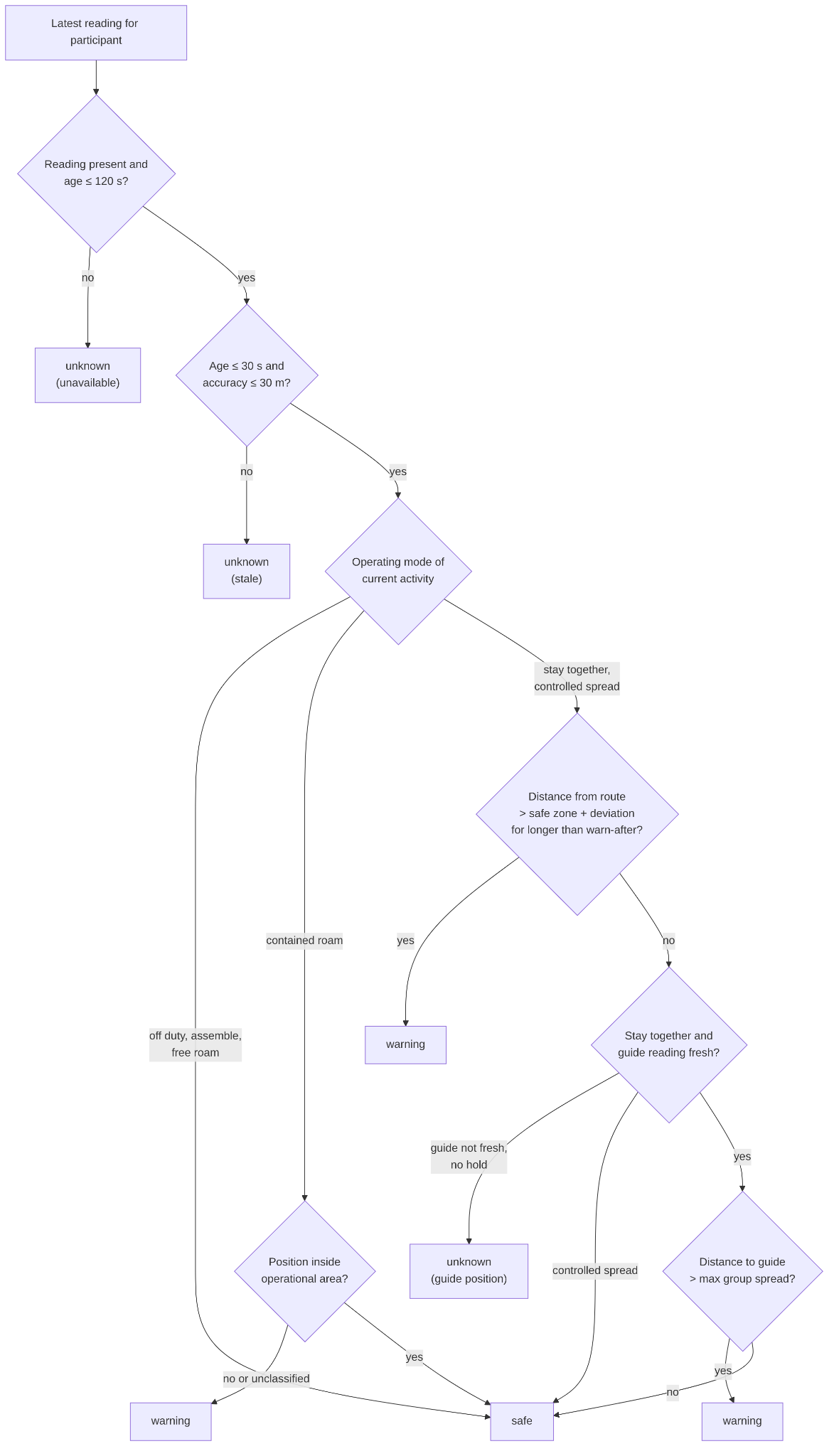
Figure 3.9: Safety evaluation for one participant.
Table 3.3: Spatial rules by operating mode
| Operating mode | Rule that produces warning |
|---|---|
| Stay together (default) | Distance from the route line greater than safe zone plus allowed deviation, continuously for longer than the warn-after period; or distance to the guide greater than the maximum group spread, with no delay. The follow-distance rule is judged only while the guide's own reading is fresh and the group is not on hold. |
| Controlled spread | The route-corridor rule only (distance and warn-after period as above). |
| Contained roam | Position classified as restricted or outside the operational area; an unclassified position counts as outside. |
| Assemble; free roam | No spatial rule. A fresh reading is safe. |
| Off duty | Always safe. |
The evaluation runs in two places. The tracking worker evaluates one participant after each accepted location report and notifies the guide when the state changes meaningfully. The scheduled job described in Section 4.5 re-evaluates every live member of every in-progress departure once a minute without new data, so a phone that has gone silent ages into unknown. To limit database reads, a participant who is already unknown with no data is re-evaluated at most every five minutes, a continuing unknown re-notifies the guide only after ten minutes, and tours more than twelve hours past their planned end whose guide has stopped reporting are skipped. When the lead guide and at least two participants are stale at the same time, the job sends one "possible connectivity issue" notification instead of separate unknown alerts; warnings are still sent individually.
3.8.3 SOS Escalation and Recovery
An SOS incident has four statuses: active, acknowledged, responding and resolved (Figure 3.10). Only a participant who is a joined member of an in-progress departure may raise one, and the backend allows one open incident per participant: inside the raise transaction it looks for an existing incident by the same participant in an open status and returns that incident, re-queuing its notification if delivery had failed, instead of creating a second one. A resent request with the same operation ID likewise returns the original incident (Section 3.6.2).
Guides move the incident forward: active to acknowledged, acknowledged to responding (optional), and acknowledged or responding to resolved. Resolving or responding to an incident that has not been acknowledged is refused, nothing may leave resolved, and there are no backward transitions; repeating a transition already made returns the incident unchanged. Each transition appends an entry to the incident's audit trail. A guide may act only if currently responsible for the participant who raised the incident (the group's guide, the lead guide, or the receiver of a handoff) or is the assigned responder, so the lead guide can resolve an incident as well as the group guide. Clients cannot write incidents directly.
Delivery of the alert to guides is retried by the scheduled job in Section 4.5. A failed push is retried with exponential backoff of 1, 2, 4 and 8 minutes, five attempts in all. If the fifth attempt fails, the incident is marked escalated and the participant is notified that the guide could not be reached and to call for help directly; pressing SOS again re-queues the notification immediately.
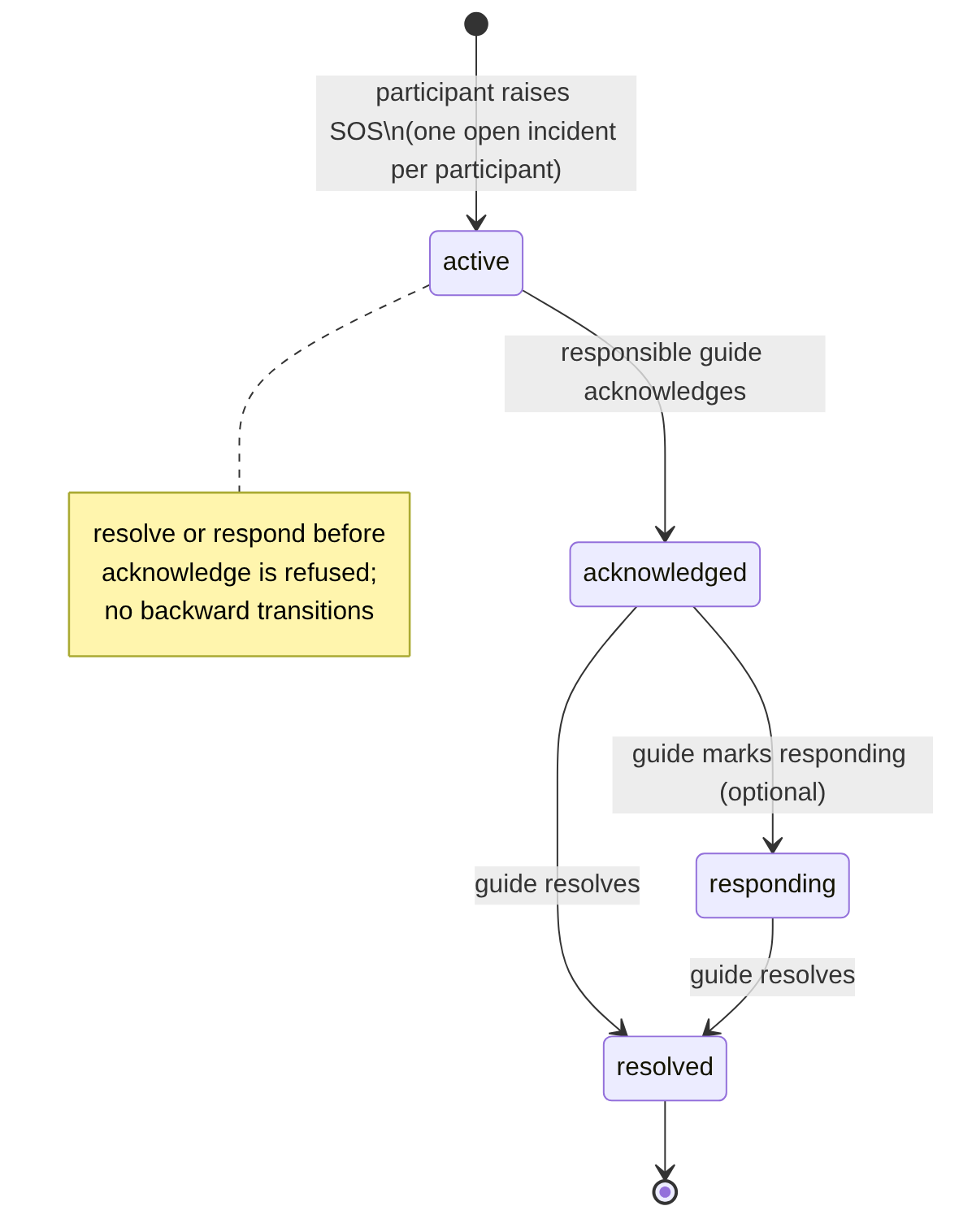
Figure 3.10: SOS state-transition diagram.
Design record · changes discussed in this section
Design Change Register
ID
Decision or change
Record status
ID
Decision or change
Record status
| Not documented in available project evidence | For |
|---|---|
| Dates and revision history for the reproduced IcePanel models | A01, A02 |
| Dated Figma version history for readiness and web wireframes | U01, W01 |
| Original guide interview notes or recordings | R01 |
| Common release snapshot and figure cross-references | Technical design |
TourTrack · Design record · 36
TourTrack · Design record · 36
Section 4
Implementation
4.1 Implementation Overview and Process
The project is a single repository containing the applications, the backend and shared packages (Figure 4.1). The backend in services/functions follows a three-layer structure: handlers parse and validate requests and identify the caller; services contain the business rules and transactions; repositories isolate Firestore and RTDB access behind interfaces, which allows services to be tested against the Firebase emulators. The backend contains 43 handler modules, 56 service modules and 37 repository modules, exposing approximately 140 operations. The AWS package services/aws-backend exposes every exported operation automatically, so adding an operation to the backend makes it available in production without changes to the AWS layer.
Work was tracked as tickets on a GitHub Projects board and merged through pull requests to main, each reviewed by another team member who ran the ticket's test recipe locally before approving. The repository was created on 30 July 2026 and had received 244 commits to main by 21 October. The first backend ticket, BE-01 (repositories and path contracts), was merged on 11 August. A second-MVP branch, tourtrack-v2, was used briefly in September and merged back into main on 17 September, after which all work targeted main. The AWS runtime was added on 15 September and GitHub Actions CI on 19 September; CI was later switched off on GitHub when the organisation's Actions spending limit was reached. The last ticket-numbered backend change, BE-87 (guide roster management), was merged on 4 October, and the Firestore quota fix described in Section 4.6 on 7 October.
By commit count, John Kim and Estelle Kim wrote most of the backend in services/functions and the shared packages; John Kim and Seungbeom Yang most of the AWS runtime; Christine Kim, John Kim and Seungbeom Yang most of the web portal; and Dennis (Zhengyi Yan) and John Kim most of the mobile application. Every member contributed to each area.
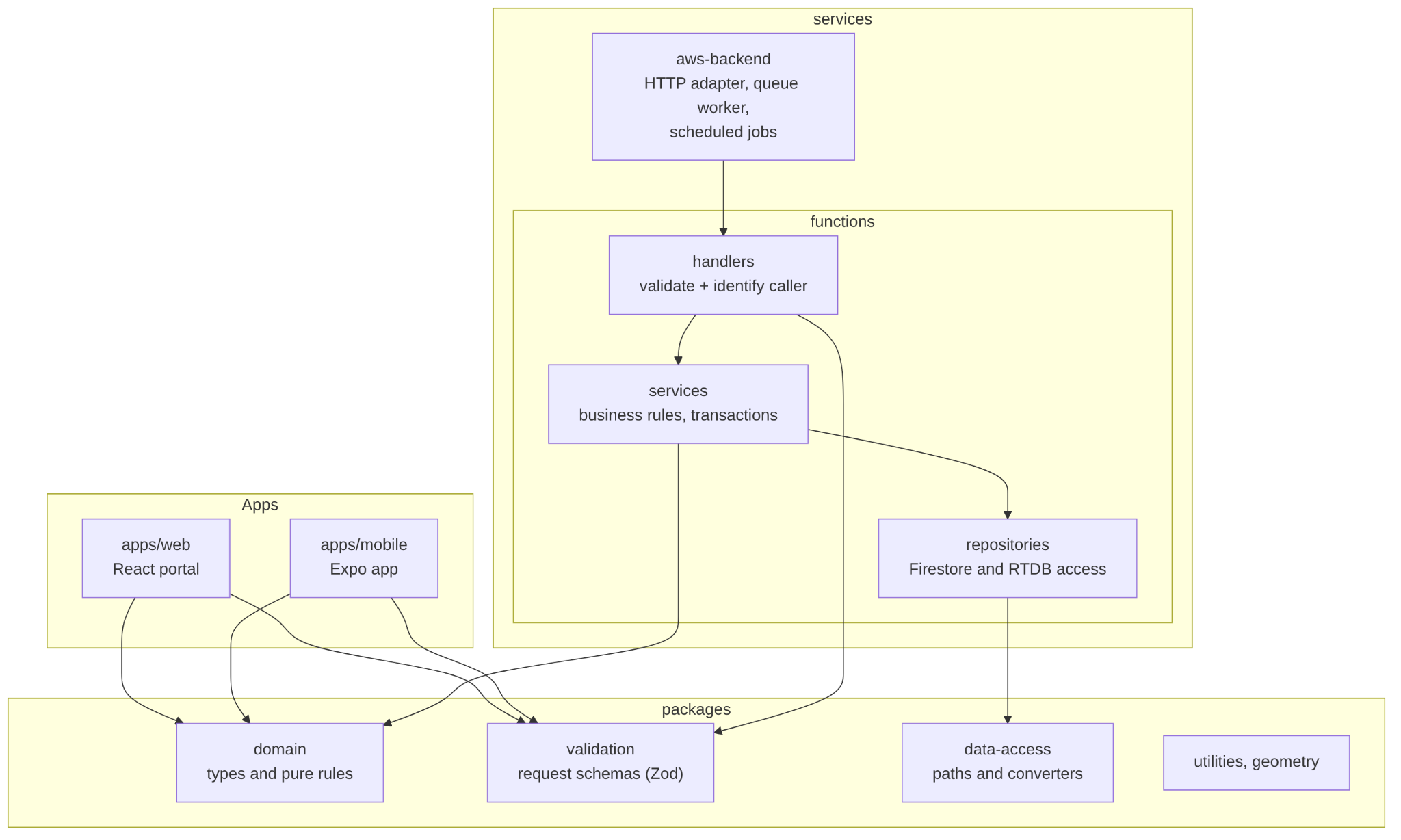
Figure 4.1: Module structure of the repository.
4.2 Backend
4.2.1 Request Handling
Both clients call the backend through the Firebase callable protocol, configured with the AWS endpoint. In production, a request passes through five stages:
- Authentication. An Express application in the API Lambda verifies the caller's Firebase ID token, including a check that the token has not been revoked, before any operation runs.
- Validation. The handler parses the request with the shared Zod schema for that operation. Malformed requests are rejected with a specific error before any data is read.
- Authorisation and business rules. The service reads the records involved inside a Firestore transaction and checks that this caller may act on them, for example that the caller is the departure's guide or a joined participant.
- Write. The change, the incremented departure version and the operation ledger entry are written in the same transaction.
- Side effects after commit. Updates to RTDB and push notifications run only after the transaction commits, so a failed notification never undoes or blocks an accepted change.
Domain errors are mapped to a fixed set of error codes with user-readable messages, so the web and mobile clients can explain a refusal (for example, that the tour is full or has already started) instead of showing a generic failure. Every request is logged as one structured line with the operation name, status and duration, which made production problems traceable during testing.
4.2.2 Operation Envelope
The retry protection described in Section 3.6.2 is implemented once, as a shared operation envelope that the mutating services use. Figure 4.2 and Listing 4.1 show its logic. Two details matter. First, authorisation is checked before the ledger is consulted, so a user who has lost access receives a refusal rather than a stored result. Second, refusals are recorded as well as acceptances, so a retry after a crash receives the same answer as the original attempt.
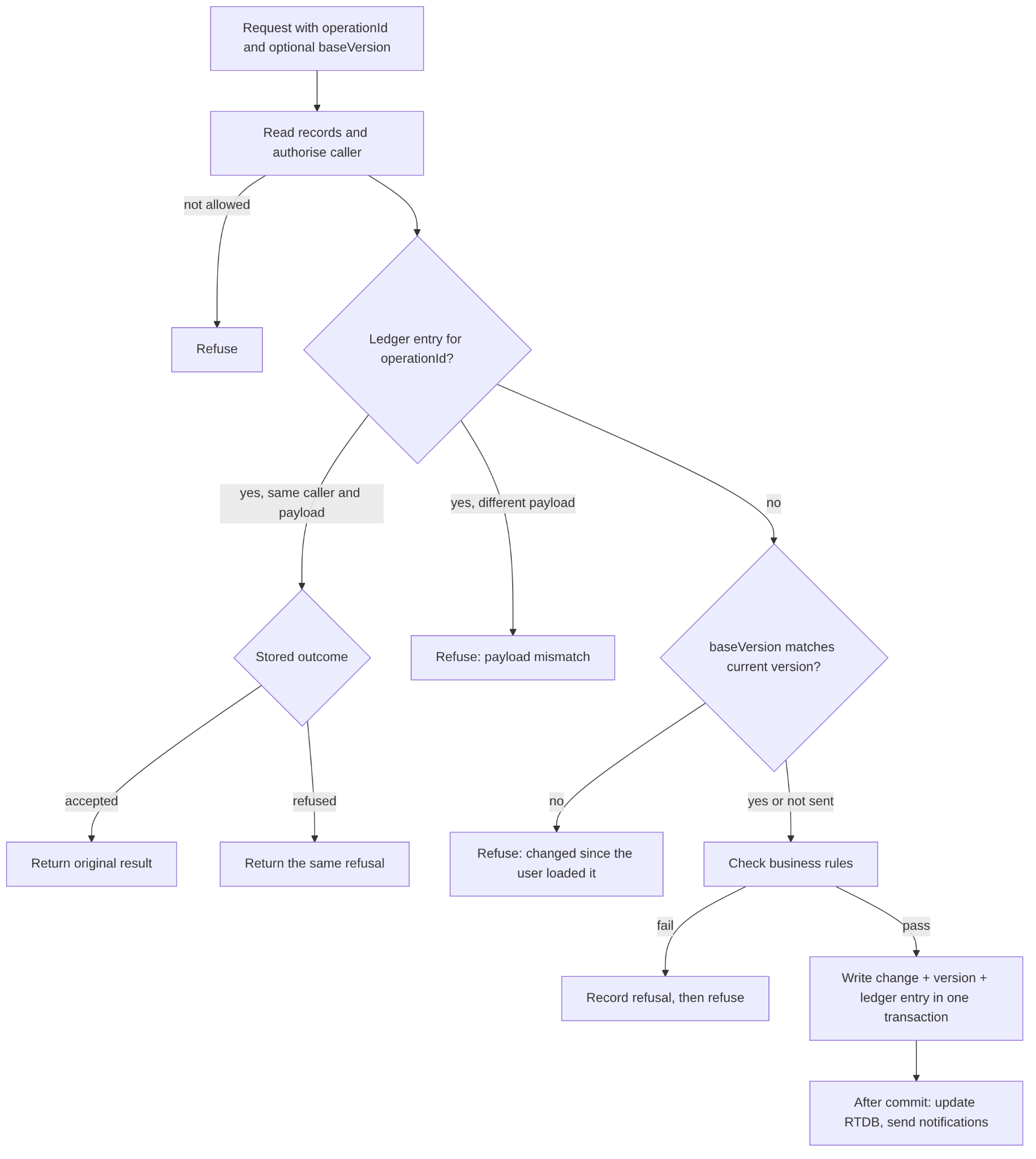
Figure 4.2: Flowchart of a mutating request through the operation envelope.
function handleMutation(caller, request):
  transaction:
    records = read records the request acts on
    authorise(caller, records)   # before the ledger
    previous = ledger.find(request.departureId, request.operationId)
    if previous exists:
      if previous.actor != caller or previous.kind != operation
         or previous.payloadHash != hash(request):
        refuse(OPERATION_PAYLOAD_MISMATCH)
      if previous.status == accepted: return previous.result
      refuse(previous.errorCode)   # same refusal as first attempt
    if request.baseVersion is set and request.baseVersion != departure.version:
      refuse(OPERATION_CONFLICT)   # state changed since user saw it
    check business rules (capacity, status, gates)
    write change
    departure.version = departure.version + 1
    ledger.record(operationId, caller, operation, hash(request), accepted)
  on refusal inside the transaction:
    record the refusal in its own transaction
  after commit:
    update live state in RTDB; send notifications
Listing 4.1: Operation envelope (simplified).
4.3 Mobile Application
4.3.1 Application Structure
The mobile application was implemented using React Native, Expo and TypeScript. Expo Router organised the application into entry, guide, participant and shared route groups. Route files connected navigation to feature controllers, while reusable components provided consistent screens, controls and feedback states.
Shared packages supplied domain types, validation schemas, data-access contracts and design tokens. This allowed mobile features to use the same definitions for tour states, participant records and operation requests as the web application and backend. Infrastructure modules handled authentication, backend communication, connectivity, local storage and device capabilities. Native development builds supported dependencies such as MapLibre, which could not run through Expo Go.
This structure separated presentation from backend and device interactions. Feature controllers could therefore be tested using injected service clients, while reusable components could be developed and reviewed independently in Storybook.
4.3.2 Guide and Participant Workflows
The mobile application provided separate guide and participant workflows. Participants could join by tour code, provide contact information, grant permissions, check in and access tour information. A QR-based join path was designed and implemented, but end-to-end camera scanning on the accepted physical-device build was not demonstrated by the recorded evidence.
The guide interface supported tour selection, check-in management, attendance, tour initiation and participant monitoring. The live view combined the map, participant roster, warnings and operational controls. Headcount requests were presented as a separate task, with participant responses distinguished from guide verification where the checking mode required it. In the implemented guide flow, ending a tour was a direct operation rather than a mandatory final-headcount sequence.
Connected screens represented pending, failed, rejected and confirmed outcomes. Submitting a request therefore did not immediately imply that a shared operation had succeeded. This distinction was particularly important for tour controls, headcounts and SOS actions, where the application needed to represent the accepted outcome accurately.
4.3.3 Navigation and Session Management
Navigation depended on authentication, user role and the current tour session. Authentication and session providers restored the authorised context before the navigation gate selected the appropriate destination. Guides and participants were directed to different route groups, while shared routes provided account, tour-selection and support functions.
For example, reopening the application during an active participant session required the application to restore the identity and membership before displaying the active-tour screen. Waiting, completed and cancelled sessions produced different destinations. Live subscriptions also allowed membership and departure changes to update the participant’s navigation context.
Session refreshes required particular care because replacing an existing screen with a loading screen could discard information entered during joining or check-in. The navigation gate retained an already displayed participant screen during a same-account refresh while delaying navigation decisions until the refreshed session was available.
Subscriptions were cleaned up when their scope changed. Account checks and callback invalidation prevented delayed responses from an earlier role, account or departure from updating the current session. Protected content remained unavailable while the initial authentication or session context was unresolved.
4.3.4 Maps, Directions and Location Processing
MapLibre provided the mobile map presentation, while Expo Location supplied device observations. A shared location provider coordinated tracking across the application’s protected routes. Each observation retained its coordinates, accuracy and observation timestamp, allowing the application to distinguish a recent position from an older or inaccurate reading.
Location observations followed separate local and remote paths. Local presentation could update immediately, while publication submitted observations for use by other clients. The coordinator attempted to publish the first observation immediately and limited subsequent submissions to one every five seconds. During this interval, it retained the latest pending observation rather than accumulating every intermediate callback. A scheduled submission ensured that the latest observation could still be published after a burst of callbacks ended. Figure 4.3 summarises this foreground publication logic.
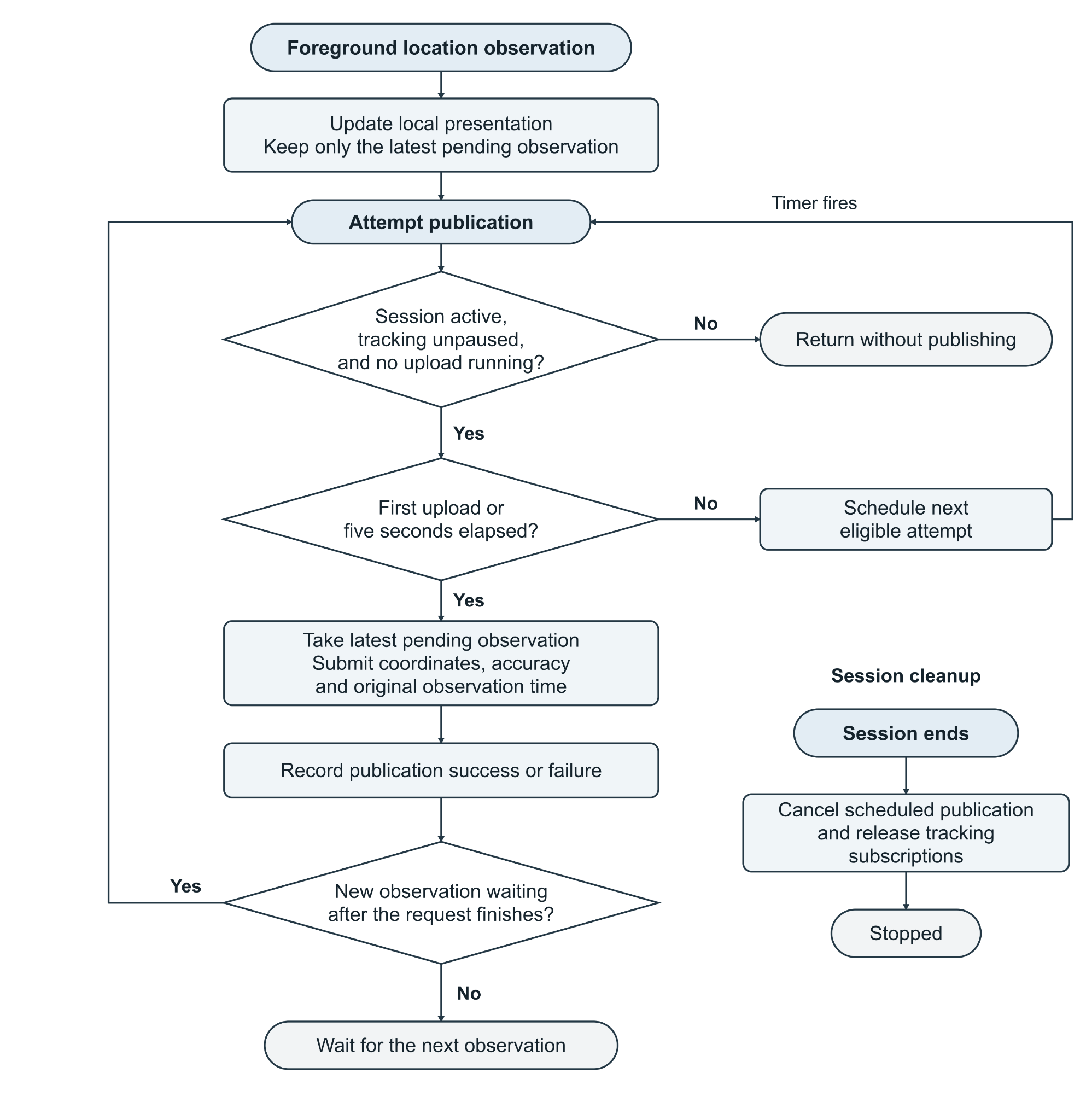
Figure 4.3: Simplified foreground location-publication logic.
Background-location handling was integrated through the platform runtime. Where background reporting was available, observations could continue after the application left the foreground. Otherwise, publication followed the available capability and lifecycle state. Tracking and scheduled work were cleaned up when the relevant session ended or changed.
The presentation distinguished location freshness, connection presence and backend safety information. Marker stabilisation reduced small apparent movements caused by GPS variation, but raw observations continued to determine freshness and safety presentation. Consequently, a visually stable marker did not make an old observation current. Meeting-point and checkpoint coordinates also supplied destinations for external directions links.
4.3.5 Backend Integration and Offline Recovery
Typed backend clients connected mobile features to callable operations and subscriptions. The configured AWS endpoint supported callable operations, while Firebase Authentication, Cloud Firestore and Realtime Database supplied identity and data services. Common validation and error mapping converted requests, responses and failures into states that mobile features could handle consistently.
A durable action manager supported operations whose outcomes could remain uncertain after connection loss. Supported requests were saved before transmission and retained their original operation identifier and payload when retried. This complemented the server-side operation envelope described in Section 4.2.2, allowing an uncertain request to be reconciled without creating a new user decision. Version conflicts remained visible and required review against the updated tour state. A reviewed replacement decision received a new identifier.
Offline initiation was limited to supported operations. Saving an action locally represented an intention waiting to be processed; other clients reflected the accepted outcome after backend reconciliation.
Downloaded offline packages provided a separate capability. Item bodies were checked against manifest size and hash information before a package was considered complete. Interrupted downloads could resume, and the previous complete package remained readable while an update was incomplete. Stored content was scoped to its owner and cleared on sign-out. Offline packages provided selected tour content rather than live participant positions or downloaded basemap tiles.
4.3.6 Mobile Implementation Challenges and Resolutions
One significant problem involved participants seeing their own GPS movement while the guide continued to receive outdated positions. The local marker consumed device observations directly, whereas remote delivery depended on submission and backend processing. The investigation recorded a queue age reaching 497 seconds during the reported testing period, demonstrating that local movement alone did not establish successful remote delivery.
The mobile correction limited publication frequency and retained the newest pending observation with its original timestamp. Complementary backend changes combined eligible queued observations. Regression checks exercised burst handling, publication timing and delivery of the latest pending sample. The repair record retained deployment and physical-device acceptance as separate follow-up requirements.
A second problem arose when a live subscription update arrived before a plan-publication response. The refresh could temporarily remove the editor, causing its pending operation to ignore an accepted response. The implementation retained the editor and accepted snapshot during refresh, paused further changes and allowed the original request to complete. A regression test reproduced the ordering, and the documented native recheck confirmed that a subsequent publication completed without leaving an unnecessary pending request.
4.4 Web Portal
The web portal is a React 19 single-page application built with Vite, using React Router for navigation, Tailwind CSS for styling and MapLibre GL for maps. It is the guide's planning tool: guides create tour templates, draw routes and zones on a map, build day-by-day itineraries, set the movement policy used for safety evaluation, schedule and publish departures, manage guide groups, and follow running tours on a live map. After a tour, it presents the tour report.
The portal reads data through Firestore subscriptions limited by security rules and changes data only through backend operations. Draft tours are saved to the backend as the guide edits, so a draft survives a closed tab and can be continued on another device. Place search, walking directions and public-transport planning are requested through the backend rather than directly from third-party providers, which keeps provider configuration on the server and lets the portal show a clear message when a provider is unavailable. Screens are developed in isolation in Storybook and covered by component tests.
4.5 Deployment and Infrastructure
Production runs on AWS in the ap-southeast-2 region: API Gateway in front of the API Lambda, an SQS FIFO queue feeding the tracking-worker Lambda, and three scheduled Lambdas invoked by EventBridge Scheduler (Table 4.1). Firebase provides Auth, Firestore and RTDB on the free Spark plan. Cloud Functions are used only locally, through the Firebase emulator, where developers and tests run the same handler code that production runs on Lambda.
Each scheduled job is limited to one concurrent run so that runs never overlap. Failed runs are retried automatically and then sent to a dead-letter queue, and CloudWatch alarms report repeated failures.
Table 4.1: Scheduled jobs
| Job | Interval | Purpose |
|---|---|---|
| Reconcile live sessions | 5 minutes | Repairs differences between Firestore and RTDB (Section 3.6.2). |
| Re-evaluate safety states | 1 minute | Ages location evidence when no new reports arrive, so a phone that has gone silent becomes unknown rather than appearing safe. |
| Retry SOS notifications | 1 minute | Retries a failed SOS push at increasing intervals and marks the incident as escalated if delivery keeps failing. |
4.6 Unforeseen Problems and Solutions
Table 4.2 lists the problems met during backend and web implementation, the team's response and the lesson drawn from each.
Table 4.2: Unforeseen problems and solutions
| Problem | Cause / impact | Response | Lesson |
|---|---|---|---|
| Backend could not be deployed on the free plan | The backend was written for Firebase Cloud Functions, but the Spark plan cannot deploy them and the team chose not to attach billing. | Added a thin AWS adapter that runs the same handlers on Lambda. The one Firebase database trigger became a queue worker and scheduled logic became separate Lambdas. The emulator still runs the Cloud Functions version, so tests use the same handler code as production. | Keeping handlers independent of the hosting platform allowed a change of runtime without a rewrite. |
| Firestore read quota exhausted (7 October) | The free tier's 50,000 daily reads ran out by mid-morning and every backend operation failed until the reset. Several test tours had been left running, and the one-minute safety sweep re-read each of them every minute. | Reduced reads per sweep; re-evaluated participants already unknown less often; skipped tours left running more than 12 hours past their planned end while the guide's phone had stopped reporting; added a reminder for guides to end a tour after its planned end. | Background jobs must be budgeted against quota, and test data must be cleaned up. |
| A silent phone appeared safe | Safety was evaluated only when a new location report arrived, so a phone that stopped reporting kept its last status and could look safe on the guide's map. | Added the one-minute re-evaluation job, which ages location evidence so the participant becomes unknown and the guide sees the likely reason. | The absence of data is itself a signal and must be evaluated. |
| Divergence between Firestore and RTDB | Starting or ending a tour writes to both stores, and an interruption between the writes could leave them inconsistent. Cross-database transactions are not supported. | Made Firestore the source of truth and added the five-minute reconciliation job. | Where two stores cannot be updated atomically, name one as authoritative and repair the other. |
Section 5
Results and Evaluation
5.1 Achievement of Project Goals
Table 5.1: Achievement of project goals
| Introduction objective | Assessment | Evidence and limitation |
|---|---|---|
| O1 · Plan and join tours | Achieved in part | The web planner supports multi-day plans and departure publishing; code joining is documented. Parallel groups are represented in the model. The final-build QR scanner was not independently accepted on a physical device. |
| O2 · Readiness and attendance | Achieved in part | Check-in, start gate, guide records and separate headcount requests were implemented. End Tour is direct and does not require a closing headcount; automatic arrival detection is outstanding. |
| O3 · Live location and activity-aware safety | Partial | Policies and stale/unknown evaluation are implemented. A queue delay of 497 seconds was recorded; regression checks passed but remote location performance and false-warning rates have not been validated in a real tour. |
| O4 · SOS and missing-person response | Achieved in controlled tests | SOS state transitions, retry/escalation and incident handling are implemented. Reliable production push receipt and real-world recovery remain unverified. |
| O5 · Guide–participant communication | Partial | Guide announcements and one-to-one guide–participant messages are implemented. Production push receipt on physical devices has not been verified; participant group chat is not part of the delivered scope. |
| O6 · Connectivity and parallel activities | Achieved in part | Operation IDs and durable retries address uncertain outcomes; activity assignments and parallel execution are represented. Full offline operation, live offline location and indoor positioning were not implemented. |
| O7 · Verification and physical demonstration | Partial | 28 October 2026: 33/33 backend unit tests and 225/225 tests across selected mobile suites. An iPhone release build launched, but the full emulator-backed suite, Android and complete physical-device acceptance were not recorded. |
5.2 Test Plan and Method
Table 5.2: Test plan by iteration
| Iteration / date | Scope and intended checks | Method | Recorded result and limit |
|---|---|---|---|
| MVP (August 2026) | Pre-tour slice: the guide opens check-in and shares a code; a participant joins, checks in and waits; the guide sees readiness update live. | Storybook builds and component tests; backend tests against the Firebase emulators; Security Rules allow and deny tests; two-client walkthrough on emulator data. | MVP screens and backend/emulator checks were created. This report does not contain a dated, complete MVP run log or pass totals; no iteration-wide pass claim is made. |
| V2 (September 2026, merged to main 17 Sep) | Live tour: location ingestion, safety evaluation, SOS, messaging, headcounts and offline actions; production moved to AWS Lambda on 15 Sep. | Unit tests of shared domain functions; backend integration tests on the emulators; CI on pull requests from 19 Sep; reviewer runs each ticket's test recipe before approval. | The V2 contract, integration and AWS cutover were recorded, with regression and emulator-backed tests. A dated comprehensive September test-result summary is not available in this report. |
| Acceptance (October 2026) | Whole system on production AWS and Firebase, with native mobile builds. | Regression tests for recorded defects; focused Jest run; emulator contract scripts; native walkthroughs; client review. | 28 October: 33/33 backend unit tests and 225/225 tests across 11 selected Jest suites passed. The 78 emulator-backed files and 4 callable files were not rerun for this summary. Physical-device acceptance remains incomplete. |
5.2.1 Mobile Testing Approach
Technical testing combined automated regression checks, emulator-backed integration checks and native walkthroughs. Unit tests examined navigation decisions, location interpretation, durable requests and offline-package verification. Component and integration tests exercised interactions between screens, session providers and injected service clients.
Firebase emulator scripts provided a separate means of checking client contracts, subscriptions and access restrictions against local services. Native walkthroughs addressed behaviour requiring the application environment, including permissions, screen transitions and session restoration.
These methods provided different evidence. Tests using mocked location or backend clients established application behaviour under controlled conditions. Physical movement, background operation, push receipt and production synchronisation required separate device-level verification.
Testing also targeted failures discovered during implementation. Recorded defects were reproduced through focused regression cases, followed by targeted rechecks after correction. This provided evidence that the correction addressed the observed behaviour while preserving related functionality.
5.2.2 Mobile Test Scenarios
Testing addressed successful workflows and failure conditions that could leave the interface inconsistent with the underlying session or operation.
| Scenario | Expected behaviour | Available evidence / method | Recorded limitation |
|---|---|---|---|
| Join and check in | One membership and attendance action despite retry; role restrictions enforced | Code join, check-in and access-control unit / emulator checks; native walkthroughs | Physical QR scan acceptance not recorded |
| Session restoration | Resume the correct guide or participant state without losing input | Focused navigation tests and native walkthroughs | No Android acceptance recorded |
| Location and monitoring | Latest valid observation reaches guide; stale evidence becomes unknown | Location coordinator regression tests; emulator safety checks; queue investigation | 497 s queue-age incident; no post-fix field trial |
| SOS and retry | One incident for repeated operation ID; status and retry remain accurate | Backend operation-envelope tests; focused client checks | Push delivery not fully verified end to end |
| Plan publication and changes | Publish once; retain editor on concurrent subscription update | Reproduced regression for publication race; subsequent native recheck | No broad multi-user load evaluation |
| Headcount and ending | Separate headcount; lead guide can end without blocking on duties | Recorded direct-end implementation (#419); native guide walkthrough | Operational safety of optional final count not studied |
The interpretation of each result depended on its environment. For example, a mocked GPS observation could verify publication timing and freshness handling, but could not establish physical-device accuracy. Similarly, a controlled cross-client test could verify how accepted state changed the interface without establishing delivery through the deployed network.
5.3 Test Results
5.3.1 Mobile Automated Test Results
A focused automated run on 28 October 2026 passed all 225 tests across 11 selected mobile Jest suites. In a separate backend unit run on the same date, 33 of 33 tests passed. These selected runs do not verify the full backend integration inventory; see Table 5.3 for the other environments and limits.
Table 5.3: Summary of test results
| Test layer | Tool | Result summary |
|---|---|---|
| Backend unit tests | Vitest 4.1 | 33 of 33 tests passed across 6 unit-test files (28 October 2026, commit cb46c4f). The 78 emulator-backed test files and 4 callable test files were not re-run for this summary. |
| Mobile | Jest | 225 of 225 tests passed across 11 selected suites (28 October 2026, revision 8aa640ba). |
| Device and acceptance | Native walkthroughs (manual) | Joining, permissions, screen transitions and session restoration walked through on native builds. Location queue age of up to 497 s recorded before the publication fix; acceptance of the deployed fix on physical devices outstanding. Simulator walkthroughs used iPhone 17e and iPhone 17 Pro (iOS 26.5) with seeded emulators between 17 September and 6 October. On 20 October a Release build was installed on a physical iPhone 16 Pro (iOS 27) and confirmed to launch; navigation and background location were not re-tested. No Android pass was recorded. |
| Client and guide feedback | Client and tour-guide meetings (Section 2.4) | The client received a live demonstration positively; requested multi-activity and skip-activity workflows were discussed as delivered. At the final presentation the client requested participant group chat, which was not implemented. This feedback is not independent usability or reliability validation. |
| Production operation | CloudWatch logs and alarms | One outage: the 50,000 daily Firestore reads were exhausted on 7 October and all operations failed until the reset. Reads per safety sweep were reduced the same day. |
5.4 Critical Evaluation
5.4.1 Strengths
Safe retries under poor connectivity. Every mutating operation passes through the operation envelope, which returns the recorded outcome for a repeated operation ID, including refusals. A resent SOS returns the original incident rather than creating a second one (Section 3.6.2), which is the behaviour a guide needs on an unreliable outdoor network.
Missing data is never shown as safe. Readings older than 30 seconds are stale and older than 120 seconds unavailable, and both make a participant unknown. The one-minute re-evaluation job, added after a silent phone was found to keep a safe status, ensures the guide sees the change even when no new report arrives (Section 4.6).
Independence from the hosting platform. The same handler code runs in the Firebase emulator and on AWS Lambda. When the free plan ruled out Cloud Functions, the team moved production to AWS on 15 September without rewriting the approximately 140 backend operations.
Consistent contracts across three clients. Shared packages hold domain types, validation schemas and data paths for the web portal, mobile app and backend, so a malformed request is rejected with a specific error before any data is read (Section 4.2.1).
Defects fixed with evidence. Recorded mobile defects, such as the plan-publication race and the location publication delay, were first reproduced by a regression test and then rechecked after the fix. The focused mobile run on 28 October passed all 225 tests in 11 suites.
5.4.2 Weaknesses
Location delivery was not proven end to end. During testing, the queue age of location reports reached 497 seconds while participants saw their own markers move normally. The publication fix passed regression checks, but acceptance on physical devices after deployment remains outstanding, so the core tracking objective is rated partial (Table 5.1).
Dependence on free-tier quota. On 7 October the 50,000 daily Firestore reads ran out by mid-morning and every backend operation failed until the reset. The cause, test tours left running under a one-minute sweep, was fixed, but the system still has no budget per job and no early warning before the limit.
Limited field validation. Most evidence comes from emulators, mocked locations and native walkthroughs. The default movement policy (150 m safe zone, 3-minute warning delay, 200 m group spread) has not been tested on a real tour, so false-warning and missed-warning rates are unknown.
Weaker automated checks late in the project. CI was switched off after the spending limit was reached, so later changes relied on reviewers running each ticket's test recipe locally. This is slower and easier to skip than an automatic merge check.
Attendance remains partly manual. Headcounts depend on participant responses and guide verification, and a tour can be ended without a final headcount. Both weaken the guarantee that no participant is left behind.
Section 6
Future Work
6.1 Features Not Implemented
Table 6.1: Features not implemented
| Feature | Why it was not implemented | What it needs |
|---|---|---|
| Indoor positioning and Bluetooth tag integration (stretch goal) | Phone GPS was the only position source. BLE tags or UWB anchors need hardware the team did not have and set-up at each venue. | Evaluation of low-cost BLE tags, a pairing step in the participant app, and a privacy review. |
| Automatic attendance detection at meeting points | Headcounts rely on participant responses and guide verification. GPS accuracy at meeting points was not validated, so automatic detection risked false arrivals. | Arrival detection from the assemble-mode radius and reading accuracy, with guide confirmation for borderline cases. |
| Configurable mandatory final headcount (alternative policy) | The delivered design intentionally allows a direct end; final headcount is a separate task and not a failed implementation. | Investigate operator policy and whether a mandatory final count or reasoned override improves safety without creating an unfinishable tour. |
| Offline maps and last-known positions | Offline packages were limited to tour content so that each package could be size- and hash-checked. Basemap tiles and live positions were excluded. | Packaged map tiles with a size limit per tour, and display of last-known positions with their age. |
| Verified background location on all devices | Background reporting depends on platform capability and app lifecycle, and was not verified on physical iOS and Android devices. | Device tests with the app in the background and the screen locked, on both platforms. |
| Continuous integration on every pull request | GitHub Actions was switched off when the organisation's spending limit was reached. | CI on a self-hosted or free runner, with tests required before merge. |
| Multilingual interface (stretch goal) | The interface is in English only; translation was lower priority than safety features. | Externalised strings and translations of the participant screens and system messages. |
| Participant-to-participant group chat | Requested by the client at the final presentation. Messaging was scoped to guide announcements and one-to-one guide–participant threads, so that every message has a responsible guide. | A group conversation per departure, readable by its joined participants and guides, with guide moderation (mute or remove a message) and the same membership checks as direct messages. |
6.2 Future Enhancements
Field trial on physical devices. A guided walk of 30 to 60 minutes with five to ten participants on both iOS and Android would measure end-to-end location delay, battery use per hour, alert delay and false-warning rate. This is the most valuable next step, because most results in Section 5.3 come from emulators and mocked locations. The trial can reuse the existing structured request logs and CloudWatch metrics, with a short questionnaire for the guide.
Automatic arrival detection at meeting points. In assemble mode, the tracking worker could mark a participant as arrived once a fresh reading with accuracy better than 30 m falls inside the meeting-point radius for a set time. The guide would confirm only the remaining participants, which shortens headcounts on large groups. The rule fits the existing pure safety-evaluation function and can be unit-tested in the shared domain package.
Bluetooth tags for low-signal environments. Caves, boats and buildings, named in the client brief, defeat phone GPS. Low-cost BLE tags carried by participants and scanned by the guide's phone would give a proximity signal (near, far or not seen) when GPS is unavailable. This needs a hardware comparison, a pairing step in the participant flow and a privacy review before any trial.
Battery-aware location sampling. Publication is currently limited to one report every five seconds. The interval could lengthen while a participant is stationary or in free-roam mode and shorten near a route boundary, reducing battery drain and database writes. The change belongs in the mobile location coordinator and the safety thresholds, which already define when precision matters.
Quota and cost safeguards. The 7 October outage showed that background jobs can exhaust the free tier. A daily read budget per job, an alarm at 70 per cent of quota and automatic ending of tours left running would prevent a repeat; moving to the Blaze plan would remove the hard limit at a small, predictable cost.
Section 7
Conclusion
7.1 Aims
TourTrack aimed to help guides coordinate a tour through a shared plan, named attendance, activity-aware location evidence, communication and a structured response to incidents. The web portal supports preparation and review, while a role-based mobile app supports operation. Reviewed competitors offer overlapping tracking and alert features, but TourTrack was designed around the guide’s complete operational workflow rather than location sharing alone.
7.2 Key Findings
Reliability under unreliable networks was the hardest requirement, and the operation envelope was the most important design decision. A retried request returns the original outcome, so a participant who presses SOS twice on a weak connection raises one incident, not two.
The absence of data has to be treated as information. Evaluating safety only when a report arrived let a silent phone appear safe; the one-minute re-evaluation job changed that, so a stale or missing reading always shows as unknown.
Free-tier infrastructure shaped the architecture. The Spark plan's inability to deploy Cloud Functions led to the AWS Lambda adapter, and its 50,000 daily reads caused the only full outage, on 7 October. Background work has to be budgeted against quota from the start.
Correct local behaviour does not prove correct remote behaviour. A participant's own marker moved normally while the guide's view lagged by up to 497 seconds, so tests have to cover the path between devices, not only each device in isolation.
7.3 Major Outcomes and Significance
The first outcome is an integrated web, mobile and backend system that demonstrates tour planning, participant joining, attendance, live status, guide messaging and SOS workflows. Table 5.1 assesses each of the seven original objectives separately. The project achieves substantial controlled-test coverage but does not establish production-ready tracking reliability, physical QR acceptance or full multi-device safety performance.
The second outcome is a backend whose rules hold under poor connectivity. Operation IDs, recorded refusals and version checks mean that a retried request cannot create a second SOS or overwrite a change the user has not seen. For a safety tool used outdoors, this matters more than any single feature, because a duplicated or lost alert is itself a safety failure.
The third outcome is a design that can grow. Platform-independent handlers, shared packages and a test suite that runs against the emulators allow the features in Section 6 to be added without restructuring the system. The main condition for real use is a field trial on physical devices, which would turn the controlled test results reported here into evidence of behaviour on an actual tour.
References
[1] Ministry of Business, Innovation and Employment, “Tourism Satellite Account (year ended March 2025),” Tourism Evidence and Insights Centre, 3 Mar. 2026. [Online]. Available: https://teic.mbie.govt.nz/teiccategories/datareleases/tsa/ (accessed 14 Oct. 2026).
[2] WorkSafe New Zealand, “Adventure activities: documents and resources.” [Online]. Available: https://www.worksafe.govt.nz/topic-and-industry/adventure-activities/documents-and-resources/ (accessed 14 Oct. 2026).
[3] I. K. G. Sudiartha, I. N. E. Indrayana, I. W. Suasnawa and P. I. Ciptayani, “Design and implementation of group tourist monitoring application with realtime database Firebase,” in Proc. Int. Conf. Science and Technology (ICST 2018), Atlantis Press, Dec. 2018, pp. 1078–1083, doi: 10.2991/icst-18.2018.217.
[4] Life360, “How does Life360 work?” [Online]. Available: https://www.life360.com/learn/how-does-life360-work (accessed 14 Oct. 2026).
[5] Google, “Get Location Sharing notifications,” Google Maps Help. [Online]. Available: https://support.google.com/maps/answer/11966807?hl=en (accessed 30 Oct. 2026).
[6] Rezdy, “Rezdy mobile app for tour operators.” [Online]. Available: https://rezdy.com/mobile-app/ (accessed 14 Oct. 2026).
[7] komoot, “Event live tracking (beta).” [Online]. Available: https://www.komoot.com/live-tracking (accessed 14 Oct. 2026).
[8] BMS Audio, “The tour guide app: elysium tgs.” [Online]. Available: https://www.bmsaudio.com/tour-guide-app.html (accessed 14 Oct. 2026).
[9] Expo, “Introduction to development builds.” [Online]. Available: https://docs.expo.dev/develop/development-builds/introduction/ (accessed 14 Oct. 2026).
[10] Google, “Firebase documentation.” [Online]. Available: https://firebase.google.com/docs (accessed 14 Oct. 2026).
[11] Amazon Web Services, “What is AWS Lambda?” AWS Lambda Developer Guide. [Online]. Available: https://docs.aws.amazon.com/lambda/latest/dg/welcome.html (accessed 14 Oct. 2026).
[12] MapLibre, “MapLibre: Open-source mapping libraries.” [Online]. Available: https://maplibre.org/ (accessed 30 Oct. 2026).
[13] Transitous, “Transitous: Provider-neutral public transport routing.” [Online]. Available: https://transitous.org/ (accessed 30 Oct. 2026).
[14] Storybook, “Get started with Storybook.” [Online]. Available: https://storybook.js.org/docs (accessed 30 Oct. 2026).
[15] OpenFreeMap, “OpenFreeMap: Free and open-source map tiles.” [Online]. Available: https://openfreemap.org/ (accessed 30 Oct. 2026).
[16] S. Brown, “The C4 model for visualising software architecture.” [Online]. Available: https://c4model.com/ (accessed 30 Oct. 2026).
[17] IcePanel, “IcePanel: Collaborative diagramming and modelling tool for software architecture.” [Online]. Available: https://icepanel.io/ (accessed 30 Oct. 2026).
[18] Viator, “Viator: Tours, activities and things to do.” [Online]. Available: https://www.viator.com/ (accessed 30 Oct. 2026).
[19] Uber, “A guide for how to use Uber.” [Online]. Available: https://www.uber.com/nz/en/ride/how-it-works/ (accessed 30 Oct. 2026).
[20] Mobbin, “Mobbin: UI and UX design reference library.” [Online]. Available: https://mobbin.com/ (accessed 30 Oct. 2026).
[21] Flighty, “Flighty: Live flight tracker.” [Online]. Available: https://flighty.com/ (accessed 30 Oct. 2026).
[22] Apple, “Find My,” iCloud. [Online]. Available: https://www.apple.com/nz/icloud/find-my/ (accessed 30 Oct. 2026).
[23] AllTrails, “AllTrails: Trail guides and maps.” [Online]. Available: https://www.alltrails.com/ (accessed 30 Oct. 2026).
[24] Backroads, “What is a Travel Planner and how should I use it?” [Online]. Available: https://www.backroads.com/faq/what-travel-planner-and-how-should-i-use-it (accessed 30 Oct. 2026).
[25] Toss, “Toss.” [Online]. Available: https://toss.im/en-us (accessed 30 Oct. 2026).
Appendices
Appendix A: Gantt Charts (Revised)
The table below reconstructs recorded milestones from this report. It is NOT the team-approved revised Gantt chart; the revised chart should be inserted here before submission.
| Workstream | August | September | October | Source in report |
|---|---|---|---|---|
| Concept, feasibility and C4 architecture | ■ | §3.7.2: initial architecture, 2 August | ||
| Functional MVP and first flows | ■ | §3.7.2: MVP capture, 31 August | ||
| V2 scenario research and redesign | ■ | §3.7.3: scenarios and contract | ||
| AWS production cutover | ■ | §5.2: 15 September | ||
| Web, mobile and backend integration | ■ | ■ | §3.7.3–3.7.6 | |
| Regression, native walkthroughs and review | ■ | §5.3: 28 October results |
Appendix B: Link to Final Build
Final build link: [TEAM TO INSERT VERIFIED URL]. The provided report does not contain a final-build address; confirm that access works without the authors’ accounts.
Appendix C: Link to Demo Video
Demonstration video link: [TEAM TO INSERT VERIFIED URL]. Confirm that the linked video shows the integrated build and that viewing permissions allow marking.
Appendix D: Link to the Collaboration Google Doc
Collaborative Google Doc link: [TEAM TO INSERT PUBLIC URL]. Verify the link using a signed-out browser and keep the document accessible to the markers.